
Streacom ZF240 Manual
PDF manual · 2 Pages
English


Quick check
Incorrect answer, please try again.
Chat with your Streacom ZF240 manual using AI
Get instant AI answers from your Streacom ZF240 manual
Ask anything about the Streacom ZF240. Answers come from this manual, with the pages they are based on.
Ask a Question
Do you recommend ZF240?
Yes NoFrequently Asked Questions
It uses passive cooling instead of a fan and is designed to mount directly to a compatible case heatsink. That makes it quieter and better suited to minimalist, low-noise builds.
Is this answer helpful?
Yes, it is designed to operate without a fan. In normal use, that means no fan noise, although the PSU can still become warm during extended high-load operation.
Is this answer helpful?
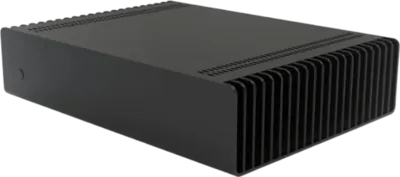
It is intended for selected Streacom cases that support this passive PSU design. Compatibility depends on the case model and generation, so the mounting layout matters.
Is this answer helpful?
No, thermal paste is not required. The unit is designed to secure directly to the case heatsink using the supplied mounting hardware.
Is this answer helpful?
It includes a 20+4-pin ATX connector, 4-pin CPU power, SATA, Molex, and a floppy-style connector, making it suitable for compact desktop systems.
Is this answer helpful?
No, it is best for efficient, low-power systems. It suits media PCs, lightweight desktops, and compact builds, but not high-end gaming or workstation hardware.
Is this answer helpful?
Advantages and Disadvantages
Advantages

- Fanless design delivers completely silent operation for quiet PC builds.
- Flexible AC socket placement helps with cleaner case integration and cable routing.
- Built for Streacom cases, so fit and thermal pairing are highly optimized.
- Includes useful connectors for compact systems, including ATX, CPU, SATA, and Molex.
Disadvantages

- Only works properly with compatible Streacom cases and their heatsink setup.
- Installation is more involved than a standard PSU swap.
- Passive cooling can make the unit warm under sustained load.
- 240W output is modest and not ideal for power-hungry builds.
Product Specification
Fan
passively cooled
Cable management
fixed
Connectors
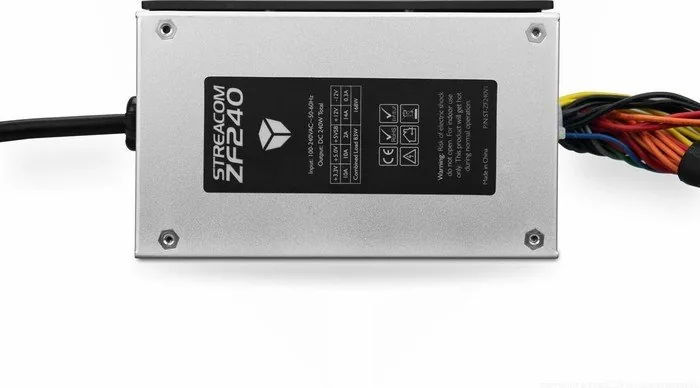
1x 20/24-Pin, 1x 4-Pin ATX12V, 2x SATA, 2x IDE, 1x Floppy
Dimensions (WxHxD)
3.39x1.85x5.47in
+3.3V
10A
+5V
10A
+12V
14A
-12V
0.3A
+5Vsb
2A
Number of 12V rails
1
Form factor
Flex-ATX
Specification
Flex-ATX
Special features
ErP Lot 6
Color
black
Product Description
Streacom Fanless 240W Flex-ATX: Quiet Power for Minimalist Builds
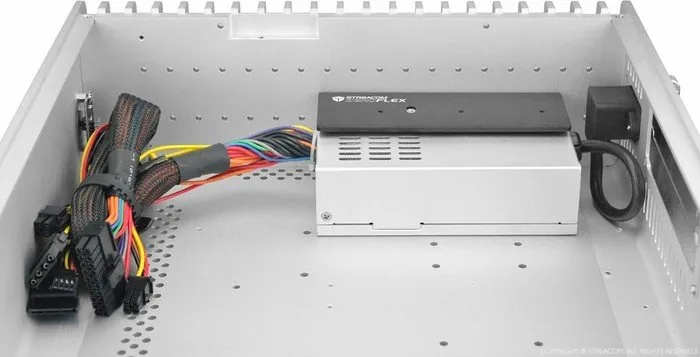
The Streacom Fanless 240W Flex-ATX PSU is built for users who want a clean, silent, and highly integrated PC setup. Rather than relying on a conventional fan for cooling, it uses the case itself as part of the thermal solution. That design choice makes it especially appealing for compact media PCs, silent workstations, and elegant custom builds where low noise matters as much as performance.
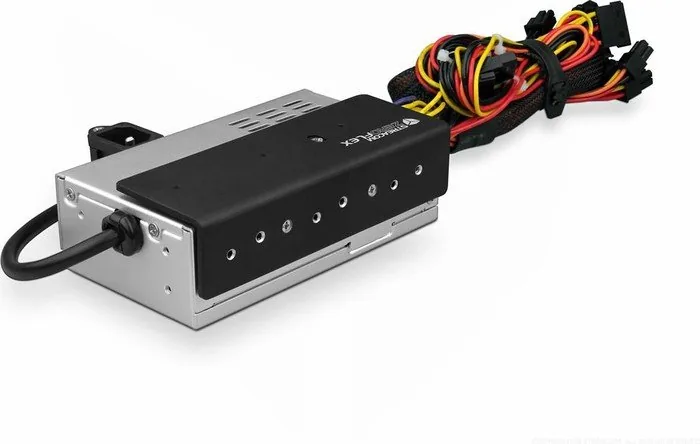
At the heart of the design is a flexible AC input socket and a direct heatsink mounting system. This approach gives the power supply more freedom during installation while also helping Streacom push beyond the usual limits of standard ATX layouts. The result is a power solution that feels purpose-built for Streacom’s own cases, especially those designed to work with passive cooling and a refined internal layout.
The unit delivers 240W of total combined output and supports a practical spread of rails and connectors for small-form-factor systems. With 20+4-pin ATX, CPU power, SATA, Molex, and floppy-style connectivity, it can power a modest desktop build without adding clutter. The flexible cable lengths also make cable routing easier, which is especially useful in tighter enclosures where every centimeter counts.
Installation is a little more involved than dropping in a standard PSU, but that is part of the tradeoff for silent operation. The IEC socket must be positioned correctly at the rear of the case, the mounting plate may need to be removed, and the PSU has to be aligned carefully with the heatsink. Once fitted properly, though, the setup becomes a neat, efficient, and almost invisible part of the system.
If you have been searching for the Streacom Fanless 240W Flex-ATX Manual, the core takeaway is simple: this is a PSU made for builders who value precision, quiet operation, and a premium finish. It is not about excess power or flashy features. It is about doing one job extremely well—delivering reliable power with no fan noise and a design that complements the rest of the build.
Notes
- Best suited to compatible Streacom cases and small-form-factor systems.
- Passive cooling means the PSU can become warm during heavy use.
- Careful installation is essential for the cleanest and safest result.
Search for 67,706 Manuals online


Type-in Brand or Model