
Streacom DA2 Manual
PDF manual · 16 Pages
English


Quick check
Incorrect answer, please try again.
Chat with your Streacom DA2 manual using AI
Get instant AI answers from your Streacom DA2 manual
Ask anything about the Streacom DA2. Answers come from this manual, with the pages they are based on.
Ask a Question
Do you recommend DA2?
Yes NoFrequently Asked Questions
It is a compact Mini-ITX small-form-factor case designed for flexible builds, premium materials, and unconventional hardware layouts. It suits users who want a clean look and a highly configurable interior.
Is this answer helpful?
It is best for experienced builders or enthusiasts who enjoy planning custom layouts. The case offers strong flexibility, but that also means it works best for people comfortable with careful assembly and cable routing.
Is this answer helpful?
The DA2 supports a broad range of cooling solutions, including fans from small sizes up to large units and radiators from 120 mm to 280 mm, depending on the chosen layout and available clearance.
Is this answer helpful?
Yes, but only in certain bracket configurations. Using an ATX PSU can reduce the space available for drives and expansion hardware, so it requires more planning than using SFX or SFX-L units.
Is this answer helpful?
Yes, it supports dual-slot PCIe expansion cards and full-length GPUs, though maximum card length can vary depending on the front I/O, PSU choice, and internal layout decisions.
Is this answer helpful?
Yes. The motherboard orientation can be flipped by removing and rotating the rear panel and relocating the motherboard brackets. This is an optional advanced setup and requires a hex screwdriver.
Is this answer helpful?
The case uses integrated side and top/bottom dust nets. They can be removed for cleaning, and the side net is magnetic, so it can be positioned based on the intended airflow direction.
Is this answer helpful?
Advantages and Disadvantages
Advantages

- Highly flexible layout with universal brackets for custom hardware placement.
- Premium aluminium construction with a clean, minimalist aesthetic.
- Supports a wide range of cooling, drive, and PSU configurations.
- Good access for upgrades and easier component changes in tight spaces.
Disadvantages

- Assembly is more complex than a typical mass-market case.
- Layout planning is required to avoid bracket and component conflicts.
- Some configurations reduce GPU length or drive space.
- Advanced setups may need extra tools and more careful disassembly.
Product Specification
External
N/A
Internal
3x 3.5" or variant 2: 6x 2.5"
Ports
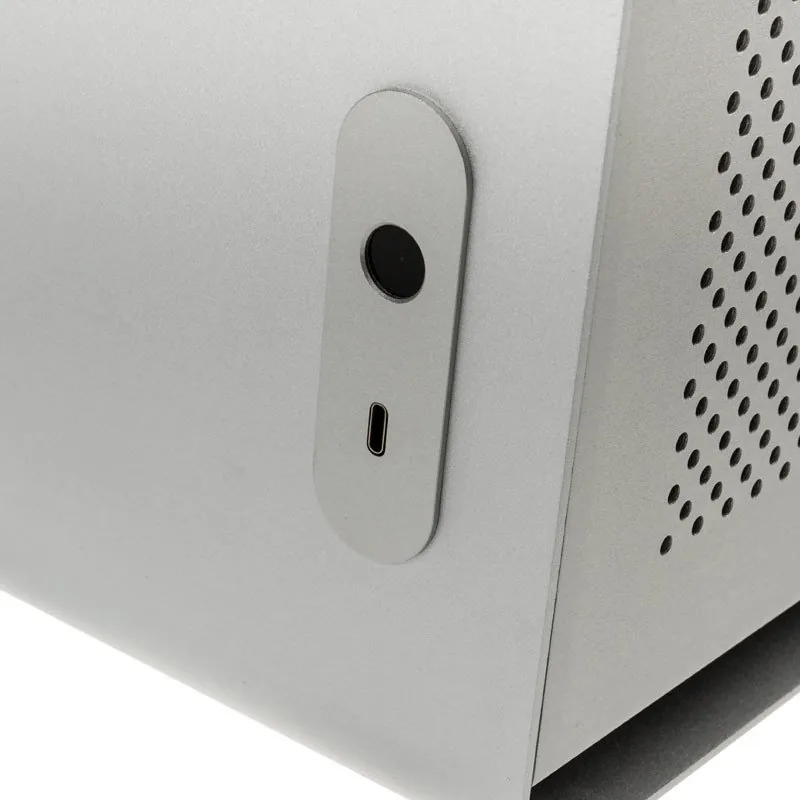
1x USB-C 3.0 (5Gb/s)
PCI Slots
2
Fan (front)
N/A
Fan (rear)
1x 3.62in (optional)
Fan (left)
N/A
Fan (right)
N/A
Fan (top)
N/A
Fan (bottom)
N/A
Fan (other)
1x 7.09in (optional) or 1x 5.51in (optional) or 1x 3.62in (optional) or 1x 3.15in (optional) or 1x 2.36in (optional)
Radiator sizes
4.72/5.51/9.45/11.02in other
Motherboard
up to Mini-DTX
Supported Motherboards
Mini-ITX (6.7"x6.7")/Mini-DTX (8"x6.7")
Power supply
ATX, SFX, SFX-L
Power supply position
front
CPU cooler
max. 5.71in height
Graphics cards
max. 8.66in (12.99in with SFX and SFX-L power supplies)
Lighting
without lighting
Dimensions (WxHxD)
7.09x11.26x13.39in (standing)
Volume
18.49 qt
Weight
8.60 lb
Case type
ITX/DTX
Front
closed
Top
partially closed, mostly fan grill, dust filter
Bottom
partially closed, mostly fan grill, dust filter
Left
partially closed, mesh, mostly fan grill, dust filter inside
Right
partially closed, mesh, mostly fan grill, dust filter inside
Rear
partially closed, fan grill top right, PCI slots (2x horizontal)
Front I/O Position
Case side: Front, Height: middle, Position: right
Motherboard orientation
Motherboard orientation: with case orientation standing: to the left or to the right; with case orientation lying: upwards; Connections: Connections rear
Special features
Aluminum case, standing/lying
USB notation
Link
Product Description
Streacom DA2: Compact Design with Remarkable Flexibility
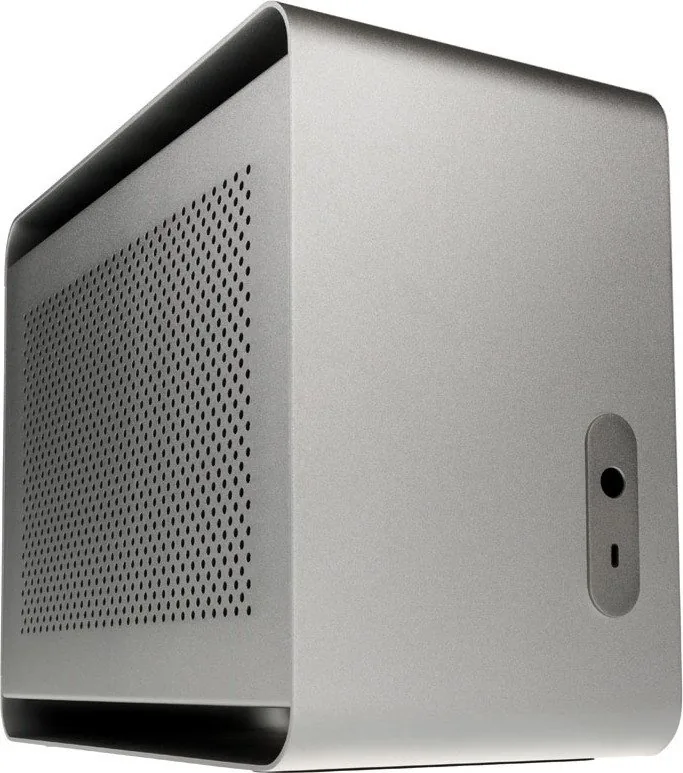
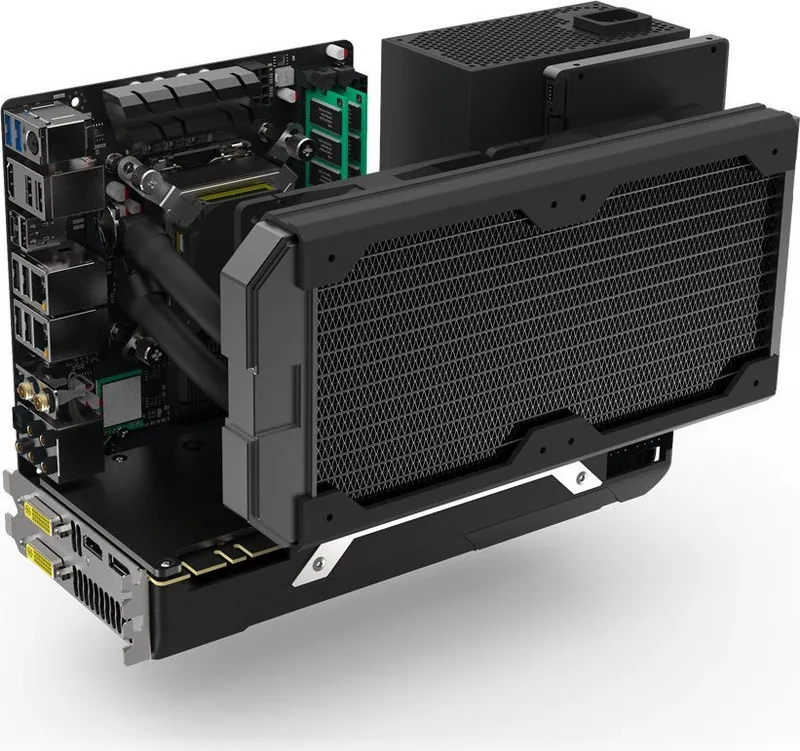
The Streacom DA2 is a small-form-factor case that focuses on modularity, clean finishing, and thoughtful thermal design rather than flashy extras. Unlike many compact enclosures that lock you into a fixed layout, the DA2 uses universal brackets and a track-based frame system that lets builders place hardware where it fits best. That freedom makes it ideal for users who want a refined Mini-ITX build with a custom feel.
One of the most interesting ideas in the Streacom DA2 Manual is the way it treats assembly as a planning exercise. Components are not arranged around a single rigid path; instead, the case supports different bracket positions for drives, the PSU, fans, radiators, and even expansion hardware. This approach opens the door to unusual layouts and high compatibility, but it also rewards careful measurement and a patient build process.
The case is built from aluminium and keeps its look understated, available in sandblast silver or black. It supports Mini-ITX motherboards, dual-slot graphics cards, SFX, SFX-L, and even ATX power supplies in specific configurations. Cooling support is equally broad, with room for fans from 40 mm up to 180 mm and radiator support from 120 mm to 280 mm depending on how the interior is arranged. For storage, the bracket system can accommodate multiple 2.5-inch and 3.5-inch drives.
Another strong point is access. The open back of the motherboard area makes upgrades easier, and the universal bracket concept reduces the obstruction common in tiny cases. That means M.2 changes, cable routing, and component swaps can be less frustrating than in many cramped builds. The integrated dust nets on the sides and top/bottom also show a practical balance between airflow and maintenance.
Overall, the Streacom DA2 is best suited to builders who value precision, flexibility, and premium materials. It is not the simplest case to assemble, but it offers a level of layout freedom that can make a compact PC feel more tailored and capable. If you enjoy careful PC building and want a small chassis that can adapt to different hardware goals, the DA2 is a compelling choice.
Notes
- Planning matters: layout conflicts can happen if parts are placed without measuring first.
- A modular PSU and custom cables can greatly improve cable management.
- Cooling choices should be matched to the final GPU, radiator, and airflow setup.
- The side and top/bottom dust nets are useful, but should be used based on airflow direction.
Search for 67,706 Manuals online


Type-in Brand or Model