
Streacom DA2 V2 Manual
PDF manual · 16 Pages
English


Quick check
Incorrect answer, please try again.
Chat with your Streacom DA2 V2 manual using AI
Get instant AI answers from your Streacom DA2 V2 manual
Ask anything about the Streacom DA2 V2. Answers come from this manual, with the pages they are based on.
Ask a Question
Do you recommend DA2 V2?
Yes NoFrequently Asked Questions
The case supports Mini-ITX and Mini-DTX motherboards. The layout is designed specifically for these compact form factors to maximize internal space efficiency.
Is this answer helpful?
The DA2 V2 supports SFX, SFX-L, and standard ATX power supplies. ATX compatibility requires adjusting the bracket configuration slightly within the chassis.
Is this answer helpful?
No, the design intentionally excludes RGB lighting. The focus is on thermal performance and minimalistic aesthetics rather than flashing lights.
Is this answer helpful?
It can accommodate up to three 3.5-inch drives or six 2.5-inch drives. You can also mix both types within the allocated drive brackets.
Is this answer helpful?
The standard configuration limits GPU length to 220mm. Using a vertical GPU kit changes the clearance for other components significantly.
Is this answer helpful?
Yes, a magnetic side net is included. It helps manage dust intake depending on your specific airflow strategy and cooling setup.
Is this answer helpful?
Yes, it supports radiators from 120mm up to 280mm. Ensure you account for tube thickness and radiator depth when planning the layout.
Is this answer helpful?
Advantages and Disadvantages
Advantages

- Premium aluminum 6063 construction ensures high durability and heat dissipation
- Universal bracket system allows flexible hardware placement along the frame
- Supports multiple PSU types including SFX and ATX with bracket mods
- Acrylic panels feature optional fan mounting slots for improved cooling
- Front USB Type-C port is upgradable for enhanced connectivity
Disadvantages

- Assembly requires significant planning to avoid component placement conflicts
- Case design explicitly excludes RGB lighting for a minimalist look
- Standard GPU length is limited to 220mm in the default configuration
- Advanced builds require special screwdrivers like Hex 2mm tools
- Small footprint limits total internal cable routing space for bulk
Product Specification
External
N/A
Internal
3x 3.5" or Variant 2: 6x 2.5"
Ports
1x USB-C 3.0 (5Gb/s)
PCI Slots
2
Fan (front)
N/A
Fan (rear)
1x 3.62" (optional)
Fan (left)
N/A
Fan (right)
N/A
Fan (top)
N/A
Fan (bottom)
N/A
Fan (misc)
1x 7.09" (optional) or 1x 5.51" (optional) or 1x 3.62" (optional) or 1x 3.15" (optional) or 1x 2.36" (optional)
Radiator Sizes
4.72"/5.51"/9.45"/11.02" Other
Motherboard
up to Mini-DTX
Supported Motherboards
Mini-ITX (6.7"x6.7")/Mini-DTX (8"x6.7")
Power Supply
ATX, SFX, SFX-L
Power Supply Position
front
CPU Cooler
max. 5.71" height
Graphics Cards
max. 8.66" (12.99" with SFX and SFX-L power supplies)
Lighting
no lighting
Dimensions (WxHxD)
7.09"x11.26"x13.39" (standing)
Volume
0.62 cu. ft.
Weight
8.60 lbs
Case Type
ITX/DTX
Front
closed
Top
partially closed, mostly fan grille, dust filter
Bottom
partially closed, mostly fan grille, dust filter
Left
partially closed, Mesh, mostly fan grille, dust filter inside
Right
partially closed, Mesh, mostly fan grille, dust filter inside
Rear
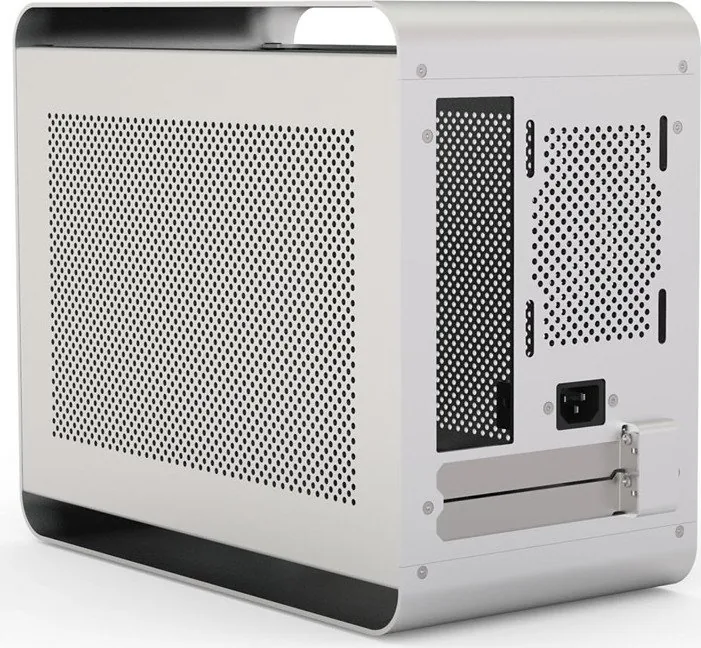
partially closed, fan grille top right, PCI Slots (2x horizontal)
Front I/O Position
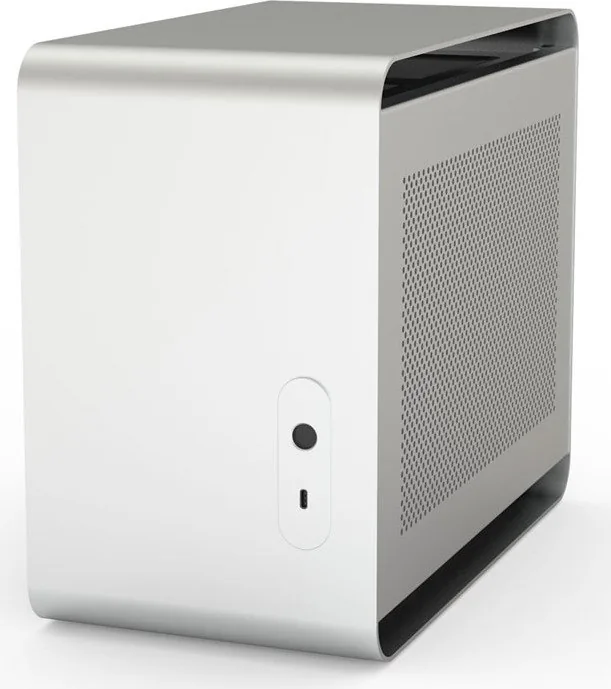
Case Side: Front, Height: Center, Position: Right
Motherboard Orientation
Motherboard Orientation: Case Standing: Left or Right; Case Lying: Upward; Connectors: Rear
Features
Aluminum case, vertical/horizontal
USB Labeling
Left
Product Description
Exploring the Streacom DA2 V2 Build Experience
Finding the right case for a compact build can be a daunting task. The Streacom DA2 V2 stands out as a premium solution for enthusiasts who demand flexibility without sacrificing build quality. This mini tower chassis is engineered with a focus on modularity, allowing builders to craft unique computer layouts that deviate from standard mass-produced designs. When consulting the Streacom DA2 V2 Manual, users will find detailed guidance on maximizing this potential. The case is not just about putting parts inside a box but creating a personalized internal layout that suits specific performance needs.
Design Philosophy and Materials
Crafted primarily from Aluminium 6063, the chassis offers a robust and sleek appearance. The sandblast finish comes in silver, black, or titanium colours. Unlike many competitors, this case intentionally omits RGB lighting. Instead, the focus remains on thermal efficiency and aesthetic minimalism. The side panels feature a magnetic net system, which can be removed for easier access during maintenance. The front panel includes a USB Type-C port that is upgradable to 3.1. The weight of the unit is approximately 3.9kg, ensuring stability on desks while remaining transportable. The finish is designed to resist fingerprints and scratches over time, maintaining a professional look.
Assembly Flexibility and Brackets
The defining feature of this system is the Universal Bracket concept. These brackets slide along the track frame, allowing hardware placement to be customized. There are vertical and horizontal types available. While this offers incredible freedom, it requires careful planning. The manual advises that overlaps can occur if component locations are not pre-calculated. Users should anticipate needing specific screwdrivers, such as Philips and Hex 2mm, to navigate the assembly process correctly. Removing side panels requires pulling against one edge at a time using the rubber catches. The universal brackets allow hardware to be mounted anywhere along the frame length for custom radiator or drive configurations.
Internal Layout and Cooling
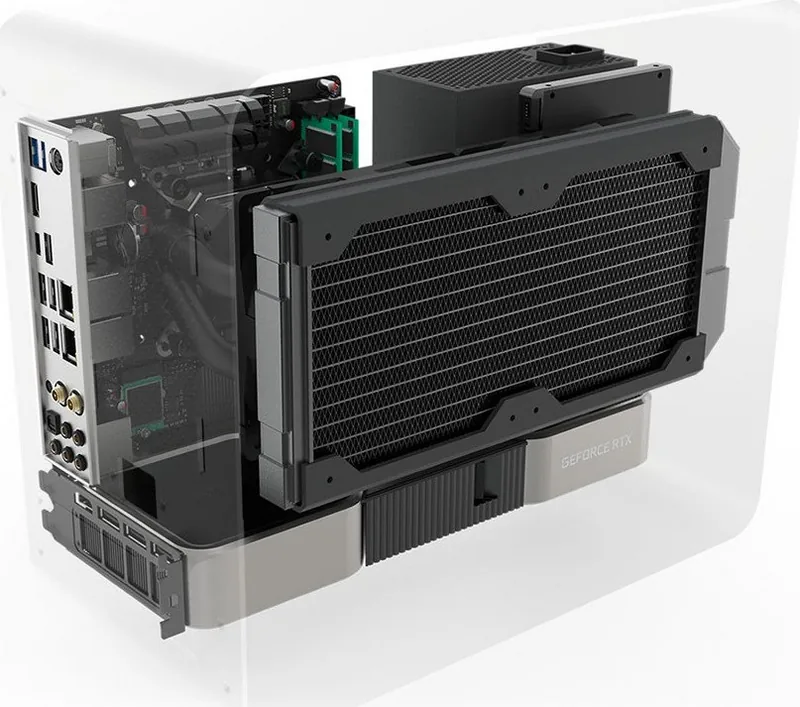
The chassis supports Mini-ITX and Mini-DTX motherboards. Power supply options include SFX, SFX-L, and standard ATX units with bracket adjustments for vertical mounting. Storage capacity is generous for the size, supporting up to six 2.5-inch drives or three 3.5-inch drives. Graphics card support is rated for dual-slot cards, though length limitations apply depending on the vertical mounting kit used. Cooling support extends to 280mm radiators with appropriate spacing considerations. The acrylic panels allow for additional fan mounting slots that save space compared to standard brackets.
Installation Tips and Airflow
Proper airflow strategy is crucial for thermal management in this small footprint case. Cool air should be drawn from the lower sides and vented towards the rear or upper sections. Cable management is essential due to the confined space, and modular PSUs are recommended. Connecting front I/O cables like USB and power LEDs ensures the system powers on correctly. You may need to rotate the I/O shield orientation if the PSU cable conflicts with the motherboard. The manual emphasizes that screw types are labelled clearly, so using the correct ones prevents damage. Final inspection should check for loose cables that might contact fans. Dust nets on the side assist in cleaning. The front I/O PCB allows rotation if cables clash with components. By following the guidelines found in the Streacom DA2 V2 Manual, builders can avoid common frustration points and enjoy a high-quality, flexible PC case experience.
Search for 67,706 Manuals online


Type-in Brand or Model