

Free Sonoff Manuals – Read, Download & Print
9 Manuals
Manuals
Categories

Free Sonoff Manuals - Read, Download & Print
Find Sonoff Manuals for Smart Home Setup and Support
Looking for free Sonoff manuals? This page helps you find clear product documentation for Sonoff smart switches, relays, plugs, sensors, lighting devices, gateways, and other Wi-Fi or Zigbee home automation products. Whether you need to install a new device, reconnect it after a reset, understand wiring terminals, pair it with the eWeLink app, or troubleshoot a connection issue, the right manual can save time and reduce installation mistakes.
Sonoff devices are widely used for smart lighting, appliance control, energy monitoring, security alerts, and DIY automation. Because the product range includes many models with similar names, it is important to use the manual that matches the exact device version. A manual may include model-specific wiring diagrams, power ratings, button functions, supported operating modes, safety instructions, app pairing steps, and technical specifications.
Read Sonoff Manuals Online
Reading a Sonoff manual online is a convenient option when you need quick access from a phone, tablet, or computer. Digital manuals can be especially useful during setup, when you may need to check a wiring label, confirm the LED indicator behavior, or review the reset procedure without searching through printed paperwork.
Online documentation commonly covers topics such as:
- Product overview and package contents
- Supported voltage, load, and environmental limits
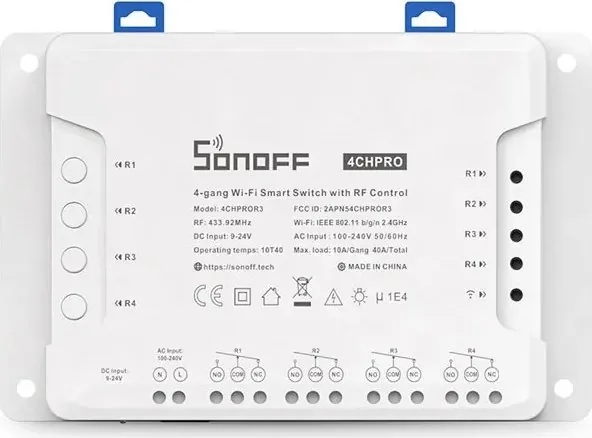
- Wiring terminal identification
- Wi-Fi, Zigbee, Bluetooth, or gateway pairing instructions
- eWeLink app account and device-add procedures
- Physical button controls and LED status indicators
- Factory reset and network reset steps
- Firmware update guidance
- Automation, scene, timer, and sharing features
- Troubleshooting and maintenance information
Before following any installation instructions, verify the model number shown on the device label, box, or included paperwork. Sonoff products may have regional variants, updated hardware revisions, or versions designed for different network protocols. Instructions for one model should not automatically be applied to another.
Common Sonoff Product Categories
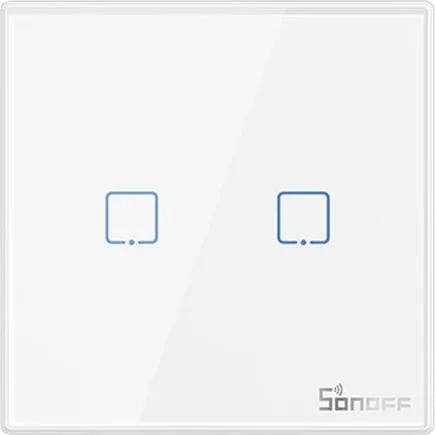
Sonoff manuals are available for a wide range of smart home equipment. Common categories include smart relays for in-wall installations, plug-in sockets, wall switches, smart bulbs, LED controllers, temperature and humidity sensors, motion sensors, door and window sensors, and Zigbee bridges.
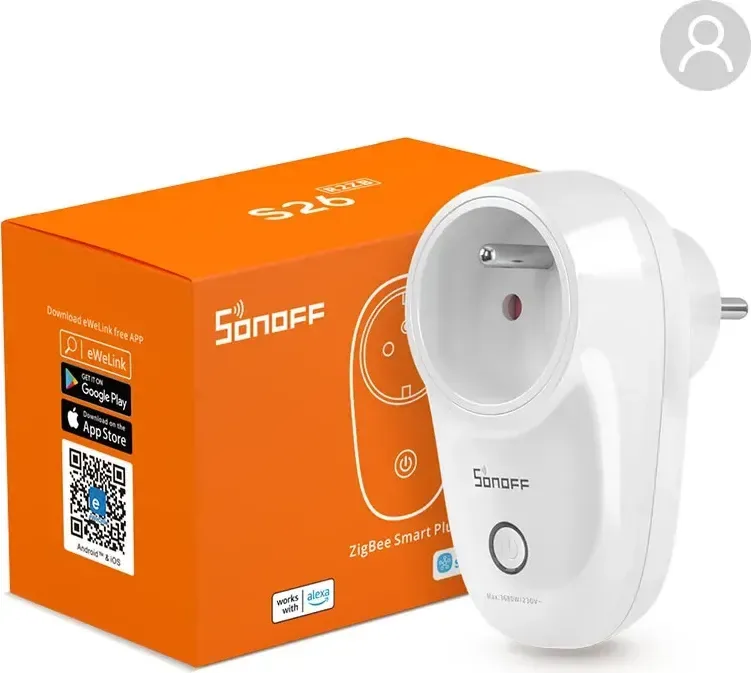
Popular manual searches may include products such as MINI smart switches, BASIC relays, POW energy monitoring switches, TH temperature and humidity controllers, ZBMINI Zigbee relays, SNZB sensors, S26 smart plugs, L-series light strips, and NSPanel control panels. Each family can have different connection methods and intended uses, so selecting the exact model is essential.
Download Sonoff Manuals for Offline Access
Downloading a Sonoff manual provides a useful offline reference for installations, repairs, and future maintenance. A saved PDF can be opened when your internet connection is unavailable, stored in a project folder, shared with an installer, or printed for use at the work area.
When downloading documentation, choose files from reliable official product support pages or trusted documentation sources. Check that the manual title, product image, model number, and revision details align with your device. If a manual appears incomplete, outdated, or written for a different product, look for a more current version before beginning installation.
Keep downloaded files organized by device name and location. For example, you may create folders for kitchen lighting, garage controls, heating, security sensors, or outdoor equipment. This makes it easier to locate wiring diagrams and reset instructions later, especially in homes with several smart devices.
What to Check Before Downloading
Review a few important details before saving or using a manual:
- Confirm the exact Sonoff model number.
- Check whether the device uses Wi-Fi, Zigbee, Matter, Bluetooth, or another protocol.
- Verify your local mains voltage and frequency requirements.
- Read the maximum supported load and appliance type information.
- Check whether a neutral wire is required for installation.
- Identify whether the device is intended for indoor, outdoor, dry, or enclosed use.
- Look for the latest firmware and app compatibility notes.
These checks are particularly important for mains-powered relays and switches. An incorrect connection or overloaded circuit can damage equipment and create a serious electrical safety risk.
Print Sonoff Manuals for Installation Projects
Printing a Sonoff manual can be helpful for electricians, installers, hobbyists, and homeowners who prefer a paper reference. A printed guide is easy to mark up, take to a breaker panel, or keep with a device's service records. For complex projects, consider printing only the pages that include wiring diagrams, safety warnings, pairing steps, and troubleshooting tables.
Use clear print settings so that terminal labels, diagrams, and small text remain readable. If a manual includes color-coded LED states or wiring illustrations, color printing may improve clarity. Keep printed pages dry and away from live electrical work areas. Do not place paper documentation inside electrical enclosures unless it is specifically designed and permitted for that purpose.
For long-term organization, store printed manuals in a labeled binder with purchase details, warranty information, network notes, and installation dates. Recording device locations and circuit identifiers can make future troubleshooting much easier.
Sonoff Setup and Pairing Guidance
Many Sonoff devices are managed through the eWeLink app, although supported integrations and setup paths can vary by model. The manual typically explains how to enter pairing mode, add the device in the app, connect to a Wi-Fi network, link a Zigbee device through a compatible hub, and confirm successful operation.
For Wi-Fi models, make sure your phone is connected to a compatible network before starting. Some devices may require a 2.4 GHz Wi-Fi connection during setup. Read the relevant manual carefully because pairing modes, button hold times, and LED flashing patterns differ between products.
After setup, test the device locally before relying on schedules or remote automation. Check that lights, appliances, sensors, and connected loads respond correctly. If the product supports power monitoring, compare initial readings with expected appliance use and review the manual for measurement limitations.
Basic Troubleshooting Steps
If a Sonoff device does not connect or respond as expected, consult the applicable manual and try basic checks. Confirm that power is present, the device is within network range, and the correct pairing mode is active. Restarting the app, router, hub, or device may help in some situations. A factory reset may be necessary, but it can remove existing settings and automations.
For sensor products, check battery orientation, battery level, mounting distance, and environmental conditions. For Zigbee products, verify that the bridge or coordinator is online and that the device is within mesh network range. For Wi-Fi products, review router settings, signal strength, and the required Wi-Fi band.
Important Electrical Safety Information
Sonoff manuals contain important warnings that should be read before working with any mains-powered device. Turn off power at the circuit breaker and verify that the circuit is de-energized before touching wiring. Never assume wire colors alone identify a conductor correctly. Use appropriate testing equipment and follow local electrical codes.
If you are unsure about voltage ratings, neutral wires, load calculations, enclosure requirements, or safe wiring practices, use a qualified electrician. Smart relays and switches should be installed only in suitable locations with adequate space, heat management, and protection from moisture. Do not exceed the rated current, voltage, or power limits listed for the specific device.
Get the Right Manual for Your Sonoff Device
Free Sonoff manuals make it easier to set up, operate, maintain, and troubleshoot smart home products with confidence. Start by identifying the precise model number, then read the relevant instructions before connecting power or beginning app setup. Download a copy for offline access, print key pages for practical installation work, and keep the documentation available for future resets, upgrades, and maintenance.
The right manual is more than a quick-start sheet. It is an important source of safety information, technical limits, connection details, and feature guidance for your Sonoff smart home system.
Search for 67,732 Manuals online


Type-in Brand or Model