
Sonoff TX Manual
PDF manual · 50 Pages
English



Quick check
Incorrect answer, please try again.
Chat with your Sonoff TX manual using AI
Get instant AI answers from your Sonoff TX manual
Ask anything about the Sonoff TX. Answers come from this manual, with the pages they are based on.
Ask a Question
Do you recommend TX?
Yes NoFrequently Asked Questions
Sonoff TX supports IEEE 802.11 b/g/n on the 2.4 GHz band only. It does not support 5 GHz Wi‑Fi networks, so ensure your router provides a 2.4 GHz SSID for pairing and operation.
Is this answer helpful?
On first power‑on the device enters Quick Pairing (LED cycles two short, one long). To manually enter Quick Pairing or trigger Compatible (AP) mode, long‑press the pairing/config button for about 5 seconds until the Wi‑Fi LED shows the required flash pattern, then follow eWeLink prompts.
Is this answer helpful?
New devices need 1–2 minutes to fully connect. If offline longer, check the Wi‑Fi LED status: single quick flash means failed Wi‑Fi connection (wrong password, weak signal, 5G SSID, or MAC filter), double quick flash means connected to Wi‑Fi but not to server (network instability). Try closer placement, disable MAC filtering, or use phone hotspot to re‑add.
Is this answer helpful?
Not all models support RF remote control. Some EU variants (e.g., certain EU1C/EU2C/EU3C) differ in RF support. Check the specific model code—models labeled as not supporting 433.92 MHz will not pair with RF remotes.
Is this answer helpful?
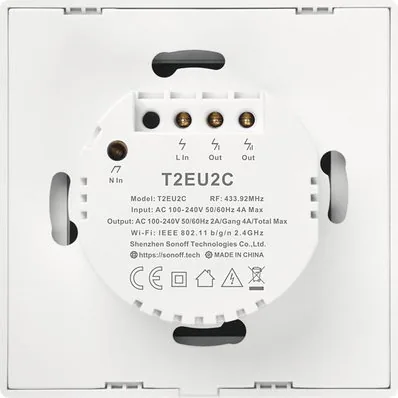
Different TX models have per‑channel and total load limits (examples: EU1C/EU2C higher wattage, EU3C lower). Confirm the rated current and LED load per channel for your model and ensure correct neutral/live wiring. Professional installation is recommended to avoid electric shock and to comply with local regulations.
Is this answer helpful?
To reset, long‑press any configuration button for about 5 seconds until the Wi‑Fi LED cycles two short and one long flash; release and the device will reset, enter Quick Pairing mode, and be ready for new network setup.
Is this answer helpful?
If the blue LED flashes twice quickly, the device is connected locally but cannot reach the server. Confirm internet stability, restart power to the switch, verify router settings, or attempt reconnecting via a stable hotspot. Frequent double flashes indicate an unstable network rather than a device fault.
Is this answer helpful?
Advantages and Disadvantages
Advantages

- Touch glass panel with LED backlight for modern aesthetics and night visibility.
- Remote control, scheduling, voice assistant and scene integration via eWeLink app.
- Supports quick and compatible AP pairing modes for flexible network setup.
- Local 433.92 MHz RF remote support on compatible models for offline control.
- Compact standard 86×86×35 mm size and tempered glass build for easy wall replacement.
Disadvantages

- Supports only 2.4 GHz Wi‑Fi — incompatible with 5 GHz networks.
- Per‑channel and total load limits restrict use with high‑power fixtures.
- Some regional/model variants lack 433.92 MHz RF remote support.
- Requires correct neutral/live wiring and professional installation to ensure safety.
- Connectivity issues may occur with unstable networks or MAC-filtered routers.
Product Specification
Type
Actuator
Function
Switching actuator (on/off)
Dimensions
3.39x3.39x1.38 in
Special features
App controllable (Android, iOS), voice assistant
Product Description
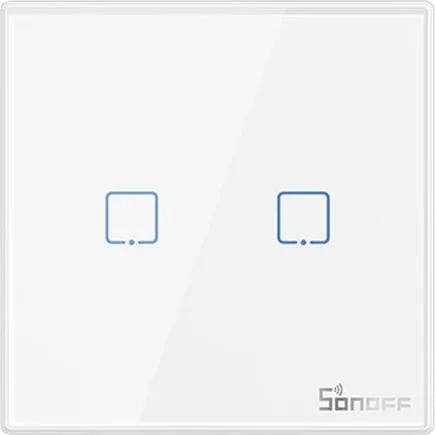
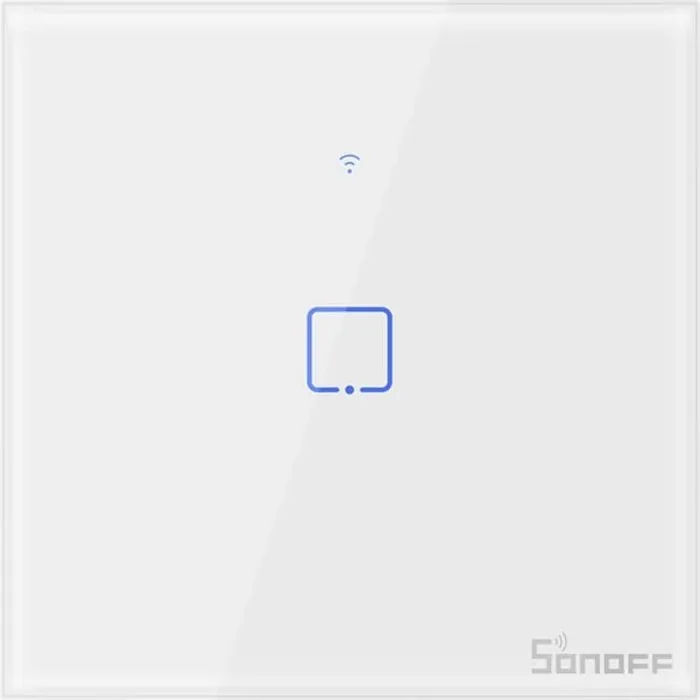
Sonoff TX — Smart Touch Wall Switch
The Sonoff TX is a modern smart wall switch with a tempered glass touch panel and Wi‑Fi connectivity that brings convenient, remote control to home lighting and small appliances. Compatible with the eWeLink app on Android and iOS, the Sonoff TX series supports single to multi‑gang models (T0/T1/T2/T3) and works on 2.4 GHz Wi‑Fi networks. It features a clear blue Wi‑Fi status LED, backlight for nighttime visibility, tactile pairing button and touch-sensitive on/off controls, packaged in an 86×86×35 mm form factor for standard EU mounting.
Key features and use
The Sonoff TX enables remote on/off, scheduling, countdown timers, sharing control with household members and voice control through compatible assistants. It supports LAN control, smart scenes and the ability to add cameras within the eWeLink ecosystem. Certain EU variants also support local 433.92 MHz RF remote control for short‑range operation; model compatibility varies by region and model code. LED lighting load ratings differ by model and voltage (per channel and total load limits are specified for EU1C, EU2C and EU3C variants).
The first power‑on places the device into quick pairing mode (two short, one long LED cycle). If pairing fails, a compatible (AP) pairing mode is available using the ITEAD SSID method. Factory reset and re‑pairing procedures are achieved by long‑pressing configuration buttons as instructed. The manual stresses safe professional installation for wiring neutral and live conductors to avoid electrical hazards.
Practical considerations
The switch is designed for indoor wall mounting (recommended install height <2 m) and weighs under 1 kg. It requires a 2.4 GHz Wi‑Fi network (no 5 GHz support) and may need router settings adjusted if MAC filtering is enabled. LED indicator behaviors help diagnose network and update states: quick/slow flashing patterns indicate pairing, router discovery, server connectivity or firmware updates.
Notes
- Verify neutral and live wiring before installation; consult a qualified electrician.
- Use 2.4 GHz Wi‑Fi only; 5 GHz is unsupported.
- Some models do not support 433.92 MHz RF remote control—check model code.
- Observe per‑channel and total load limits for LED or other lighting loads.
- If the device shows offline, check Wi‑Fi password, signal strength, MAC filtering, or try phone hotspot pairing.
Search for 67,732 Manuals online


Type-in Brand or Model