
Sonoff 4CHPROR3 Manual
PDF manual · 53 Pages
English



Quick check
Incorrect answer, please try again.
Chat with your Sonoff 4CHPROR3 manual using AI
Get instant AI answers from your Sonoff 4CHPROR3 manual
Ask anything about the Sonoff 4CHPROR3. Answers come from this manual, with the pages they are based on.
Ask a Question
Do you recommend 4CHPROR3?
Yes NoFrequently Asked Questions
Download the app, create an account, tap plus sign, select quick pairing, and follow the prompts. Ensure the Wi-Fi LED blinks two short and one long flash before proceeding with the setup wizard to complete the configuration process successfully.
Is this answer helpful?
This indicates the device connected to the router but failed to reach the internet server. Check your internet connection stability or restart the router. It may also mean you are using an unstable network rather than a product fault.
Is this answer helpful?
It can control connected devices locally if paired with a 433MHz remote, but full remote features require an active internet connection. Physical buttons on the device still function regardless of network status for immediate local control needs.
Is this answer helpful?
High voltage installation should ideally be done by a professional. Turn off power at the breaker before working. The manual warns of electric shock risks so only proceed if you are qualified in handling mains electricity safely and correctly.
Is this answer helpful?
Yes, it supports voice control through integration with major virtual assistants. You can link your eWeLink account to Alexa or Google Home to control lights and plugs using simple spoken commands without opening the phone application manually.
Is this answer helpful?
You can delete the device from the app to restore factory settings. Alternatively, long press any button five seconds until the Wi-Fi LED flashes two short and one long to re-enter pairing mode for network changes or troubleshooting purposes.
Is this answer helpful?
The 4CHPROR3 handles up to 40A total load while the 4CHR3 manages 16A total. Each channel typically supports 10A or 2200W depending on the specific variant purchased and installed according to the technical specifications listed in the documentation provided.
Is this answer helpful?
Advantages and Disadvantages
Advantages

- Supports both AC and DC input for versatile electrical applications
- Four independent channels allow granular control over different zones
- Compatible with eWeLink app for Android and iOS users
- Includes 433MHz remote control capability on the PRO model
- Offers multiple operating modes like self-locking and interlocking
Disadvantages

- Only supports 2.4GHz Wi-Fi networks not compatible with 5GHz
- Requires professional installation due to high voltage risks
- Some models like 4CHR3 do not support RF remote pairing
- Setup can be complex if Wi-Fi password is changed frequently
- Physical dimensions may not fit all standard junction boxes
Product Specification
Type
Actuator
Standard
WLAN (802.11a/b/g/n), RF Bus (434 MHz)
Function
Switch (on/off)
Topology
Mesh
Dimensions
5.71 x 3.54 x 1.34 inches
Features
App controlled (Android, iOS), Voice assistant (Amazon Alexa, Google Assistant)
Product Description
Revolutionize Your Home Automation with Sonoff
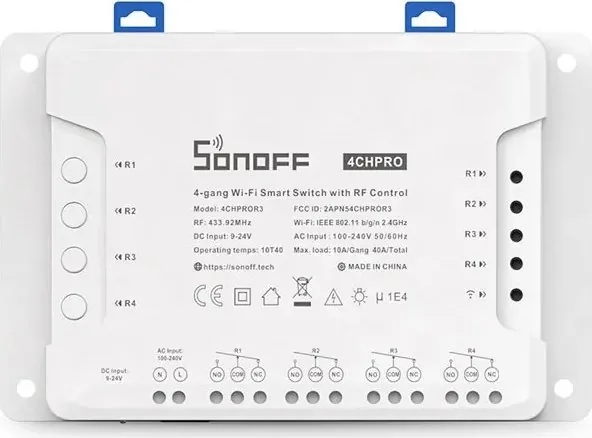
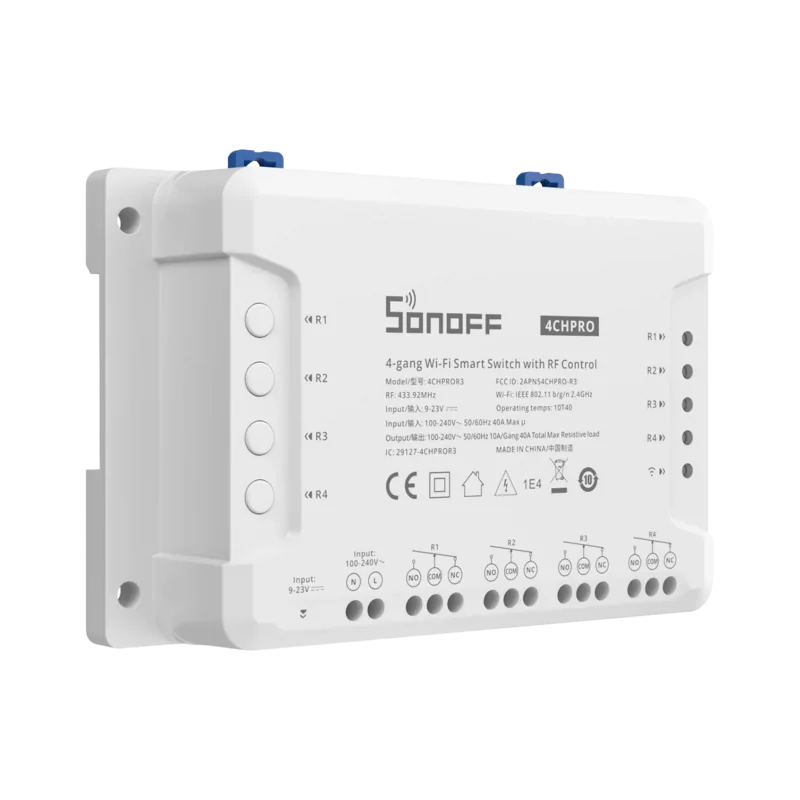
Welcome to the future of home automation with the Sonoff 4CHPROR3 Wi-Fi Smart Switch 4-channel. This versatile wireless switch actuator provides seamless control over four independent electrical circuits simultaneously. Homeowners can now manage lighting and appliances remotely without needing expensive hardwired systems installed by contractors initially. The robust design ensures durability while supporting both alternating current and direct current inputs for broader application scenarios encountered in residential and small commercial buildings. Detailed instruction sheets outline safe handling procedures regarding high voltage lines always disconnecting main power sources before touching exposed conductive metal terminals involved.
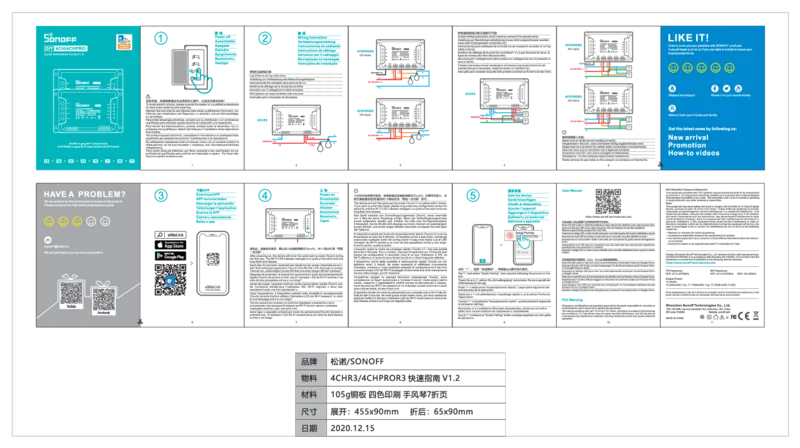
Installation begins with downloading the eWeLink mobile application available on all major platforms like Apple Store and Google Play. Connectors follow standard color coding ensuring safety compliance during wiring processes conducted by qualified electricians only. Wire diagrams show L In N In connections for general loads while additional pins handle socket grounding where applicable locally. Once powered the device enters pairing mode automatically indicated by flashing blue LEDs guiding users through the setup wizard efficiently. Remember that only twenty-four gigahertz networks are supported rejecting incompatible fifty gigahertz routers common in newer internet infrastructure deployments today. Compatible pairing mode offers backup connection via temporary hotspots if primary Wi-Fi credentials fail authentication repeatedly.
Advanced features include voice assistant integration and scheduled automation routines designed to enhance convenience daily. Share control permissions securely with family members enabling multi-user access from separate smartphones logged into different accounts safely. Radio frequency remote learning allows local control without internet dependency providing redundancy during network outages affecting other smart devices nearby constantly. Pairing remotes involves pressing channel buttons until red light flashes rapidly then tapping corresponding physical keys on the handheld controller until confirmation sounds occur. Self-locking modes prevent accidental toggling while interlock settings protect against conflicting commands issued by different controllers acting on the same circuit lines sequentially.
Troubleshooting tips advise checking signal strength near the router to maintain stable connections reliably. Error indicators use flashing patterns to diagnose specific faults such as server unreachable versus router disconnected states clearly. Resetting factory defaults clears custom settings restoring original parameters for resale or reconfiguration purposes easily by deleting the entity from software dashboard entirely. Product weight stays under one kilogram minimizing stress on wall boxes during permanent mounting locations chosen carefully beforehand avoiding vibration damage over time. Compliance with FCC rules guarantees electromagnetic emissions stay within safe limits protecting surrounding electronic equipment from interference damage caused by malfunctioning transmitter units occasionally. Enjoy enhanced energy monitoring and reduced utility bills through optimized usage patterns tracked internally by the smart logic board chipsets embedded within the enclosure casing permanently. Manufacturer support teams provide firmware updates regularly addressing known bugs improving stability ratings significantly over previous software release iterations released annually.
Search for 67,732 Manuals online


Type-in Brand or Model