

Free Feiyu Tech Manuals – Read, Download & Print
13 Manuals
Manuals
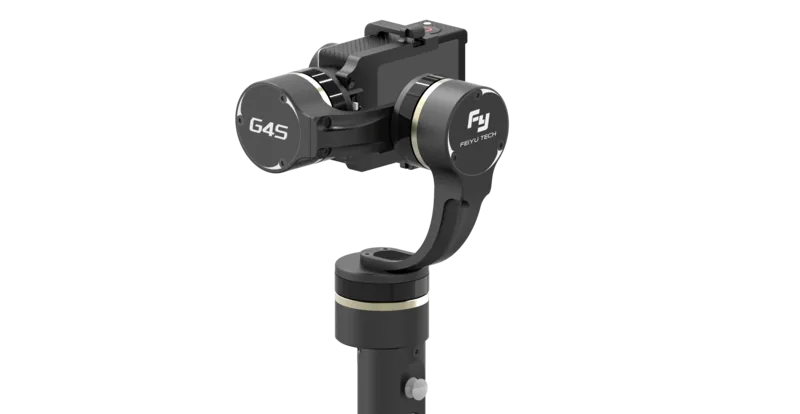
1 Pages
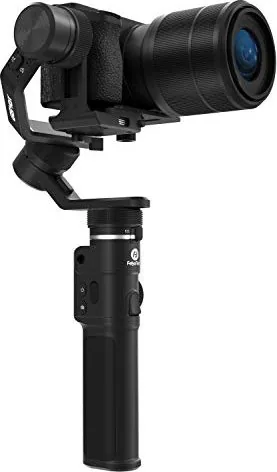
26 Pages
4 Pages
16 Pages
2 Pages

10 Pages
14 Pages

16 Pages
24 Pages
30 Pages
37 Pages

16 Pages

19 Pages
Categories


Introduction to Feiyu Tech Manuals
Feiyu Tech has established itself as a leading manufacturer of handheld stabilization devices for cameras and smartphones. Their products, known as gimbals, are essential tools for videographers, content creators, and cinematographers who demand smooth, professional-grade footage. To ensure users get the most out of these sophisticated electronic devices, Feiyu Tech provides comprehensive documentation known as Feiyu Tech Manuals. These guides serve as the primary resource for setting up, operating, maintaining, and troubleshooting the various models of gimbals released by the company. Whether you are a seasoned professional or a beginner in the world of videography, understanding how to access and utilize these manuals is critical for achieving consistent results with your equipment.
The Importance of User Manuals
The instruction manuals provided by Feiyu Tech are not merely introductory booklets to be filed away after setup. They represent a vital component of the user experience and equipment longevity. When operating complex electronic hardware like a 3-axis gimbal, there is a steep learning curve involved in balancing the camera, calibrating motors, and managing settings within the companion application. The manual breaks down these technical procedures into manageable steps, reducing the risk of user error. Furthermore, proper operation detailed in the manual prevents damage to the motors and internal circuitry. Ignoring the documentation can lead to improper balancing, which puts excessive strain on the gimbal motors and can result in premature failure under the weight of heavy camera gear.
In addition to operation, the manuals contain safety information that protects the user from potential hazards. These documents outline storage temperatures, battery handling procedures, and water resistance limitations. Many Feiyu Tech products are not sealed against moisture, and knowing this from the manual prevents expensive water damage. The warranty information is also located within these documents, specifying what constitutes valid claims and what voids the warranty. By adhering to the guidelines found in the official manuals, users can preserve the value of their investment and ensure reliable performance over many shooting seasons.
How to Access Feiyu Tech Manuals
Acquiring the correct manual for your specific model is straightforward and can be done through several official channels. The primary method is through the Feiyu Tech official website. The website hosts a support section where users can search for their specific gimbal model to download PDF versions of the user manuals. This is often the most up-to-date version of the documentation available. When searching, users must ensure they select the correct model number because features vary significantly between different generations of gimbals. For instance, the SCORP series differs markedly from the ONE series in terms of battery life and payload capacity.
Another method to access documentation is via the companion application known as Feiyu On or the Fyzon application. When users pair their device via Bluetooth with the application, they often find a link to the manual within the device settings menu. This is convenient for users who prefer digital reference materials on their smartphones. Additionally, physical copies of the manuals are usually included in the product box upon purchase. These physical booklets provide a quick reference guide that does not require an internet connection or a charged battery.
Common Models Covered in Documentation
Feiyu Tech releases various series of gimbals catering to different market segments. The SCORP series is designed for mirrorless and DSLR cameras with medium payloads. This segment includes detailed instructions regarding payload limits, counterweights, and lens compatibility. The ONYX series targets cinema cameras and larger rigs, requiring advanced balancing techniques described fully in the documentation. The ONE and ONE C series are compact gimbals designed for smartphones and compact cameras. These manuals focus heavily on the mechanics of folding the device and using the mobile camera features within the app.
The MY series includes specialized gimbals for action cameras and GoPro style devices. These manuals explain how to mount the camera securely to prevent falling during movement. The MINI series offers lightweight solutions for vloggers who want portability without sacrificing stabilization. Each of these series requires different handling protocols. For example, unlocking and locking motors works differently on the larger camera rigs compared to the compact phone gimbals. Understanding these distinctions through the specific manuals ensures users do not attempt forced movements that could break the mechanical arms.
Key Features Explained in the Guides
The manuals cover a vast array of features that enhance the usability of the gimbal. One of the primary sections focuses on motion modes. Most gimbals offer following mode, where the camera smoothly pans and tilts to follow the operator. There is also a pitch axis lock mode for taking photos and a full axis locked mode for transportation. The documentation explains how to access these modes using buttons on the handle or through the mobile application. Another critical feature explained is the joystick control. This allows for precise manual adjustment of the camera angle without needing to move the base unit.
Battery management is another key section. Feiyu Tech gimbals utilize Lithium Ion batteries which require specific charging behaviors. The manuals detail how long to charge the device initially and how to store it if not used for extended periods. They also explain how to connect the gimbal to a power bank to charge both the camera and the device simultaneously. This feature is vital for long shoot days where access to a standard power outlet is unavailable. Understanding the power consumption limits helps users plan their shoots effectively without running out of power mid-scene.
Troubleshooting Basics for Users
Even with careful handling, gimbals can develop issues over time. The troubleshooting section in the manual is an invaluable resource for diagnostics. A common issue users face is gimbal imbalance. The manual provides step-by-step visual guides on adjusting the tilt, roll, and pan axes until the camera stays balanced in the powered position. Unbalanced gimbals cause buzzing noises from the motors and rapid battery drainage. Motor vibration is another frequent topic addressed in the guides. Users are instructed to check for loose screws or debris trapped within the joints.
Firmware errors are also discussed in the support sections. If the application fails to connect to the gimbal or if the device behaves erratically, a firmware update may be required. The manual provides clear instructions on connecting the device via USB or using the companion app to update the internal software. This updates the logic driving the stabilization algorithms to the latest version. Sometimes the issue may be related to the Bluetooth connection or the iOS or Android version. The troubleshooting guide lists compatibility requirements to ensure the mobile device supports the gimbal features correctly.
Firmware Updates and Maintenance
Maintaining the software on your gimbal is just as important as physical care. Feiyu Tech regularly releases firmware updates that improve stabilization performance and add new features. The manual instructs users on how to enter the upgrade mode safely. It is recommended to always have the gimbal battery charged to above fifty percent before starting an update process. Interruptions during an update can corrupt the firmware, rendering the device unusable. The documentation warns users about these risks and provides steps to recover the device if an update fails.
Regular physical maintenance is also outlined in the manuals. This includes cleaning the ball bearings and removing dust from the motors after outdoor shoots. Sand and debris are enemies of precision machinery. Users are advised to use a microfiber cloth and compressed air to clean the joints gently. Lubrication is generally not recommended unless specified by the official guide as it can attract more dirt. Keeping the joints free of obstruction ensures smooth movement and prolongs the life of the bearings.
Safety Guidelines and Best Practices
Safety is paramount when using high-torque motors and batteries. The Feiyu Tech manuals emphasize wearing appropriate attire while filming if using the gimbal in crowded or hazardous environments. The device is made of lightweight plastics and carbon fiber that can break if dropped from significant heights. Users are warned not to leave the gimbal in direct sunlight for long periods as heat can damage the battery and the electronic circuits. Extreme cold is also discouraged as it reduces battery efficiency and can make the plastic components brittle.
Proper storage is another important safety aspect. When not in use for weeks, the battery should be kept at a specific charge level to prevent degradation. Storing the unit in the provided carry case protects it from physical impacts and dust. The guidelines also address shipping the device. Feiyu Tech specifies how to pack the gimbal to prevent damage during transit. This involves locking the motors and securing the arm in the transport position. Following these protocols ensures that the equipment arrives at the next location or returns to the service center in perfect working condition.
Conclusion
Feiyu Tech Manuals are essential tools for anyone owning a stabilization device from the brand. They bridge the gap between complex hardware and the user, providing clarity on operation and care. By reading and adhering to these guides, users maximize the potential of their gear and protect their investment from avoidable damage. The wealth of information available covers everything from initial unboxing to advanced troubleshooting techniques. Staying informed with the latest documentation updates ensures that your setup remains efficient and reliable for years to come.
Search for 67,706 Manuals online


Type-in Brand or Model