
Feiyu Tech G4S Manual
PDF manual · 2 Pages
English



Quick check
Incorrect answer, please try again.
Chat with your Feiyu Tech G4S manual using AI
Get instant AI answers from your Feiyu Tech G4S manual
Ask anything about the Feiyu Tech G4S. Answers come from this manual, with the pages they are based on.
Ask a Question
Do you recommend G4S?
Yes NoFrequently Asked Questions
It is designed for GoPro HERO 4, HERO 3+, and HERO 3 models. The mounting system and cables are built around those cameras, so users should confirm fit before setup.
Is this answer helpful?
The gimbal supports panning mode, lock mode, panning and tilting mode, standby, and inversion mode. These modes help users switch between smooth follow shots and fixed-angle framing.
Is this answer helpful?
The usage time is roughly 3 to 5 hours, depending on conditions and setup. Battery performance can vary based on camera load, mode use, and environmental factors.
Is this answer helpful?
Yes, the system supports camera charging through the compatible mini USB connection. It can also read the GoPro SD card without removing the camera in some setups.
Is this answer helpful?
Initialization is done through a button sequence that places the gimbal in standby, then resets it on a flat surface. This helps correct tilt, roll, or panning drift when needed.
Is this answer helpful?
Yes, the gimbal supports optional wired and wireless remote control. When a remote is connected, some onboard controls like the joystick and function button may be disabled.
Is this answer helpful?
Firmware updates can improve stability, compatibility, and system behavior. The process requires the proper USB cable, driver, and software from Feiyu Tech's support resources.
Is this answer helpful?
Advantages and Disadvantages
Advantages

- Lightweight 3-axis stabilization helps reduce shake in handheld footage.
- Supports multiple modes for creative shots and more controlled framing.
- Compatible with GoPro HERO 4, HERO 3+, and HERO 3 cameras.
- Optional remote control and video output add flexibility for filming setups.
Disadvantages

- Requires careful balancing and initialization for best performance.
- Battery life is useful but limited for longer shooting sessions.
- Some functions depend on extra accessories such as cables or remote control.
- Compatibility is focused on older GoPro models, not newer action cameras.
Product Specification
Compatibility
Actioncam
Pan Axis
360°
Roll Axis
360°
Tilt Axis
360°
Display
no
Power Supply
Battery
Handling
one-handed
Weight
0.57 lb
Product Description
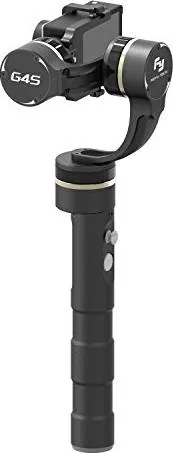
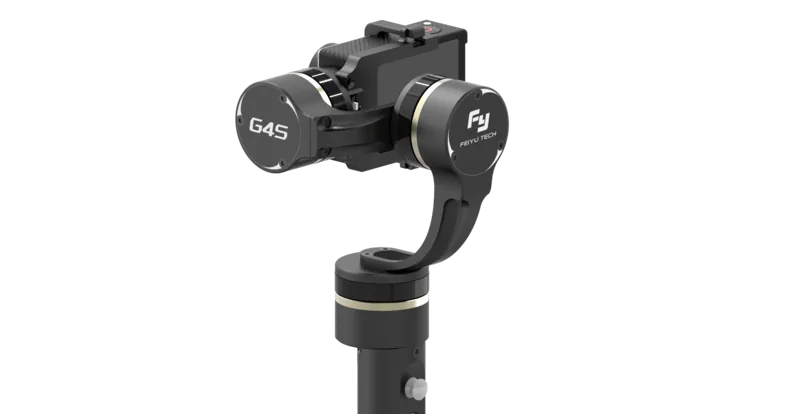
Feiyu Tech G4S: A Compact 3-Axis Gimbal Built for Action
The Feiyu Tech G4S Manual reveals a stabilizer designed for creators who want smoother motion without carrying bulky gear. Built for GoPro HERO 4, HERO 3+, and HERO 3 cameras, the G4S combines portability with a surprisingly rich feature set. It is made for users who film travel, sports, vlogs, or handheld action scenes and need a steadier image in a lightweight format.
What makes the G4S stand out
At the heart of the G4S is a 3-axis stabilization system that helps reduce shake across panning, tilting, and rolling movements. The gimbal supports several working modes, including panning mode, lock mode, panning and tilting mode, standby, and inversion mode. This flexibility makes it useful for both simple follow shots and more creative camera moves.
The design also focuses on convenience. A joystick and a function button give direct control over movement, power, reset, and mode switching. The LED indicators help explain battery level and status at a glance, which is especially helpful during fast-paced shooting. The unit uses 18350 rechargeable batteries and offers several hours of usage depending on conditions.
Practical features for everyday filming
One of the more useful details is the ability to read the GoPro SD card and charge the camera through the gimbal connection when using compatible cabling. The system also supports video output to an analog monitor, giving users a way to preview footage in a more traditional shooting setup. For those who want extra control, an optional wired or wireless remote can be paired for distance operation.
Setup is straightforward, but careful assembly matters. The camera must be mounted securely before powering on, and the gimbal may need initialization or horizontal angle adjustment if the balance shifts. Firmware upgrades are also supported, allowing the device to stay current with improved functionality.
Notes
- Best suited for GoPro HERO 4 / HERO 3+ / HERO 3
- Keep the camera secured before turning the gimbal on
- Recalibrate after transport, battery changes, or angle drift
- Optional remote control disables the joystick and function button when connected
Overall, the Feiyu Tech G4S is a practical stabilizer for creators who want a lightweight handheld solution with real control, useful mode options, and enough flexibility to handle both casual and more advanced shooting styles.
Search for 67,706 Manuals online


Type-in Brand or Model
Sofia Klein
8 months ago
How stable is the Feiyu gimbal for a GoPro, and is the build quality really robust enough for regular use?
Manual.ly
8 months ago
Based on user feedback, the gimbal feels very robust thanks to its metal construction and does not rattle. With the included joystick, you can smoothly pan the mounted camera into different positions, and the stabilization keeps a GoPro steady for smooth, professional-looking footage. Reviewers also liked the available shooting modes, including a point-hold function for locking a specific subject in place. The package appears generous as well, typically including a protective case, 4 batteries, and a USB charging cable, which supports longer recording sessions.