
Feiyu Tech AK4000 Manual
PDF manual · 30 Pages
English



Quick check
Incorrect answer, please try again.
Chat with your Feiyu Tech AK4000 manual using AI
Get instant AI answers from your Feiyu Tech AK4000 manual
Ask anything about the Feiyu Tech AK4000. Answers come from this manual, with the pages they are based on.
Ask a Question
Do you recommend AK4000?
Yes NoFrequently Asked Questions
It is designed for stabilizing handheld camera footage, especially for DSLR and mirrorless users who want smoother movement, better control, and more flexible shooting modes.
Is this answer helpful?
The gimbal supports a payload of up to 4000g when the camera is properly balanced, which makes it suitable for many professional-style camera and lens combinations.
Is this answer helpful?
Yes. It includes panning mode, follow mode, all follow mode, lock mode, and auto-rotation options, giving creators multiple ways to shape camera movement.
Is this answer helpful?
It can connect to compatible cameras through Wi-Fi, and it also supports shutter cable connections for camera control features like capturing and video start/stop.
Is this answer helpful?
The gimbal can work without the app, but Feiyu ON adds useful features such as remote control, settings access, firmware upgrades, and auto-rotation setup.
Is this answer helpful?
Proper balancing reduces motor strain, improves stabilization, and helps the gimbal hold the camera in place more accurately across tilt, roll, and pan axes.
Is this answer helpful?
Advantages and Disadvantages
Advantages

- Supports up to 4000g, making it suitable for many DSLR and mirrorless camera setups.
- Offers multiple shooting modes, including follow, lock, and auto-rotation for creative movement.
- Touch screen, joystick, and multifunction knob improve control during filming.
- Long battery life helps with extended shoots and field work.
Disadvantages

- Balancing the three axes takes time and attention before each setup.
- Some camera functions require shutter cables or Wi-Fi compatibility.
- Firmware and app features may change, so learning the latest workflow is important.
- Heavier camera rigs may need careful lens and body placement to stay stable.
Product Specification
Compatibility
DSLR
Pan axis
230°
Roll axis
360°
Tilt axis
360°
Max. payload
8.82 lb
Display
yes, Touchscreen
Connection
Bluetooth, Wi-Fi (WLAN)
Power supply
Battery (4x 18650, changeable)
Operating time
12h
App control
yes
Handling
one-handed
Features
mechanical axis fixation, control wheel, charging function for external devices, accessory connection (5x 1/4"), tripod (removable)
Weight
3.17 lb
Product Description
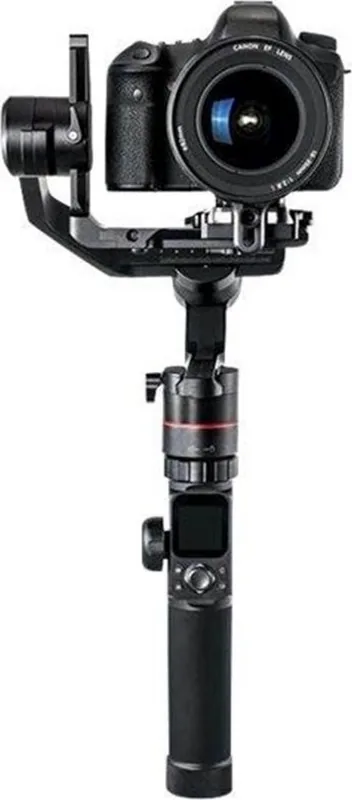
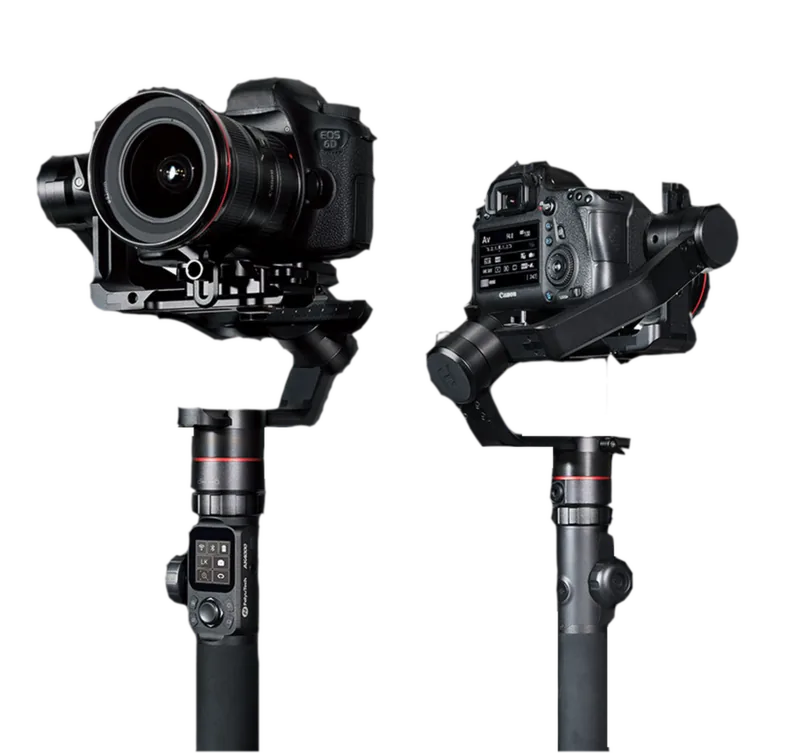
Feiyu Tech AK4000: A Practical 3-Axis Gimbal for Serious Shooters
The Feiyu Tech AK4000 is built for creators who want smoother handheld footage without giving up control. In the Feiyu Tech AK4000 Manual, the focus is clear: balance the camera correctly, learn the operating modes, and unlock a stable, responsive tool for video work. With support for heavier camera setups and a solid 3-axis stabilization system, this gimbal is designed for DSLR and mirrorless users who need reliable motion control on the go.
What makes the AK4000 appealing is its balance of power and flexibility. It offers panning, follow, all follow, and lock modes, giving users different ways to shape movement depending on the scene. Whether you are filming a talking-head setup, a moving subject, or a cinematic walk-through, the gimbal can adapt quickly. The touch screen, joystick, shortcut controls, and multifunction knob make it feel like a compact control center rather than a simple stabilizer.
Another highlight is its practical workflow. The AK4000 includes camera connection options through shutter cables or Wi-Fi for compatible cameras, plus app support through Feiyu ON. This opens the door to remote control, settings adjustment, firmware upgrades, and auto-rotation shooting. For creators who like experimenting with motion timelapse or automated camera movement, that feature set is especially useful.
The build also reflects real production needs. A 4000g payload gives it room for substantial camera-and-lens combinations, while the long battery life helps it handle extended shoots. The balancing process is detailed and important, but once the axes are set properly, the gimbal can hold position with confidence and keep movement steady across the tilt, roll, and pan directions.
Notes
- Proper balancing is essential before powering on.
- The app and firmware updates can expand functionality over time.
- Camera compatibility depends on weight, lens size, and connection method.
- Best results come from learning the modes and tuning the settings for each shoot.
Overall, the AK4000 is a strong choice for filmmakers who want more control than a basic stabilizer can provide. It blends professional-style handling, useful digital features, and a well-rounded stabilization system into one capable camera companion.
Search for 67,706 Manuals online


Type-in Brand or Model