

Free Roccat Manuals – Read, Download & Print
7 Manuals
Manuals

Categories


Comprehensive Guide to Roccat Manuals
Introduction to Roccat Documentation
Roccat, a prominent manufacturer of high-performance gaming peripherals, provides an extensive library of documentation designed to help users maximize the potential of their hardware. From keyboards and mice to headsets and controllers, every device in the Roccat ecosystem is supported by detailed manuals that serve as the primary source of truth for setup, configuration, and troubleshooting. These documents are essential for both novice gamers looking to get started quickly and experienced enthusiasts seeking advanced customization options. The availability of clear, accessible, and up-to-date manuals ensures that users can maintain optimal performance from their gear over many years.
The importance of these manuals cannot be overstated. They bridge the gap between raw hardware capabilities and user understanding. Without proper guidance, features such as programmable keys, customizable RGB lighting, and macro recording might remain underutilized or misconfigured. Roccat understands this need and has structured its documentation to be intuitive, covering everything from unboxing to advanced software integration. This guide explores the various types of manuals available, how to access them, and the critical role they play in the user experience.
Types of Roccat Manuals Available
User Guides and Quick Start Sheets
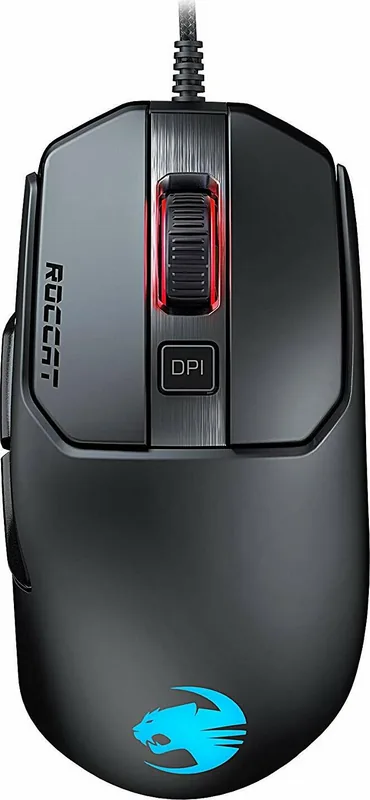
Every Roccat product comes with a physical or digital user guide. These guides typically include a quick start sheet that allows users to connect and use the basic functions of the device immediately. For example, a Roccat mouse manual will explain how to plug in the USB receiver, install the necessary drivers, and perform basic left and right clicks. The full user guide expands on this by detailing ergonomic designs, sensor specifications, and battery life for wireless models. These documents are written in plain language to ensure clarity across different regions and languages, often supporting English, German, French, Spanish, and other major European languages.
Software Configuration Documents
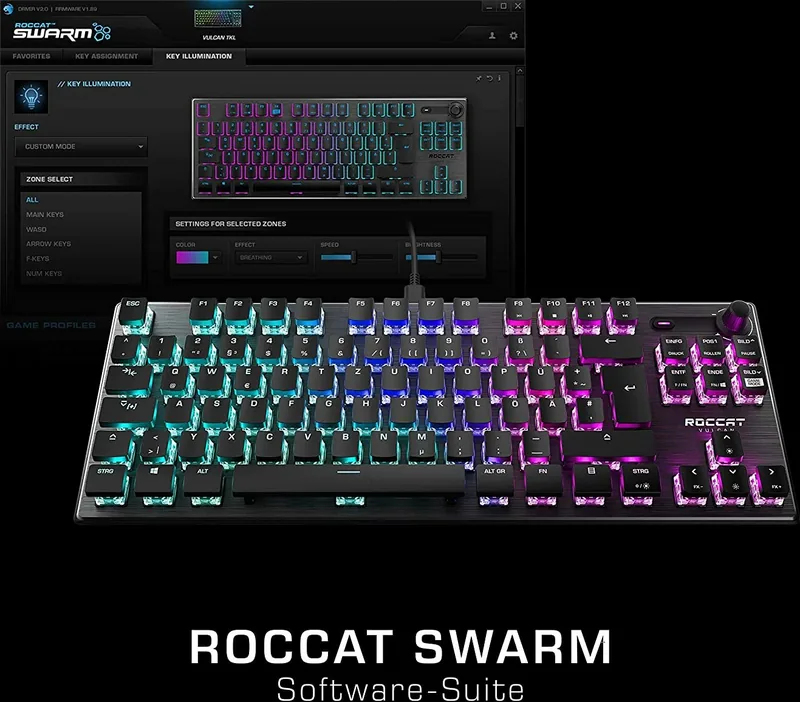
A significant portion of Roccat's documentation focuses on their proprietary software suite, known as Swarm or Pyra, depending on the era and specific product line. These manuals provide step-by-step instructions on how to download, install, and navigate the software interface. Users learn how to create profiles for different games, adjust sensitivity settings (DPI), and map complex macros. The documentation explains the difference between system-wide settings and game-specific configurations, allowing for seamless switching during gameplay. Detailed screenshots and diagrams accompany these text instructions to visualize the software layout effectively.
Firmware Update Instructions
Hardware longevity depends on regular updates, and Roccat manuals include specific sections dedicated to firmware maintenance. These guides instruct users on how to check for the latest version of firmware, download the update package, and apply it safely to their devices. The process often involves connecting the device via USB, running the update utility within the software, and waiting for a confirmation message before disconnecting. Following these instructions carefully prevents bricking the device and ensures that new features or bug fixes are applied correctly. Ignoring these steps can lead to compatibility issues with newer operating systems or games.
Troubleshooting and FAQ Sections
One of the most valuable parts of any Roccat manual is the troubleshooting chapter. This section addresses common issues such as connectivity drops, unresponsive buttons, or lighting anomalies. It offers logical diagnostic steps, starting with simple checks like reseating cables or restarting the computer, before moving to more complex solutions like reinstalling drivers or resetting the hardware to factory defaults. Frequently Asked Questions (FAQs) complement this by answering repetitive queries about warranty coverage, return policies, and compatibility with third-party applications. This proactive approach reduces the need for customer support tickets and empowers users to solve problems independently.
How to Access Roccat Manuals
Official Website Resources
The primary hub for all Roccat documentation is the official website. Users can navigate to the support or downloads section, select their specific product category, and choose their exact model number. This filtering system ensures that users do not download incorrect files. Once the correct page is found, a list of available resources appears, including PDF versions of the user manual, driver downloads, and software installers. The website also hosts video tutorials that complement the written manuals, providing visual demonstrations of setup procedures.
Physical Packaging Contents
For those who prefer physical copies, Roccat includes printed materials inside the retail box. While environmental considerations have led some manufacturers to reduce paper usage, many Roccat products still come with a comprehensive booklet or a multi-page flyer containing essential information. These physical documents often feature larger fonts and simplified diagrams ideal for immediate reference without needing a computer or smartphone nearby. They serve as a reliable backup if internet access is unavailable during the initial setup phase.
Customer Support Channels
If a user cannot locate a specific manual online or finds that the document is outdated, contacting Roccat customer support is the next best step. The support team can provide direct links to the latest versions of files or send electronic copies via email. In some cases, regional distributors may hold stock of localized manuals that differ slightly from the global versions due to regulatory requirements or language preferences. Engaging with support ensures that users receive accurate and region-appropriate documentation.
Maximizing Device Performance Through Documentation
Understanding the nuances of your hardware is key to gaining a competitive edge in gaming. Roccat manuals often highlight hidden features that are not immediately obvious upon unboxing. For instance, certain gaming mice have adjustable weights that can be moved around to change the balance point; the manual explains exactly where these weights are located and how to remove the side panels safely. Similarly, mechanical keyboards may have hot-swappable switches or specific stabilizer tuning methods described only in the technical appendix.
Customization is another area where manuals shine. By following the provided instructions, users can design unique lighting effects that sync with their room ambiance or other peripherals. Advanced users can record complex sequences of keystrokes and mouse movements into single macros, which are then executed instantly with one press. The manual details the syntax and limitations of these macros, ensuring that scripts run smoothly without errors. This level of control transforms a standard peripheral into a personalized tool tailored to the user's specific playstyle.
Conclusion
Roccat manuals are indispensable tools for anyone owning gaming peripherals from this brand. They offer a wealth of knowledge ranging from basic assembly to advanced software mastery. Whether accessed digitally through the official website or physically within the product box, these documents empower users to configure their devices precisely. By adhering to the guidelines provided, gamers can avoid common pitfalls, extend the lifespan of their equipment, and unlock the full creative potential of their hardware. As technology evolves, so too will the content of these manuals, always striving to keep pace with the dynamic world of gaming and ensuring that every user has the resources needed to succeed.
Search for 67,732 Manuals online


Type-in Brand or Model