
Roccat Vulcan TKL Manual
PDF manual · 12 Pages
English



Quick check
Incorrect answer, please try again.
Chat with your Roccat Vulcan TKL manual using AI
Get instant AI answers from your Roccat Vulcan TKL manual
Ask anything about the Roccat Vulcan TKL. Answers come from this manual, with the pages they are based on.
Ask a Question
Do you recommend Vulcan TKL?
Yes No
Hailie McClure
4 months ago
Does the TKL version have sharp edges on the keycaps or wide spacing that might be uncomfortable compared to smaller layouts?
Frequently Asked Questions
It uses Roccat Titan Switch Linear switches, known for their smooth, non-tactile feel and a 1.4mm actuation point designed for speed.
Is this answer helpful?
Yes, you can cycle through basic RGB effects and adjust brightness using the FN key combination with arrow keys, but advanced customization requires the Swarm software.
Is this answer helpful?
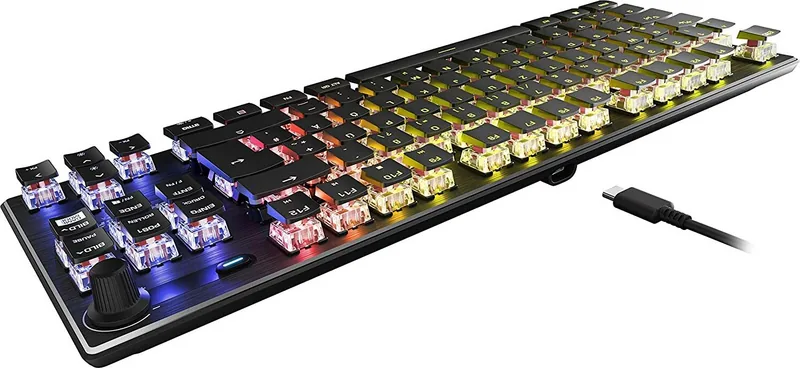
Yes, the Roccat Vulcan TKL features a detachable USB-C to USB-A cable, making it easy to transport and replace if damaged.
Is this answer helpful?
The keyboard supports Windows 7, 8, and 10 for full software functionality including the Roccat Swarm suite.
Is this answer helpful?
You can toggle Game Mode by pressing the FN key combined with the Page Down key, which disables the Windows key to prevent accidental interruptions.
Is this answer helpful?
Yes, it includes integrated settings memory, allowing you to save your profiles and lighting settings directly on the device.
Is this answer helpful?
The keyboard operates at a 1000Hz polling rate, ensuring rapid data transmission between the keyboard and your computer.
Is this answer helpful?
Advantages and Disadvantages
Advantages

- Ultra-fast 1000Hz polling rate for minimal input lag
- Durable Titan Switch Linear rated for 50 million keystrokes
- Compact TKL form factor saves significant desk space
- Customizable RGB lighting with multiple effects
- Detachable USB-C cable enhances portability
Disadvantages

- No dedicated media keys in the TKL layout
- Linear switches may not suit users preferring tactile feedback
- Requires software installation for full customization features
- Fixed cable length may limit placement options
- RGB brightness cannot be adjusted via hardware only without Fn layer
Product Specification
Layout
DE
Type
mechanical
Switch Name
Roccat Titan Switch SPEED
Lighting
RGB, individual per key
Keycap Level
raised, frameless
Keycap Format
flat
Keycap Dome
concave
Numpad
N/A
Cursor Block
Standard
Control Keys
Standard
Enter Key
Standard
Delete Key
Standard
Status Indicator
Capslock (Lock), Scroll (Scroll Lock)
Wrist Rest
N/A
Chassis
Metal
Chassis Color
solid, black
Keycap Finish
solid, black
Key Legend
solid, white (translucent)
Connection
wired (5.9ft), USB-A 2.0
Power Supply
USB
Dimensions (WxDxH)
14.17x1.34x5.24in
Weight
1.46lbs
Features
1x Volume Knob (rotary, top right), Anti-Ghosting, FN Key
Switch Manufacturer
Roccat
Switch Module
Titan
Switch Model
Speed
Actuation Characteristic
linear
Product Description
Elevate Your Gaming Setup with the Roccat Vulcan TKL
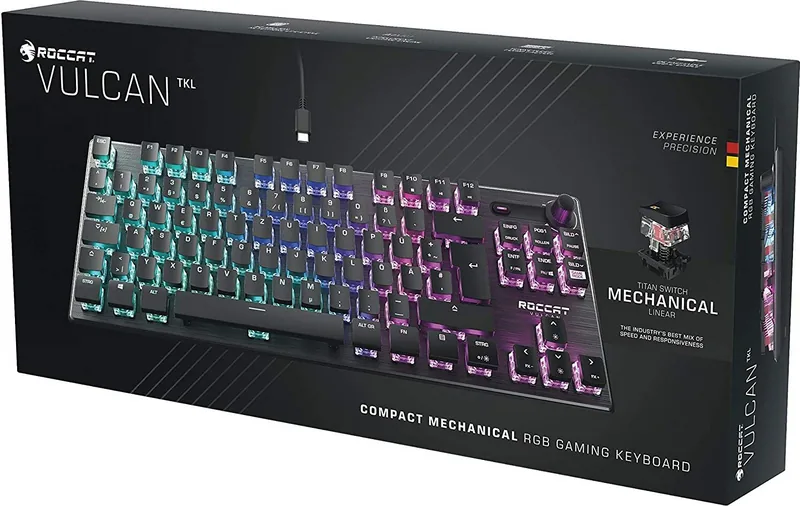
The Roccat Vulcan TKL in Schwarz (Black) represents a pinnacle of compact mechanical keyboard design, blending aesthetic appeal with high-performance engineering. This tenkeyless (TKL) layout saves valuable desk space while retaining all essential keys for gaming and productivity. The sleek black chassis is complemented by customizable RGB LED lighting, allowing users to create a personalized ambiance that matches their gaming environment.
At the heart of this device lies the proprietary Roccat Titan Switch Linear technology. These switches feature a 1.4mm actuation point and are rated for an impressive 50 million keystrokes, ensuring durability and rapid response times during intense gaming sessions. The linear feel provides smooth keystrokes without tactile bumps, ideal for gamers who prioritize speed and fluidity. Integrated settings memory means your custom configurations travel with you, even when switching devices.
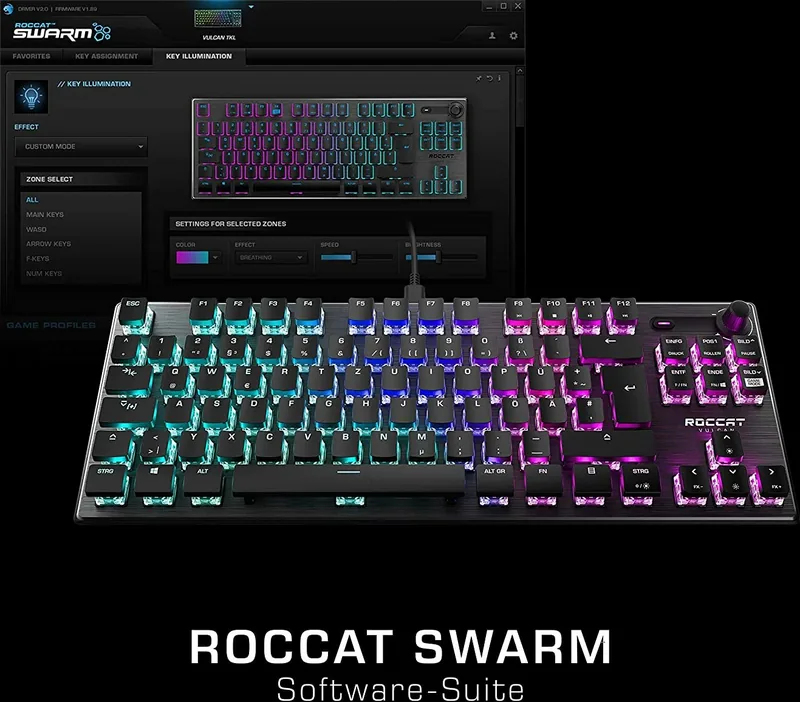
Connectivity is seamless thanks to the detachable USB-C to USB-A cable, offering flexibility in how you connect to your PC. The keyboard utilizes a 32-bit ARM Cortex-M0 processor running at a 1000Hz polling rate, minimizing input lag for competitive advantage. Users can further customize their experience using the Roccat Swarm software suite, which offers extensive control over macros, lighting effects, and key remapping via Easy-Shift[+] technology.
Ergonomics are considered with adjustable feet on the base, allowing users to find the perfect typing angle. The compact dimensions of 360mm x 133mm x 34mm make it a perfect fit for any setup, weighing just 660g for stability without being cumbersome. Whether you are engaging in fast-paced shooters or complex strategy games, the Roccat Vulcan TKL delivers precision and reliability.
Key Features Summary
This keyboard stands out due to its robust build quality, advanced switch technology, and versatile connectivity options. It caters to both casual users and professional esports athletes who demand the best from their peripherals.
Important Notes
- Ensure Windows 7, 8, or 10 is installed for full software support.
- An internet connection is required to download the latest version of the Swarm software.
- Dispose of the product according to local electronic waste regulations.
Search for 67,732 Manuals online


Type-in Brand or Model
Samantha Stewart
5 months ago
Are the switches truly tactile as described in the product details, or are they linear?
Manual.ly
5 months ago
Our product specifications indicate that this model utilizes Titan Switch Linear technology, which provides a smooth and quiet typing experience without tactile bumps. Some customers have reported confusion regarding the description mentioning 'tactile' features; please note that if you require a tactile feel, you may need to consider our alternative switch options. We recommend verifying the specific switch type listed for your exact SKU before purchasing.