
Roccat Lua Manual
PDF manual · 2 Pages
English



Quick check
Incorrect answer, please try again.
Chat with your Roccat Lua manual using AI
Get instant AI answers from your Roccat Lua manual
Ask anything about the Roccat Lua. Answers come from this manual, with the pages they are based on.
Ask a Question
Do you recommend Lua?
Yes NoFrequently Asked Questions
It is a compact tri-button gaming mouse focused on straightforward control, comfort, and fast sensitivity switching. The ambidextrous shape makes it usable in either hand, and the optical sensor is tuned for responsive everyday play.
Is this answer helpful?
Yes. Its ambidextrous V-shaped body is designed to work comfortably for both left- and right-handed users, which makes it a practical choice if you want a symmetrical mouse.
Is this answer helpful?
Plug the USB connector into a free USB port, connect to the internet, visit the support page, download the latest driver, and follow the on-screen installation steps. The setup is simple, but it does require driver access.
Is this answer helpful?
Yes. The Lua includes a dedicated DPI button that lets you switch through multiple sensitivity levels quickly. That makes it easy to move between precise aiming and faster general use without stopping your workflow.
Is this answer helpful?
The Arctic Blue logo gives the mouse a distinctive gaming look, and the breathing light effect adds a subtle animated feel. It is mainly a style feature, but it also helps the mouse stand out on the desk.
Is this answer helpful?
The mini mousepad helps create a compact, organized setup and provides a consistent surface for movement. It is a good match for the mouse if you want a small desktop footprint and smooth everyday tracking.
Is this answer helpful?
Advantages and Disadvantages
Advantages

- Ambidextrous design suits both left- and right-handed users.
- 2000 DPI sensor and DPI switch offer quick sensitivity changes.
- Soft-touch coating and side grips improve comfort during long use.
- Compact size and mini mousepad pairing help keep the desk clean.
Disadvantages

- Only a tri-button layout, so advanced control options are limited.
- Driver download requires internet access during setup.
- Compatibility is listed for older Windows versions, not modern systems.
- Best suited to simple setups rather than feature-heavy gaming needs.
Product Specification
Design
Ambidextrous (left hand, right hand)
Buttons
3 (total), 2 (main), 1 (scroll wheel click)
Scroll wheel
1x 2-way
Sensor Type
red LED/IR
Resolution
2000dpi, adjustable
Sensor
PixArt ADNS-3050
Polling Rate
1000Hz (wired USB)
Lighting
blue
Connectivity
wired (5.91 ft), USB
Power Supply
USB
Dimensions (WxHxD)
2.56x1.18x4.53in
Approximate Volume
3.60 in3 (approximate shape)
Weight
0.15 lb
Product Description
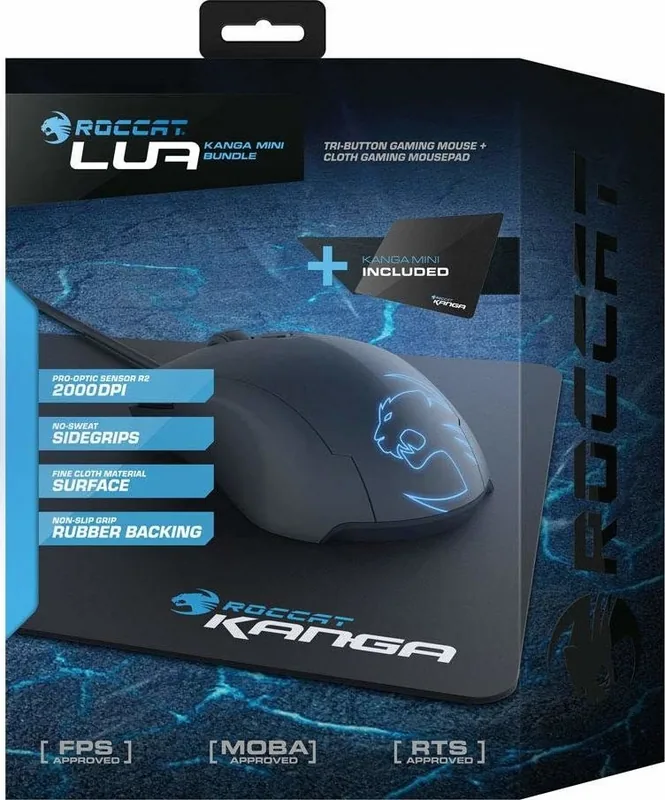
Roccat Lua + Kanga Mousepad Mini, USB Manual
Compact control with a classic feel
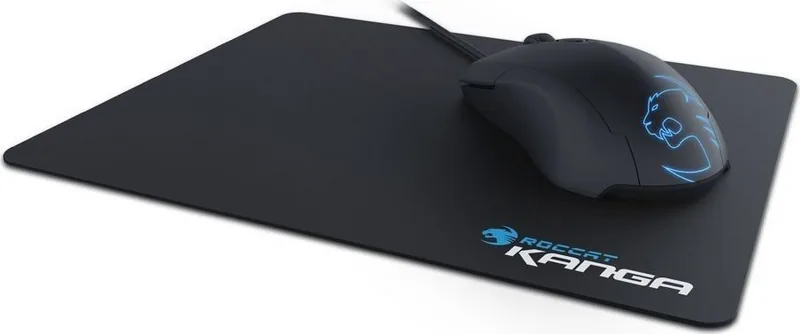
The Roccat Lua is a small but capable tri-button gaming mouse built for players who prefer clean, direct control over clutter. Its ambidextrous V-shape makes it easy to use in either hand, while the soft-touch surface and no-sweat side grips help it stay comfortable through long sessions. Paired with the Kanga Mousepad Mini, the setup feels tidy, portable, and ready for fast movement on a smaller desk.
At the heart of the Lua is a 2000 DPI optical sensor that delivers responsive tracking for everyday play and competitive moments alike. A dedicated DPI switch lets you move through sensitivity levels quickly, from low, precise aiming to faster desktop navigation, without interrupting the action. The mouse also supports up to 1000 Hz polling and strong acceleration specs, giving it the kind of feedback that suits a lightweight gaming routine.
The design is simple, but it does not feel bare. A glowing Arctic Blue Roccat logo adds personality, and the breathing light effect gives the mouse a lively look that fits nicely with a modern gaming setup. The 1.8 m USB cable provides practical reach, and setup is straightforward: connect the mouse, download the driver from support, and follow the on-screen steps.
The Kanga Mousepad Mini complements that approach with a compact footprint that keeps the desk organized while helping the mouse glide consistently. Together, the mouse and pad create a focused combo for users who want dependable performance without extra bulk. It is an especially attractive pick for minimal desks, laptop stations, and players who like their gear to feel light and efficient.
Compatibility is practical as well, with support listed for Windows XP, Vista, and Windows 7 in both 32-bit and 64-bit versions, plus a USB 2.0 port and internet access for installation. That makes the Lua easy to integrate into older systems, while still offering a polished experience for users who want a simple plug-in and go workflow. In a bundle with the Kanga Mousepad Mini, it becomes a sensible entry into Roccat’s gaming style: compact, functional, and focused on the essentials rather than unnecessary extras.
Notes
- Best for users who want a simple gaming mouse with quick sensitivity changes.
- Ambidextrous form makes it friendly for left- and right-handed use.
- Driver installation requires an internet connection.
- The mini mousepad pairing keeps the setup compact and travel-friendly.
Search for 67,732 Manuals online


Type-in Brand or Model