
Roccat Kain 120 Aimo Manual
PDF manual · 12 Pages
English



Quick check
Incorrect answer, please try again.
Chat with your Roccat Kain 120 Aimo manual using AI
Get instant AI answers from your Roccat Kain 120 Aimo manual
Ask anything about the Roccat Kain 120 Aimo. Answers come from this manual, with the pages they are based on.
Ask a Question
Do you recommend Kain 120 Aimo?
Yes NoFrequently Asked Questions
The Roccat Kain 120 Aimo features the Owl-Eye sensor which supports a maximum resolution of 16,000 DPI, allowing for highly sensitive and precise cursor control suitable for professional gaming.
Is this answer helpful?
Yes, the mouse includes 512kB of onboard memory. You can save your custom button assignments, DPI steps, and lighting profiles directly to the device, so they work instantly on any compatible PC without needing to reinstall the software.
Is this answer helpful?
No, the Roccat Kain 120 Aimo is a wired gaming mouse. It connects via a durable 1.8m braided USB cable to ensure a stable, low-latency connection during gameplay.
Is this answer helpful?
The Roccat Kain 120 Aimo is fully compatible with Windows 7, Windows 8, and Windows 10. An internet connection is required to download and install the necessary Swarm driver software for configuration.
Is this answer helpful?
The mouse features eight programmable buttons, including the left click, right click, scroll wheel actions, forward/back browser buttons, and a dedicated DPI cycle button, all customizable via the Swarm software.
Is this answer helpful?
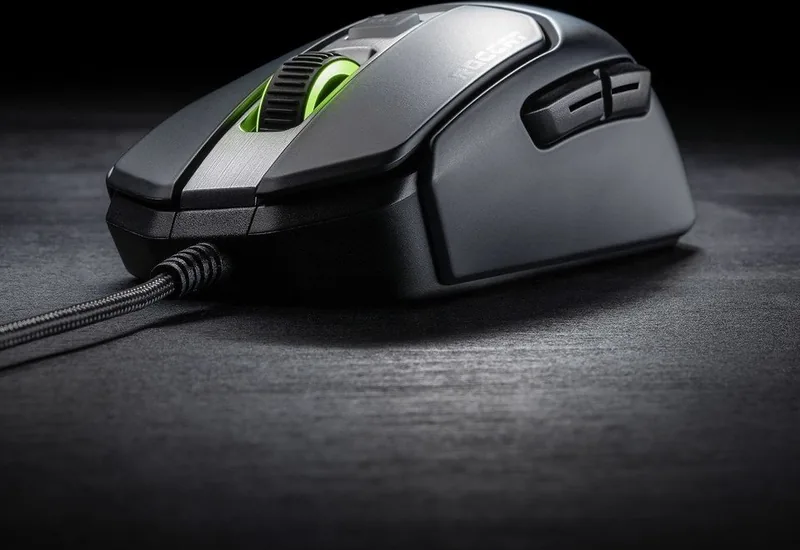
The cable is integrated into the mouse and is not detachable. It is a 1.8m braided cable designed for durability and resistance to tangling during intense gaming sessions.
Is this answer helpful?
Advantages and Disadvantages
Advantages

- High-precision Owl-Eye sensor supports up to 16,000 DPI for accurate tracking
- 1000Hz polling rate ensures ultra-responsive and lag-free cursor movement
- 512kB onboard memory stores custom profiles for use on any PC without reinstallation
Disadvantages

- Requires internet connection and specific software installation for full feature access
- Cable length is fixed at 1.8m which may limit placement options for some users
- No wireless connectivity option available for untethered freedom
Product Specification
Suitability
right hand
Keys
6 (total), 2 (main), 1 (top), 2 (left), 1 (scroll wheel click)
Scroll Wheel
1x 2-way
Tracking
LED-red/IR
Resolution
16000dpi, adjustable
Sensor
PixArt PMW 3381 (Roccat Owl-Eye 16K, based on PixArt PMW 3389)
Switches
mechanical switches, Omron D2FC-F-K, 50 million clicks
Polling Rate
1000Hz, adjustable to 500/250/125Hz (wired USB)
Lighting
RGB
Connection
wired (7.1ft), USB
Power Supply
USB
Dimensions (WxHxD)
2.56x1.69x4.88in
Approximate Volume
5.56in³ (approximate shape)
Weight
3.14oz
Features
Onboard memory, textile cable
Product Description
Elevate Your Gaming with the Roccat Kain 120 Aimo
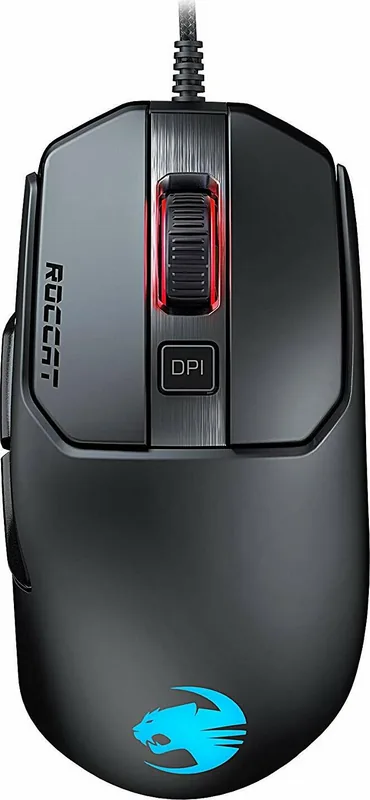
The Roccat Kain 120 Aimo represents a pinnacle of precision and customization for serious gamers. Designed to enhance performance, this mouse features the advanced Owl-Eye sensor capable of tracking up to 16,000 DPI, ensuring every movement is translated exactly as intended on your screen. Whether you are engaging in fast-paced shooters or strategic MOBAs, the high polling rate of 1000Hz guarantees zero lag and fluid cursor control.
One of the standout features of the Kain 120 Aimo is its onboard memory system. With 512kB of storage, you can save your custom button mappings, DPI settings, and lighting profiles directly to the device. This means your personalized setup travels with you, ready to use on any compatible PC without needing to reinstall software. The included Swarm software allows for deep customization of the eight programmable buttons, letting you assign complex macros or simple shortcuts to streamline your gameplay.
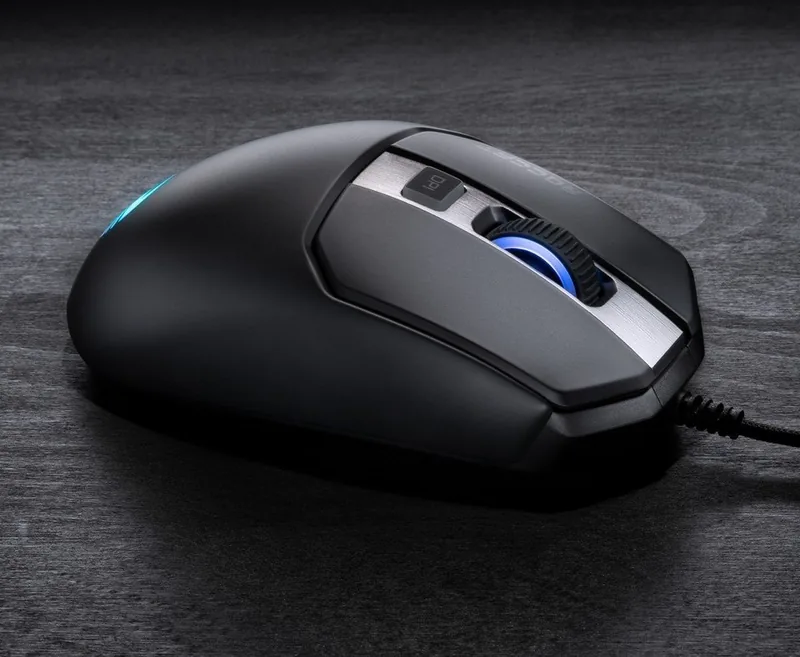
Ergonomics play a crucial role in long gaming sessions, and the Kain 120 Aimo delivers comfort alongside power. Its shape is designed to fit various grip styles, while the braided 1.8m cable provides durability and freedom of movement. The AIMO ecosystem integration adds a layer of visual flair, synchronizing lighting effects across your entire Roccat setup for an immersive experience. The Distance Control Unit (DCU) offers adjustable lift-off distance, giving you fine-tuned control over how the mouse reacts when lifted.
Setting up your Roccat Kain 120 Aimo is straightforward. Simply connect the USB connector to an available port on your computer and launch the internet-connected Swarm application. The intuitive interface guides you through downloading the latest drivers and configuring your preferences. Once set up, the mouse operates seamlessly with Windows 7, 8, and 10 systems, providing a reliable foundation for your gaming rig.
Important Notes
- Always ensure your driver software is updated for optimal performance.
- Remove batteries if applicable before disposing of the unit at official recycling centers.
- Avoid exposing the device to extreme temperatures or moisture to maintain warranty validity.
Search for 67,732 Manuals online


Type-in Brand or Model