

Free Grandstream Manuals – Read, Download & Print
23 Manuals
Manuals
93 Pages
79 Pages
57 Pages

146 Pages
127 Pages
40 Pages
46 Pages
39 Pages
116 Pages

132 Pages
144 Pages

82 Pages

116 Pages
109 Pages

116 Pages

49 Pages

71 Pages

131 Pages

60 Pages
109 Pages
594 Pages

91 Pages

55 Pages
Categories


Free Grandstream Manuals - Read, Download & Print
Find Grandstream User Guides, Installation Manuals, and Technical Documentation
Free Grandstream manuals help users set up, configure, maintain, and troubleshoot a wide range of communication devices. Whether you need instructions for an IP phone, video phone, IP PBX, gateway, Wi-Fi access point, conferencing solution, or intercom system, the right manual can save time and make installation easier. Grandstream products are commonly used in homes, small businesses, offices, hotels, schools, retail locations, and enterprise environments, so clear documentation is important for both first-time users and experienced network administrators.
This collection is designed to make it simple to read, download, and print Grandstream manuals when you need them. Browse documentation to locate operating instructions, quick installation guides, administration manuals, datasheets, release notes, and troubleshooting information. A manual can explain everything from connecting cables and powering on a device to assigning network settings, registering SIP accounts, configuring call features, updating firmware, and restoring default settings.
Read Grandstream Manuals Online
Reading a Grandstream manual online is a convenient way to quickly find answers without downloading a file. Online manuals are useful when you need to check a button function, identify a port, review an error message, or confirm a setting during device configuration. Most guides include a table of contents, diagrams, step-by-step instructions, and screenshots that make technical procedures easier to follow.
Common Information Found in Online Manuals
A Grandstream user manual often begins with product identification and package contents. It may list included accessories such as a handset, stand, power adapter, Ethernet cable, wall-mount bracket, or quick guide. Installation sections typically describe how to connect the device to a router, network switch, computer, headset, analog telephone line, or power source.
Configuration chapters can cover topics such as:
- Connecting to a local network
- Accessing the device web interface
- Finding the IP address of a phone or gateway
- Registering SIP accounts
- Setting date, time, and language preferences
- Configuring programmable keys
- Managing contacts and call history
- Enabling voicemail and call forwarding
- Setting up conference calls
- Using Bluetooth, Wi-Fi, or headset features when supported
- Adjusting audio, display, and ringtone settings
- Applying security and administrator passwords
For more advanced products, documentation may also describe network provisioning, VLAN settings, QoS, codec selection, firewall rules, VPN configuration, LDAP directories, call routing, IVR menus, and remote management tools.
Download Grandstream Manuals for Offline Use
Downloading a Grandstream manual gives you access to important documentation even when an internet connection is unavailable. PDF manuals can be stored on a computer, tablet, phone, or shared network folder for future reference. Keeping local copies is especially useful for technicians who configure equipment at customer sites, facilities managers who oversee multiple locations, and businesses that want a ready reference during network changes or service interruptions.
Benefits of Downloading Product Documentation
Downloaded manuals are easy to organize by device model, product category, or location. You can create a folder for IP phones, another for PBX systems, and another for gateways or wireless equipment. Saving the exact manual for each installed model helps reduce confusion when similar products have different buttons, ports, firmware options, or setup procedures.
Offline manuals also allow you to search within the document for specific terms. Search for words such as "provisioning," "factory reset," "firmware," "password," "SIP server," "network," or "call forwarding" to jump directly to relevant sections. This can be much faster than reading a full guide from beginning to end.
Before following any advanced instruction, check that the manual matches your exact product model and software version. Product features and menu layouts can change between hardware revisions and firmware releases. Using the correct document helps prevent incorrect settings and avoids unnecessary troubleshooting.
Print Grandstream Manuals and Quick Reference Pages
Printing a Grandstream manual can be useful in offices, equipment rooms, repair workshops, and installation sites. A printed copy is easy to share with staff members who may not have access to the same computer or network. It can also be helpful when configuring hardware in areas where laptops and mobile devices are inconvenient to use.
What to Print
You may not need to print an entire manual. Many users print only the pages most relevant to daily operation or installation. Useful pages may include the device layout diagram, cable connection instructions, default login details, LED status definitions, feature key descriptions, reset procedures, and troubleshooting tables.
For office staff, consider printing a concise reference with everyday phone functions, including how to answer, hold, transfer, park, forward, mute, and conference calls. For administrators, print network setup details, provisioning instructions, security recommendations, and recovery procedures. Keeping important pages near the equipment can reduce support requests and help users resolve simple issues independently.
Manuals for Grandstream IP Phones
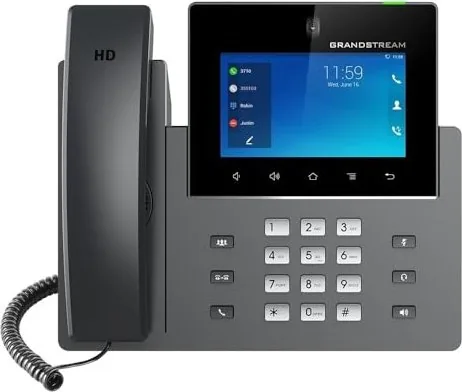
Grandstream IP phone manuals cover desktop phones and business communication endpoints that connect through an IP network. These guides explain physical setup, handset connections, Ethernet ports, headset support, power options, screen navigation, account registration, and call handling features. Depending on the model, a phone may include programmable line keys, a color display, video support, Bluetooth, Wi-Fi, expansion modules, or touchscreen controls.
Typical IP Phone Tasks
A phone manual can help you learn how to place calls, answer incoming calls, reject calls, redial recent numbers, use speakerphone mode, and manage multiple active calls. It may also explain call transfer options, including blind transfer and attended transfer. Other common features include do not disturb, call waiting, call forwarding, speed dial, paging, intercom, voicemail access, presence monitoring, and directory synchronization.
If a phone does not register or cannot make calls, consult the troubleshooting section. Common causes include an incorrect SIP password, unavailable server, network connection issue, invalid DNS setting, unsupported VLAN configuration, or a provisioning error. The manual can identify the status icons and messages displayed by the device, helping you narrow down the cause.
Manuals for Grandstream PBX, Gateways, and Networking Products
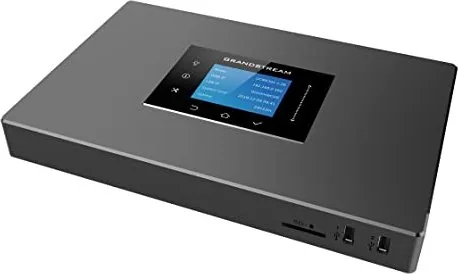
Grandstream documentation is also important for systems beyond desktop phones. IP PBX manuals can explain how to create extensions, define inbound and outbound routes, configure trunks, build ring groups, set office hours, create IVR menus, manage voicemail, record calls, and review system status. These guides are particularly valuable for administrators responsible for business phone systems.
Gateway manuals may describe how to connect analog telephones, fax machines, PSTN lines, mobile networks, or legacy equipment to a VoIP environment. Correct configuration is important because gateway settings can affect call quality, caller ID, dialing rules, fax behavior, and emergency calling capabilities.
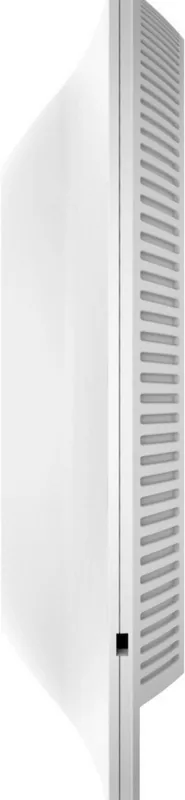
Network product manuals can cover Wi-Fi access points, routers, switches, and cloud-managed systems. These documents often include guidance for initial network access, SSID setup, wireless security, guest networks, mesh settings, VLANs, captive portals, monitoring, and firmware maintenance.
Troubleshooting with the Right Manual
A reliable manual is one of the best tools for diagnosing common Grandstream device problems. Start by confirming the model number shown on the device label or system interface. Then review the relevant setup and troubleshooting sections. Check physical connections first, including power, Ethernet cables, PoE availability, and internet access. Verify that the device has obtained a valid IP address and can communicate with the required network services.
Common Troubleshooting Topics
Documentation may provide solutions for issues such as no dial tone, failed registration, one-way audio, poor call quality, dropped calls, no ringtone, unavailable voicemail, blank screens, firmware update failures, or lost administrator credentials. It may also provide LED patterns and diagnostic messages that indicate whether a device is booting, connected, provisioning, registered, or experiencing an error.
If a factory reset is required, read the instructions carefully before proceeding. A reset can erase account details, custom settings, network configuration, and provisioning information. Back up settings where possible, and make sure you have the required login credentials and server details before restoring a device.
Use Documentation Safely and Effectively
When working with Grandstream equipment, follow the safety notices in the applicable manual. Use the correct power supply, avoid damaged cables, keep equipment away from moisture, and ensure adequate ventilation. For wall-mounted devices or installations in structured cabling areas, use suitable hardware and follow local electrical and building requirements.
Administrators should also review security recommendations. Change default passwords, restrict remote administration when it is not needed, use secure network practices, keep firmware current, and protect backup files that may contain configuration data. Strong device security helps protect calling services, account credentials, contact information, and business communications.
Get More Value from Free Grandstream Manuals
Free Grandstream manuals provide practical support throughout the life of a device. Use them before installation to prepare the correct equipment and network details. Refer to them during setup to complete each step correctly. Keep them available after deployment for staff training, routine maintenance, feature changes, and troubleshooting.
Whether you need a quick answer about a phone button or detailed guidance for a complete VoIP deployment, the correct Grandstream manual is an essential resource. Read documentation online for immediate help, download PDFs for offline access, and print the pages that matter most to your users and technical team. With clear instructions available when needed, you can configure Grandstream products with greater confidence and keep communication systems running smoothly.
Search for 67,706 Manuals online


Type-in Brand or Model