
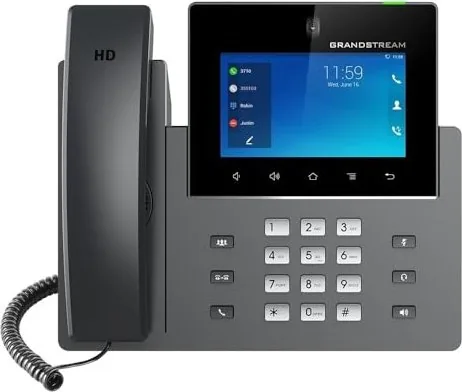
Grandstream GXV3350 Manual
PDF manual · 144 Pages
English



Quick check
Incorrect answer, please try again.
Chat with your Grandstream GXV3350 manual using AI
Get instant AI answers from your Grandstream GXV3350 manual
Ask anything about the Grandstream GXV3350. Answers come from this manual, with the pages they are based on.
Ask a Question
Do you recommend GXV3350?
Yes NoFrequently Asked Questions
It combines a professional 16-line IP video phone with Android tablet capabilities. You get a large touchscreen interface, Android 7.0 access to apps, and collaboration features like 720p HD video conferencing, plus enterprise controls such as transfer, forwarding, call recording, and programmable keys.
Is this answer helpful?
You can connect it using PoE/PoE+ through the integrated Gigabit LAN ports, or via a 12V DC power adapter to the power jack. Then connect the LAN to a hub or switch or the router LAN side using Ethernet. The screen will show booting or firmware upgrade status.
Is this answer helpful?
The GXV-3350 supports up to 16 independent SIP accounts. It also supports a phonebook with up to 1000 contacts and call history with up to 1000 records.
Is this answer helpful?
Yes. During a call, you can start recording from the call screen. Recordings can be retrieved from the Web GUI under Applications and Recording. The exact recording behavior depends on the configured Record Mode (local recording, PortaOne, UCM, BroadSoft, or disabled).
Is this answer helpful?
Conference options include up to 6-way audio conferencing and up to 3-way 720p HD video conferencing. Transfer supports both blind transfer and attended transfer. You can also transfer using MPKs when configured.
Is this answer helpful?
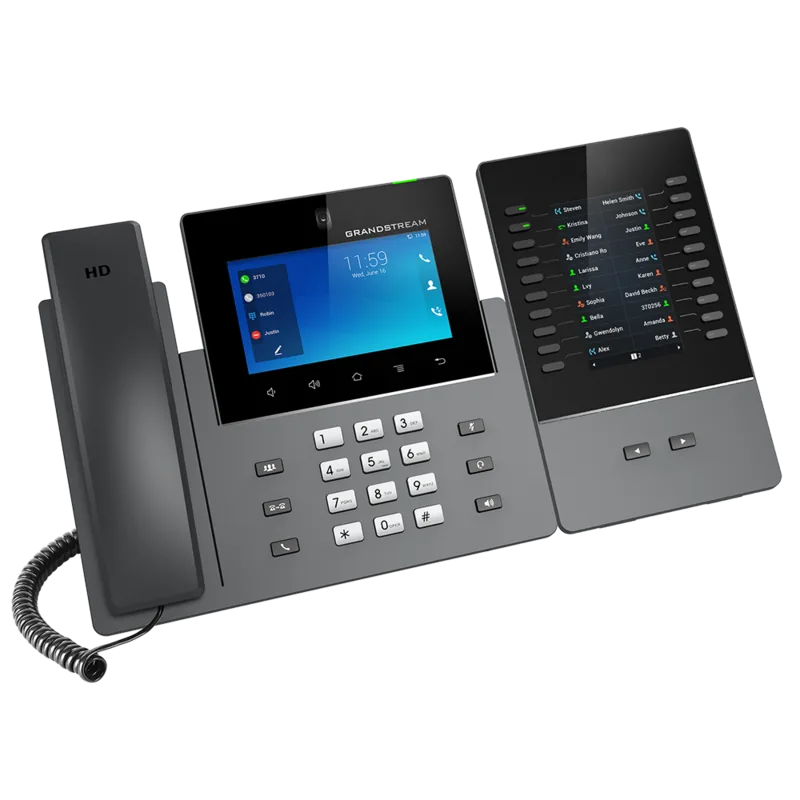
The GXV-3350 can support up to 4 GBX20 extension modules. Each GBX20 provides multiple programmable buttons (and supports monitoring of MPK keys for the active account). The GBX20 is an accessory, and if you use multiple modules, the second one needs its own 12V/1A power supply.
Is this answer helpful?
Video call availability can be controlled by configuration. If the Enable Video Call option is disabled, the video call option will not be shown on the dial screen. If video is requested during an audio call, the device can prompt you to accept video if video features are enabled and supported.
Is this answer helpful?
Advantages and Disadvantages
Advantages

- 16 lines with up to 16 SIP accounts, plus call waiting, hold, forwarding, and detailed call history
- HD video capabilities including up to 3-way 720p 30 fps video conferencing and tiltable camera with privacy shutter
- Enterprise-ready connectivity with dual Gigabit ports (PoE/PoE+), dual-band Wi-Fi, and integrated Bluetooth
- Premium audio with dual microphones, HD speakerphone, noise reduction, and advanced echo cancellation
- Flexible daily workflow via Android 7.0, widgets, multiple idle screens, and extensible GBX20 programmable keys
Disadvantages

- Using the wrong power adaptor can cause damage and void the manufacturer warranty
- GBX20 extension modules are an additional accessory, not included with the main phone package
- When using multiple GBX20 units, the second GBX20 needs its own 12V/1A PSU
- Video call options may be hidden if the feature is disabled in configuration
- Call recording behavior varies by recording mode and depends on server or platform support
Product Specification
Type
VoIP phone (corded)
Display
5.0", 1280x720 Pixel, Color, Touchscreen
Phone book
1000 Entries
Call list
1000 Entries
Interfaces
2x 1000Base-T (PoE+), Wi-Fi 4 (Wi-Fi 802.11a/b/g/n), Bluetooth 4.2, 1x Handset (RJ-9), 1x Headset (RJ-9), 1x USB-A, 1x HDMI 1.4
Answering machine
no
Special features
Caller ID, Speakerphone, Wideband, SIP (16 Accounts), Optical call signaling, EHS/DHSG support, Android, Digital camera, Expandable
Dimensions
9.57x8.27x1.87in
Weight
2.73lb
Product Description
Grandstream GXV-3350 VoIP Phone for Android Video Collaboration
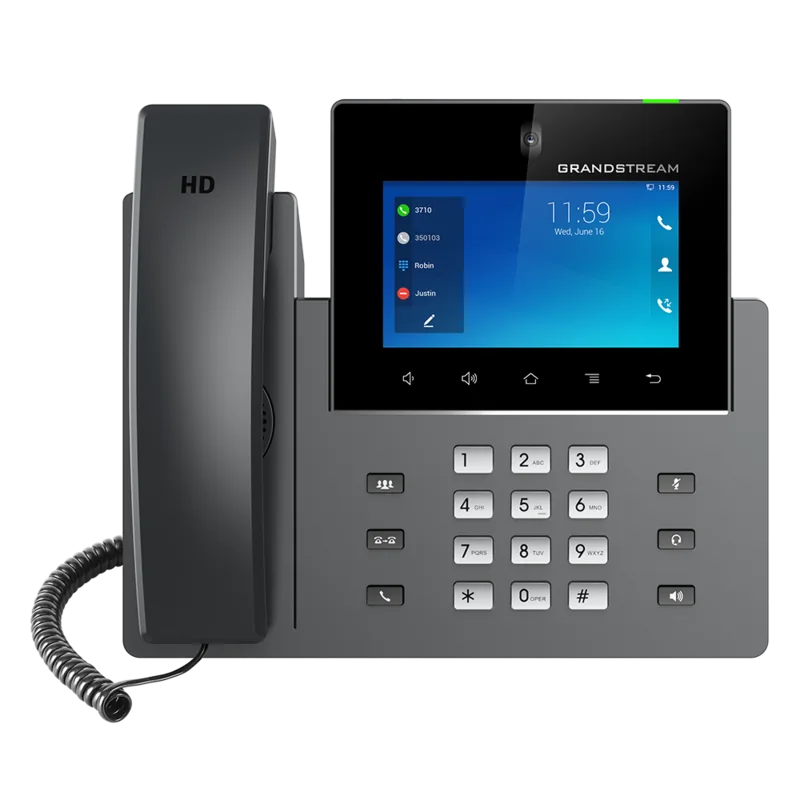
The Grandstream GXV-3350 VoIP Phone Manual highlights how Grandstream built an all-in-one business communicator that blends a professional 16-line IP video phone with the flexibility of an Android tablet. With a 5-inch 1280x720 capacitive touchscreen, a tiltable 1-megapixel camera with a privacy shutter, and HDMI output, this device is designed for clear day-to-day calling plus modern video collaboration.
At the center of the experience is support for up to 16 SIP accounts, quick dialing and call management, and conference features that can scale from audio to video. The GXV-3350 supports up to 6-way audio conferencing and 3-way 720p HD video conferencing at up to 30 fps. For audio, it uses dual microphones and an HD speakerphone with noise reduction, echo cancellation, and strong double-talk performance, helping conversations stay intelligible in busy offices.
Network and device integration are also a major theme. Dual Gigabit ports with PoE/PoE+ simplify deployment, while integrated dual-band Wi-Fi and Bluetooth 4.2+EDR add wireless flexibility for headsets and connectivity. For power users, the GXV-3350 supports an EHS-compatible RJ9 headset connection (with Plantronics support), USB accessories for tasks like saving captured media, and HDMI to route output to an external display.
To match enterprise workflows, the phone includes rich telephony controls such as hold, transfer (blind and attended), call forwarding, call recording, call waiting, and quick DTMF options during active calls. A programmable-key approach is available via downloadable contacts and optional extension modules, including the GBX20, which adds quick-dial and BLF-style buttons for faster call handling.
Beyond calling, the Android 7.0 foundation enables an app-like interface, including built-in tools such as Contacts, Call History, File Manager, Browser, Voicemail, and more. Users can customize the desktop experience with widgets, wallpapers, and multiple idle screens, making it easier to keep key information visible.
Key results
- 16 SIP lines plus deep call features like transfer, forwarding, recording, and call waiting
- 720p HD video conferencing up to 3-way and 6-way audio conferencing for team communication
- Dual Gigabit with PoE/PoE+ plus Wi-Fi and Bluetooth for flexible enterprise deployment
- Extensible workflows with optional GBX20 programmable buttons and MPK monitoring
Notes
- Use the recommended power adapter or PoE to avoid damage and warranty issues.
- Video call options can be enabled or hidden based on configuration.
- Some features like call recording behavior depend on the selected recording mode and server support.
Search for 67,706 Manuals online


Type-in Brand or Model
Frank Simpson
10 months ago
I am considering the GXV3350. Do I really get the advertised features like installing Google Play Store and using an FTP server for easy file transfer (PC Windows, iOS, phone)?
Manual.ly
9 months ago
The GXV3350 can be firmware-dependent. Some buyers report that the Play Store is not available out of the box and that the FTP server from the GXV3380 is not present or not enabled. We recommend updating the device to the latest available firmware and checking the Services/Network settings for FTP. If your firmware does not include Play Store support, you may need to use alternative transfer methods such as the device storage (SD/USB) or supported app-based syncing. For the exact feature set of your serial/firmware version and any official setup steps, please contact support with your current firmware version so we can advise the correct procedure.