
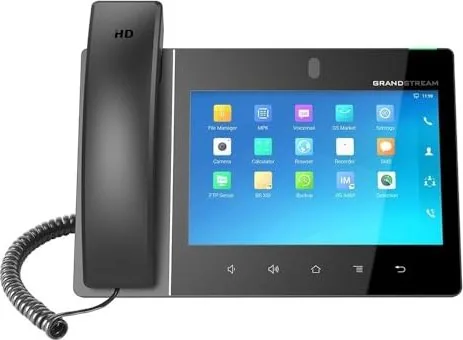
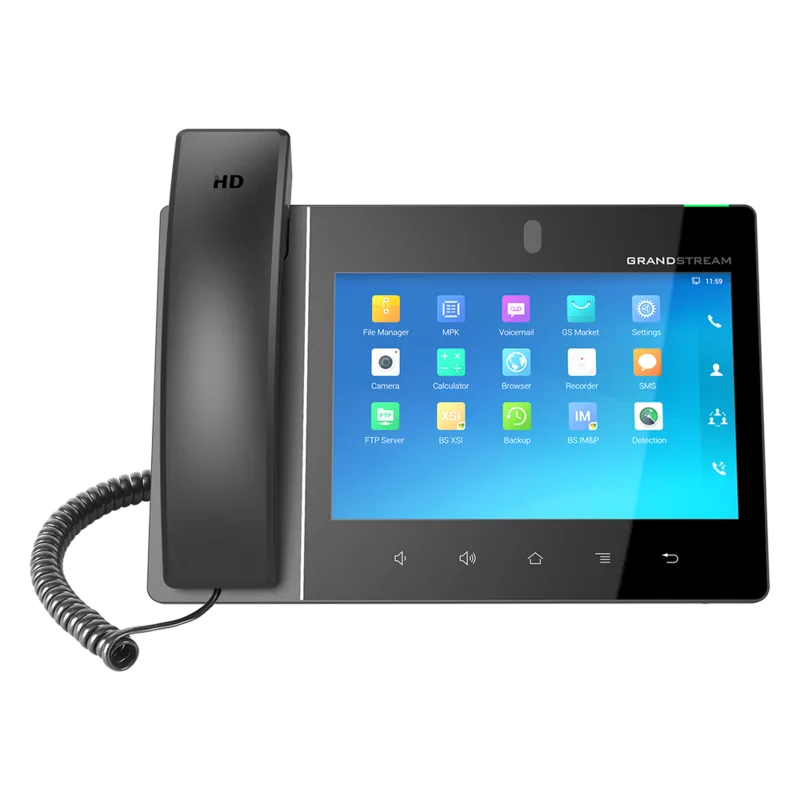
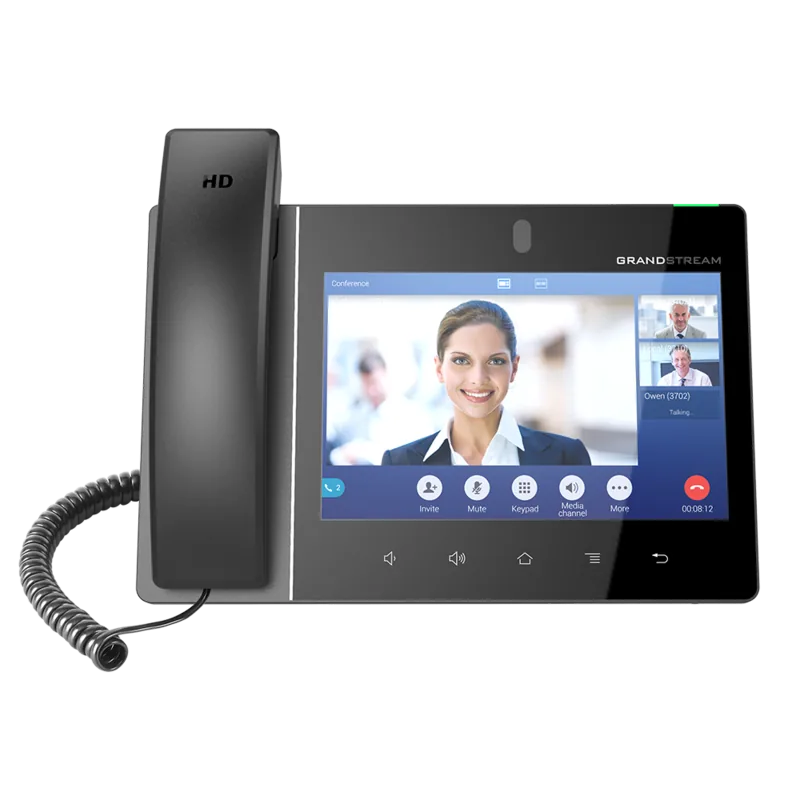
Grandstream GXV3380 Manual
PDF manual · 132 Pages
English



Quick check
Incorrect answer, please try again.
Chat with your Grandstream GXV3380 manual using AI
Get instant AI answers from your Grandstream GXV3380 manual
Ask anything about the Grandstream GXV3380. Answers come from this manual, with the pages they are based on.
Ask a Question
Do you recommend GXV3380?
Yes NoFrequently Asked Questions
It is designed for business VoIP and IP video calling with an enterprise feature set. The GXV-3380 combines a multi-line SIP phone, an 8-inch touchscreen interface, and built-in conferencing tools so teams can handle calls, contacts, and collaboration from one device.
Is this answer helpful?
You can set it on the built-in stand or mount it on a wall. Connect the handset, then link the LAN port to your network. Power it using the 12V universal adapter or PoE/PoE+. After boot, you can configure network settings using the phone menu or the web interface.
Is this answer helpful?
The GXV-3380 supports up to 16 independent SIP accounts. For conferencing, it supports up to 7-way audio conferences and up to 3-way HD video conferencing, with video conference capabilities up to 1080p at 30 fps.
Is this answer helpful?
Yes. During an active audio call, you can request video using the call screen options. If the GXV-3380 receives a video request while you are in audio mode, it prompts you to accept. Video options may be hidden if Enable Video Call is disabled.
Is this answer helpful?
The phone supports blind transfer and attended transfer. You can initiate transfer from the More menu during a call, or use programmable keys (MPKs) for transfer workflows. For some advanced scenarios, transfer across SIP domains depends on the SIP service provider support.
Is this answer helpful?
Firmware can be upgraded via TFTP or HTTP/HTTPS, or through the web interface. If remote upgrade is not practical, SD-card upgrading is supported using the phone key sequence after copying the firmware to the SD card and power cycling.
Is this answer helpful?
Yes. The guidance emphasizes using the correct power adaptor, since using a different adaptor may risk damage and void warranty. It also includes regulatory compliance statements (such as FCC and CE) and radio frequency exposure cautions, including a minimum separation distance.
Is this answer helpful?
Advantages and Disadvantages
Advantages

- 16-line IP video phone design with up to 16 SIP accounts, call log, and downloadable contacts (up to 2000).
- 8-inch 1280x800 capacitive IPS touchscreen plus Android 7.1.1 usability and widget-based home screen control.
- Enterprise connectivity: dual gigabit ports with PoE/PoE+, dual-band Wi-Fi, and Bluetooth 4.2+ EDR.
- Strong collaboration: up to 7-way audio and 3-way HD video conferencing with participant management.
- Multiple peripherals and media features: microphones, speakerphone, camera shutter, USB/SD/HDMI (with power conditions).
Disadvantages

- USB and HDMI-in/out are disabled when using PoE, limiting accessory options depending on power setup.
- Video call options can be hidden if the Enable Video Call setting is disabled, affecting user experience.
- Upgrading via USB storage is not supported; firmware updates may require web/TFTP/SD card methods.
- Conference and transfer behaviors can depend on SIP server/provider support, especially for advanced functions.
- Device operation is temperature-limited to 0 C to 40 C, which may affect some installations.
Product Specification
Type
VoIP phone (corded)
Display
8.0", 1280x800 Pixels, Color, Touchscreen
Phonebook
2000 entries
Interfaces
2x 1000Base-T (PoE+), Wi-Fi 5 (WLAN 802.11a/b/g/n/ac), Bluetooth 4.2, 1x Handset (RJ-9), 2x Headset (3.5mm jack, RJ-9), 1x USB-A, 2x HDMI 1.4, 1x microSD slot
Answering machine
no
Special features
Caller ID, Hands-free function, Wideband, SIP (16 Accounts), optical call signaling, EHS/DHSG support, Android, Digital camera (2.0MP)
Dimensions
9.92x8.31x3.31 in
Weight
2.38 lb
Product Description
Grandstream GXV-3380 VoIP Phone Manual: A complete all-in-one IP video phone for business
The Grandstream GXV-3380 VoIP Phone Manual highlights a powerful communications hub designed for modern offices. Built as a 16-line IP video phone, the GXV-3380 pairs Android tablet-like usability with enterprise-grade VoIP and conferencing. Instead of treating telephony as a standalone tool, it brings together call control, contacts, collaboration, and media features in one 8-inch touchscreen device.
Product overview
At the core is an 8-inch 1280x800 capacitive IPS LCD for fast call management and an intuitive touch experience. A tiltable 2-megapixel camera with a privacy shutter supports video calling and video conferencing when enabled. For connectivity, the GXV-3380 provides dual switched gigabit Ethernet ports with PoE and PoE+, plus integrated dual-band Wi-Fi (802.11a/b/g/n/ac) and Bluetooth 4.2+ EDR.
Audio performance is built for clarity with wideband support and full-duplex hands-free speakerphone. It also supports a wide range of voice codecs and essential telephony features such as hold, transfer, forwarding, call waiting, auto-answer, and call recording (local and server options).
Collaboration and everyday call handling
The phone supports up to 7-way audio conferencing and 3-way HD video conferencing (1080p at up to 30 fps for video conference scenarios). Conferences can be initiated from the dial screen, during an active call, or directly from the conference soft key. You can also add existing calls into a conference and manage participants, including muting, removing parties, and ending the session.
Call workflows are designed to be flexible. Blind transfer and attended transfer are available, and calls can be transferred via programmable keys (MPKs) that can be monitored during an active call. Audio and video handling is similarly practical: you can start with audio, then request or accept video if the other side supports it and the feature is enabled.
Notes
- Power options matter: when powered via PoE/PoE+, USB and HDMI-in/out are disabled. With the power adapter or PoE+, these interfaces become available.
- Firmware updates can be done via TFTP/HTTP/HTTPS, or by upgrading from SD card if needed.
Key results
- 16 SIP accounts with rich telephony features like transfer, forwarding, call recording, and call waiting.
- 8-inch touchscreen with widgets, desktop management, and streamlined status-bar access.
- Up to 7-way audio conferences and 3-way 1080p video conferencing.
- Dual gigabit Ethernet (PoE/PoE+) plus dual-band Wi-Fi and Bluetooth for flexible deployment.
- Secure communications support including SRTP/TLS/HTTPS, admin and user password controls, and encrypted configuration options.
Search for 67,706 Manuals online


Type-in Brand or Model
marisa41
9 months ago
How difficult is the GXV3380 setup for a beginner, and can I update the firmware easily? I'm worried about untranslated menu terms and whether online updates work.
Manual.ly
9 months ago
Setup can feel complex at first because the GXV3380 offers many SIP and device options. Many settings are easier via the web interface (PC browser), and you only need the key parameters for most FritzBox deployments. If some menu terms are not translated, use the field names alongside the manual or your provider guidance to confirm what each option does. For firmware updates, if the online update is not reachable in your environment, the FTP update method described in the manual can work reliably (correct host, protocol, credentials, and path matter). Also note that features like ringtone mapping to phonebook entries may require phone numbers without special characters (for example, no spaces or other symbols). Give yourself time for initial reading, and you should be able to get it stable.