
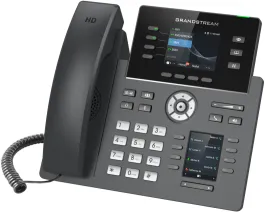
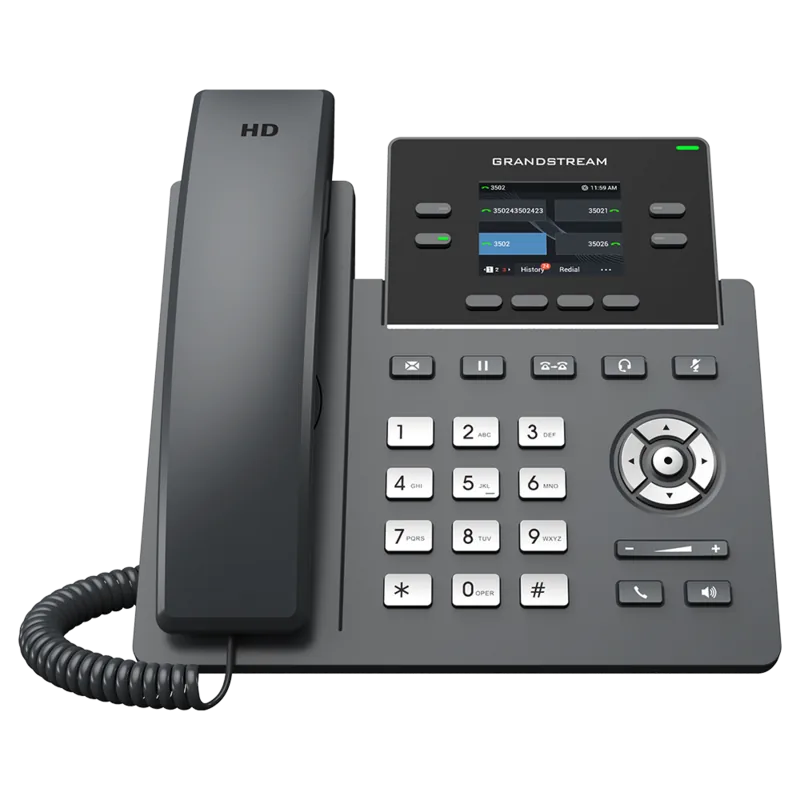
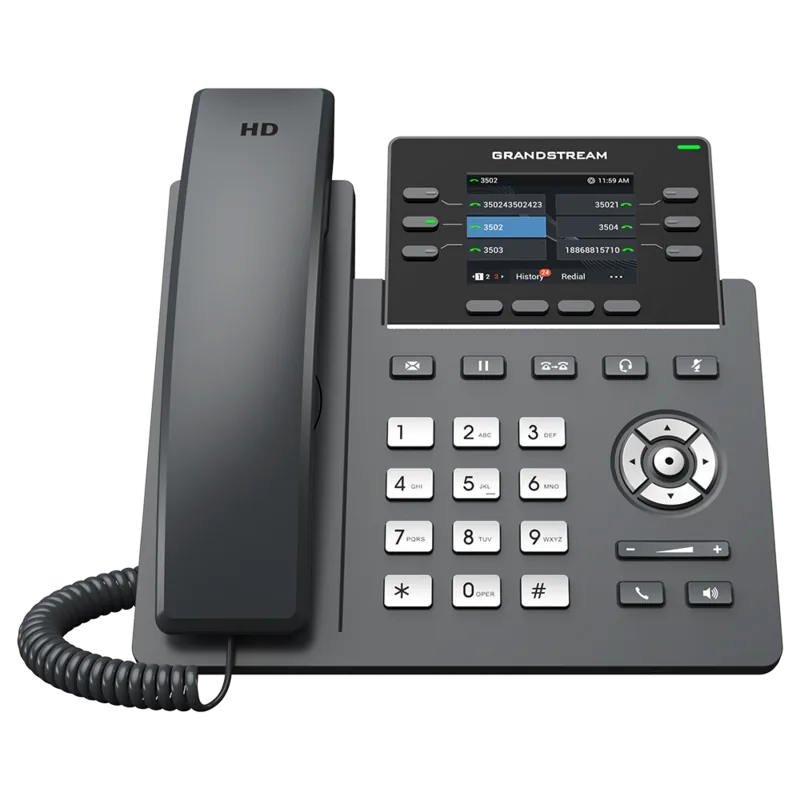
Grandstream GRP2612 Manual
PDF manual · 93 Pages
English



Quick check
Incorrect answer, please try again.
Chat with your Grandstream GRP2612 manual using AI
Get instant AI answers from your Grandstream GRP2612 manual
Ask anything about the Grandstream GRP2612. Answers come from this manual, with the pages they are based on.
Ask a Question
Do you recommend GRP2612?
Yes NoFrequently Asked Questions
It is best suited for business users who need a dependable multi-line desk phone with clear audio, programmable keys, and flexible calling features. It works well in offices, reception areas, and managed VoIP deployments.
Is this answer helpful?
The GRP2612W adds integrated Wi‑Fi, while the standard GRP2612 focuses on wired networking. Both are part of the same family, but the W model is better for installations where wireless connectivity is useful.
Is this answer helpful?
Yes. The series supports 3-way conferencing. Users can start, split, and rejoin calls depending on the call state, which helps with small team discussions and quick collaboration.
Is this answer helpful?
Yes. The phone supports headset use, and the family also includes Electronic Hook Switch support for compatible headsets. This makes hands-free calling easier in office environments.
Is this answer helpful?
The GRP2614 adds Bluetooth, dual-band Wi‑Fi, and an extra MPK screen for more programmable keys. It is the most feature-rich option in the series for users who need more control and flexibility.
Is this answer helpful?
Yes. Many settings can be adjusted from the LCD menu and keypad, including call options, network settings, contacts, and factory functions. The web interface is still useful for deeper configuration and provisioning.
Is this answer helpful?
Advantages and Disadvantages
Advantages

- Multiple models let businesses choose the right mix of lines, display size, PoE, Wi‑Fi, and Bluetooth.
- HD audio, speakerphone, headset support, and conferencing features improve daily call quality and teamwork.
- Programmable keys, BLF, speed dial, and VPK options support busy users who need fast access to contacts.
- Security and provisioning tools make the phone suitable for enterprise deployments and managed rollouts.
Disadvantages

- Feature availability varies by model, so not every GRP2612 variant includes Wi‑Fi or Bluetooth.
- Advanced setup can feel technical for users who prefer a very simple plug-and-play device.
- Some call-center style functions depend on SIP/PBX support and correct server configuration.
- Wireless or accessory-focused features are limited to specific models rather than the full lineup.
Product Specification
Type
VoIP phone (corded)
Display
2.4", 320x240 Pixels, Color
Phonebook
2000 Entries
Call Log
1000 Entries
Interfaces
2x 10/100Base-TX, 1x Handset, 1x Headset
Answering Machine
no
Special Features
Caller ID, Speakerphone, Wideband, SIP (2 Accounts), Display keys (8/4x illuminated), optical call signaling, EHS-/DHSG support
Dimensions
7.99x7.60x2.05in
Weight
1.22 lb
Product Description
Grandstream GRP2612 Manual: A Practical Look at a Feature-Rich Business IP Phone
The Grandstream GRP2612 family is designed for busy workspaces that need clear voice quality, simple line handling, and reliable everyday calling. In the broader GRP26XX lineup, the GRP2612 stands out as a compact carrier-grade phone with multiple model variations, giving teams a flexible choice based on network speed, power options, and wireless needs.
At its core, the phone focuses on productivity. It offers multiple line keys, programmable buttons, and a clean color display that makes calling, transferring, holding, and conferencing straightforward. The Grandstream GRP2612 Manual highlights how users can manage calls through the keypad or the web interface, making the phone practical for both first-time setup and advanced office deployment. Features like call forwarding, call waiting, voicemail access, speed dial, and predictive dialing help streamline everyday communication.
One of the strongest points of this series is its adaptability. The GRP2612P and GRP2612W add integrated PoE, while the GRP2612W includes Wi‑Fi support for environments where cabling flexibility matters. The series also extends upward to models like the GRP2613 and GRP2614, which bring more lines, larger displays, and extra options such as Bluetooth and an additional MPK screen on the GRP2614. That makes the family appealing for reception desks, executive offices, and teams that monitor several extensions at once.
The phone also pays attention to security and deployment needs. Support for SIP, TLS, SRTP, and 802.1x helps protect communications, while provisioning tools and factory options make mass rollout easier. Daily users benefit from headset support, speakerphone mode, do-not-disturb controls, and convenient menus for contacts, call history, and messaging. For businesses that depend on conference calling, shared lines, or BLF monitoring, the GRP26XX series offers a strong blend of usability and control.
Notes
- Model features differ, so it is worth comparing GRP2612, GRP2612P, GRP2612W, GRP2613, and GRP2614 before buying.
- Wireless and Bluetooth support are available only on selected models.
- Advanced call and key programming options work best when paired with compatible SIP/PBX services.
- The interface is designed for quick navigation, but some settings are easier to manage through the web UI.
Search for 67,706 Manuals online


Type-in Brand or Model