

Free Testo Manuals – Read, Download & Print
15 Manuals
Manuals
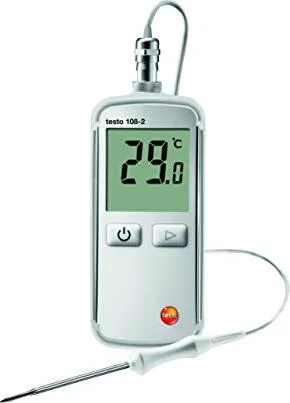
46 Pages
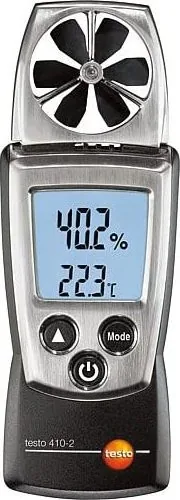
60 Pages
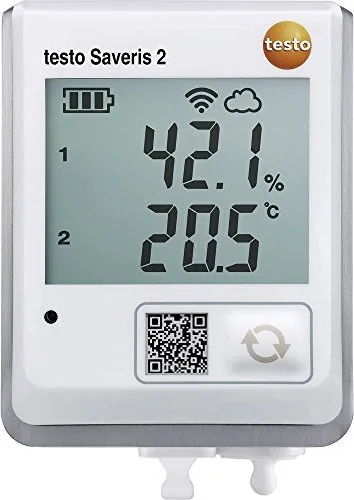
44 Pages

32 Pages
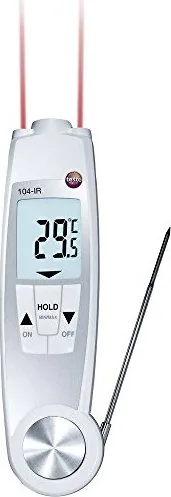
60 Pages
64 Pages
50 Pages

56 Pages

82 Pages
32 Pages
22 Pages
30 Pages
96 Pages

60 Pages
74 Pages
Categories


Free Testo Manuals - Read, Download & Print
Find the Right Testo Manual for Your Instrument
Testo instruments are widely used for HVAC, refrigeration, food safety, indoor air quality, industrial maintenance, combustion analysis, humidity measurement, and temperature monitoring. Whether you use a digital manifold, thermal imager, data logger, flue gas analyzer, tachometer, pressure meter, or hygrometer, the correct manual helps you operate the device safely and accurately.
Free Testo manuals may be available for online reading, downloading, and printing through official product support pages, authorized distributors, equipment documentation libraries, or documents supplied with the instrument. These guides typically include installation instructions, operating steps, display descriptions, measurement ranges, maintenance requirements, error messages, technical specifications, and safety information.
Before selecting a document, confirm the complete model number shown on the instrument label, packaging, calibration certificate, or previous paperwork. Many Testo products have similar names but different functions, revisions, probes, firmware versions, and accessories. Using a manual for a closely related model may lead to incorrect setup or measurement procedures.
Read Testo Manuals Online
Reading a Testo manual online is useful when you need a quick answer while working in the field, at a job site, or in a workshop. Digital manuals can be searched for terms such as "battery," "calibration," "units," "alarm," "Bluetooth," "probe," "error," or "maintenance." This can save time compared with reviewing a printed booklet page by page.
Online documentation is especially helpful for understanding basic controls and screen symbols. Many instruments use multiple buttons, menus, function keys, and measurement modes. The manual explains how to power the device on and off, select measurement units, connect compatible probes, store readings, configure alarms, and review saved values.
For connected instruments, the documentation may also describe how to pair the device with a mobile app, transfer readings, update firmware, export reports, or connect to a wireless probe. Always check that the guide matches the hardware and software version currently in use. Newer firmware can change menu options, app compatibility, or available measurement functions.
Common Information Found in Online Manuals
A typical Testo manual may include a product overview, illustrations of controls and ports, a list of included items, and startup instructions. It may also identify optional accessories, replacement parts, compatible sensors, hoses, clamps, probes, adapters, chargers, and carrying cases.
Technical sections often provide measurement ranges, resolution, accuracy, operating temperature, storage temperature, battery type, protection class, and response time. These details are important when deciding whether an instrument is suitable for a particular job or environment. They also help users understand the limits of the readings displayed on the screen.
Download Free Testo Manuals
Downloading a manual provides convenient access when internet service is unavailable. Saving the correct PDF or digital document to a phone, tablet, laptop, or shared company folder ensures that operating guidance is available when it is needed. It also makes it easier to send documentation to technicians, supervisors, students, or maintenance teams.
When downloading a Testo manual, use a trusted and authorized source whenever possible. Official support resources are generally the best place to find the latest instructions, safety notices, product data, and software information. Authorized distributors may also provide legitimate copies of manuals alongside product listings and support pages.
Review the filename, publication date, language, and model designation before saving the document. A manual may cover a product family rather than one exact unit, so read the front page and model compatibility section carefully. If your instrument has a serial number, firmware revision, or regional variant, compare those details with the manual before relying on its instructions.
Benefits of Keeping a Downloaded Copy
A downloaded manual can be used during maintenance visits, service calls, inspections, commissioning, training, and troubleshooting. Technicians can search the file for specific settings, wiring guidance, diagnostic messages, and recommended cleaning methods. A saved copy also reduces the risk of losing important instructions when the original printed booklet has been misplaced.
Creating an organized folder for equipment documents can improve long-term maintenance. Name files clearly with the brand, model number, document type, and revision date. For example, separate user manuals, quick-start guides, calibration instructions, datasheets, and software release notes. This makes it easier to locate the right information later.
Print Testo Manuals for Worksites and Training
Printing a Testo manual is practical for locations where electronic devices are inconvenient, restricted, or likely to run out of power. A printed guide can be stored in a tool case, service vehicle, equipment room, laboratory binder, or training area. It can also be useful when multiple people need to review the same instructions at once.
For everyday use, consider printing only the most relevant pages. Common choices include the quick-start section, button layout, safety warnings, connection diagrams, error code table, maintenance schedule, and specifications. This approach saves paper while giving users fast access to essential details.
For classroom, workshop, or company training, a complete printed manual can support hands-on learning. Trainees can follow setup instructions, compare display symbols, identify accessories, and review proper measurement techniques. If printed copies are shared, make sure the source and distribution method comply with the document owner's terms and applicable copyright rules.
Tips for Printing Clearly
Use the PDF print preview to confirm page orientation, margins, and scaling before printing. Diagrams, wiring illustrations, and display screenshots may be easier to read in landscape format or at full size. For long documents, double-sided printing and binder holes can help create a compact reference manual.
If the manual contains color-coded warnings or charts, use color printing when possible. When printing in black and white, check that labels, symbols, and graph lines remain readable. Keep the printed manual away from moisture, oil, dust, and excessive heat, especially when it is stored near field equipment.
Use Manuals for Safe and Accurate Measurements
A Testo manual is more than a basic instruction sheet. It provides information that can affect measurement accuracy, equipment protection, and user safety. Follow the stated operating limits, approved applications, probe connection methods, and maintenance procedures. Do not use a measuring instrument outside its specified range or in an environment for which it is not rated.
For electrical, combustion, pressure, or refrigeration work, pay close attention to warnings about voltage, hot surfaces, moving equipment, refrigerants, gas leaks, and pressurized systems. The manual may specify personal protective equipment, required ventilation, acceptable connection points, and procedures for preventing damage to the instrument.
Measurement quality also depends on correct setup. Allow sensors to stabilize when required, verify that probes are clean and undamaged, use the proper measurement unit, and check battery condition before important work. Some applications require regular calibration or functional checks. Consult the manual for recommended service intervals and calibration guidance.
Troubleshooting with a Testo Manual
When an instrument displays unexpected readings, warning icons, connection failures, or error codes, the manual is often the first place to look. It may explain common causes such as low battery power, disconnected probes, blocked sensor openings, incorrect settings, exceeded measurement ranges, memory limitations, or communication problems.
Start troubleshooting by confirming the model and accessory compatibility. Then inspect cables, connectors, batteries, sensors, filters, and probe tips. Restart the device if the instructions recommend it, and review the settings for units, measurement mode, date, time, and logging configuration. If the issue continues, contact authorized Testo support or a qualified service provider.
Avoid opening, modifying, or attempting to repair the instrument unless the documentation specifically permits it and you are qualified to do so. Unauthorized repair can affect accuracy, warranty coverage, safety, and device reliability.
Choose the Correct Manual Every Time
The best free Testo manual is the one that exactly matches your instrument and intended task. Check the product name, full model number, version, included probe type, and language before reading, downloading, or printing. Keep the document available with the equipment, and update your saved copy when revised instructions become available.
With the right manual, Testo users can set up instruments correctly, understand advanced functions, maintain reliable performance, and work with greater confidence. Online reading offers quick access, downloads provide offline convenience, and printed copies create a durable field reference for daily use.
Search for 67,706 Manuals online


Type-in Brand or Model