

Free Elo Touch Solutions Manuals – Read, Download & Print
9 Manuals
Manuals
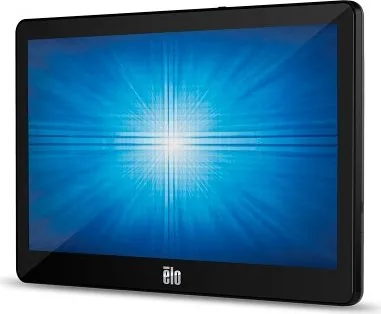
35 Pages
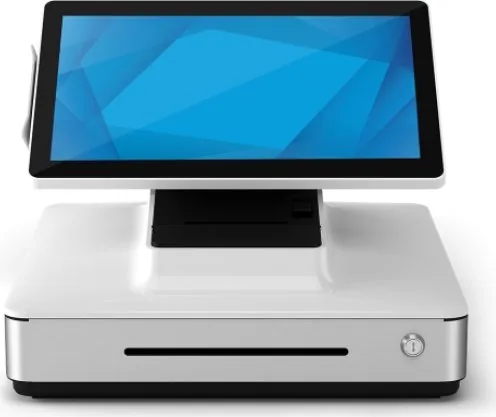
41 Pages
39 Pages
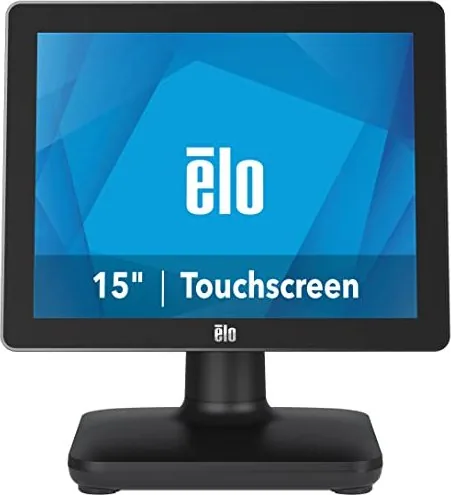
41 Pages
40 Pages
28 Pages
33 Pages
46 Pages
37 Pages
Categories


Free Elo Touch Solutions Manuals - Read, Download & Print
Find Helpful Documentation for Elo Touchscreen Products
Free Elo Touch Solutions manuals help users understand, install, configure, maintain, and troubleshoot a wide range of touchscreen devices and related hardware. Whether you are setting up an interactive display for a retail counter, deploying touch computers in a restaurant, managing digital signage, or maintaining equipment in an industrial workspace, a clear product manual can save time and reduce setup errors.
Elo Touch Solutions documentation is useful for business owners, IT teams, installers, technicians, educators, and home users who need practical information about touch monitors, open-frame displays, touch computers, kiosks, point-of-sale systems, accessories, and controllers. Manuals commonly provide model-specific specifications, connection diagrams, operating instructions, safety information, cleaning guidance, and service details.
This page is designed to help visitors locate free manuals that can be read online, downloaded for later reference, or printed for use at an installation site. Having the right document available makes it easier to verify compatibility, identify ports, select mounting hardware, configure touch functionality, and keep devices operating reliably.
Read Elo Touch Solutions Manuals Online
Reading a manual online is a convenient option when you need a quick answer without saving a file. Online documentation can be especially useful during product installation, system configuration, or troubleshooting. Users can review setup steps directly from a phone, tablet, laptop, or desktop computer while working near the equipment.
Many product guides are organized into clear sections, making it easier to locate important details. Typical sections may include:
- Product overview and package contents
- Safety precautions and handling instructions
- Device dimensions and mounting information
- Cable connections and port descriptions
- Power requirements and environmental specifications
- Touchscreen setup and calibration guidance
- Operating system and driver information
- Cleaning, maintenance, and storage recommendations
- Troubleshooting steps and support details
When reading online, use the search function in your browser or PDF viewer to find specific words such as "power," "USB," "HDMI," "mount," "calibration," or "troubleshooting." This can be much faster than scrolling through an entire document, particularly when working with longer installation or user guides.
Download Manuals for Offline Access
Downloading an Elo Touch Solutions manual gives you access to important product information even when an internet connection is unavailable. This is valuable for field technicians, installers working at customer locations, facilities teams, and organizations that maintain multiple touchscreen systems across different sites.
A downloaded manual can be stored on a computer, tablet, shared network folder, or secure documentation library. Keeping copies of manuals alongside asset records can simplify future repairs, replacements, upgrades, and audits. For example, an IT department may save manuals with device serial number records, deployment notes, warranty information, and configuration details.
Before downloading a manual, confirm that the document matches the exact product model and revision. Similar-looking displays or touch computers may use different connectors, power supplies, mounting patterns, firmware procedures, or accessories. Check the model number on the product label, packaging, purchase record, or system inventory before relying on any instructions.
Print Product Guides When You Need a Physical Copy
Printing a manual can be helpful in environments where devices are installed away from desks, networks, or computers. A printed guide allows installers and service personnel to follow instructions while keeping both hands free for cables, brackets, tools, and hardware.
Printed manuals are also useful for training binders, maintenance rooms, point-of-sale stations, classroom technology closets, and equipment handover packages. Consider printing only the pages most relevant to your task, such as installation diagrams, safety information, mounting instructions, or troubleshooting tables. This approach reduces paper use while ensuring essential information remains readily available.
For best results, print diagrams and connection illustrations at a readable scale. If the document includes detailed wiring layouts or product dimensions, choose landscape orientation where appropriate and check print preview settings before printing. Keeping a labeled paper copy near the device can help staff identify correct procedures during routine maintenance.
Common Elo Touch Solutions Manual Categories
Touchscreen Monitor Manuals
Touchscreen monitor manuals generally explain how to connect the display to a computer or media player, attach power, select an input source, and enable touch communication through USB or another supported connection. They may also describe on-screen display controls, brightness settings, audio options, video input compatibility, and display positioning.
These documents can be particularly useful when a screen shows video but does not respond to touch. In many installations, the video cable and touch cable are separate, so both connections must be properly attached for full functionality.
Touch Computer Manuals
Elo touch computer documentation often covers integrated systems that combine a touchscreen display and internal computing hardware. These manuals may include instructions for initial startup, operating system configuration, network access, peripheral attachment, power management, storage, and system recovery.
Because touch computers can be used for self-service, hospitality, healthcare, retail, and industrial applications, correct setup is important for both performance and security. Review all relevant guidance before changing system settings, installing software, or opening service panels.
Open-Frame Display Manuals
Open-frame displays are often built into kiosks, cabinets, gaming systems, industrial enclosures, and custom equipment. Manuals for these products may focus heavily on dimensions, mounting points, ventilation requirements, bezel design, cable routing, and electrical specifications.
When using an open-frame display manual, pay close attention to clearance requirements and heat management. Enclosures that restrict airflow or place pressure on the display can affect reliability, image quality, or touch performance.
Kiosk and Point-of-Sale Documentation
Kiosk and point-of-sale product guides may include setup instructions for customer-facing displays, payment-area devices, barcode scanners, printers, stands, and peripheral connections. Documentation can help ensure that hardware is mounted securely, cables are routed safely, and accessories are connected to the correct ports.
In busy commercial environments, printed setup instructions can be useful during replacement or expansion projects. They can also support consistent installation practices across several locations.
Accessory and Controller Manuals
Accessories such as stands, wall mounts, power adapters, cables, touch controllers, and peripheral modules may have separate manuals. These documents can include compatibility details, installation warnings, torque recommendations, connector pinouts, and regulatory information.
Do not assume that an accessory is compatible with every product in a family. Always compare the listed model numbers, physical dimensions, voltage requirements, and mounting patterns before installation.
How to Identify the Correct Manual
The most important step in finding the right documentation is identifying the exact Elo product model. Look for a label on the rear panel, underside, frame, stand, power supply, or original packaging. Product labels may include a model number, part number, serial number, manufacturing information, and electrical ratings.
Use the model number rather than a general product name whenever possible. A general label such as "touch monitor" may refer to many different devices with different instructions. Once the exact model is known, compare the manual title, cover page, revision date, and listed product identifiers with your hardware.
If your device has been installed in a custom enclosure or kiosk, also identify the display model separately from the enclosure manufacturer. The enclosure guide may explain physical access and mounting, while the Elo manual explains display connections, touch operation, and product-specific settings.
Safe Setup, Cleaning, and Maintenance
Always review safety instructions before installing, moving, opening, cleaning, or servicing a touchscreen device. Disconnect power before attaching or removing cables unless the product documentation specifically states otherwise. Use only approved power sources and accessories that match the electrical requirements of the equipment.
Touchscreen surfaces should be cleaned carefully. Avoid spraying liquid directly onto the display, using abrasive materials, or applying cleaners that may damage coatings. A soft, lint-free cloth and an appropriate cleaning method described in the product guide can help preserve touch sensitivity and screen clarity.
Regular maintenance may include inspecting cables for wear, checking mounting hardware, removing dust from vents, confirming that power connections are secure, and testing touch response. Documenting routine checks can help organizations detect issues before they interrupt customer service or daily operations.
Troubleshooting With Your Manual
A manual is often the best starting point when a device does not power on, displays no image, has inaccurate touch input, loses network access, or fails to recognize connected peripherals. Begin by checking the basic items listed in the troubleshooting section: power status, cable connections, input selection, USB touch connection, driver support, and device settings.
If a problem continues, record the model number, serial number, symptoms, error messages, connected equipment, and steps already attempted. This information can make technical support requests more efficient. Avoid disassembling equipment or making unsupported electrical changes unless qualified service guidance specifically applies.
Keep Your Elo Documentation Organized
Saving, printing, and organizing Elo Touch Solutions manuals creates a useful reference library for current and future needs. Keep the latest applicable manuals with purchase records, service notes, warranty details, and installation diagrams. Clear documentation supports faster setup, safer maintenance, more consistent troubleshooting, and smoother device replacement.
With free manuals available to read, download, and print, users can access the information needed to operate Elo touchscreen products with greater confidence. Start with the exact model number, select the matching guide, and use the documentation as a practical resource throughout installation, daily use, and long-term maintenance.
Search for 67,706 Manuals online


Type-in Brand or Model