
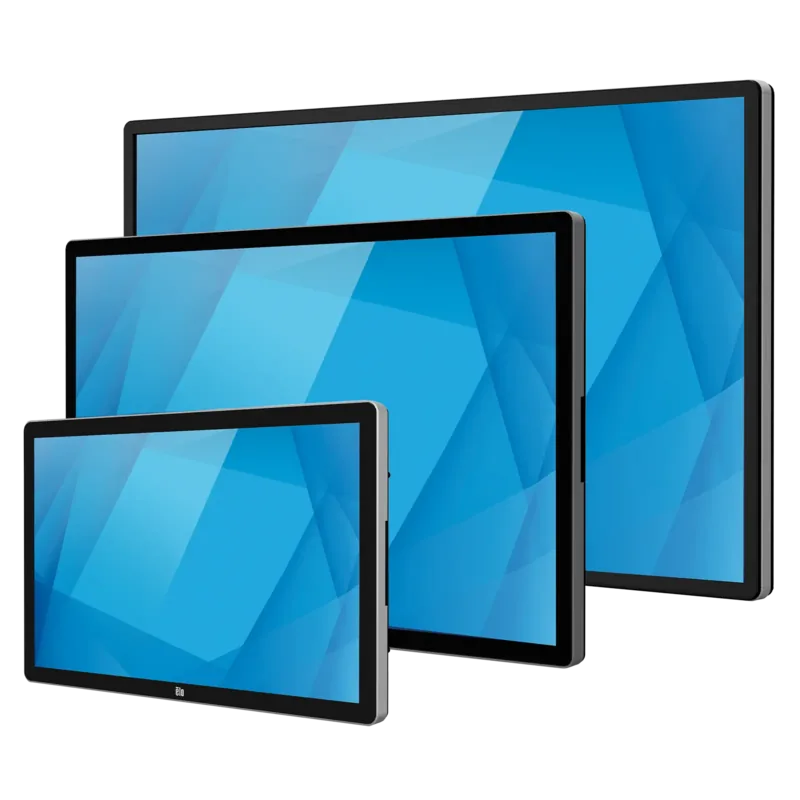
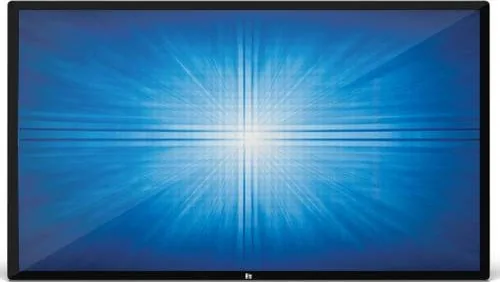
Elo Touch Solutions ET6553L Manual
PDF manual · 40 Pages
English



Quick check
Incorrect answer, please try again.
Chat with your Elo Touch Solutions ET6553L manual using AI
Get instant AI answers from your Elo Touch Solutions ET6553L manual
Ask anything about the Elo Touch Solutions ET6553L. Answers come from this manual, with the pages they are based on.
Ask a Question
Do you recommend ET6553L?
Yes NoFrequently Asked Questions
The display supports 4K resolution at 3840 by 2160 pixels, suitable for high-definition graphics and images with superior visual performance.
Is this answer helpful?
The Projected Capacitance model supports up to 40 simultaneous touches, while the Infrared model supports up to 20 simultaneous touches.
Is this answer helpful?
Yes, you can install an Elo Computer Module into the optional expansion bay on the back to convert the display into an all-in-one touch computer.
Is this answer helpful?
Yes, the display allows remote access from a host application using VESA Display Data Channel Command Interface or Multiple Display Control command sets.
Is this answer helpful?
Yes, the device meets Energy Star 7.1 or 8.0 requirements if Energy Saving Mode is enabled, which can lead to significant power savings.
Is this answer helpful?
The display supports landscape, portrait, and tabletop orientations with VESA mounting patterns of 400 by 400mm and 600 by 600mm.
Is this answer helpful?
The operating temperature range is 0 to 40 degrees Celsius for portrait, landscape, and tilt modes, and 0 to 35 degrees Celsius for tabletop mode.
Is this answer helpful?
Advantages and Disadvantages
Advantages

- 4K resolution with 10-bit color for high clarity and detail
- Up to forty simultaneous touch points for Projected Capacitance model
- Compatible with Elo Computer Module for all-in-one functionality
- Energy Star compliant with automatic brightness control
- Multiple mounting orientations including landscape, portrait, and tabletop
Disadvantages

- Requires at least two people for safe lifting and handling
- Internal components are not user-serviceable
- Reduced port functionality when Energy Saving Mode is enabled
- Specific power cables required for warranty validity
- Ventilation slots must remain clear to avoid overheating
Product Specification
Touchscreen
Capacitive (TouchPro PCAP), Multi-Touch
Diagonal
65 inches
Resolution
3840x2160, 16:9
Brightness
500 cd/m2
Contrast
1,100:1 (static)
Response time
8ms
Viewing angles
178 deg/176 deg
Backlight
White-LED
HDR
N/A
Refresh rate
60Hz
Signal frequency
122-140 kHz (horizontal), 47-63 Hz (vertical)
Ports
3x HDMI, 1x DisplayPort 1.4, 1x 3.5mm Jack (Line-Out)
Additional Ports
1x USB-A 3.0 (5Gb/s), 1x Serial, 1x RJ-45 LAN, 1x USB-B 3.0 (5Gb/s) (Touch function)
Ergonomics
N/A
VESA
600x600 (free)
Operating time
24/7
Power consumption
Not specified (max), 157W (typical), Not specified (Energy label old A+++ to G), 2W (Standby)
SDR Energy Efficiency Class (A to G)
G
SDR Energy consumption
135 kWh/1000h
Dimensions (WxHxD)
58.70 x 34.06 x 3.15 inches
Weight
115.54 lbs
Features
Speakers (2x 10W)
Manufacturer warranty
3 years
Product Description
Advanced Interactive Digital Signage Display
The Elo Touch Solutions 6553L TouchPro PCAP 65 redefines interactive visual experiences with its robust 65-inch footprint and superior touch capabilities. This Interactive Digital Signage display integrates advanced touchscreen technology designed for high-performance environments. The unit features a 10-bit color active matrix thin-film-transistor panel capable of outputting 4K resolution. This ensures graphics and images appear with exceptional clarity and detail suitable for both graphic-rich presentations and standard video content. The screen utilizes high-quality pixel alignment to minimize distortion during scaling.
Installation flexibility is a hallmark of this system. It supports landscape, portrait, and tabletop orientations. A rear VESA mounting pattern allows for secure wall or stand attachment with specific dimensions for 400mm and 600mm spacing. The display includes an optional expansion bay compatible with Elo Computer Modules, transforming the screen into an all-in-one touch computer. Connecting peripherals is straightforward thanks to multiple HDMI inputs, DisplayPort, USB 3.0, and serial options. Users can route audio to internal speakers or external line outputs with configurable selection in the main menu. The connector panel is easily accessible via a removable cover on the back right side.
Operational control is intuitive via the Touch On-Screen Display menu. Users adjust brightness, contrast, and aspect ratio directly on the screen. For energy efficiency, the device meets Energy Star regulations when activated. Intelligent features include a Real Time Clock for scheduling power cycles and a light sensor for automatic brightness adjustment. To ensure optimal setup and long-term reliability, users should consult the Elo Touch Solutions 6553L TouchPro PCAP 65 Manual regarding specific calibration procedures and safety warnings. The interface saves settings automatically, preventing data loss during power cycles. This system is certified for regulatory compliance in the US, Canada, and Europe.
Touch interaction supports up to forty simultaneous points for the Projected Capacitance model. The system handles wake-on-touch functionality, waking the PC from sleep when the screen is engaged. Audio output routes through internal speakers or headphone jacks. The unit maintains stability when tilted up to fifteen degrees. The package includes HDMI and USB cables along with various power adapters for global compatibility. Maintenance involves keeping ventilation slots clear and using provided power cords. Technical support resources are available online for driver updates and firmware enhancements. Environmental conditions must be met, with operating temperatures between 0 and 40 degrees Celsius. The device ensures low power consumption in sleep modes to reduce running costs.
Important Notes Handle with at least two people for safety and stability during lifting. Do not block ventilation slots to prevent overheating of the internal LCD panel. Use only authorized power cables to maintain warranty validity and electrical safety standards. Verify regional power plugs match local outlets to prevent damage and ensure compliance. Stylus options include active for touch screens or passive for infrared models.
Search for 67,706 Manuals online


Type-in Brand or Model