
Elo Touch Solutions 2094L Manual
PDF manual · 28 Pages
English



Quick check
Incorrect answer, please try again.
Chat with your Elo Touch Solutions 2094L manual using AI
Get instant AI answers from your Elo Touch Solutions 2094L manual
Ask anything about the Elo Touch Solutions 2094L. Answers come from this manual, with the pages they are based on.
Ask a Question
Do you recommend 2094L?
Yes NoFrequently Asked Questions
It utilizes IntelliTouch Dual-Touch technology. On modern Windows systems, it supports up to ten simultaneous touch points, enabling advanced gesture recognition and collaborative input scenarios.
Is this answer helpful?
Use a clean cloth or sponge moistened with glass or window cleaner. Do not spray the cleaner directly on the screen. Avoid alcohol or solvents to prevent surface damage.
Is this answer helpful?
Yes, the display works with Windows 10. It uses standard Windows HID drivers for touch control, so no additional driver installation is typically required for this operating system.
Is this answer helpful?
The unit supports flush mounting for integrated looks and VESA mounts for adjustable positioning. VESA holes are standard M4 pattern compatible for versatile installation.
Is this answer helpful?
The manufacturer provides a three-year warranty against material and manufacturing defects. Claims must be reported within thirty days of discovering the fault.
Is this answer helpful?
Yes, the On-Screen Display menu includes a recall defaults option. This restores factory settings for video timing and display parameters except for language selection.
Is this answer helpful?
It holds FCC Class B certification for the US and CE marking for Europe. Additional safety and emission standards are met for global deployment requirements.
Is this answer helpful?
Advantages and Disadvantages
Advantages

- LED backlighting reduces power consumption and eliminates mercury
- VESA and flush mounting options provide installation flexibility
- IntelliTouch technology supports multi-touch gestures on modern OS
- Three-year warranty covers material and manufacturing defects
- Multiple video inputs including HDMI, DisplayPort, and VGA
Disadvantages

- Limited user repair options require contacting service for issues
- Cleaning requires strict non-alcoholic solution protocols
- Power locking feature disables physical power button access
- Shipping costs for non-defective returns incurred by buyer
Product Specification
Diagonal
19.5 in
Resolution
1920x1080, 16:9
Brightness
225 cd/m^2
Contrast
3,000:1 (static), N/A (dynamic)
Response Time
20 ms
Viewing Angle
178 deg / 178 deg
Backlight
White LED
HDR
N/A
Refresh Rate
60 Hz
Signal Frequency
30-82 kHz (horizontal), 50-75 Hz (vertical)
Ports
1x VGA (60Hz@1920x1080), 1x HDMI 1.3, 1x DisplayPort 1.1
Ergonomics
N/A
VESA Mount
100x100 (supported)
Power Consumption
N/A (max), 17.6W (typical), N/A (energy label old A+++ to G), 1.5W (standby)
Dimensions (WxHxD)
18.74x11.02x1.69 in
Weight
10.36 lbs
Manufacturer Warranty
3 Years
Product Description
Elevating Touch Interaction Excellence
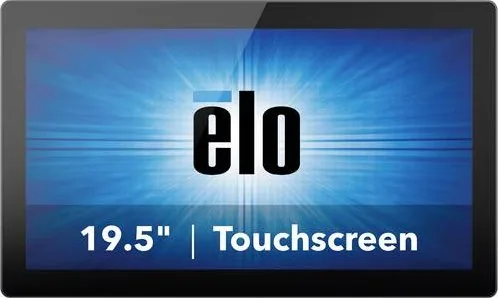
The Elo Touch Solutions 2094L stands out as a premier choice for high-traffic environments requiring reliable interaction. This 20-inch display integrates advanced touch technology with robust design features to ensure seamless operation in retail, hospitality, and industrial settings. The screen utilizes a 24-bit TFT LCD with LED backlighting, delivering vibrant visuals while maintaining energy efficiency and eliminating mercury content found in older technologies. Users benefit from resolutions ranging up to Full HD, ensuring crisp text and clear imagery for demanding applications. The LED technology significantly reduces power consumption compared to CCFL alternatives.
Installation flexibility is a key strength of this model. Whether you require flush mounting for a clean look or VESA compatibility for adjustable positioning, the 90er series accommodates various needs. The system supports multiple video inputs including HDMI, DisplayPort, and VGA, allowing easy integration with existing infrastructure. Connectivity extends to USB for touch control and optional serial ports on specific configurations. Setting up the unit is straightforward, though referring to the official Elo Touch Solutions 2094L Manual can provide precise calibration steps for optimal performance. Drivers update automatically on modern Windows systems via HID protocols, though XP users may need manual downloads.
Operationally, the IntelliTouch Dual-Touch technology enables smooth gesture support on compatible Windows systems. Multi-touch capabilities allow up to ten simultaneous points of contact on modern operating systems, enhancing user experience for collaborative tasks. The On-Screen Display menu grants granular control over brightness, contrast, color temperature, and scaling. Security features like power locking and OSD protection prevent unauthorized changes. While the touchscreen ships factory calibrated, adjustments can be made via the OSD for video scaling nuances such as H and V position. Aspect ratio settings adjust how input signals fill the native display.
Safety and maintenance are prioritized with ventilation slots for heat dissipation and specific cleaning protocols to preserve screen integrity. A three-year warranty covers material and manufacturing defects, offering peace of mind for business investors. Troubleshooting guides assist with common issues like display flickering or touch response failures. The unit includes a thermosave function that reduces brightness if operating temperatures exceed limits to prevent damage. Cleaning requires non-alcoholic solutions applied to a cloth, never directly on the screen. Regulatory compliance includes FCC Class B certification for the United States and CE marking for Europe, ensuring safety standards are met globally. Various model variants exist within the series to match different screen size requirements. Whether for single-touch or advanced gesture recognition, this hardware delivers consistent reliability. Proper disposal according to WEEE directives is encouraged to support environmental sustainability. This comprehensive approach to design and safety makes it a standout option for professional deployment environments.
Search for 67,706 Manuals online


Type-in Brand or Model