

Free DeepCool Manuals – Read, Download & Print
20 Manuals
Manuals
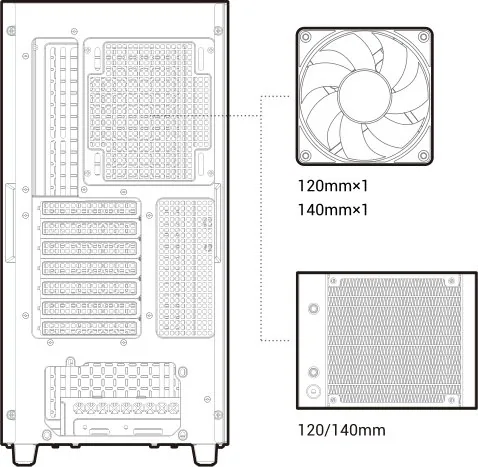
2 Pages
40 Pages
15 Pages
36 Pages
32 Pages
32 Pages
32 Pages
2 Pages
16 Pages
36 Pages
36 Pages
32 Pages
28 Pages
36 Pages
16 Pages
2 Pages

2 Pages
2 Pages
32 Pages
36 Pages
Categories

Free DeepCool Manuals - Read, Download & Print
Find DeepCool Product Manuals in One Place
Free DeepCool manuals help users understand the setup, operation, maintenance, and technical details of compatible cooling, computer case, power supply, fan, liquid cooling, and accessory products. Whether you are building a new PC, replacing a component, checking connector layouts, or troubleshooting an installation issue, a clear manual can save time and help prevent avoidable mistakes.
Manuals are useful for both first-time builders and experienced system enthusiasts. They often include product diagrams, package contents, compatibility notes, mounting hardware lists, safety guidance, cable connection instructions, and warranty information. Reading the documentation before installation can help confirm that all required parts are available and that the product fits the intended motherboard, processor socket, chassis, or lighting ecosystem.
Read DeepCool Manuals Online
Reading a DeepCool manual online is a practical option when you need quick access to installation steps or product specifications. Digital documents can be viewed from a desktop computer, laptop, tablet, or phone, making it easier to reference instructions while working at a desk or inside a computer case.
Online manuals may include detailed illustrations that explain how to attach brackets, position radiator tubes, connect fan headers, install controllers, or route power cables. Many documents also provide labeled diagrams for screws, standoffs, cables, and mounting components. These visual references are especially helpful when several similar hardware pieces are included in the box.
Before beginning an installation, review the full document rather than relying only on a quick-start page. Important compatibility limitations, orientation requirements, and safety notices may appear in later sections. If a manual includes multiple languages, use the section that best matches your preferred language to avoid confusion about technical terms or assembly steps.
Download Manuals for Offline Access
Downloading a manual gives you a local copy that can be opened even when an internet connection is unavailable. This is convenient for workshop areas, repair benches, travel, or any location where online access may be limited. A saved manual can also be kept with other system documentation for future upgrades, cleaning, replacement parts, or resale preparation.
When downloading documentation, use the file name to identify the product model and version. If possible, save manuals in folders organized by system build, component type, or purchase date. For example, you may keep separate folders for CPU coolers, cases, power supplies, fans, and RGB accessories. Clear file organization makes it easier to find the correct instructions months or years later.
Always confirm that the manual matches the exact model in your possession. Product families can include similar names with different mounting kits, fan configurations, controller connections, dimensions, or supported sockets. Check the label on the product packaging, the hardware itself, or the purchase receipt before using a guide for installation.
Print Manuals for Hands-On Installation
Printing a DeepCool manual can be useful when building or servicing a system away from a screen. A printed copy allows you to highlight steps, mark completed tasks, write down cable locations, and keep important diagrams nearby. This can be particularly helpful during complex installations involving multiple fans, radiators, hubs, or lighting connections.
For efficient printing, consider printing only the pages needed for your task. Common sections to print include the parts list, mounting guide, motherboard connection diagram, fan hub wiring chart, and troubleshooting page. Printing selected pages uses less paper while still providing the essential information needed during installation.
If a document contains color-coded wiring diagrams, print in color when possible. Color can make it easier to distinguish connectors, channels, fan groups, and lighting ports. If black-and-white printing is the only option, review the diagram on screen first and label the printed page with notes that clarify the color references.
Common Types of DeepCool Documentation
DeepCool documentation may vary by product category, but most manuals are designed to guide safe setup and normal operation. Understanding the type of document you need can make searching faster and more effective.
CPU Air Cooler Manuals
Air cooler manuals usually cover supported processor sockets, backplate installation, mounting bracket selection, thermal paste application, heatsink orientation, fan clip placement, and CPU fan header connections. They may also list cooler height and clearance considerations. Check RAM clearance and case width before finalizing the installation.
Liquid Cooler Manuals
Liquid cooler documentation often includes radiator placement options, fan airflow direction, pump block mounting, tube routing guidance, power connections, and supported socket hardware. Review radiator dimensions carefully, especially when installing in compact cases. Confirm that the selected mounting location has enough clearance for the radiator, fans, motherboard heatsinks, and memory modules.
PC Case Manuals
Case manuals can explain panel removal, motherboard standoff locations, storage mounting, front-panel connector wiring, fan support, radiator compatibility, dust filter maintenance, and cable management features. These guides are valuable when planning a build because they show where components can be installed and which areas require extra clearance.
Fans, Hubs, and Lighting Manuals
Fan and RGB documentation commonly explains daisy-chain connections, hub ports, SATA power requirements, motherboard header support, controller buttons, and synchronization options. Follow connector labels carefully. Do not force connectors into ports that appear similar but use different pin counts or voltage standards.
Power Supply Manuals
Power supply manuals may provide safety warnings, cable information, installation instructions, ventilation requirements, and details about modular cable connections. Use only the cables supplied with the specific power supply model. Modular cables from another unit may look similar but can have different pin assignments.
Information to Check Before Installation
A manual is most useful when reviewed alongside the product specifications and your existing hardware. Before starting, verify processor socket compatibility for coolers, available fan headers for cooling systems, radiator support for cases, and power requirements for hubs or lighting controllers.
Measure available space whenever possible. A cooler may be compatible with a processor socket but still interfere with tall memory modules, side panels, graphics cards, or motherboard heatsinks. Likewise, a radiator may fit in a case on paper but require adjustment to accommodate cables, fans, or storage devices.
Also inspect all package contents against the manual's parts list. Separate screws, brackets, washers, cables, and adapters before beginning. This reduces the chance of using an incorrect fastener or overlooking a required mounting piece.
Troubleshooting With a Manual
When a cooler, fan, pump, or lighting device does not behave as expected, the manual can help identify connection and configuration issues. Start by checking power connections, header placement, cable orientation, controller settings, and supported software requirements. Make sure every connector is fully seated and that no cable is damaged or pinched.
For cooling concerns, confirm that fans are installed in the intended direction and that airflow through the case is balanced. Verify that the pump or CPU fan is connected to the appropriate motherboard header as instructed. For lighting issues, check whether the device requires a specific controller, hub, or compatible motherboard header type.
If the manual does not resolve the issue, gather the exact model name, serial information if available, purchase details, and clear photos of the installation. This information can be useful when contacting the manufacturer, retailer, or qualified technical support.
Use Documentation Safely and Responsibly
Follow all safety instructions in the product manual before opening a computer or installing components. Shut down the system, disconnect power, and allow hot components to cool before handling them. Avoid working on carpeted surfaces when possible, and take reasonable precautions against static electricity.
Keep manuals with your system records after installation is complete. They can be valuable for future cleaning, component upgrades, fan replacements, warranty questions, and troubleshooting. By reading, downloading, and printing the correct DeepCool manual for your product, you can approach installation with better preparation, clearer guidance, and greater confidence.
Search for 67,732 Manuals online


Type-in Brand or Model