
DeepCool CK560 Manual
PDF manual · 2 Pages
English



Quick check
Incorrect answer, please try again.
Chat with your DeepCool CK560 manual using AI
Get instant AI answers from your DeepCool CK560 manual
Ask anything about the DeepCool CK560. Answers come from this manual, with the pages they are based on.
Ask a Question
Do you recommend CK560?
Yes NoFrequently Asked Questions
The DeepCool CK560 supports graphics cards up to 380mm in length. This allows users to install high-end, oversized gaming GPUs without worrying about clearance issues within the chassis.
Is this answer helpful?
The product specifications indicate the case supports multiple fans but does not explicitly state that fans are pre-installed in the standard package. Users should verify their specific bundle contents or check the manufacturer's website for the latest configuration details.
Is this answer helpful?
Yes, the DeepCool CK560 supports a 360mm radiator when mounted on the front panel. This makes it an excellent choice for users seeking high-performance liquid cooling solutions for their CPUs or GPUs.
Is this answer helpful?
Yes, the DeepCool CK560 comes with a dedicated GPU bracket. This accessory helps support heavy graphics cards, preventing them from bending or sagging over time due to their own weight.
Is this answer helpful?
This mid-tower case supports a wide range of form factors including ATX, Micro-ATX, Mini-ITX, and E-ATX motherboards. This versatility makes it suitable for various builds from compact systems to full-sized workstations.
Is this answer helpful?
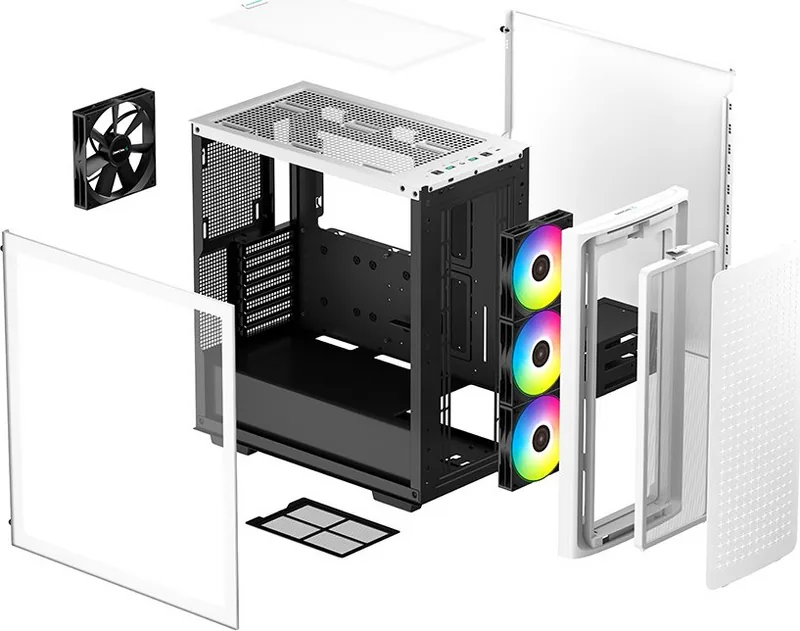
The DeepCool CK560 features three distinct dust filters located at the front, top, and power supply unit area. These filters help maintain a clean internal environment by trapping dust before it settles on components.
Is this answer helpful?
Advantages and Disadvantages
Advantages

- Supports large GPUs up to 380mm and extensive radiator sizes for superior cooling
- Tempered glass side panel provides a stunning view of internal components
- Comprehensive dust filters on front, top, and PSU locations keep the system clean
- Includes a sturdy GPU bracket to prevent graphics card sagging
- Flexible fan configurations with support for both 120mm and 140mm units
Disadvantages

- RGB controller is not included, requiring direct motherboard connection for lighting control
- Cable management channels could be deeper for easier routing of thick cables
- Fan speed control relies solely on motherboard headers rather than a dedicated hub
- Front panel removal requires careful handling to avoid scratching the finish
- No built-in fan hub means more individual connections for multiple fans
Product Specification
Extern
N/A
Intern
2x 3.5" (horizontal, drive cage), 2x 2.5"
Ports
1x USB-C 3.1 (10Gb/s, 20-Pin Key-A Header), 2x USB-A 3.0 (5Gb/s), 1x 3.5mm jack (Line-In/Out)
PCI Slots
7
Fans (front)
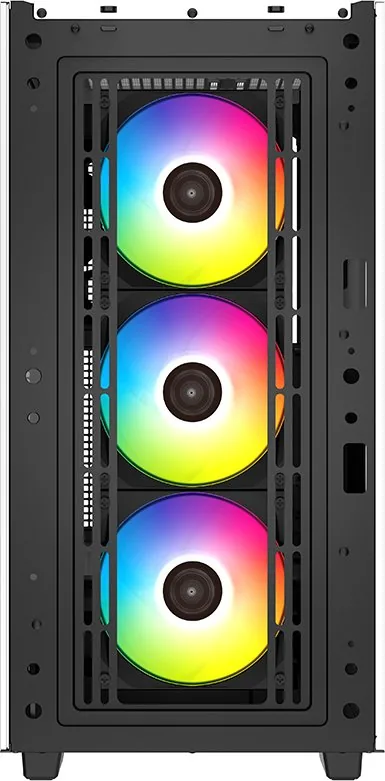
3x 120mm (RGB lit) or 2x 140mm (optional)
Fans (rear)
1x 140mm or 1x 120mm (optional)
Fans (left)
N/A
Fans (right)
N/A
Fans (top)
2x 140mm (optional)
Fans (bottom)
N/A
Fans (other)
N/A
Radiator Sizes
120/140/240/280/360mm front, 120/140/240/280mm top, 120/140mm rear
Motherboard
up to ATX (E-ATX with unknown dimensions possible)
Supported Motherboards
Mini-ITX (6.7"x6.7")/µATX (9.6"x9.6")/ATX (12"x9.6")/E-ATX (unknown dimensions)
Power Supply
ATX (max. 6.3" deep)
Power Supply Position
bottom
CPU Cooler
max. 6.9" height
Graphics Cards
max. 15"
Lighting
RGB Header 3-Pin ARGB (+5V/DATA/GND), integrated LED controller, lit fans
Dimensions (WxDxH)
9.1x18.5x18"
Volume
1.7 cu ft
Weight
17.6 lbs
Case Type
Mid Tower
Front
Mesh, internal dust filter
Top
partially closed, mostly fan grille, external dust filter
Bottom
partially closed, fan grille at rear, external dust filter
Left
closed, glass
Right
closed
Rear
partially closed, fan grille right top, PCI slots (7x horizontal)
Front I/O Position
Case side: top, Height: Front, Position: center
Features
Cable management, dust filters, graphics card holder, glass window
Note on E-ATX
Motherboard and case manufacturers define different dimensions as E-ATX. This manufacturer provides no information on supported E-ATX dimensions. Motherboards with E-ATX/SSI EEB dimensions of 12"x13" may not be supported.
USB Spelling
Link
Product Description
DeepCool CK560: The Ultimate Mid-Tower ATX Case for Enthusiasts
The DeepCool CK560 is a premium mid-tower ATX case designed to deliver exceptional airflow, aesthetic appeal, and robust build quality. Whether you are building a high-performance gaming rig or a creative workstation, this case provides the perfect foundation. Its spacious interior accommodates large components while maintaining an organized cable management system that ensures a clean look from every angle.
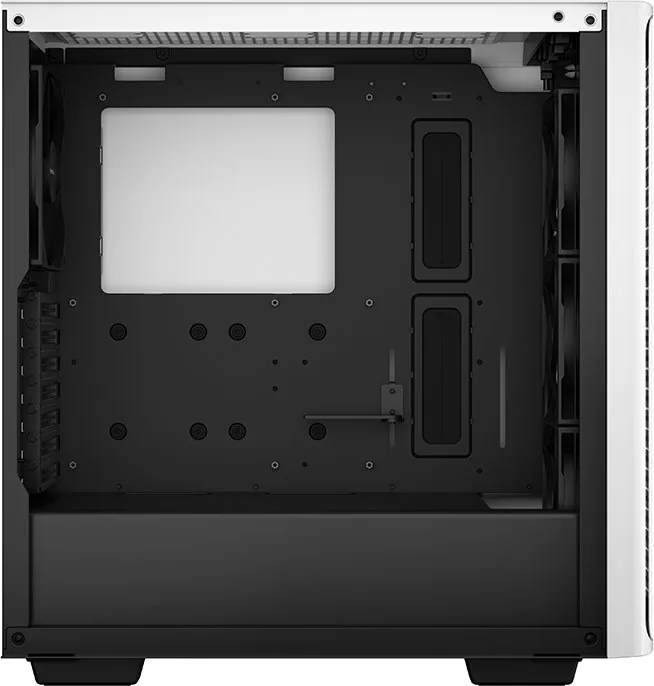
One of the standout features of the CK560 is its tempered glass side panel. This right-side panel offers a crystal-clear view of your internal hardware, allowing you to showcase your custom RGB lighting and sleek components. The front bezel is engineered with precision to house multiple fan options, supporting up to three 120mm fans or two 140mm fans. This flexibility ensures optimal cooling performance for even the most power-hungry processors and graphics cards.
Airflow is prioritized in the CK560 design with comprehensive dust filtration. The case includes dedicated filters at the top, front, and power supply unit locations. These filters effectively trap dust particles without restricting airflow, keeping your system running cool and quiet for extended periods. The front I/O panel is equally impressive, featuring USB 3.0 ports, a Type-C connector, and audio jacks for convenient connectivity. A built-in GPU bracket is also included to support heavy graphics cards and prevent sagging over time.
Key Highlights
The DeepCool CK560 supports motherboards up to E-ATX size, giving you plenty of room for expansion. It can accommodate massive GPUs up to 380mm in length and CPU coolers up to 175mm tall. For liquid cooling enthusiasts, the case supports radiators ranging from 120mm to 360mm on the front and up to 280mm on the top and rear. The installation process is user-friendly, with easy-to-remove panels and pre-installed standoffs that simplify the assembly of your PC.
Installation Notes
When installing the motherboard, ensure all standoffs are correctly aligned to avoid short circuits. The included accessory kit contains all necessary screws and cable ties for a secure setup. Always refer to the manual for specific wiring diagrams regarding RGB synchronization and fan headers.
Search for 67,706 Manuals online


Type-in Brand or Model