
DeepCool LE Series LE300 LE500 Manual
PDF manual · 36 Pages
English



Quick check
Incorrect answer, please try again.
Chat with your DeepCool LE Series LE300 LE500 manual using AI
Get instant AI answers from your DeepCool LE Series LE300 LE500 manual
Ask anything about the DeepCool LE Series LE300 LE500. Answers come from this manual, with the pages they are based on.
Ask a Question
Do you recommend LE Series LE300 LE500?
Yes NoFrequently Asked Questions
It refers to the DeepCool LE Series liquid CPU cooler range described here, including the LE300 and LE500 models. They use 120 mm and 240 mm radiator formats respectively and support selected Intel and AMD desktop sockets.
Is this answer helpful?
The LE Series supports Intel LGA1200, LGA1151, LGA1150, LGA1155, and LGA1700. Use the mounting hardware and installation procedure intended for your specific socket.
Is this answer helpful?
The listed AMD compatibility includes AM4 and AM5. The installation process calls for removing the existing AMD retention hardware before fitting the supplied cooler mounting parts.
Is this answer helpful?
The LE300 uses a 120 mm radiator and one 120 mm fan. The LE500 uses a 240 mm radiator with two 120 mm fans. The correct choice depends on available case space and desired radiator capacity.
Is this answer helpful?
The pump is intended for an AIO_PUMP or W_PUMP motherboard header where available. Fan connections can be routed to CPU_FAN or CPU_OPT headers, following the motherboard layout and the supplied connection guidance.
Is this answer helpful?
Verify CPU socket compatibility, case support for the selected radiator size, fan clearance, and the location of motherboard pump and fan headers. Organize the supplied mounting parts by platform before beginning.
Is this answer helpful?
The warranty covers abnormal or damaged parts caused by manufacturing defects after DeepCool inspection. It requires normal use, an intact tamper-evident label, no unauthorized disassembly or repair, and proof of purchase from an authorized seller.
Is this answer helpful?
Advantages and Disadvantages
Advantages

- Supports Intel LGA1200, LGA1151, LGA1150, LGA1155, and LGA1700 sockets.
- Supports AMD AM4 and AM5 platforms for current and older desktop builds.
- LE300 provides a compact 120 mm radiator option for smaller case layouts.
- LE500 uses a 240 mm radiator and two 120 mm fans for greater cooling surface area.
- Pump and fan header guidance supports organized motherboard cable routing.
Disadvantages

- Case radiator clearance must be checked before selecting the 120 mm or 240 mm model.
- Intel and AMD installations use different mounting steps and hardware.
- AMD installation requires removal of the existing retention hardware.
- Warranty excludes misuse, unauthorized repairs, modifications, and tamper-label damage.
- The buyer pays shipping costs when sending a defective product for service.
Product Specification
Type
internal (closed system)
Cooling plate
CPU, copper
Compatibility
1150, 1151, 1155, 1156, 1200, 1700, AM4, AM5
Reservoir
N/A
Pump
12 V
Connections
N/A
Lighting
LED (green)
Manufacturer warranty
3 years
Product Description
DeepCool LE Marrs - Read, Download & Print Free
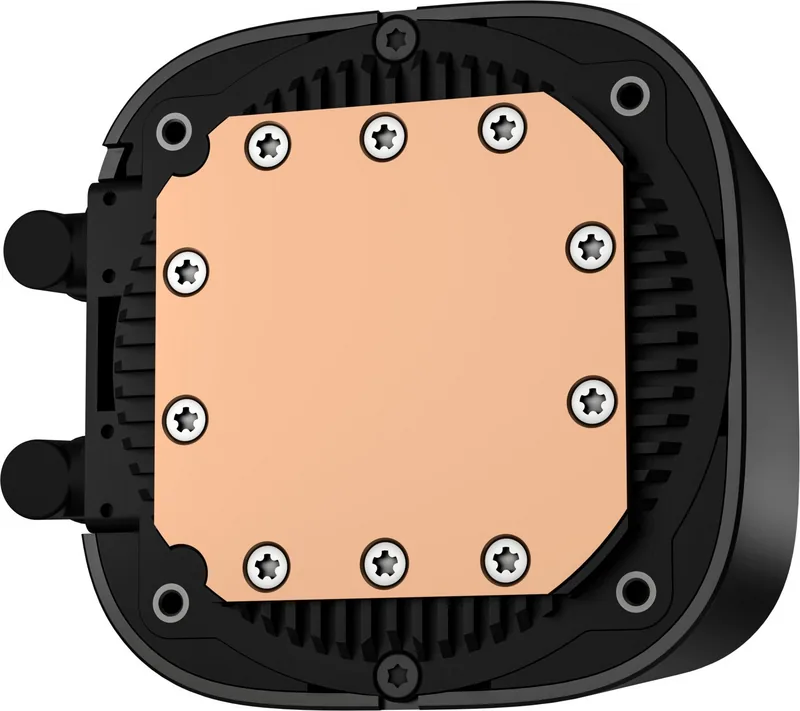
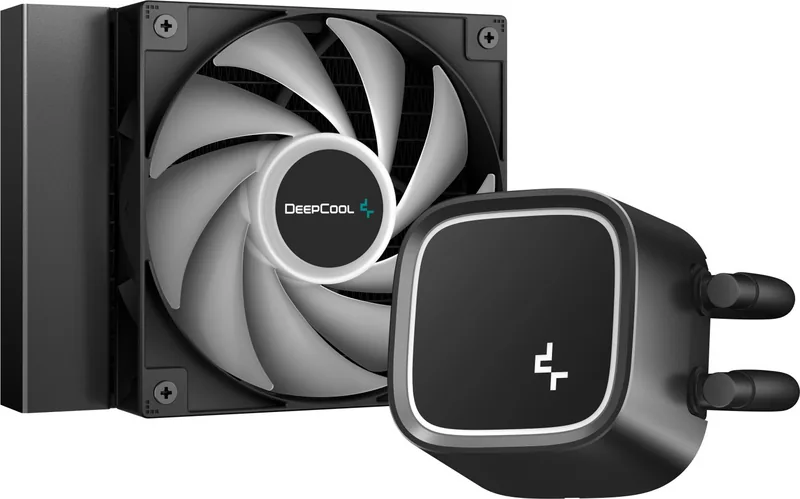
The DeepCool LE Marrs lineup highlights the installation approach and platform support behind DeepCool LE Series liquid CPU coolers. Designed for desktop builders who want a cleaner alternative to traditional air cooling, the range includes the compact LE300 with a 120 mm radiator and the LE500 with a larger 240 mm radiator. Both options are intended to bring liquid cooling compatibility to modern Intel and AMD systems while keeping the core installation process straightforward.
Broad Socket Compatibility
A key strength of the LE Series is its support for several popular processor platforms. Intel users can install the cooler on LGA1200, LGA1151, LGA1150, LGA1155, and LGA1700 sockets. AMD support covers AM4 and AM5 platforms. This broad compatibility makes the cooler relevant for a new build, a processor upgrade, or a system refresh where the motherboard platform may differ from an earlier PC.
The mounting process uses dedicated hardware for each platform. Intel LGA1200 and 115X systems use their appropriate mounting arrangement, while LGA1700 has a separate setup. AMD AM4 and AM5 installations require removal of the existing retention hardware before attaching the supplied mounting components. Following the correct socket-specific sequence is important for even pressure and secure cooler contact.
LE300 and LE500 Cooling Options
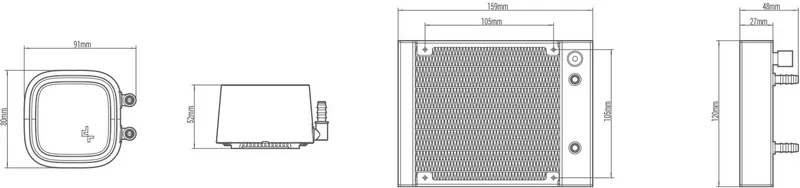
The LE300 uses a 120 mm fan and radiator format, making it a practical choice for cases with limited mounting space. The LE500 uses a 240 mm radiator with two 120 mm fans, offering a larger heat-dissipation surface for builders who have room for a dual-fan radiator. Before choosing between them, check the case radiator locations, clearance around the motherboard, and available fan mounts.
Both models rely on coordinated fan and radiator installation. The fan and radiator should be secured before cable routing is finalized, helping maintain a tidy interior and avoiding cable strain. The pump connection is intended for an AIO_PUMP or W_PUMP header where available, while fan connections can use CPU_FAN or CPU_OPT headers. A 4-pin fan connection is referenced for the cooling fan setup.
Practical Build Considerations
Careful planning is essential for a reliable installation. Confirm socket compatibility, radiator size support, and the location of pump and CPU fan headers before mounting the cooler. Keep all supplied brackets, screws, and standoffs organized by platform, since the hardware varies between Intel and AMD systems.
Notes
- Keep your proof of purchase for warranty service.
- Warranty service applies to manufacturing defects after inspection.
- Damage from misuse, unauthorized modification, or removed tamper labels is excluded.
- Contact an authorized DeepCool dealer or DeepCool support for service questions.
Search for 67,732 Manuals online


Type-in Brand or Model