
DeepCool CL500 Manual
PDF manual · 16 Pages
English



Quick check
Incorrect answer, please try again.
Ask a Question
Do you recommend CL500?
Yes NoFrequently Asked Questions
The case measures 473mm in height, 226mm in width, and 519mm in depth. You should measure your desk space before installation to ensure fitment.
Is this answer helpful?
Yes, it accepts up to a 360mm radiator on the front panel. It also supports 140mm or 120mm fans on the top and rear.
Is this answer helpful?
The unit provides three 3.5-inch drive bays for traditional mechanical hard drives. There are also two dedicated mounts for 2.5-inch SSDs.
Is this answer helpful?
Yes, you can find the official manual on the DeepCool website. It provides detailed diagrams and compatibility lists for users.
Is this answer helpful?
It is compatible with ATX, Micro-ATX, and Mini-ITX form factors. The motherboard tray aligns with standard mounting holes.
Is this answer helpful?
There are dedicated channels behind the motherboard tray. Velcro straps are recommended to secure cables neatly and prevent obstruction of airflow.
Is this answer helpful?
Configurations vary by region and batch. Some versions come with one exhaust fan while others come empty. Check the specific package details before ordering.
Is this answer helpful?
Advantages and Disadvantages
Advantages

- Supports large 360mm radiators for liquid cooling systems efficiently
- Ample 3.5 inch and 2.5 inch drive bays for storage
- Strong airflow design with mesh panels for better cooling
- Tool-free side panel installation reduces build time significantly
- Multiple fan mounting points increase customization options greatly
Disadvantages

- Large depth of 519mm requires significant desk space
- Limited RGB headers available for lighting customization
- No included dust filters for some fan locations
- Cable routing could be more robust for larger power supplies
- Fan cables can be tight in some specific configurations
Product Specification
External
N/A
Internal
2x 3.5" (horizontal, drive rails), 2x 2.5"
Ports
1x USB-C 3.1 (10Gb/s, 20-Pin Key-A Header), 2x USB-A 3.0 (5Gb/s), 1x 3.5mm Jack (Line-In/Out)
PCI Slots
7
Left Fan
N/A
Right Fan
N/A
Top Fan
2x 4.72 inch (optional)
Bottom Fan
N/A
Other Fan
N/A
Radiator Support
4.72/5.51/9.45/11.02/14.17 inch front, 4.72/9.45 inch top, 4.72 inch rear
Motherboard
up to ATX
Supported Motherboards
Mini-ITX (6.7"x6.7")/µATX (9.6"x9.6")/ATX (12"x9.6")
Power Supply
ATX (max. 6.30 inch deep)
Power Supply Location
Bottom
CPU Cooler
max. 6.50 inch height
Graphics Card
max. 12.99 inch
Color
silver/black, interior black
Dimensions (WxHxD)
8.90x20.43x18.62 inch
Volume
3385.50 cubic inches
Weight
18.52 lbs
Case Type
Midi-Tower
Front
partially closed, partially mesh
Top
partially closed, mostly fan grille
Bottom
partially closed, fan grille rear, dust filter outside
Left
closed, glass
Right
closed
Front I/O Location
Chassis Side: Top, Panel: Front, Position: Center
Features
inc. Fan Control, Cable Management, Dust Filter, GPU Holder, Glass Sight Window
USB Notation
Left
Product Description
DeepCool CL500 Case Overview
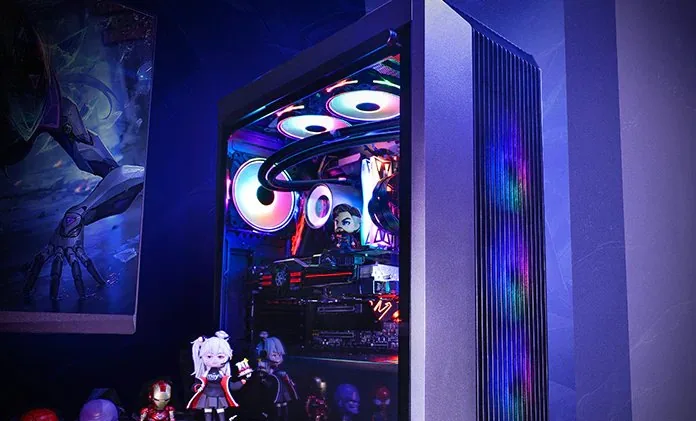
The DeepCool CL500 stands out as a premier mid-tower case for enthusiasts. Many users consult the DeepCool CL500 Manual during assembly for specific layout details. This chassis offers significant internal volume for components. It fits standard ATX motherboards without physical obstruction. The design prioritizes airflow and cooling efficiency above all else. Ventilation holes allow fresh air to enter the system effectively.
Physical Dimensions and Build Quality
Understanding the dimensions is crucial for fitting this case well. The height measures approximately 473mm vertically including feet. Width spans 226mm across the front panel area. Depth extends 519mm rearward to accommodate large parts. These figures dictate desk clearance and space requirements strictly. Builders must measure their workstation space before purchasing. The material construction ensures durability over long periods. Paint finishes resist scratches and wear effectively.
Cooling Configuration Options
Thermal management is key for high performance systems. The front panel accepts various radiator sizes easily. Radiators fitting up to 360mm install into the front. Alternatively, two 140mm fans work well there too. Three 120mm units are also supported on the mount. The top panel supports up to 140mm fans specifically. Two 140mm units or three 120mm units fit the top. Rear exhaust is typically a 120mm unit included. This flexibility helps manage heat inside the box.
Storage Expansion Capabilities
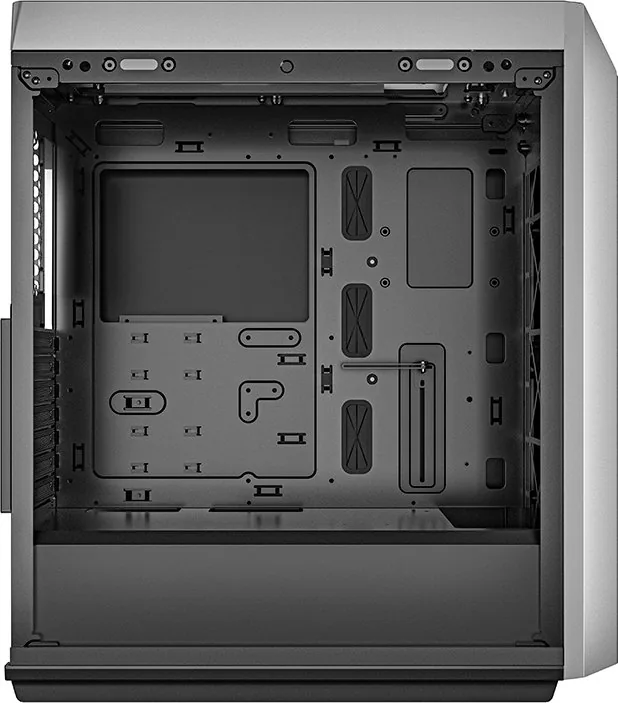
Data storage remains a priority for most modern users. Two 2.5-inch SSD mounts are available on the tray. Three 3.5-inch hard drive bays exist separately in the layout. This mix supports hybrid setups comfortably and securely. Cable management channels hide loose wires effectively behind. This keeps the interior clean and tidy visually. Proper airflow is maintained without obstruction by cables.
Installation Considerations
Referencing the official DeepCool CL500 Manual simplifies the process. Tool-free installation is a common feature in this class. Panels slide off or unscrew quickly and easily. Front I/O ports are accessible from the top right. USB ports provide easy connectivity for peripherals easily. LED indicators show activity status clearly.
Conclusion
This case is a solid choice for gamers. Build quality is generally strong and reliable. Prices vary depending on the retailer region. Shipping costs apply to large boxes often. Warranty claims require the original serial number. Always verify compatibility with your specific hardware.
Notes
Dimensions may vary slightly by manufacturing batch. Fan speed control requires compatible motherboard headers. Check power supply size compatibility before buying. Use anti-static wrist straps during assembly.
Search for 67,732 Manuals online


Type-in Brand or Model