
DeepCool Macube 310 Manual
PDF manual · 16 Pages
English



Quick check
Incorrect answer, please try again.
Ask a Question
Do you recommend Macube 310?
Yes NoFrequently Asked Questions
The case supports GPUs up to 360mm in length, depending on fan configuration and radiator placement.
Is this answer helpful?
Yes, the front panel can accommodate a 360mm radiator if you remove the front fans.
Is this answer helpful?
The front I/O typically includes USB 3.0 and audio jacks, though exact counts vary by revision.
Is this answer helpful?
No, the Macube 310 is optimized for ATX, Micro-ATX, and Mini-ITX form factors only.
Is this answer helpful?
Some versions include one or more pre-installed fans, but configurations differ by region and batch.
Is this answer helpful?
Standard screwdrivers are sufficient; no special tools are required for basic builds.
Is this answer helpful?
Yes, the case includes removable dust filters at key intake points to keep internal components clean.
Is this answer helpful?
Advantages and Disadvantages
Advantages

- Unique cube design saves space while offering a striking look.
- Supports multiple fan sizes for customizable cooling solutions.
- Includes slots for both 2.5-inch SSDs and 3.5-inch HDDs.
- Easy access panels simplify component upgrades.
- Strong structural integrity supports heavy graphics cards.
Disadvantages

- Limited vertical expansion due to compact footprint.
- Pre-installed fans may require replacement for silent operation.
- Cable routing can be challenging in tight corners.
- No built-in RGB lighting control hub included.
- Front I/O ports may feel slightly recessed for some users.
Product Specification
Extern
N/A
Intern
2x 3.5", 2x 2.5"
Connections
2x USB-A 3.0 (5Gb/s), 1x 3.5mm jack (Line-Out), 1x 3.5mm jack (Line-In)
PCI Slots
9 (2x Riser Card)
Fan (front)
3x 120mm (optional) or 2x 140mm (optional)
Fan (rear)
1x 120mm
Fan (left)
N/A
Fan (right)
N/A
Fan (top)
3x 120mm (optional) or 2x 140mm (optional)
Fan (bottom)
N/A
Fan (other)
N/A
Radiator sizes
120/140/240/280/360mm front, N/A top, 120mm rear
Motherboard
up to ATX
Supported Motherboards
Mini-ITX (6.7"x6.7")/µATX (9.6"x9.6")/ATX (12"x9.6")
Power Supply
ATX (max. 6.3" deep)
Power Supply Position
bottom
CPU Cooler
max. 6.5" height
Graphics Cards
max. 13"
Lighting
no lighting
Dimensions (WxDxH)
8.5x19.5x16.7in
Volume
2.76cu ft
Weight
18.36lbs
Chassis Type
Midi-Tower
Features
Cable management, dust filter, vertical graphics card mounting, glass window
USB Spelling
Link
Product Description
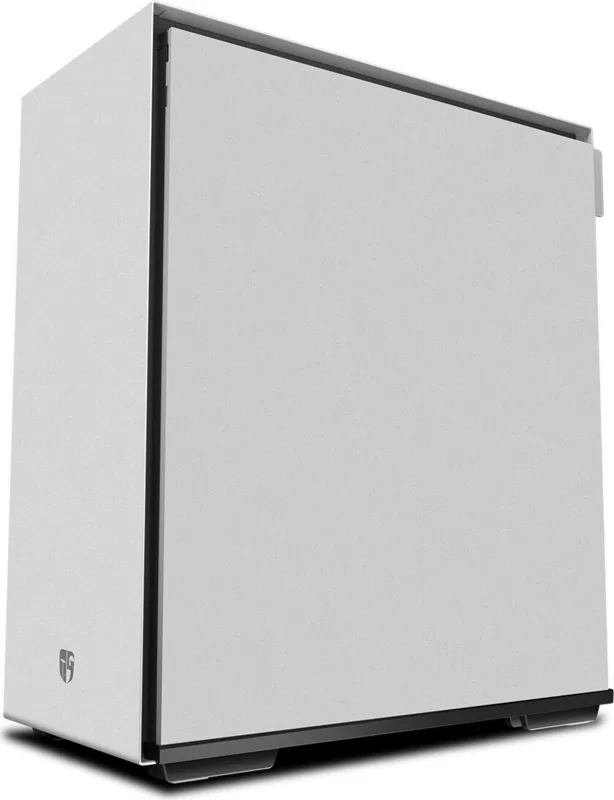
DeepCool Gamer Storm Macube 310: A Compact Powerhouse for Gamers
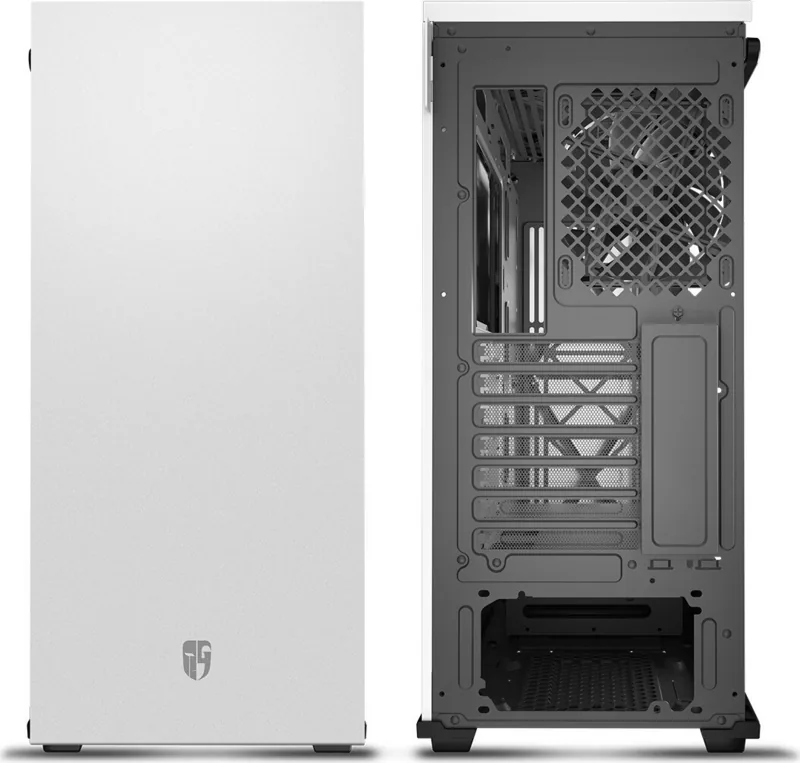
The DeepCool Gamer Storm Macube 310 stands out as a versatile mid-tower chassis designed to meet the demands of modern gaming and creative computing. With its distinctive cube-inspired design, this case offers a unique aesthetic that breaks away from traditional rectangular forms while maintaining robust functionality. Measuring approximately 424.6mm in width, 215mm in depth, and 494.6mm in height, the Macube 310 provides ample space for high-performance components without consuming excessive desk real estate.
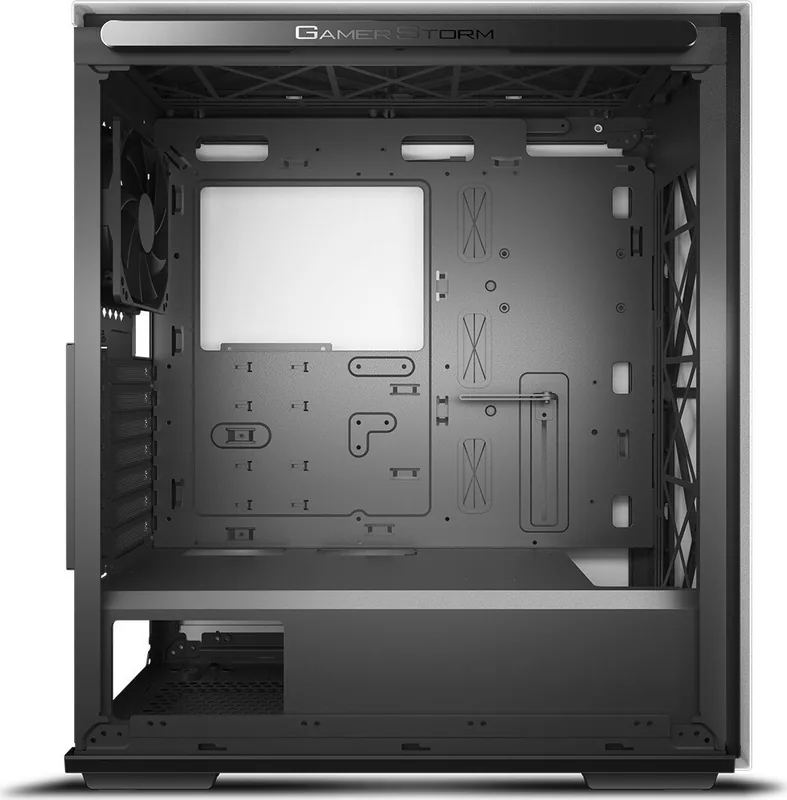
One of the key features of this chassis is its impressive cooling capabilities. The front panel supports up to three 120mm fans or a single 280mm radiator, ensuring optimal airflow for liquid cooling enthusiasts. Additional ventilation options include rear and top mounts for 120mm or 140mm fans, allowing users to customize their thermal management strategy. This flexibility makes it an ideal choice for builders seeking to maintain low temperatures during intense gaming sessions or rendering tasks.
Storage capacity is another area where the Macube 310 excels. It accommodates two 3.5-inch hard drives and two 2.5-inch solid-state drives, providing a balanced mix of speed and volume. Whether you are archiving large media files or installing your operating system on a fast NVMe drive, this case has the room to grow with your needs. The internal layout is thoughtfully designed to simplify cable management and component installation, reducing build time and frustration.
Important Notes
- Ensure adequate clearance for GPU length when selecting hardware.
- Verify motherboard compatibility before purchasing.
- Consider fan placement for optimal airflow patterns.
Pros and Cons
Pros
- Unique cube design saves space while offering a striking look.
- Supports multiple fan sizes for customizable cooling solutions.
- Includes slots for both 2.5-inch SSDs and 3.5-inch HDDs.
- Easy access panels simplify component upgrades.
- Strong structural integrity supports heavy graphics cards.
Cons
- Limited vertical expansion due to compact footprint.
- Pre-installed fans may require replacement for silent operation.
- Cable routing can be challenging in tight corners.
- No built-in RGB lighting control hub included.
- Front I/O ports may feel slightly recessed for some users.
Frequently Asked Questions
What is the maximum GPU length supported by the Macube 310?
The case supports GPUs up to 360mm in length, depending on fan configuration and radiator placement.
Can I install a 360mm radiator in this case?
Yes, the front panel can accommodate a 360mm radiator if you remove the front fans.
How many USB ports does the front panel have?
The front I/O typically includes USB 3.0 and audio jacks, though exact counts vary by revision.
Is the case compatible with E-ATX motherboards?
No, the Macube 310 is optimized for ATX, Micro-ATX, and Mini-ITX form factors only.
Does the case come with pre-installed fans?
Some versions include one or more pre-installed fans, but configurations differ by region and batch.
What tools are needed for assembly?
Standard screwdrivers are sufficient; no special tools are required for basic builds.
Is there dust filter support?
Yes, the case includes removable dust filters at key intake points to keep internal components clean.
Search for 67,732 Manuals online


Type-in Brand or Model