

Free Cambridge Audio Manuals – Read, Download & Print
11 Manuals
Manuals
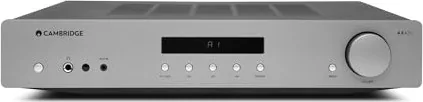
10 Pages

1 Pages
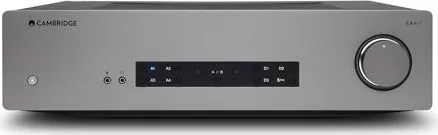
33 Pages
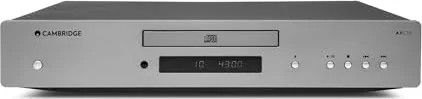
10 Pages
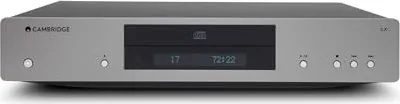
20 Pages
1 Pages
8 Pages
17 Pages
33 Pages
8 Pages
41 Pages
Categories

Free Cambridge Audio Manuals - Read, Download & Print
Find free Cambridge Audio manuals for a wide range of hi-fi and home entertainment products. Whether you need setup guidance for an integrated amplifier, connection details for a network player, operating instructions for a CD player, or troubleshooting help for a home cinema component, a clear manual can make using your equipment easier. This page is designed to help owners locate and use Cambridge Audio documentation in a convenient digital format.
Cambridge Audio Product Manuals in One Place
Cambridge Audio produces audio equipment designed for music listening, streaming, vinyl playback, and home theater systems. Product documentation is useful for both new and long-time owners because it explains the features, controls, connections, safety requirements, and maintenance recommendations specific to each model.
Manuals may be available for products such as:
- Integrated amplifiers and stereo receivers
- Power amplifiers and preamplifiers
- Network music players and streamers
- CD players and CD transports
- Digital-to-analog converters
- Wireless speakers and audio systems
- Home cinema receivers
- Turntables and phono stages
- Headphone amplifiers
- Remote controls and accessories
Using the correct manual for the exact model helps prevent incorrect wiring, settings changes, and compatibility problems. Always check the product name, model number, and version information before following any instructions.
Read Cambridge Audio Manuals Online
Reading a Cambridge Audio manual online is a practical option when you need information quickly. Digital manuals allow you to review instructions from a phone, tablet, laptop, or desktop computer without keeping a paper booklet nearby. This can be especially helpful while connecting a system, configuring wireless settings, or checking a menu option from across the room.
Online manuals commonly include searchable text, making it easier to find topics such as "Bluetooth," "network setup," "factory reset," "speaker connection," or "firmware update." Instead of browsing every page manually, use the document search function to locate the section that addresses your question.
Useful Information Found in Online Manuals
A typical Cambridge Audio owner manual may contain important details including:
- Package contents and product overview
- Front and rear panel control descriptions
- Input and output connection diagrams
- Loudspeaker placement and cable guidance
- Wi-Fi, Ethernet, and streaming setup steps
- Supported audio formats and playback sources
- Remote control button functions
- App setup and account connection instructions
- Equalizer, balance, volume, and playback settings
- Error messages and basic troubleshooting steps
- Technical specifications and safety notices
Reviewing these sections before installation can save time and help ensure the audio system performs as intended.
Download Free Cambridge Audio Manuals
Downloading a manual gives you offline access whenever you need it. A saved PDF is useful if your internet connection is unavailable, if you are setting up equipment in a different room, or if you want to keep documentation together with receipts, warranty records, and service notes.
When downloading a manual, save it with a descriptive filename that includes the product model. For example, a file name such as "Cambridge-Audio-Model-Owner-Manual.pdf" is easier to identify later than a generic download name. You can also create folders for amplifiers, streamers, speakers, or other categories if you own multiple components.
Benefits of Downloading a PDF Manual
A downloaded Cambridge Audio manual can be helpful because it lets you:
- Access instructions without an internet connection
- Search for keywords within the document
- Zoom into diagrams, labels, and tables
- Keep a backup copy on a computer or cloud drive
- Share the document with household members or installers
- Refer to specifications when adding new equipment
- Compare input, output, and connectivity options between products
For best results, download the manual that matches your unit exactly. Similar product names can have different connections, menus, features, and firmware procedures.
Print Cambridge Audio Instructions for Easy Reference
Printing selected pages from a manual is a simple way to keep essential instructions close to your system. You may not need to print the entire document. Many owners choose to print only the setup diagrams, remote control guide, network configuration section, quick start pages, and troubleshooting chart.
A printed reference can be convenient when installing speakers, labeling cables, adjusting rear-panel connections, or explaining system operation to someone else. If you print a full manual, consider using double-sided printing to reduce paper use and placing the pages in a binder for protection.
Pages Worth Printing
The most useful pages to print often include:
- Initial setup and quick start instructions
- Connection diagrams for audio sources and speakers
- Remote control layouts
- Network and wireless setup guidance
- Input selection and playback instructions
- Firmware update procedures
- Reset and troubleshooting steps
- Safety warnings and ventilation requirements
Keep printed pages away from liquids, heat sources, and ventilation openings. Audio components can generate heat during operation, so documentation should never block airflow around an amplifier or receiver.
How to Find the Right Cambridge Audio Manual
Start by identifying the exact model number of your Cambridge Audio device. This information is often printed on the front panel, rear panel, underside, packaging, purchase documents, or product label. A serial number is different from a model number, so look for the model designation used in the product name.
Once you know the model, search using the full name along with terms like "manual," "owner's manual," "user guide," or "quick start guide." Including a product family name can help narrow the results when several versions exist. If your product has a regional version or a revision number, verify that the documentation applies to your specific unit.
Check These Details Before Using a Manual
Before relying on any manual, compare the document with your equipment:
- Confirm that the model number matches exactly.
- Compare the front-panel buttons and rear-panel connectors.
- Check the publication date or document revision.
- Verify language and regional power information.
- Review firmware-related notes for your product generation.
- Make sure accessories and remote control layouts are the same.
This is particularly important for network players, streaming products, and receivers, where software updates may change menus or available features over time.
Setup and Connection Guidance
Cambridge Audio manuals are valuable during first-time installation. Audio systems can include several source devices, including televisions, turntables, media players, game consoles, CD players, and network services. The manual explains which inputs are intended for each source and how to avoid common connection mistakes.
For stereo amplifiers, pay close attention to speaker terminal polarity. Connect the positive terminal on the amplifier to the positive terminal on the speaker, and connect negative to negative. Reversed polarity can affect stereo imaging and bass performance. Ensure that bare wire strands do not touch neighboring terminals, as this may create a short circuit.
For digital sources, check whether the device supports optical, coaxial, USB, HDMI, or network connections. Use the manual to confirm supported sample rates, file formats, and control options. If you are connecting a turntable, verify whether your amplifier has a phono input and whether the turntable requires a moving magnet or moving coil phono stage.
Troubleshooting Common Issues
A manual is often the first place to look when a Cambridge Audio product does not behave as expected. The troubleshooting section can help identify simple causes before more advanced support or service is required.
Common issues may include no sound, one speaker not playing, an unavailable input, remote control problems, network connection failures, streaming interruptions, or unexpected standby behavior. Start with basic checks: confirm power, verify cable connections, select the correct input, raise the volume gradually, and make sure mute is not activated.
If a network product cannot connect to a service or app, check the router connection, network password, signal strength, and software update status. Follow the reset instructions carefully and only use a factory reset when necessary, since it may remove saved settings and network details.
Safe Use and Maintenance
Follow the safety guidance in the Cambridge Audio manual whenever installing or operating equipment. Place components on a stable surface with adequate ventilation. Avoid exposing electronics to moisture, direct sunlight, excessive dust, or extreme temperatures. Do not place heavy items on top of equipment unless the manual specifically permits it.
Use the recommended power supply and cables, and disconnect the unit from power before making major wiring changes. Clean exterior surfaces with a soft, dry cloth unless the manual provides different instructions. For repairs involving internal components, contact qualified service personnel rather than opening the device yourself.
Make the Most of Your Cambridge Audio Equipment
Free Cambridge Audio manuals provide a useful reference for reading online, downloading for offline use, and printing important pages for your listening area. The right document can help you install equipment correctly, understand advanced features, solve routine problems, and maintain your audio system over time.
Keep a copy of the manual for every component in your setup. With accurate documentation available when you need it, you can spend less time searching for settings and more time enjoying your music, movies, and connected audio sources.
Search for 67,706 Manuals online


Type-in Brand or Model