

Free Broadcom Manuals – Read, Download & Print
10 Manuals
Manuals
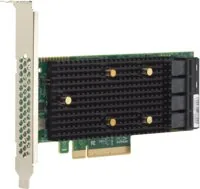
42 Pages
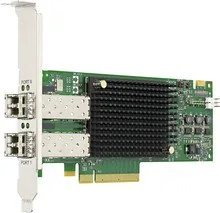
25 Pages
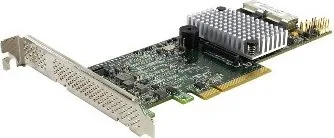
92 Pages
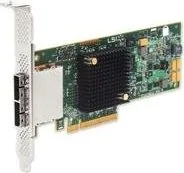
10 Pages
10 Pages
9 Pages
53 Pages
19 Pages
54 Pages
2 Pages
Categories

Free Broadcom Manuals - Read, Download & Print
Find Broadcom Documentation for Your Hardware and Software
Accessing the right manual can make installation, configuration, maintenance, and troubleshooting much easier. Free Broadcom manuals provide useful technical information for a wide range of products, including network adapters, wireless devices, storage controllers, switches, enterprise software, security solutions, and other technology platforms associated with Broadcom. Whether you are an IT administrator, technician, system builder, student, or home user, clear documentation helps you understand product features and complete tasks with confidence.
Broadcom manuals may include user guides, installation instructions, quick start guides, data sheets, reference manuals, release notes, compatibility documents, and technical specifications. These resources can explain how to connect hardware, install drivers, configure settings, update firmware, identify LEDs and ports, resolve common errors, and maintain reliable system operation. Having documentation available in a readable, downloadable, and printable format is especially useful when working in data centers, server rooms, repair environments, or locations with limited internet access.
Read Broadcom Manuals Online
Reading Broadcom manuals online is a convenient way to quickly locate the information you need. Digital manuals can be searched for terms such as installation, firmware, driver, VLAN, RAID, Bluetooth, Wi-Fi, diagnostics, power requirements, port configuration, or error codes. Searchable documents save time compared with scanning printed pages, especially when you need one specific procedure or technical detail.
Online documentation is useful for checking product requirements before beginning a project. For example, an installation guide may list supported operating systems, hardware dependencies, cable types, storage requirements, supported network standards, environmental limits, and recommended software versions. Reviewing these details in advance can prevent compatibility issues and reduce the risk of downtime.
Many manuals also include diagrams, screenshots, tables, and step-by-step instructions. These visual references can clarify how to connect components, locate headers or ports, identify management interfaces, and verify correct settings. When working with advanced networking or storage equipment, a reference guide can help users understand command options, management utilities, logging tools, and configuration workflows.
Download Manuals for Offline Access
Downloading a Broadcom manual allows you to keep important documentation available when an internet connection is unavailable or inconvenient. Offline manuals are helpful during equipment installation, field service calls, migrations, maintenance windows, and emergency troubleshooting. Saving a copy locally also makes it easier to organize documentation by device model, site, project, or operating environment.
Before downloading a manual, confirm that it matches the exact product model and revision you are using. Similar model names may have different ports, chipsets, supported features, firmware requirements, or installation procedures. Check the product label, part number, hardware revision, and software version whenever possible. Using documentation for the wrong model can lead to incorrect configuration steps or unsupported updates.
It is also important to review the document version and publication date. Technical products change over time, and newer firmware, drivers, management software, or operating systems may introduce updated procedures. Release notes are particularly valuable because they describe new features, known issues, resolved defects, limitations, and upgrade considerations. Keep both the primary manual and relevant release notes together for a more complete reference library.
Print Guides for Setup, Service, and Troubleshooting
Printing Broadcom manuals can be practical when working away from a computer screen. A printed quick start guide is useful during rack installation, cable routing, hardware replacement, and initial configuration. Technicians may prefer printed wiring diagrams, port maps, safety instructions, or troubleshooting flowcharts when moving between equipment rooms or working in environments where laptops are not convenient.
For larger manuals, consider printing only the sections that apply to your task. Useful sections may include installation requirements, configuration examples, safety information, LED indicators, diagnostic procedures, reset instructions, and warranty details. Printing selected pages reduces paper use while ensuring that important information is easy to access.
When printing technical documentation, preserve diagrams and tables clearly. Use landscape orientation for wide tables, select a readable font size, and ensure that page scaling does not make command examples or labels difficult to read. If a manual includes color-coded illustrations, consider printing in color when the colors communicate important status information or cable connections.
Types of Broadcom Manuals You May Need
Installation Guides
Installation guides explain how to prepare, connect, and start using a product. They often cover package contents, safety requirements, mounting instructions, electrical requirements, cabling, driver installation, initial boot procedures, and verification steps. These guides are essential for new hardware deployments and replacements.
User Guides
User guides provide general instructions for regular operation. They may explain software menus, configuration options, monitoring features, account settings, supported modes, and everyday maintenance tasks. A user guide is often the best starting point for learning how a product works after installation is complete.
Technical Reference Manuals
Technical reference manuals provide more detailed information for advanced users and administrators. They may include command syntax, API descriptions, register definitions, protocol support, performance settings, security options, diagnostic codes, and detailed configuration parameters. These documents are useful for custom deployments and in-depth troubleshooting.
Driver and Firmware Documentation
Driver and firmware documentation helps users install updates safely. It may list supported devices, prerequisites, version history, upgrade paths, known limitations, rollback instructions, and post-update verification steps. Always read update documentation before applying new firmware, particularly on critical networking or storage systems.
Data Sheets and Specifications
Data sheets summarize key product capabilities. They can list interface types, throughput, supported standards, memory requirements, power consumption, physical dimensions, operating temperatures, certifications, and compatibility information. Data sheets are useful when comparing models or planning an infrastructure upgrade.
How to Use a Manual Effectively
Start by identifying the exact Broadcom product and the task you need to complete. If you are installing a network adapter, look for hardware installation, driver setup, and operating system compatibility sections. If you are configuring a managed switch, focus on network setup, management access, VLAN configuration, security settings, and monitoring features. If you are working with storage equipment, review controller installation, disk compatibility, RAID configuration, cache settings, and recovery procedures.
Use the table of contents and search function to find relevant sections quickly. Pay attention to warnings, cautions, notes, and prerequisites. A warning may describe a risk of equipment damage or data loss, while a note may identify a setting that must be enabled before another feature can work correctly.
Follow procedures in the order provided. Technical steps are often arranged to prevent conflicts, missing dependencies, or improper configuration. For example, a manual may require you to install a driver before connecting to a management utility, back up settings before updating firmware, or power down a device before adding a component.
Important Safety and Update Practices
Always follow the safety instructions included with Broadcom hardware documentation. Disconnect power when required, use proper electrostatic discharge protection, avoid blocked ventilation, and use approved power sources and cables. In enterprise environments, follow local change-control procedures before modifying network, storage, or security configurations.
Before installing drivers or firmware, back up existing configurations and record the current version. Confirm that the update is intended for your exact hardware model and operating environment. Do not interrupt a firmware update unless the official documentation specifically instructs you to do so. An interrupted update can affect device availability and may require recovery procedures.
For networked equipment, plan changes during an appropriate maintenance period when possible. Review dependencies such as redundant links, failover settings, routing configurations, authentication services, and connected applications. Documentation can help you understand the expected impact of a restart, reset, or upgrade before making changes.
Troubleshooting With Broadcom Documentation
Broadcom manuals can be a valuable troubleshooting resource when a device does not operate as expected. Begin by checking basic items: power status, cable connections, port indicators, device detection, driver version, firmware version, and system logs. Manuals often explain the meaning of LED patterns, audible alerts, status messages, and error codes.
If a problem occurs after a change, compare the current configuration with the documented requirements. Verify supported operating systems, compatible transceivers, driver dependencies, security settings, and network parameters. Use diagnostic tools described in the manual to collect logs, test connectivity, verify hardware health, or reset settings when appropriate.
Keep a record of symptoms, error messages, software versions, and actions already taken. This information helps narrow the issue and is useful if additional support is needed. Accurate documentation also makes future maintenance easier for other administrators or technicians.
Build a Reliable Documentation Library
A well-organized collection of Broadcom manuals can support faster installations, safer upgrades, and more efficient troubleshooting. Save manuals with meaningful filenames that include the product model, document type, version, and date. Store related installation guides, release notes, firmware instructions, and data sheets together. For business environments, maintain copies in a shared documentation system that authorized staff can access during maintenance or incidents.
Free Broadcom manuals for reading, downloading, and printing provide a practical reference for users at every skill level. From initial setup to advanced administration, the right guide can help you make informed decisions, follow supported procedures, and keep technology systems operating reliably.
Search for 67,706 Manuals online


Type-in Brand or Model