

Free PowerA Manuals – Read, Download & Print
5 Manuals
Manuals

Categories


Comprehensive Guide to PowerA Manuals
Introduction to PowerA Documentation Resources
PowerA has established itself as a leading third-party manufacturer of gaming accessories, offering a wide range of products including controllers, headsets, charging docks, and protective cases for various gaming platforms. As the complexity of modern gaming hardware increases, having access to clear and accurate documentation becomes essential for users who want to maximize the performance and longevity of their devices. PowerA manuals serve as the primary source of truth for setup instructions, troubleshooting guides, feature explanations, and safety information. Whether you are a casual gamer setting up a new controller or an enthusiast configuring advanced macro settings, understanding how to navigate and utilize these manuals is crucial for a seamless gaming experience.
The importance of user manuals cannot be overstated in the world of peripheral hardware. These documents bridge the gap between the physical product and the user's potential with that device. They provide step-by-step visual and textual guidance that ensures correct installation and operation. For PowerA specifically, their manuals cover everything from basic plug-and-play functionality to complex software integration for programmable buttons. By consulting the official documentation, users can avoid common pitfalls such as incorrect firmware updates, improper battery charging methods, or misconfigured driver settings that could lead to device malfunction. This guide aims to explore the scope, structure, and utility of PowerA manuals to help users get the most out of their investment.
Types of PowerA Manuals Available
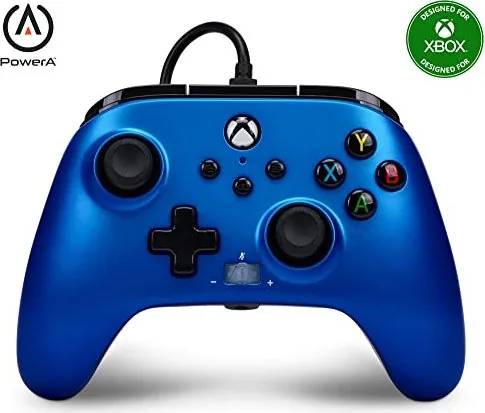
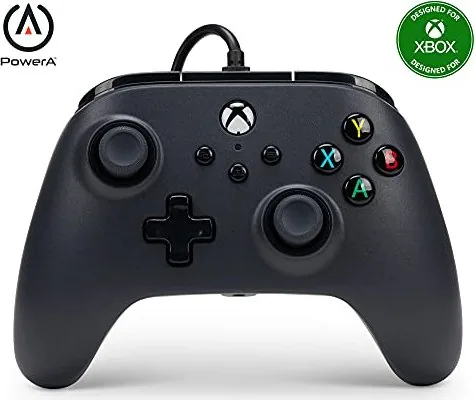
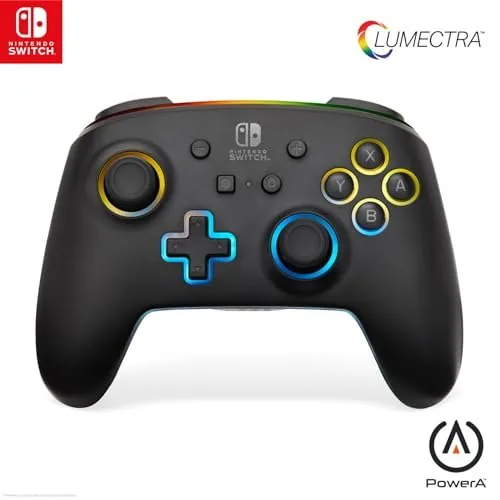
PowerA produces a diverse portfolio of products, and each category requires specific documentation tailored to its unique features and requirements. The manuals generally fall into several distinct categories based on the type of accessory. Controller manuals are perhaps the most common, covering wired and wireless gamepads designed for Xbox, PlayStation, and Nintendo Switch systems. These documents detail button layouts, analog stick calibration, vibration feedback settings, and connectivity procedures for pairing with consoles via Bluetooth or USB dongles.
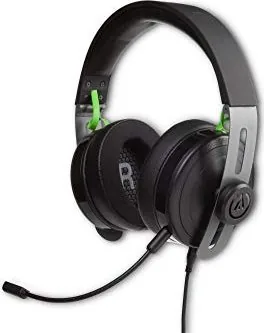
Charging stations and docks also have dedicated manuals that focus on power management and safety. Since these devices often handle multiple controllers simultaneously, the manual explains the LED indicator lights that show charging status, the maximum number of batteries supported, and proper ventilation requirements to prevent overheating. Headset manuals address audio configuration, microphone mute functions, volume controls, and compatibility with different voice chat applications on PC and consoles. Additionally, protective case manuals provide instructions on how to properly fit the device, clean the materials, and store the console safely during travel.
For more advanced products like the Fusion Pro series or Elite controllers, the manuals include sections on software usage. These devices often come with companion software that allows users to remap buttons, adjust trigger sensitivity, and save custom profiles. The documentation for these software suites is critical because it walks users through the download process, system requirements, and the interface of the configuration tool. Without this specific section, users might struggle to unlock the full potential of high-end hardware.
Navigating the Structure of User Guides
Understanding the typical structure of a PowerA manual can significantly reduce the time spent searching for answers. Most manuals begin with a quick start guide, which is a simplified version of the full document designed for immediate use. This section usually contains large images showing the ports, buttons, and how to insert batteries or connect cables. It is intended for users who do not need deep technical details but simply want to start playing quickly.
Following the quick start, the main body of the manual delves into detailed specifications and operating instructions. This part often includes diagrams labeling every component of the device. Technical specifications list the dimensions, weight, cable length, and supported protocols. Operating instructions break down the functionality of each button and switch, explaining what happens when a specific combination is pressed. For example, a manual might explain that holding the share button while pressing another key activates a specific macro function.
Troubleshooting sections are a vital component of any PowerA manual. These pages address common issues such as connection drops, unresponsive inputs, or battery drain problems. The troubleshooting guide typically uses a question-and-answer format, listing symptoms and providing logical steps to resolve them. Users are advised to check connections, update drivers, reset the device, or contact support if the problem persists. Safety warnings and regulatory compliance information are also standard inclusions, ensuring that users are aware of electrical hazards and environmental disposal guidelines.
Accessing and Downloading Official Documentation
In the digital age, accessing PowerA manuals is easier than ever before. While some older products may have included physical booklets in the box, the current standard is to provide downloadable PDF versions online. The official PowerA website hosts a comprehensive support section where users can search for their specific product model. By entering the model number found on the back of the device or the original packaging, users can instantly locate the correct manual.
It is important to ensure that the downloaded file corresponds to the exact revision of the product. Sometimes manufacturers release minor hardware updates without changing the external appearance, and using a manual for an older version might lead to confusion regarding port locations or button functions. The website often categorizes files by product line, making navigation intuitive. If a physical copy is lost or damaged, downloading the latest version ensures that the user has access to the most up-to-date information regarding firmware patches or safety recalls.
Mobile accessibility is another consideration for modern gamers. Many users prefer reading on tablets or smartphones while they play. PowerA manuals are formatted to be responsive, allowing for easy zooming and scrolling on smaller screens. Some manuals even include QR codes printed on the quick start card that link directly to the digital version, eliminating the need to search manually. This convenience encourages users to keep the information handy for reference during setup or maintenance tasks.
The Role of Manuals in Warranty and Support
PowerA manuals play a significant role in the warranty claim process. To validate a warranty request, customers often need to demonstrate that they followed the manufacturer's recommended usage guidelines. The manual serves as evidence of proper care and operation. For instance, if a controller fails due to liquid damage, the manual likely contains explicit warnings against exposing the device to moisture. Adhering to these guidelines protects the user's right to a repair or replacement.
Furthermore, the manuals provide contact information for customer support teams. This includes phone numbers, email addresses, and links to live chat services. When a user encounters an issue that cannot be resolved through the troubleshooting section, the manual directs them to the appropriate channel for assistance. Having the manual open during a support call can speed up the diagnosis process, as the agent can ask questions about specific indicators or behaviors described in the text.
Conclusion: Maximizing Value Through Knowledge
In conclusion, PowerA manuals are indispensable tools for anyone owning their gaming accessories. They transform a simple piece of hardware into a versatile and reliable gaming companion by unlocking hidden features and preventing common errors. From initial setup to long-term maintenance, these documents provide the necessary knowledge to ensure optimal performance. By taking the time to read and understand the provided guides, users can extend the lifespan of their equipment and enjoy a superior gaming experience. Whether through physical copies or digital downloads, the information contained within these manuals represents a valuable resource that empowers gamers to take full control of their gaming environment.
Search for 67,732 Manuals online


Type-in Brand or Model