Manual.ly Logo

PowerA Wired Controller for Xbox Manual

0.0 · 0 Ratings

PDF manual · 2 Pages

English

M: QW-35-FL
page

/ 2

Loading...
0082f89807ff1fde17afa796934c9588f876 page 1
ENGLISH
CONTENTS
• PowerA Wired Controller for Xbox
• Detachable 10-ft. USB Cable
• User Manual
SET UP
1. If your Xbox is off, connect the USB cable be-
tween an available USB port on your console
and the USB-C port on your controller. Press
the Xbox Button on the controller until the
console powers on. The Connection Indicator
LED will illuminate to indicate a successful
connection.
2. If your Xbox console is already on, simply
connect the USB cable into any available
USB port on the console and connect the
USB-C end to your controller. The Connec-
tion Indicator LED will illuminate, indicating
a successful connection.
NOTE: For player and controller assignment,
reference your ofcial Xbox users manual.
USING THE SHARE BUTTON
Refer to Xbox documentation for details on
functions and features related to the Share
button.
TROUBLESHOOTING
For current FAQs, visit PowerA.com/support.
Q: Controller will not connect to Xbox console?
A: Conrm your Xbox console is powered “ON”.
A: Conrm your TV is set to the proper video
input and that you can see the Xbox console
interface on your TV screen.
A: Conrm cable is properly connected to your
Xbox console.
A: Conrm cable is properly connected to your
PowerA Wired Controller.
Q: Controller is connected but has no function?
A: Conrm you are using the Player #1 controller.
For more troubleshooting refer to your Xbox
console User Guide.
MOTION WARNING
Playing video games can make your muscles,
joints, skin or eyes hurt. Follow these instructions
to avoid problems such as tendinitis, carpal
tunnel syndrome, skin irritation or eyestrain:
• Avoid excessive play. Take a 10- to 15-minute
break every hour, even if you don’t think you
need it. Parents should monitor their children
for appropriate play.
• If your hands, wrists, arms or eyes become
tired or sore while playing, or if you feel symp-
toms such as tingling, numbness, burning
or stiffness, stop and rest for several hours
before playing again.
• If you continue to have any of the above
symptoms or other discomfort during or after
play, stop playing and see a doctor.
FCC STATEMENT
This device complies with Part 15 of the FCC
Rules. Operation is subject to the following
two conditions: (1) this device may not cause
harmful interference, and (2) this device must
accept any interference received, including
interference that may cause undesired operation.
Warning: Changes or modications to this unit
not expressly approved by the party responsible
for compliance could void the user’s authority to
operate the equipment. Note: This equipment has
been tested and found to comply with the limits
for Class B digital device, pursuant to Part 15 of
the FCC Rules.
CAN ICES-003(B)/NMB-003(B)
This device complies with Industry Canada
Iicense exempt RSS standard(s).Operation is
subject to the following two conditions: (1) This
device may not cause interference,and (2) this
device must accept any interference, including
interference that may cause undesired operation
of the device.
MANUFACTURED FOR
ACCO Brands USA LLC
4 Corporate Drive, Lake Zurich, IL 60047
ACCOBRANDS.COM | POWERA.COM
MADE IN CHINA
WARRANTY AGAINST DEFECTS,
AUSTRALIA & NEW ZEALAND CUSTOMERS
This product is provided with a 2-year warranty
against defects in manufacturing or materials
from the date of purchase. ACCO Brands will
either repair or replace a faulty or defective
product subject to the conditions of this
warranty. Claims under this warranty must
be made to the place of purchase within the
warranty period with proof of purchase by the
original purchaser only. Expenses associated
with a warranty claim are the responsibility of
the consumer. Conditions of this warranty are on
our website: PowerA.com/warranty-ANZ
This warranty is provided in addition to other
rights or remedies available to you under the law.
Our goods come with guarantees that cannot be
excluded under the Australian Consumer Law.
You are entitled to a replacement or refund for
a major failure and compensation for any other
reasonably foreseeable loss or damage. You
are also entitled to have the goods repaired or
replaced if the goods fail to be of acceptable
quality and the failure does not amount to a
major failure.
DISTRIBUTOR CONTACT DETAILS
AUSTRALIAN CUSTOMERS
ACCO Brands Australia Pty Ltd
Locked Bag 50, Blacktown BC, NSW 2148
Phone: 1300 278 546
Email: consumer.suppor[email protected]
NEW ZEALAND CUSTOMERS
ACCO Brands New Zealand Limited
PO Box 11-677, Ellerslie, Auckland 1542
Phone: 0800 800 526
Email: consumer.suppor[email protected]
ADDITIONAL LEGAL
© 2023 ACCO Brands. All Rights Reserved.
PowerA and PowerA Logo are trademarks of
ACCO Brands. Microsoft, Xbox, Xbox “Sphere”
Design, Xbox Series X|S, Xbox One, and Windows
are trademarks of the Microsoft group of
companies. All other trademarks are the property
of their respective owners.
REGIONAL COMPLIANCE SYMBOLS
More information available via web-search of
each symbol name.
Waste Electrical and Electronic
Equipment (WEEE): Electrical and
electronic devices contain materials and
substances that can have damaging
effects on human health and the
environment. This symbol indicates
Menu
Button
Xbox
Button
View
Button
Share
Button
Connection
Indicator LED
Detachable
10 ft USB-C
Cable
D-Pad
Headset
Jack
USER MANUAL
Manuel de l’utilisateur
Manual de usuario
Bedienungsanleitung
Manuale per l’uso
Manual do usuário
Customer Service
Service client
Servicio a clientes
Kundendienst
Assistenza clienti
Apoio ao Cliente
PowerA.com/Support
WIRED
CONTROLLER
3. Hinweise zu den Möglichkeiten
der Rückgabe von Altgeräten:
Besitzer von Altgeräten können diese
im Rahmen der durch öffentlich-
rechtlichen Entsorgungsträger einge-
richteten und zur Verfügung stehenden
Möglichkeiten der Rückgabe oder
Sammlung von Altgeräten ab-
geben, damit eine ordnungsgemäße
Entsorgung der Altgeräte
sichergestellt ist. Gegebenenfalls ist
dort auch eine Abgabe von Elektro-
und Elektronikgeräten zum Zwecke
der Wiederverwendung der Geräte
möglich. Nähere Informationen
hierzu erhalten Sie von der jeweiligen
Sammel- bzw. Rücknahmestelle.
4. Hinweis zum Datenschutz: Auf zu
entsorgenden Altgeräten benden sich
teil-weise sensible personenbezogene
Daten (etwa auf einem PC oder
einem Smartphone), die nicht in
die Hände Dritter gelangen dürfen.
Wir weisen ausdrücklich darauf
hin, dass Endnutzer von Altgeräten
eigenverantwortlich für die Löschung
personenbezogener Daten auf den
zu entsorgenden Altgeräten sorgen
müssen.
5. Hinweis zu unserer WEEE-
Registrierungs-nummer: Wir sind
bei der Stiftung Elektro-Altgeräte
Register, Nordostpark 72 in 90411
Nürnberg, als Hersteller von Elektro-
und/ oder Elektronikgeräten unter
der folgenden Registrierungsnummer
(WEEE-Reg.-Nr. DE) registriert:
43139807
Das CE-Zeichen (Conformité
Européene, d. h. Europäische
Konformität) ist eine Erklärung
des Herstellers, dass das Produkt
den maßgeblichen europäischen
Richtlinien und Vorschriften
hinsichtlich Gesundheit, Sicherheit
und Umweltschutz entspricht.
.
ITALIAN
CONTENUTO
• Controller cablato PowerA per Xbox
• Cavo USB (3 m)
• Manuale d’uso
INSTALLAZIONE
1. Con la consolle Xbox spenta (“OFF”),
collegare il cavo USB da 3 m inserendolo
in una porta USB libera della consolle
Xbox. Collegare l’altra estremità del
cavo USB al controller cablato PowerA.
Premere il pulsante Xbox per accendere
(“ON”) la consolle. La spia di connessione
del controller si accende per confermare
l’avvenuta connessione.
2. Con la consolle Xbox accesa (“ON”), col-
legare il cavo USB da 3 m inserendolo in
una porta USB libera della consolle Xbox.
Collegare l’altra estremità del cavo USB
al controller cablato PowerA. La spia di
connessione del controller si accende per
confermare l’avvenuta connessione.
NOTA: Per queste operazioni consultare il
manuale d’uso della Xbox.
UTILIZZO DEL PULSANTE CONDIVIDI
Consultare la documentazione Xbox per i
dettagli sulle funzioni e le caratteristiche del
pulsante Condividi.
RISOLUZIONE DEI PROBLEMI
Per le FAQ aggiornate visitare il sito PowerA.
com/support.
D: Il controller non si collega alla consolle
Xbox.
R: Vericare che la consolle Xbox sia
alimentata (“ON”).
R: Vericare che il TV sia impostato sul canale
video corretto e che l’interfaccia della
consolle Xbox sia visibile sul TV.
R: Vericare che il cavo sia collegato
correttamente alla consolle Xbox.
R: Vericare che il cavo sia collegato
correttamente al controller cablato PowerA.
D: Il controller è collegato ma non funziona.
R: Vericare di utilizzare il controller del
giocatore 1.
Per ulteriori problemi consultare la Guida per
l’utente della consolle Xbox.
PRECAUZIONI DI SICUREZZA
L’uso di videogiochi può causare dolori
muscolari, articolari, irritazioni cutanee o
disturbi agli occhi. Seguire le indicazioni fornite
per evitare problemi quali tendinite, sindrome
del tunnel carpale, irritazione cutanea o
affaticamento degli occhi:
• Evitare di giocare troppo a lungo. Fare una
pausa di 10-15 minuti ogni ora, anche se
non se ne sente il bisogno. Si consiglia ai
genitori di controllare che i gli giochino in
modo appropriato.
• Se durante il gioco si avvertono sensazioni
di affaticamento o dolore a mani, polsi,
braccia od occhi, o sintomi quali formicolio,
intorpidimento, bruciore o rigidità, smettere
di giocare e riposare per alcune ore prima di
riprendere il gioco.
• Se si continua ad avvertire uno dei sintomi
sopra descritti o altri disturbi durante o
dopo il gioco, smettere di giocare e consul-
tare un medico.
FABBRICATO PER
ACCO Brands USA LLC
4 Corporate Drive, Lake Zurich, IL 60047
ACCOBRANDS.com | POWERA.com
FATTO IN CINA
SERVIZIO CLIENTI
Per richiedere assistenza per i tuoi accessori
PowerA autentici, visita la pagina
PowerA.com/Support.
GARANZIA
Garanzia limitata di due anni. Per ulteriori
informazioni, visita PowerA.com.
INFORMAZIONI LEGALI
© 2023 ACCO Brands. Tutti i diritti riservati.
PowerA e il logo PowerA sono marchi di ACCO
Brands. Microsoft, Xbox, Xbox “Sphere”
Design, Xbox Series X|S, Xbox One e Windows
sono marchi del gruppo di società Microsoft.
Tutti gli altri marchi sono di proprietà dei
rispettivi proprietari.
SIMBOLI DI CONFORMITÀ LOCALI
Per ulteriori informazioni, cerca sul Web il
nome di ciascun simbolo.
Riuti di apparecchiature elettriche
ed elettroniche (RAEE) I dispositivi
elettrici ed elettronici contengono
materiali e sostanze che possono
avere effetti dannosi per la salute
umana e per l’ambiente. Questo
simbolo indica che questo dispositivo
non deve essere trattato come riuto
urbano indifferenziato ma deve
essere raccolto separatamente.
Smaltire il dispositivo tramite un
punto di raccolta per il riciclaggio dei
riuti di apparecchiature elettriche
ed elettroniche all’interno dell’UE,
del Regno Unito e in altri paesi
europei che gestiscono sistemi di
raccolta differenziata per i riuti
di apparecchiature elettriche ed
elettroniche. Smaltendo il dispositivo
in modo corretto, si contribuisce
a evitare possibili rischi per
l’ambiente e la salute pubblica
che potrebbero altrimenti essere
causati da un trattamento improprio
delle apparecchiature dismesse. Il
riciclo dei materiali contribuisce alla
conservazione delle risorse naturali.
Il marchio CE è una dichiarazione del
produttore che il prodotto è conforme
alle direttive e ai regolamenti europei
applicabili in materia di salute,
sicurezza e protezione ambientale.
PORTUGUESE
CONTEÚDO
• Comando com o PowerA para Xbox
• Cabo USB de 3 m amovível
• Manual do utilizador
CONFIGURAÇÃO
1. Com a consola Xbox desligada, liga o cabo
USB de 3 metros em qualquer porta USB
disponível na consola Xbox. Liga a outra
extremidade à porta USB no comando com o
PowerA. Prime o botão Xbox até a consola se
ligar. O LED indicador de ligação do comando
acende-se para indicar que o comando está
ligado.
2. Com a consola Xbox ligada, liga o cabo
USB de 3 metros em qualquer porta USB
disponível na consola Xbox. Liga a outra
extremidade à porta USB no comando com
o PowerA. O LED indicador de ligação do
comando acende-se para indicar que o
comando está ligado.
NOTA: Para a atribuição de jogadores e
comandos, consulta o manual ocial do
utilizador da Xbox.
UTILIZAÇÃO DO BOTÃO PARTILHAR
Consulte a documentação da Xbox para obter
detalhes sobre as funções e funcionalidades
relacionadas com o botão Partilhar.
RESOLUÇÃO DE PROBLEMAS
Para consultares as Perguntas Frequentes
atuais, visita PowerA.com/support.
P: O comando não se liga à consola Xbox?
R: Conrma se a consola Xbox está ligada.
R: Conrma se a TV tem denido o canal de
Vídeo certo e se consegues ver a interface da
consola Xbox no ecrã da TV.
R: Conrma se o cabo está devidamente ligado
à consola Xbox.
R: Conrma se o cabo está devidamente ligado
ao comando com o PowerA.
P: O comando está ligado, mas não está a
funcionar?
R: Conrma se estás a utilizar o comando do
Jogador n.º 1.
Para mais informações sobre resolução de
problemas, consulta o Guia do Utilizador da tua
consola Xbox One.
AVISO SOBRE MOVIMENTO
Jogar videojogos pode causar dor nos músculos,
articulações, pele ou olhos. Segue estas
instruções para evitar problemas como tendinite,
síndrome do túnel cárpico, irritação cutânea ou
fadiga ocular:
• Evita jogar demasiado. Faz uma pausa de 10
a 15 minutos a cada hora, mesmo que aches
que não é necessário. Os pais deverão moni-
torizar o tempo de jogo adequado dos lhos.
• Se sentires fadiga ou dor nas mãos, pulsos,
braços ou olhos ao jogar ou se sentires
sintomas como formigueiro, dormência, ardor
ou rigidez, para e descansa durante várias
horas antes de voltar a jogar.
• Se continuares a ter algum dos sintomas
acima ou outra sensação de desconforto du-
rante ou após o jogo, para de jogar e consulta
um médico.
PRODUZIDO PARA
ACCO Brands USA LLC
4 Corporate Drive, Lake Zurich, IL 60047
ACCOBRANDS.COM | POWERA.COM
FEITO NA CHINA
APOIO AO CLIENTE
Para obter ajuda sobre os acessórios originais da
PowerA, visita PowerA.com/Support.
GARANTIA
Garantia limitada de dois anos. Visita
PowerA.com para obteres detalhes.
AVISO LEGAL ADICIONAL
© 2023 ACCO Brands. Todos os direitos
reservados. PowerA e o logotipo PowerA
são marcas comerciais da ACCO Brands.
Nintendo Switch é uma marca comercial da
Nintendo. Licenciado pela Nintendo. Todos os
direitos reservados. Todas as outras marcas
comerciais são propriedade de seus respectivos
proprietários.
SÍMBOLOS DE CONFORMIDADE REGIONAL
Estão disponíveis mais informações através da
pesquisa de cada nome de símbolo na Web.
Resíduos de Equipamentos Elétricos
e Eletrónicos (REEE): Os dispositivos
elétricos e eletrónicos contêm materiais
e substâncias que podem ter efeitos
nocivos sobre a saúde humana e o
ambiente. Este símbolo indica que este
dispositivo não deve ser tratado como
lixo municipal não separado, mas que
deve ser recolhido separadamente.
Elimine o dispositivo através de um
ponto de recolha para a reciclagem de
resíduos de equipamentos elétricos e
eletrónicos na UE, Reino Unido e noutros
países europeus que operam sistemas
de recolha separada de resíduos de
equipamentos elétricos e eletrónicos.
Ao eliminar o dispositivo de forma
adequada, ajuda a evitar possíveis
perigos para o ambiente e para a saúde
pública que de outra forma poderiam ser
causados por um tratamento inadequado
dos resíduos de equipamentos elétricos
e eletrónicos. A reciclagem dos materiais
contribui para a conservação dos
recursos naturais.
A marca CE é uma declaração do
fabricante de que o produto cumpre os
regulamentos e as diretivas europeias
aplicáveis em matéria de saúde,
segurança e proteção ambiental.
TWO-YEAR LIMITED WARRANTY
For warranty details or support with your authentic PowerA accessories,
please visit PowerA.com/Support.
Garantie limitée de deux ans Pour plus de détails sur la garantie ou pour
obtenir une assistance pour vos accessoires PowerA d’origine, veuillez
consulter le site PowerA.com/Support.
Garantía limitada de dos años Si quieres más información sobre la
garantía o necesitas ayuda con tus accesorios originales de PowerA,
visita PowerA.com/Support.
Beschränkte 2-Jahre-Garantie Informationen zur Garantie oder
Unterstützung zu Ihrem PowerA-Originalzubehör nden Sie unter
PowerA.com/Support.
Garanzia limitata di due anni Per i dettagli sulla garanzia o per
richiedere assistenza per i tuoi accessori PowerA autentici, visita la
pagina PowerA.com/Support.
Garantia limitada de dois anos Para mais informações sobre a garantia
ou os acessórios originais da PowerA, visita PowerA.com/Support.
A/B/X/Y
Buttons

Chat with your PowerA Wired Controller for Xbox manual using AI

Get instant AI answers from your PowerA Wired Controller for Xbox manual

Ask anything about the PowerA Wired Controller for Xbox. Answers come from this manual, with the pages they are based on.

Ask a Question

0/1000

Do you recommend Wired Controller for Xbox?

Yes No

Frequently Asked Questions

A

Connect the USB cable between a console port and the controller. Press the Xbox button on the controller to turn on the console. The Connection Indicator LED will light up to confirm success.

Is this answer helpful?

A

Ensure the Xbox is powered on, the TV input is correct, and the cable is securely connected to both the console and the controller. Also verify you are using the Player 1 controller.

Is this answer helpful?

A

Yes, this product comes with a two-year limited warranty against defects in manufacturing or materials from the date of purchase, provided by ACCO Brands.

Is this answer helpful?

A

Yes, the PowerA Wired Controller is compatible with both Xbox Series X|S consoles and PC systems via the included USB connection.

Is this answer helpful?

A

Take breaks every hour to avoid muscle strain or eye fatigue. Stop playing if you feel pain, numbness, or stiffness, and consult a doctor if symptoms persist.

Is this answer helpful?

M: QW-35-FL

Advantages and Disadvantages

Advantages

  • Detachable 10-foot USB-C cable provides excellent range and flexibility
  • Instant connection with clear LED indicator for visual confirmation
  • Two-year limited warranty ensures long-term protection against defects
  • Compatible with both Xbox Series X|S consoles and PC platforms
VS

Disadvantages

  • Wired design limits movement compared to wireless alternatives
  • Cable management may be required due to fixed length connection
  • Share button functions require separate Xbox documentation review
M: QW-35-FL

Product Specification

Type

Gamepad

Compatibility

Xbox Series X, Xbox Series S, PC

Connection

Wired (7.87 ft), USB

Power Supply

USB

Buttons

15 (total), 3 (function buttons), 6 (action buttons), 2 (triggers), 2 (shoulder buttons), 2 (analog sticks)

Analog Sticks

1 concave (left above D-pad), 1 concave (right below action buttons)

D-Pad

concave

Features

3.5mm jack, 2 vibration motors, detachable cable

M: QW-35-FL

Product Description

Elevate Your Xbox Gaming Experience with the PowerA Wired Controller

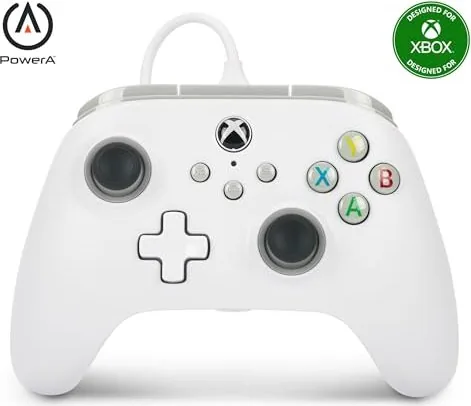
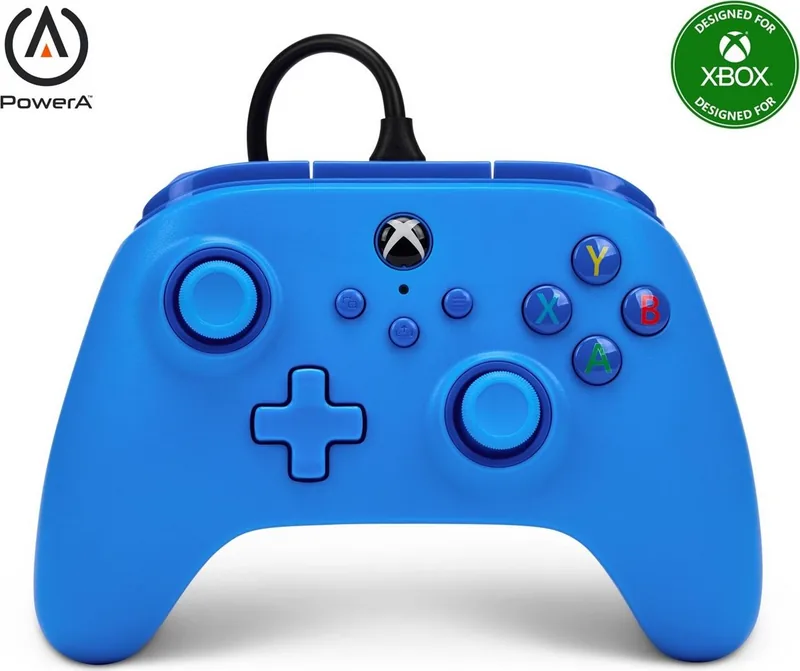
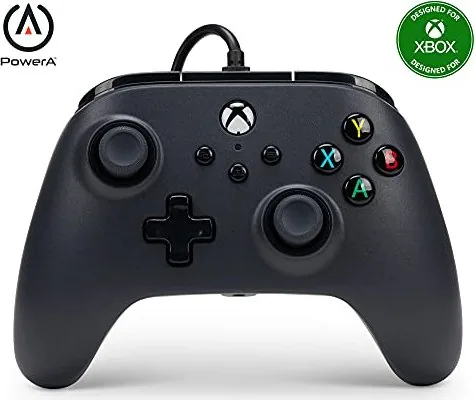
The PowerA Wired Controller for Xbox Series X|S and PC is designed for gamers who demand reliability and precision. This controller features a detachable 10-foot USB-C cable, ensuring you have ample range to move around your living room without being tethered to the console. The connection process is straightforward; simply plug the USB end into an available port on your Xbox console and the USB-C end into the controller. If your console is off, pressing the Xbox button will power it on while establishing a link indicated by the Connection Indicator LED lighting up.

For those who already have their system running, the setup remains equally simple. Just connect the cable to any free USB port and attach the other end to the controller. The illuminated LED confirms a successful connection immediately. While the Share button offers additional functionality, users are encouraged to consult official Xbox documentation for specific details regarding its features. This controller is built to integrate seamlessly with your existing setup, offering a stable wired connection that eliminates lag concerns common in wireless devices.

Safety is a priority during extended gaming sessions. Prolonged play can lead to muscle strain, joint pain, or eye fatigue. To prevent issues like tendinitis or carpal tunnel syndrome, it is recommended to take a 10- to 15-minute break every hour. Parents should monitor children to ensure they adhere to these healthy habits. If symptoms such as tingling, numbness, or stiffness occur, stop playing immediately and rest for several hours before resuming. Persistent discomfort requires medical attention.

This device complies with FCC Rules Part 15 and Industry Canada license-exempt standards. It must not cause harmful interference and must accept any interference received. Modifications not expressly approved by ACCO Brands could void the user's authority to operate the equipment. Backed by a two-year limited warranty against manufacturing defects, this controller stands as a durable choice for serious gamers seeking a consistent performance edge.

M: QW-35-FL

© Copyright 2026 Manual.ly