

Free Growatt Manuals – Read, Download & Print
14 Manuals
Manuals
24 Pages
24 Pages
19 Pages
33 Pages
17 Pages
16 Pages
28 Pages
31 Pages
29 Pages
23 Pages
34 Pages
35 Pages
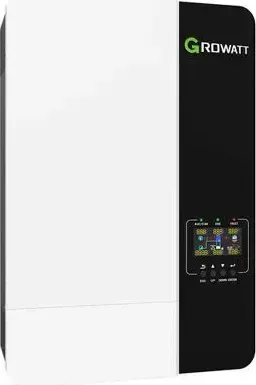
42 Pages
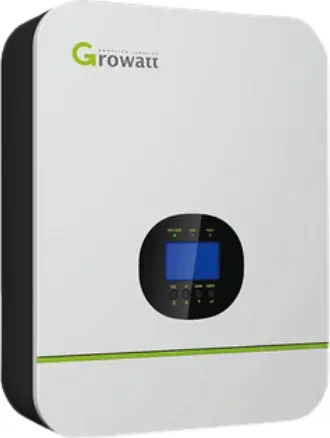
41 Pages
Categories


Free Growatt Manuals - Read, Download & Print
Find the Right Growatt Manual for Your Equipment
Looking for free Growatt manuals? This page helps homeowners, installers, technicians, and solar system operators locate useful documentation for Growatt inverters, batteries, monitoring devices, EV chargers, and related energy products. Whether you need to check a wiring diagram, understand a display message, review startup steps, or print a maintenance reference, the right manual can make daily operation and troubleshooting much easier.
Growatt documentation commonly includes user manuals, installation guides, quick-start instructions, technical data sheets, communication guides, warranty information, and product certificates. Each document is designed for a specific product family and model, so it is important to confirm the exact equipment name before reading, downloading, or printing a file. Product labels usually show the model number, serial number, electrical ratings, and version details needed to identify the correct guide.
Read Growatt Manuals Online
Reading a Growatt manual online is a convenient way to find answers without storing files on your device. Digital manuals allow you to search for terms such as error code, battery connection, grid settings, WiFi setup, export control, shutdown, firmware, or LED indicator. This is especially useful when you need a quick explanation of a warning message or want to verify a setting while standing near your inverter.
Online documentation can help you review the basic functions of solar equipment, including power conversion, battery charging, energy monitoring, backup operation, and system communication. Many manuals also include illustrated menus, connector layouts, status light descriptions, safety notices, and specification tables. Before applying any instructions, compare the images and model references in the document with the equipment installed at your property.
For safety-critical work, do not rely on a general guide alone. Electrical equipment may require a qualified installer or electrician, particularly when working with AC mains wiring, photovoltaic strings, battery cables, grounding, protective devices, or grid connection settings. Manuals provide important reference information, but they do not replace local electrical regulations, site-specific design requirements, or professional assessment.
Download Manuals for Offline Access
Downloading a Growatt manual gives you access when internet service is unavailable or when you need to keep product information with your system records. A saved PDF can be stored on a phone, tablet, computer, or shared maintenance folder. This can be helpful during commissioning, service visits, power outages, equipment inspections, or warranty discussions.
When downloading a manual, use a clear file name that includes the product model and document type. For example, organizing files by inverter, battery, monitoring platform, or charger can prevent confusion later. It is also useful to save the publication date or revision number when it appears in the document. Manufacturers may update manuals as products, firmware, compliance requirements, and installation procedures change.
Keep in mind that similarly named models can have different voltage ranges, ports, operating modes, and regional settings. A manual for one version may not apply to another version in the same product range. Check the model suffix, power rating, phase type, battery compatibility, and country-specific designation before following installation or programming instructions.
Print a Manual for Installation and Maintenance
Printing a Growatt manual can be practical for installers and owners who prefer a paper reference. Printed pages are easy to annotate, place in an equipment folder, or keep near a solar distribution board. A hard copy can also be useful where mobile device use is inconvenient or restricted.
For the best printing results, select the pages most relevant to your task. Common sections worth printing include safety instructions, installation diagrams, terminal descriptions, commissioning checklists, error code tables, shutdown procedures, and contact details. Printing only the necessary pages saves paper while still giving you a reliable reference at the job site.
Use clear print settings for diagrams and tables. Landscape orientation may improve readability for wiring layouts, while color printing can help distinguish labels and warning symbols. If printing a complete manual, consider double-sided printing and bind or file the pages in order. Always retain the original digital copy in case you need searchable text, updated pages, or higher-resolution illustrations.
Types of Growatt Documentation
User Manuals
User manuals explain routine operation for equipment owners. They may describe display screens, buttons, indicator lights, mobile app features, system modes, normal operating behavior, and basic troubleshooting. These guides are useful for understanding how your solar and storage system behaves throughout the day, how battery charging is managed, and what information is available through monitoring tools.
Installation Manuals
Installation manuals are primarily intended for trained professionals. They often cover mounting requirements, cable sizing, torque values, protective devices, ventilation clearances, grounding, PV input limits, battery connections, and grid configuration. Follow these instructions carefully and only when qualified to perform the work. Incorrect installation can cause electric shock, fire, equipment damage, reduced performance, or loss of warranty coverage.
Quick Guides
Quick guides provide concise setup information. They may include a short commissioning sequence, app connection steps, network setup instructions, or basic status indicator information. A quick guide is useful for a fast overview, but it may not include every warning, compatibility note, or fault condition found in the full manual.
Datasheets and Technical Specifications
Technical datasheets summarize performance and physical details. Typical information includes nominal power, maximum input voltage, MPPT range, efficiency, protection rating, dimensions, weight, operating temperature, communication interfaces, and certification standards. These documents help with product comparison, system planning, compatibility checks, and replacement decisions.
Common Information Found in Manuals
Growatt manuals frequently explain LED colors, display icons, alarms, and fault codes. They may describe whether a message relates to the grid, photovoltaic input, insulation resistance, temperature, internal communication, battery status, or external monitoring connection. A code should be interpreted alongside current conditions, system configuration, and the full troubleshooting section in the correct manual.
Documentation may also explain monitoring platforms and communication accessories. Depending on the product, setup can involve WiFi, Ethernet, cellular hardware, Bluetooth, RS485, CAN, or other interfaces. Network names, passwords, firmware versions, and router settings can affect connectivity. Follow the specific instructions for your device rather than using steps intended for a different monitoring module.
Battery documentation deserves particular attention. Storage products have strict requirements for compatible models, communication cables, power cables, protection devices, temperature limits, transport, placement, and startup order. Battery work can involve high DC current and stored energy. Read all warnings and use qualified personnel where required.
How to Identify Your Growatt Model
Before choosing a manual, inspect the equipment label. Record the complete model name, rated output, serial number, and any suffixes. If your system contains multiple components, identify each one separately. A solar installation may include an inverter, battery, smart meter, data logger, transfer device, EV charger, and energy management accessories, each with its own manual.
Also note where the product is installed and which electrical supply it uses. Single-phase and three-phase equipment use different connections and settings. Grid-tied, hybrid, off-grid, and battery-ready systems may look similar but operate differently. Regional variants may also have unique compliance settings that should only be changed by authorized professionals.
Safe Use of Growatt Manuals
Manuals are valuable reference tools, but safe operation starts with following warnings on the equipment and in the documentation. Disconnect procedures, waiting periods, and lockout requirements are important because solar arrays and batteries can remain energized even when an inverter appears to be switched off. Never open covers or touch internal parts unless you are qualified and the manual specifically permits the procedure.
If your system shows repeated faults, unusual noise, burning smells, visible damage, water ingress, overheating, or unexpected shutdowns, stop using the affected equipment where safe to do so and contact a qualified service provider. Do not bypass protective devices or alter electrical settings simply to clear an alarm.
Keep Your Documentation Current
A well-organized collection of Growatt manuals makes ownership, maintenance, and support more straightforward. Save the manuals for every installed component, keep installation records with them, and check for revised documents when equipment is upgraded or replaced. Use the correct manual for your exact model, read safety information before taking action, and print the pages you need for clear, reliable reference when it matters most.
Search for 67,706 Manuals online


Type-in Brand or Model