
Growatt THOR Manual
PDF manual · 24 Pages
English



Quick check
Incorrect answer, please try again.
Chat with your Growatt THOR manual using AI
Get instant AI answers from your Growatt THOR manual
Ask anything about the Growatt THOR. Answers come from this manual, with the pages they are based on.
Ask a Question
Do you recommend THOR?
Yes NoFrequently Asked Questions
Installation can be done on a wall or pole using the included mounting bracket. You must drill holes, fix expansion bolts, and crimp insulated ferrules on AC input wires. Connect wires to the terminal block and close the side window. Ensure waterproof glands are used for communication wires to protect against moisture. Detailed wiring steps are provided in the documentation.
Is this answer helpful?
Yes, the PV Linkage Mode allows your EV to charge dynamically with surplus solar power. This function connects the PV system to the EV charger to maximize self-consumption. You will need an external current sensing device like a CT or meter for this to work properly. The system will switch to grid power if solar is insufficient unless disabled.
Is this answer helpful?
The device supports diversified communication options including wired Ethernet, WIFI, and 4G. WIFI configuration requires a 2.4GHz network. You can configure the network via the Mobile phone APP by selecting WiFi or Network Cable options. For 4G models, you can skip network configuration during the initial setup process if preferred.
Is this answer helpful?
Users can troubleshoot by checking the LED behavior or LCD display. Each fault is indicated with a sequence of different numbers of LED blinks. A pause of 3 seconds between sequences indicates the beginning or end. If multiple faults occur, they show in chronological order. Contact your service engineer if the fault persists after checking these codes.
Is this answer helpful?
The device supports various modes like Time Reservation and Charging Budget Reservation. Users can set target capacity (kWh) or maximum current output via the settings page. Maximum output current can be limited to ensure safety or compliance with local regulations. Fast Mode allows charging at maximum power when needed for quick top-ups.
Is this answer helpful?
Users must register an account before using the APP. Fill in account information including username, password, and email. You need to add a plant with details like installation date and national city. Then click add device, select the plant, and connect to the charger ID or QR code. Ensure the app server region matches your location for connectivity.
Is this answer helpful?
The charger includes Over voltage, Under voltage, Over current, and Short circuit protections. It also features DC leakage current detection and over temperature protection. An emergency stop button is available for forced on/off control. The casing is IP65 rated for weather resistance. Lightning protection is Type II standard compliant.
Is this answer helpful?
Advantages and Disadvantages
Advantages

- Support multiple connectivity options including wired Ethernet, WIFI, and 4G for back-office server connection.
- Integrates seamlessly with PV systems to maximize solar self-consumption using PV Linkage Mode.
- Offers Load Balancing function to adjust charging power dynamically based on home power limits.
- Includes multiple charging activation methods such as APP, RFID, and Plug and Charge capabilities.
- Features IP65 waterproof rating ensuring protection against dust and water jets from all directions.
Disadvantages

- Requires plant creation in the APP before adding the EV Charger device for management.
- WiFi configuration is limited to 2.4GHz networks which may not be available in all modern routers.
- External CT or meter wiring is mandatory for monitoring functions like PV Linkage.
- Default WiFi password is simple and must be changed immediately after setup for security.
- Charging rates require manual input before enabling Off-Peak modes for accurate billing.
Product Specification
Number of Charging Points
1
Charging Mode
IEC 61851-1 (Mode 3)
Connector Type
Type 2
Mounting
Wall Mounting
Interfaces
LTE, RJ-45, Wi-Fi (WLAN)
Ingress Protection
IP65
Product Description
Experience Seamless Power with Growatt
Intelligent Charging Solutions
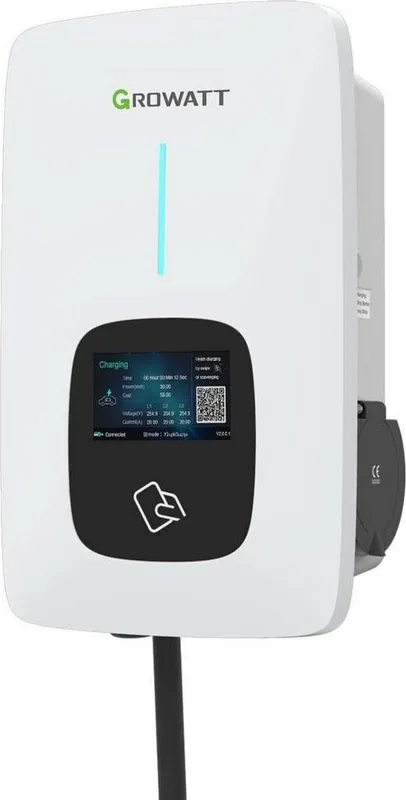
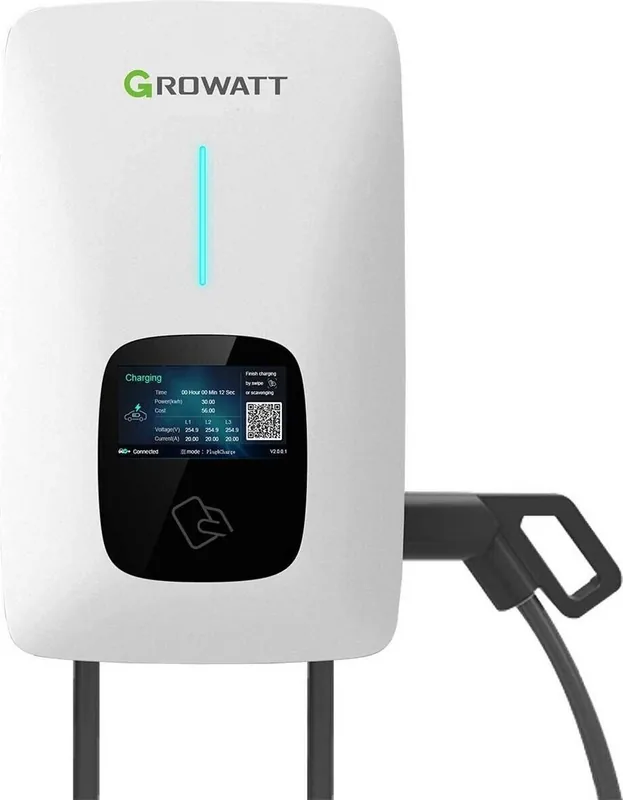
The Growatt THOR represents a significant leap forward in electric vehicle infrastructure. Designed for single-phase AC charging, this intelligent pile uses professional and advanced technology to supply energy efficiently. It features a friendly man-machine interface alongside versatile functions of control, billing, and communication. Users can connect to a back-office server to realize reservation and payment functions via the Mobile phone APP. Diversified communication options include wired Ethernet, WIFI, and 4G capabilities for seamless back-office server connection. The Growatt THOR Manual provides detailed steps for setup and configuration.
Advanced Energy Management
Integrating renewable energy is now effortless with the PV Linkage Mode. Driven by solar, your charge car can use surplus solar power dynamically. This combines PV and EV charger together to maximize the solar self-consumption rate and cut your bill. When power imports from the grid are disabled, the EV charges only by surplus solar. However, enabling power import allows the charger to offset shortages during low solar production. Load balancing functions allow the charger to read incoming power and adjust dynamically to avoid exceeding limited points. This ensures the home power limit is not triggered.
Operational Flexibility
Users can set charging activation ways like APP, RFID, or plug and charge. Fast Mode allows charging at maximum power from renewable sources or the grid. Time Reservation enables setting start times and durations, while Charging Capacity Reservation lets users set target kWh targets. Off-Peak modes automatically charge during low-rate times to reduce bills. Smart Boost functions ensure battery capacity is guaranteed before a set pick-up time even if solar energy is low. Manual boost functions allow for quick charging if energy is needed for short trips immediately.
Robust Installation and Safety
Installation supports both wall and pole mounting. Waterproof cable glands secure communication and AC input wires. The casing is made of stainless steel and engineering plastics with tempered glass. Over voltage, under voltage, and short circuit protections are built-in. The device withstands temperatures from twenty to fifty degrees Celsius. Backup power consumption is minimal at under 8 watts standby. The LED indicator provides visual feedback during charging status and faults. Dimensions are 240 by 380 by 164 millimeters and weight is under 7 kilograms. The ShinePhone application platform is available for both Android and iOS devices. Configuration includes setting the charging rates and allowing specific charging times to manage energy costs. Users can also enable breathing light brightness to adjust the visual indicator status visibility at night.
Important Notes
- 2.4GHz WiFi is required for configuration.
- External CT or meter needed for PV linkage.
- Default WiFi password must be changed for security.
- Growatt THOR Manual covers troubleshooting for LED faults.
- Reserve plant details before adding devices in the app.
- Charging rates must be input manually for Off-Peak mode.
- Maximum output current can be limited via settings.
- Contact customer service for specific fault codes on LCD.
- Register an account to plant details like installation date.
- The system distinguishes between Household and Commercial plants.
- Wiring definition for CT and meter terminal block ensures accuracy.
- The emergency stop button provides immediate safety intervention.
Search for 67,706 Manuals online


Type-in Brand or Model