
Worx WX272.9 Manual
PDF manual · 112 Pages
English



Quick check
Incorrect answer, please try again.
Chat with your Worx WX272.9 manual using AI
Get instant AI answers from your Worx WX272.9 manual
Ask anything about the Worx WX272.9. Answers come from this manual, with the pages they are based on.
WX272.9 Maintenance Schedule
Verify the battery pack is charged and in good condition before using the tool.
Keep motor ventilation slots clean and free of dust to prevent overheating.
Clean the tool body with a dry cloth. Never use water or chemical cleaners.
If stored for extended periods, charge and discharge the battery several times to restore maximum performance.
Ask a Question
Do you recommend WX272.9?
Yes NoFrequently Asked Questions
No, use batteries specifically designated for this equipment. Using other battery packs may create a risk of injury and fire. Recharge only with chargers specified by Worx to maintain safety standards.
Is this answer helpful?
The tool delivers a max torque of 300 Nm. This allows for effective tightening and loosening of various threaded fasteners safely and efficiently during operation.
Is this answer helpful?
No, this is the tool only version. It does not include a battery pack or charger. You need to purchase them separately or own compatible ones already.
Is this answer helpful?
Set the direction of rotation selector in the OFF position to lock the switch trigger. Ensure the switch is off before connecting to a power source or battery pack.
Is this answer helpful?
No. This tool is intended for fastening and loosening bolts, nuts, and threaded fasteners and is not intended for use as a drill or boring.
Is this answer helpful?
Advantages and Disadvantages
Advantages

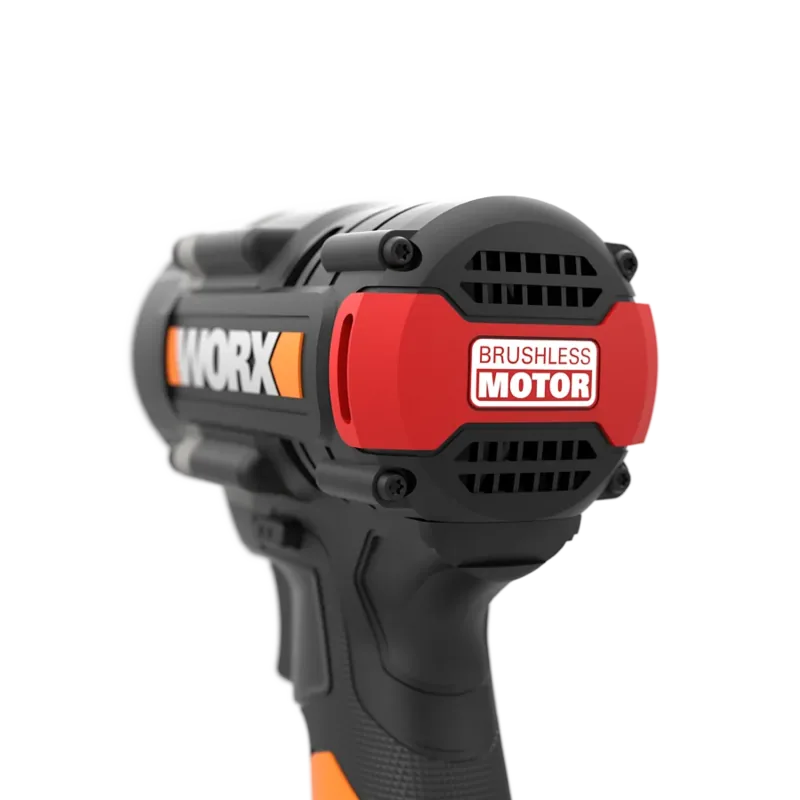
- Brushless motor ensures longer life and higher efficiency for demanding tasks.
- Compatible with Worx PowerShare 20V battery system for tool versatility.
- Max torque of 300 Nm provides power for heavy-duty fastening safely.
Disadvantages

- Does not include battery or charger, sold as tool only for purchase.
- Vibrations might be present during high torque operations requiring care.
- Socket size is fixed at 1/2 inch which may limit access in tight spaces.
Product Specification
Type
Impact Wrench
Battery
20V, Li-Ion
No-load speed
0-1,300/0-2,200/0-2,900 RPM
No-load impact rate
0-2,000/0-3,200/0-4,000 /min
Torque
max. 221.27 ft-lb
Tool retention
1/2" Square Drive
Features
Forward/Reverse, Variable Speed, Variable Impact, Multi-gear, LED Work Light, Soft Grip, Brushless Motor, Belt Clip
Weight
2.43 lbs (without battery)
Package contents
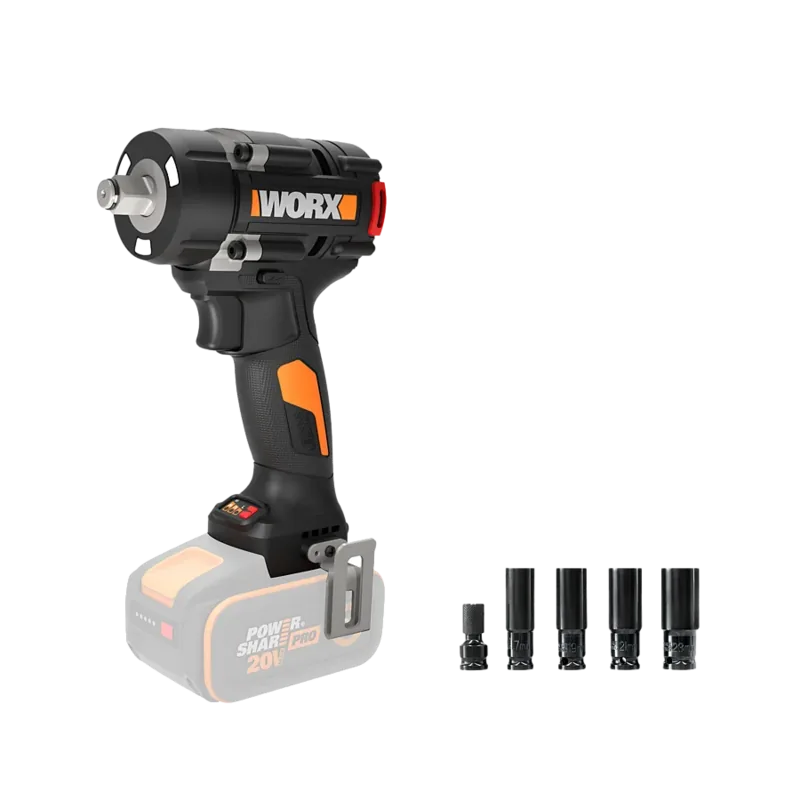
Without charger and battery
Product Description
Mastering Repairs with Worx WX272.9
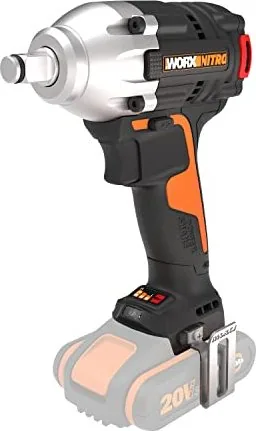
The Worx WX272.9 Nitro 20V PowerShare Cordless Impact Wrench is a powerhouse tool for professionals and DIY enthusiasts alike. Designed for high performance without the constraints of a cord, this brushless motor ensures efficiency and longevity. Operating at a maximum voltage of 20V, it delivers a torque of up to 300 Nm, making it suitable for tough bolts and nuts. The variable speed control allows precise operation ranging from 0 to 1300 RPM, up to 2900 RPM, depending on the setting. This flexibility is essential for delicate tasks or heavy-duty loosening.
Using the manual is crucial to understanding the safety and operational nuances. The tool features a forward and reverse rotation switch with a central lock to prevent accidental starting. Safety warnings emphasize keeping the work area clean and wearing protective equipment like eye protection. Users must read the instruction manual carefully before assembly. The LED light aids visibility in dimly lit areas, automatically turning off after 20 seconds. Battery protection systems prevent overheating or overload, cutting power if necessary. Always store the tool in a dry place. Ensure the battery is removed during maintenance. The manual provides troubleshooting steps, such as ensuring the battery fits correctly in the charger.
This impact wrench is part of the PowerShare system, meaning batteries can be interchanged with other 20V Worx tools. It weighs only 1.1 kg, offering portability. The 1/2 inch chuck accepts standard impact sockets. Noise levels are manageable at 85 dB(A). Vibration values are calculated according to standard EN 62841, so users should manage exposure.
For those considering this tool, adhering to the guidelines in the instruction manual is vital for safety. The manual details specific safety warnings regarding electrical shock and battery care. It is recommended to purchase accessories from the same provider. Proper handling extends the life of both the tool and the battery. Regular checks on accessories and the battery are advised. Do not expose the tool to rain. Keep handles dry. Always use the correct battery pack. When charging, stay within the 0 to 40 degree Celsius range. This ensures optimal performance and safety during your projects.
The PowerShare system includes various battery models like the WA3553 which offers 4.0Ah capacity. This allows for extended running time during demanding applications. It is essential to recharge only with the charger specified by the manufacturer. This ensures optimal performance and safety while using the tool. Whether you are a mechanic or a home repairer, understanding the manual provides the best performance for your mechanical tasks.
Search for 67,706 Manuals online


Type-in Brand or Model