
Worx WX261.9 Manual
PDF manual · 128 Pages
English



Quick check
Incorrect answer, please try again.
Chat with your Worx WX261.9 manual using AI
Get instant AI answers from your Worx WX261.9 manual
Ask anything about the Worx WX261.9. Answers come from this manual, with the pages they are based on.
WX261.9 Maintenance Schedule
Always remove the battery pack from the tool before performing any adjustment, servicing or maintenance tasks.
Never use water or chemical cleaners. Wipe clean with a dry cloth to remove dust and debris.
Ensure motor ventilation slots are kept free of dust to prevent overheating and ensure proper operation.
Ask a Question
Do you recommend WX261.9?
Yes NoFrequently Asked Questions
The WX261.9 Nitro delivers up to 260 Nm of maximum torque, making it suitable for heavy fastening and loosening tasks when paired with an appropriate Worx 20V battery.
Is this answer helpful?
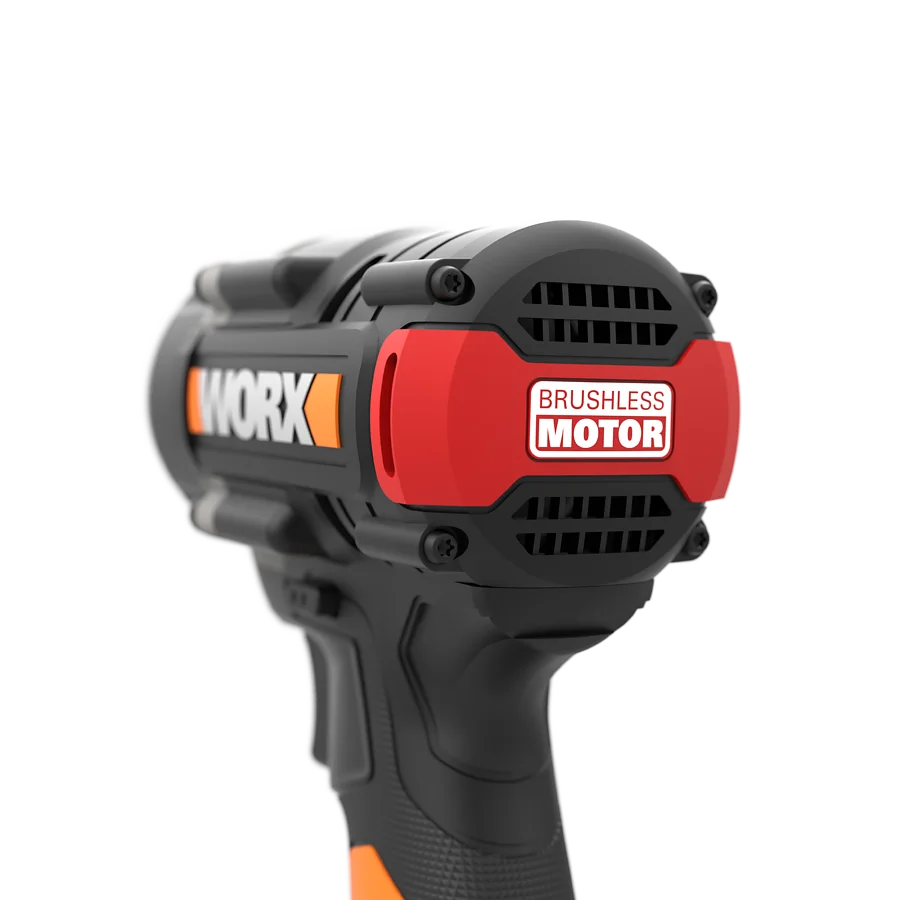
Yes — it uses a brushless motor, which provides greater efficiency, longer motor life, less maintenance, and often improved runtime compared with brushed motors.
Is this answer helpful?
The tool has overload, overheat and low-battery protection systems that flash the LED and cut power to protect the motor and battery. It also features a forward/reverse lock, ventilation slots, and safety guidance for battery handling and disposal.
Is this answer helpful?
The WX261.9 is part of Worx 20V PowerShare; compatible battery models range from 1.5 Ah to 6.0 Ah (e.g., WA3550–WA3641) and chargers from 0.4A to 4.0A. Use only Worx-specified batteries and chargers for safety and warranty compliance.
Is this answer helpful?
The tool offers three variable speed ranges: approx. 0–900, 0–2400 and 0–3000 rpm, with corresponding impact rates up to ~4000 bpm on the highest setting. A red button selects the speed level and illuminates the active setting.
Is this answer helpful?
Remove the battery before maintenance, keep ventilation slots clean, wipe with a dry cloth (no water or chemical cleaners), store in a dry place, and follow proper charging cycles. Brushless design minimizes routine maintenance.
Is this answer helpful?
A quickly flashing LED indicates the protection system triggered (overload, overheating or low battery), which cuts power to protect components. Release the trigger, address the cause (cool down, reduce load, recharge) and resume when safe.
Is this answer helpful?
Advantages and Disadvantages
Advantages

- Brushless motor for better efficiency, reduced maintenance and longer life.
- High max torque (260 Nm) suitable for heavy fastening tasks.
- Three-speed variable control for precision and task flexibility.
- Lightweight bare tool (1.1 kg) with soft-grip handle and hanging hook for comfort and portability.
- Integrated protections (overload, overheat, low battery) and LED work light for safe operation.
Disadvantages

- Declared vibration level (ah ≈ 7.446 m/s²) may require anti-vibration measures for prolonged use.
- Noise level (LpA ≈ 83.6 dB(A)) necessitates hearing protection during operation.
- Tool is not intended or optimized for drilling — limited to fastening applications.
- Battery and charger must be Worx-specified; third-party chargers not supported.
- Bare tool sold solo — batteries and charger are additional purchases for full use.
Product Specification
Type
Impact Wrench
Battery
20V, Li-ion
No-load Speed
0-900/0-2400/0-3000/min
No-load Impact Rate
0-1200/0-3300/0-4000/min
Torque
max. 191.76 ft-lb
Tool Holder
1/4" Bit Holder
Features
Forward/Reverse Rotation, Speed Control, Impact Rate Control, Multi-speed, LED Work Light, Softgrip, Brushless Motor, Belt Clip
Weight
2.43 lb (without battery)
Scope of Delivery
without charger and battery
Product Description
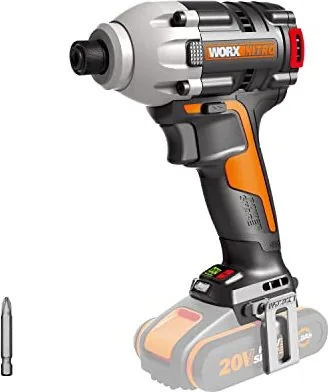
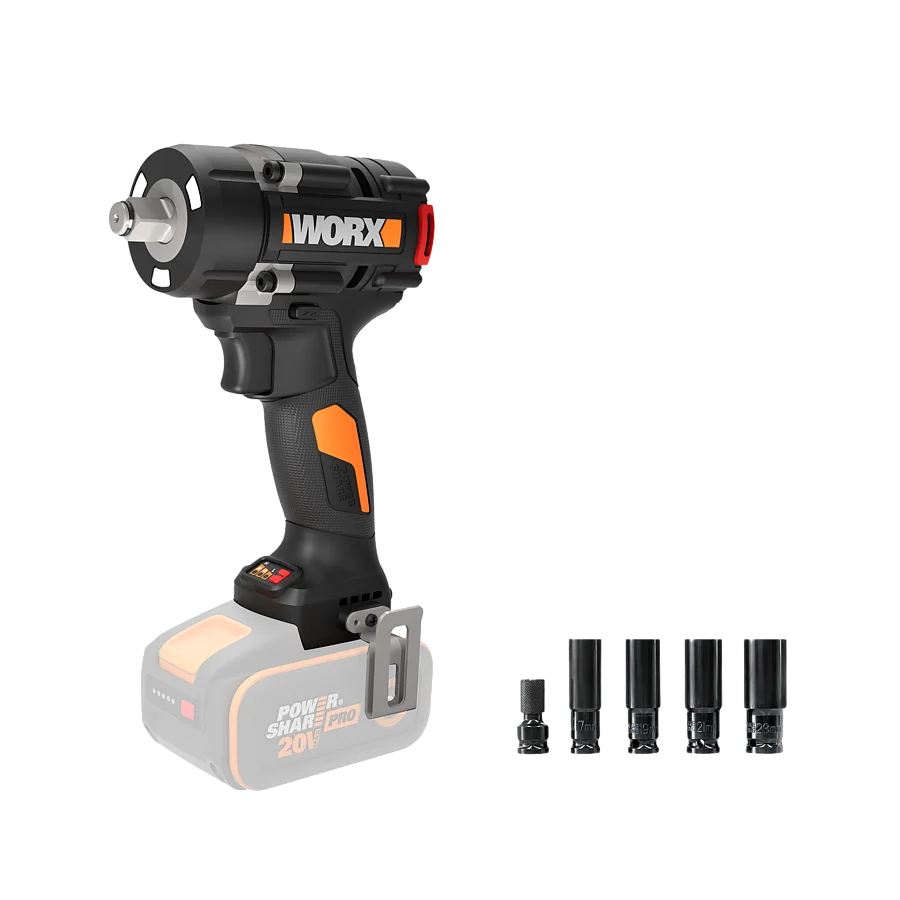
Worx WX261.9 Nitro 20V PowerShare Cordless Impact Wrench solo Manual
The Worx WX261.9 Nitro 20V PowerShare Cordless Impact Wrench is a compact, brushless cordless impact driver built for fastening and loosening bolts, nuts and a variety of threaded fasteners. Powered by the 20V PowerShare system (nominally 18V, measured up to 20V), this lightweight 1.1 kg bare tool delivers up to 260 Nm of maximum torque and three variable speed ranges to match tasks from light screwdriving to heavy-duty fastening.
Equipped with a brushless motor for improved efficiency and longer life, the WX261.9 offers step-selectable no-load speeds (approx. 0–900, 0–2400, 0–3000 rpm) and corresponding impact rates for precise control. A variable 3-speed selector and a soft-grip handle let users dial in performance for different materials and fasteners. The tool accepts 6.35 mm (1/4") bits and includes features such as an LED work light, forward/reverse control with lock, a bit clip and hook for convenience, and a battery capacity indicator when paired with compatible Worx batteries.
Safety and durability are central: the wrench includes multiple protection systems that cut power under overload, overheating, or low battery conditions. Acoustic and vibration emissions are specified (LpA ≈ 83.6 dB(A); declared vibration ah ≈ 7.446 m/s²), so hearing protection and anti-vibration practices are advised for extended use. The manual stresses routine checks, correct battery charging (use only Worx chargers), safe battery handling, and proper disposal/recycling of batteries and electrical waste.
Maintenance is minimal — the brushless design reduces upkeep — but users should keep ventilation slots clean, avoid water or chemical cleaners, and remove the battery before any servicing. The tool is intended for fastening tasks only, not as a drill. A clear troubleshooting section covers common issues like charging orientation, reduced runtime, and protective shutdown behaviors.
Notes:
- Compatible batteries and chargers are listed for capacity choices (1.5Ah–6.0Ah) and chargers (0.4A–4.0A). Use only specified Worx chargers and batteries.
- The tool features thermal and overload protection that will flash the LED and cut power if limits are exceeded; allow cooling before restarting.
- Observe recommended temperature ranges for operation and charging (use/storage: 0°C–45°C; charging: 0°C–40°C).
Search for 67,706 Manuals online


Type-in Brand or Model