
Worx WX101 Manual
PDF manual · 124 Pages
English



Quick check
Incorrect answer, please try again.
Chat with your Worx WX101 manual using AI
Get instant AI answers from your Worx WX101 manual
Ask anything about the Worx WX101. Answers come from this manual, with the pages they are based on.
WX101 Maintenance Schedule
Keep the motor ventilation slots clean and free of dust to ensure proper operation.
Keep all working controls free of dust and debris.
Ask a Question
Do you recommend WX101?
Yes NoFrequently Asked Questions
It is designed for driving and loosening screws, plus drilling in wood, metal, and plastic. It is a practical cordless option for home repairs, furniture assembly, and general DIY work.
Is this answer helpful?
It offers up to 30 N.m of max torque and two speed ranges up to 1450 rpm. That gives you a good balance of control for screws and speed for drilling lighter materials.
Is this answer helpful?
Yes. The 10 mm keyless chuck lets you swap bits quickly without extra tools. That is especially helpful when moving between drilling and screwdriving tasks.
Is this answer helpful?
The 15 torque settings help you adjust driving force for different screws and materials, while the extra drill mode is used for drilling without clutch limitation.
Is this answer helpful?
It is designed with a soft grip handle and a compact body, which improves comfort and control. Its light bare-tool weight also helps reduce fatigue during short and medium jobs.
Is this answer helpful?
The built-in protection system can cut power if the tool is overloaded, overheated, or the battery voltage gets too low. This helps protect the tool and extend battery life.
Is this answer helpful?
Advantages and Disadvantages
Advantages

- Compact 0.9 kg design makes handling easier for everyday DIY tasks.
- Two-speed gearbox supports both controlled screwdriving and faster drilling.
- 15+1 clutch settings help fine-tune torque for different materials and fasteners.
- LED light improves visibility in darker work areas and tight spots.
Disadvantages

- 10 mm chuck and 30 N.m torque limit it to light and medium-duty jobs.
- Bare-tool weight excludes battery, so total weight will be higher in real use.
- Not intended for masonry or heavy industrial drilling tasks.
Product Specification
Type
Drill Driver
No-load speed
0-400/0-1450/min
Drilling capacity
Wood 1.00 in, Steel 0.39 in
Torque
22.13 lb-ft, 15 stages (15+1)
Chuck type
0.39 in keyless chuck
Features
Forward/reverse, Speed control, Multiple gears, Torque preselection, LED work light, Soft grip
Product Description
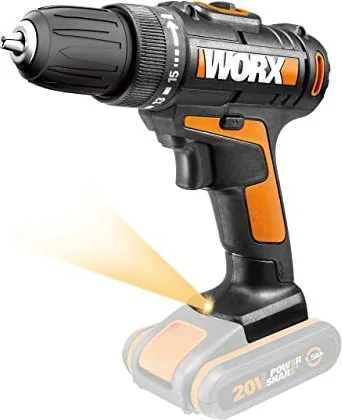
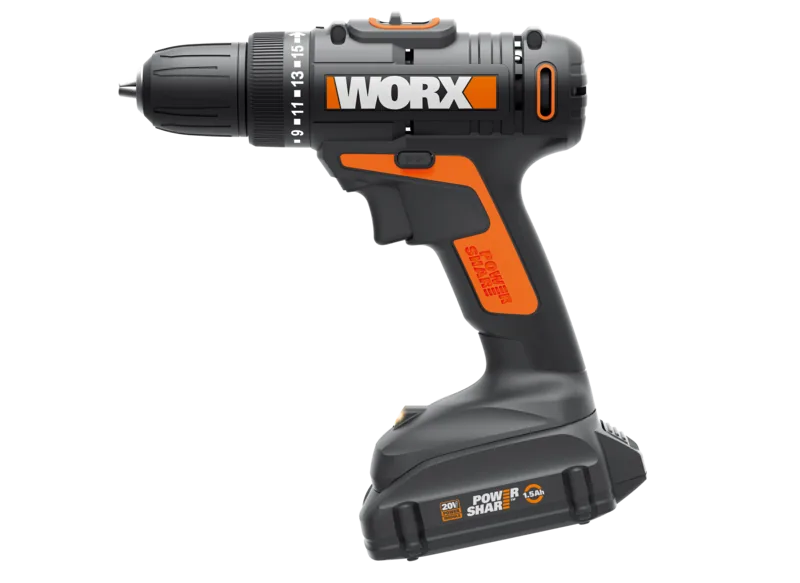
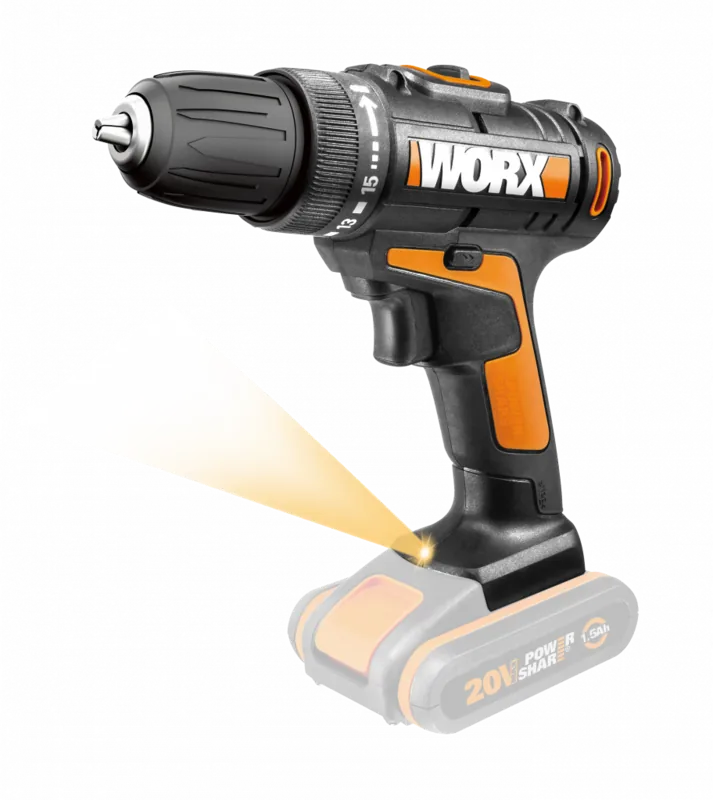
Worx WX101 20V PowerShare Cordless Drill Driver
The Worx WX101 20V PowerShare Cordless Drill Driver is built for everyday tasks that call for control, convenience, and dependable power. Designed for drilling and screwdriving in wood, metal, and plastic, it brings a practical mix of compact size and capable performance to home projects, repairs, and light workshop use.
At the heart of this tool is a 20V Max battery platform paired with two-speed gearing, delivering up to 1450 rpm for faster drilling and a lower range for more precise screw driving. The 15+1 clutch settings help you match torque to the task, while the 30 N.m max torque gives extra confidence when working with tougher fasteners. A 10 mm keyless chuck makes bit changes quick and simple, and the forward/reverse control keeps switching between driving and removing screws straightforward.
The WX101 also focuses on comfort and usability. Its soft grip handle improves handling during longer jobs, and the built-in LED light is useful when working in dim corners, cabinets, or tight spaces. Weighing just 0.9 kg as a bare tool, it feels easy to manage overhead or one-handed in short bursts, making it a good fit for users who want a drill that stays maneuverable without feeling underpowered.
One of the most useful aspects of this model is its battery protection system. The tool is designed to cut power in overload, overheating, or low-voltage situations, helping protect the battery and extend service life. That makes it a thoughtful choice for users who value both performance and durability. It also fits into the broader Worx PowerShare family, which is a plus for anyone already using compatible batteries and chargers.
Why it stands out
The Worx WX101 feels like a balanced cordless drill driver rather than a heavy-duty specialist. It is best suited to common household drilling and fastening, where ease of use, decent torque, and portability matter most. The combination of a compact body, simple controls, and practical safety features makes it approachable for beginners, while still useful for experienced DIY users.
Notes
- Best for wood, metal, plastic, and general screwdriving
- Use the correct torque setting for cleaner results
- Let the chuck stop fully before changing speed or direction
- Keep the battery charged and dry for longer life
- Ear and eye protection are recommended during use
Search for 67,706 Manuals online


Type-in Brand or Model