

Free Streamplify Manuals – Read, Download & Print
2 Manuals
Manuals
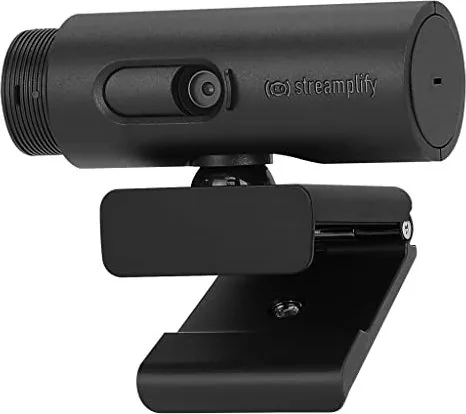
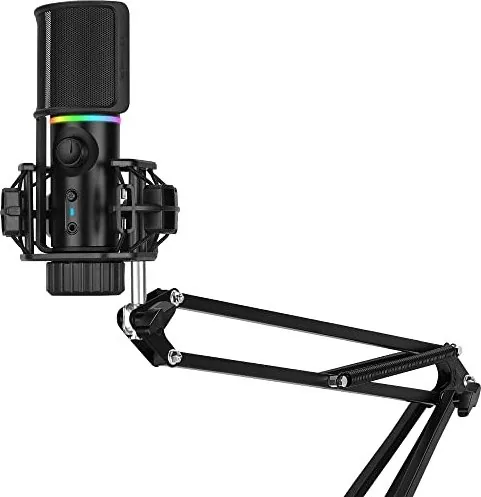
Categories


Free Streamplify Manuals - Read, Download & Print
Find the Right Streamplify Manual
Looking for a clear guide to your Streamplify equipment? This page helps users find free Streamplify manuals for reading online, downloading as a file, or printing for convenient offline reference. Whether you use a webcam, microphone, ring light, monitor mount, streaming controller, green screen, or another Streamplify accessory, the correct manual can make setup and daily operation much easier.
Product manuals provide useful details that may not be obvious from the packaging. They can explain package contents, component names, cable connections, mounting instructions, software requirements, safety information, supported functions, maintenance guidance, and troubleshooting steps. Keeping a copy of the manual nearby is especially helpful when building or updating a streaming, gaming, video conferencing, or content creation workspace.
Read Streamplify Manuals Online
Reading a Streamplify manual online is a fast way to access important product information without saving files to your device. Online manuals are useful when you need an immediate answer during installation, want to review specifications before using a feature, or need to check a diagram while adjusting your setup.
Digital manuals typically include the same core information as the printed documentation supplied with a product. Depending on the model, you may find sections covering:
- Product overview and included accessories
- Hardware buttons, ports, controls, and indicator lights
- Initial installation and connection instructions
- Desktop placement, clamp mounting, or arm mounting guidance
- Software installation and configuration notes
- Recommended operating conditions
- Cleaning and maintenance instructions
- Safety warnings and disposal information
- Common problems and possible solutions
Online viewing is also practical for searching within a document. Instead of scanning every page manually, use the search function in your browser or PDF viewer to look for terms such as "USB," "mount," "firmware," "lighting," "audio," "driver," or "troubleshooting." This can save time when you only need one specific instruction.
Download Free Streamplify Manuals
Downloading a Streamplify manual gives you access to product instructions even when an internet connection is unavailable. A saved PDF can be stored on a computer, tablet, phone, cloud drive, or external storage device, making it easy to consult while traveling, moving equipment between rooms, or setting up at an event.
Before downloading, confirm that the manual matches the exact Streamplify model you own. Products with similar names may have different ports, mounting systems, controls, dimensions, or software options. Check the model number on the product label, retail box, order confirmation, or original documentation. Choosing the correct version helps prevent incorrect installation and ensures that the listed information applies to your device.
A downloaded manual is also useful for creating a personal equipment library. Streamers and creators often use multiple devices at once, including cameras, microphones, lighting, mounts, and control hardware. Saving manuals in clearly named folders can make future upgrades, cable changes, and troubleshooting much simpler.
Print Manuals for Easy Reference
Printing a Streamplify manual is a practical option for users who prefer paper instructions. A printed copy can be kept at a desk, in a studio drawer, with original product packaging, or in a folder containing setup notes and warranty records. Paper manuals are easy to mark with reminders, cable labels, preferred settings, and dates of firmware or software updates.
To reduce paper use, consider printing only the pages you need most. Installation diagrams, safety instructions, button layouts, connection charts, and troubleshooting tables are often the most useful pages to keep on hand. You can also print in grayscale or use double-sided printing when color is not necessary for understanding the content.
If you are setting up a shared recording room, gaming station, classroom, or office, a printed manual can help other users operate equipment correctly. It provides a quick reference without requiring anyone to search for files or log into an account.
What to Check Before Setup
Before connecting any Streamplify product, take a few minutes to review the manual and prepare your workspace. Verify that all listed accessories are present and inspect cables, mounts, adapters, and connectors for visible damage. Place the equipment on a stable surface and make sure there is enough room for proper positioning and cable routing.
For USB devices, check whether the manual recommends connecting directly to a computer port rather than through an unpowered hub. For mounted accessories, review the supported desk thickness, weight limits, clamp position, and tightening method. For lights and cameras, plan the placement carefully to avoid glare, unstable angles, blocked vents, or strain on cables.
If the product uses companion software, confirm the supported operating system and any required permissions before starting. Installing the latest available software or firmware can improve compatibility and provide access to current features. Follow the manual's instructions in order and avoid disconnecting a device during a firmware update unless the documentation specifically directs you to do so.
Helpful Manual Sections for Streamers and Creators
Streamplify manuals can be especially valuable when fine-tuning equipment for better video, audio, and workflow control. A webcam manual may explain focus behavior, privacy features, supported resolutions, frame rate options, and USB connection requirements. A microphone guide may cover pickup patterns, gain adjustment, mute controls, headphone monitoring, shock mount installation, and recommended distance from the speaker.
Lighting manuals can help users identify control functions, color temperature settings, brightness levels, power requirements, and safe mounting positions. For monitor arms, mounts, and other support equipment, the manual may list load limits, VESA compatibility, assembly steps, balance adjustments, and cable management suggestions.
Do not rely only on general advice from unrelated products. Manual instructions are specific to the design of each model and should be the first reference for installation, adjustment, and care.
Troubleshooting With Your Streamplify Manual
A manual is often the best first resource when a device does not work as expected. Many common issues can be resolved by checking a cable connection, selecting the correct input device, changing an application permission, restarting software, or reviewing the installation sequence.
When troubleshooting, begin with the basic checks listed in the documentation. Make sure the product is connected securely, the computer recognizes the device, and the correct audio or video source is selected in the application you are using. Test the product with another compatible port or program if appropriate. Review any indicator lights or on-screen messages described in the manual.
For mounting products, inspect whether all fasteners are tightened correctly and whether the supported weight limit has been observed. For lighting and audio equipment, verify power connections and control settings before assuming the device is faulty. If a problem continues after following the manual, contact Streamplify support or the retailer with the exact model number, purchase details, and a clear description of the issue.
Keep Your Manual Up to Date
Product documentation can change as software, firmware, accessories, and compatibility information evolve. When available, use the latest manual for your specific Streamplify model. It may contain revised setup directions, new feature descriptions, updated system requirements, or additional troubleshooting advice.
Store the manual with your proof of purchase and note the product serial number in a secure location. This information can be useful for support requests, warranty questions, replacement parts, or future resale. By reading, downloading, or printing the right Streamplify manual, you can set up your gear with confidence and keep your streaming workspace organized, reliable, and ready to create.
Search for 67,732 Manuals online


Type-in Brand or Model