
PowerWalker VFI ICR IoT Manual
PDF manual · 62 Pages
English



Quick check
Incorrect answer, please try again.
Chat with your PowerWalker VFI ICR IoT manual using AI
Get instant AI answers from your PowerWalker VFI ICR IoT manual
Ask anything about the PowerWalker VFI ICR IoT. Answers come from this manual, with the pages they are based on.
VFI ICR IoT Maintenance Schedule
If the UPS is stored for a long period, energize it for 24 hours at least once every 6 months to charge the battery and avoid irreversible damage.
Connect the UPS to utility power every 6 months to recharge the battery. Allow batteries to charge for 48 hours after long-term storage.
Batteries are rated for a 3-5 year service life. Replace batteries at least every 4 years to keep units running at peak efficiency.
Keep the area around the equipment clean and dust free. If the atmosphere is very dusty, clean the outside of the system with a vacuum cleaner.
Free maintenance reminders
Timed to your purchase date. Always free, unsubscribe anytime.
Ask a Question
Do you recommend VFI ICR IoT?
Yes NoFrequently Asked Questions
It is designed to protect connected equipment from power outages, brownouts, surges, voltage sags, high-voltage spikes, electrical noise, frequency fluctuations, switching transients, and harmonic distortion.
Is this answer helpful?
The range includes 10 kVA/10 kW, 15 kVA/15 kW, and 20 kVA/20 kW models. Each model has an output power factor of 1, enabling the rated kW output.
Is this answer helpful?
Yes. It supports 3-3, 3-1, and 1-1 operating modes. The default configuration is 3-3, and the installation must be configured to match the actual electrical wiring.
Is this answer helpful?
Yes. Integrated Ethernet supports IoT monitoring through the WinPower View app. Optional wireless connectivity is available, and Modbus TCP plus optional network and interface cards support wider system integration.
Is this answer helpful?
Yes. Long-runtime models support external battery modules. Depending on the model, multiple battery cabinets can be connected to increase available runtime, subject to the stated configuration limits.
Is this answer helpful?
Yes. When configured with the parallel function, up to three compatible UPS units can be connected for increased capacity or redundancy. Parallel installation requires correct signal and power cabling.
Is this answer helpful?
Advantages and Disadvantages
Advantages

- Online double-conversion design supplies pure sine wave power with zero transfer time to battery operation.
- Output power factor of 1 provides full usable kW capacity across 10 kVA, 15 kVA, and 20 kVA models.
- Supports 3-3, 3-1, and 1-1 input/output configurations for flexible deployment.
- IoT-ready Ethernet, optional Wi-Fi, touch LCD, USB, RS232, and Modbus TCP support monitoring and control.
- External battery modules and parallel operation of up to three UPS units support longer runtime and redundancy.
Disadvantages

- Installation, wiring, grounding, and servicing require qualified electrical personnel.
- High-capacity tower units are heavy and require at least two people for handling.
- Optional Wi-Fi, smart cards, maintenance bypass equipment, and some parallel features may require extra purchases.
- Category C3 equipment may cause radio interference in residential environments.
- Battery life is temperature and usage dependent, with replacement recommended at regular intervals.
Product Specification
Type
Rackmount
Classification
VFI (On-Line)
Voltage
230 V
Interfaces
USB, serial, LAN
Data line protection
N/A
Charging time
3 hr (90%)
Rack units
2U
Special features
LCD, HID support
Product Description
BlueWalker PowerWalker VFI ICR IoT UPS/USV - Read, Download & Print Free
The BlueWalker PowerWalker VFI ICR IoT UPS/USV is a professional uninterrupted power supply designed to protect critical equipment from outages, voltage dips, surges, frequency changes, electrical noise, and harmonic distortion. Built for demanding business, IT, industrial, and infrastructure environments, it combines online double-conversion technology with a pure sine wave output for dependable power quality.
Available in 10 kVA, 15 kVA, and 20 kVA capacities, this UPS range delivers an output power factor of 1, allowing connected systems to use the full rated kW capacity. It supports flexible electrical configurations, including 3-3, 3-1, and 1-1 operating modes. This versatility helps organizations adapt the UPS to existing power infrastructure while supporting future changes in installation requirements.
Reliable Power and Battery Flexibility
The VFI design provides zero transfer time between utility and battery operation, helping sensitive loads remain powered during mains disturbances. The UPS can also start without a battery where utility power is available. Intelligent charging, adjustable charging current up to 13 A, battery auto-testing, and low-battery protection support effective battery management.
Models are available with internal batteries or as long-runtime versions for external battery modules. Compatible external battery cabinets can extend backup time, while automatic battery-module detection simplifies configuration. Tower and rack-tower formats provide additional flexibility for floor installations, technical rooms, and 19-inch racks.
Monitoring and Control
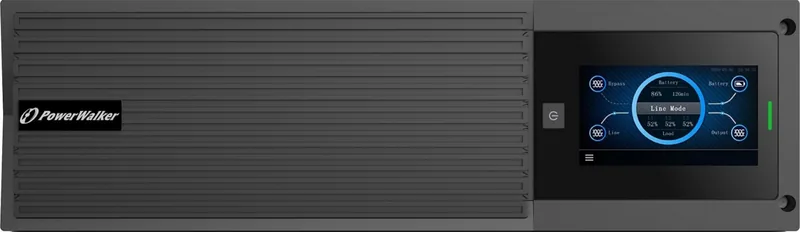
A color touch LCD presents operating mode, load level, battery status, measurements, alarms, and event history in a clear interface. The display supports multiple languages and automatic screen rotation for tower or rack deployment. Communication options include USB, RS232, dry contacts, RPO, an intelligent card slot, Ethernet, and optional wireless connectivity.
Integrated IoT connectivity enables remote monitoring through the WinPower View mobile application. Users can view status, receive notifications for important events, and follow warranty-related alerts. Modbus TCP and optional network, Modbus, and AS400 cards help integrate the UPS into broader monitoring and management systems.
Installation and Service Considerations
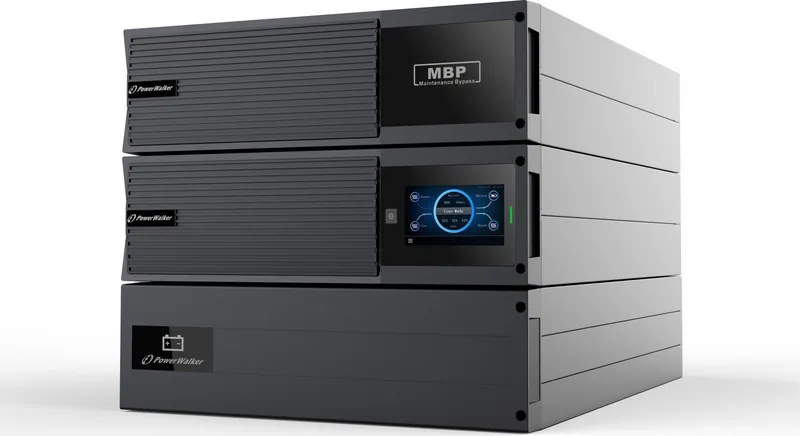
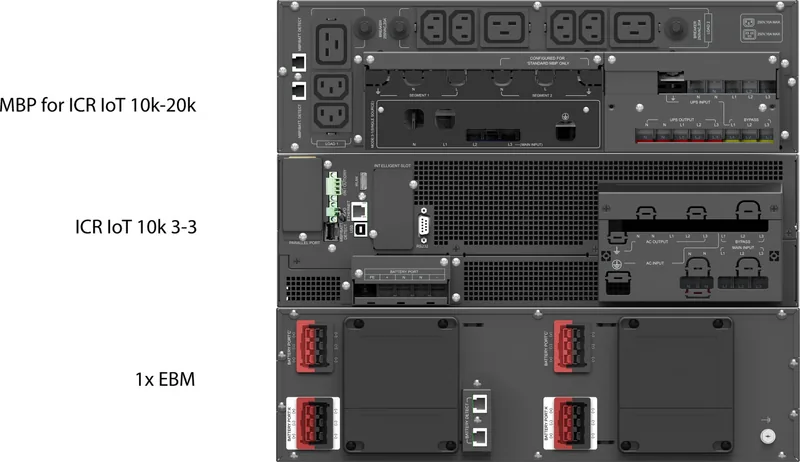
This is heavy, high-power equipment intended for installation by qualified electrical professionals. Correct grounding, protective devices, adequate ventilation, and suitable cable sizing are essential. The UPS supports optional parallel operation with up to three units for added capacity or redundancy. A maintenance bypass solution is also available for compatible rack installations.
Note: Keep the installation area clean, dry, and well ventilated. Battery servicing, replacement, recycling, and internal repairs should be handled by trained personnel using appropriate safety procedures.
BlueWalker PowerWalker VFI ICR IoT UPS/USV - Read, Download & Print Free offers a strong feature set for organizations seeking scalable online power protection, remote visibility, and flexible deployment options.
Search for 67,706 Manuals online


Type-in Brand or Model