
PowerWalker VFI 1000 AT Manual
PDF manual · 6 Pages
English



Quick check
Incorrect answer, please try again.
Chat with your PowerWalker VFI 1000 AT manual using AI
Get instant AI answers from your PowerWalker VFI 1000 AT manual
Ask anything about the PowerWalker VFI 1000 AT. Answers come from this manual, with the pages they are based on.
VFI 1000 AT Maintenance Schedule
Frequently monitor the battery condition. If discharging time is less than 50% of rated value, replace batteries.
In high-temperature locations during extended storage, repeat charging every two months.
During extended storage in moderate climates, charge the battery for several hours every three months by plugging into power.
Free maintenance reminders
Timed to your purchase date. Always free, unsubscribe anytime.
Ask a Question
Do you recommend VFI 1000 AT?
Yes NoFrequently Asked Questions
It is an online uninterruptible power supply intended to protect sensitive equipment from power outages, voltage variation, and other mains disturbances. It can support safer shutdowns or continued operation during short interruptions.
Is this answer helpful?
No. USB and RS-232 serial communication are alternative connection methods. Select the interface that suits the monitoring setup, but do not operate both ports simultaneously.
Is this answer helpful?
A minimum initial charging period of six hours is recommended. The battery charges whenever the UPS is connected to mains power, whether the UPS output is on or off.
Is this answer helpful?
Avoid power strips, surge protectors, and appliances that can create high demand, such as vacuum cleaners or hair dryers. Also verify that all connected loads, including startup current, stay within the UPS capacity.
Is this answer helpful?
Monitoring software can display UPS status, assist with scheduled battery tests, and support automatic shutdown settings. These functions help administrators track battery health and improve service continuity.
Is this answer helpful?
Fully charge the battery, switch the unit off, disconnect all cables, and store it in a cool, dry location. Recharge it periodically during storage and use original packaging where possible for transport protection.
Is this answer helpful?
Advantages and Disadvantages
Advantages

- Online double-conversion design delivers regulated output for sensitive electronic equipment.
- USB and serial communication support monitoring, battery checks, and planned shutdown workflows.
- Battery-backed output helps systems remain active or shut down safely during mains failures.
- The battery charges while connected to mains power, even when UPS output is switched off.
Disadvantages

- USB and RS-232 communication ports cannot operate simultaneously.
- Battery servicing should be performed only by qualified personnel using proper safety procedures.
- High-startup-current devices and household appliances may overload the UPS.
- Best battery life requires a controlled environment and regular condition monitoring.
Product Specification
Type
Tower
Classification
VFI (Online)
Apparent Power
1,000 VA
Active Power
900 W
Voltage
208 V, 220 V, 230 V, 240 V
Input
C14
Outputs
3 x Schuko
Interfaces
USB, serial
Data Line Protection
RJ-11, RJ-45
Charging Time
4 h (90%)
Weight
31.97 lb
Dimensions (W x H x D)
5.51 x 7.52 x 12.87 in
Features
LCD, HID support
Product Description
BlueWalker PowerWalker VFI 1000 AT, USB/serial - Read, Download & Print Free
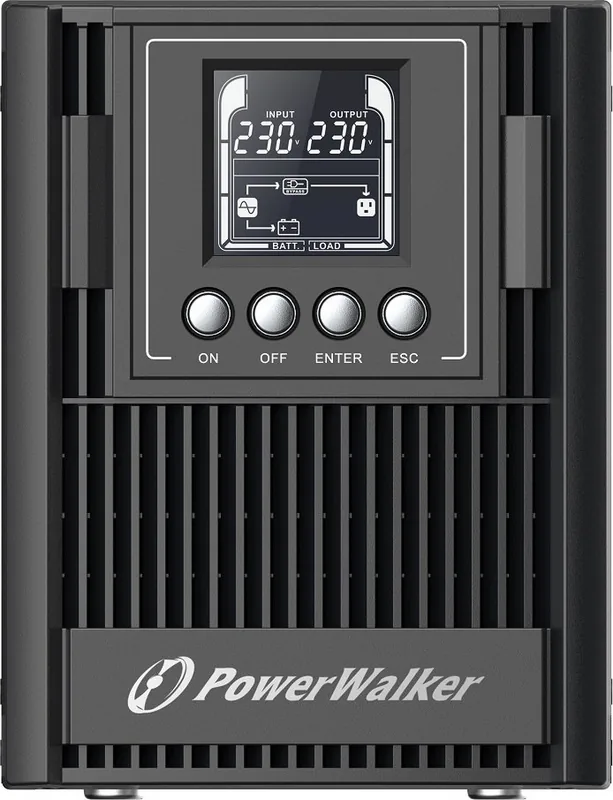
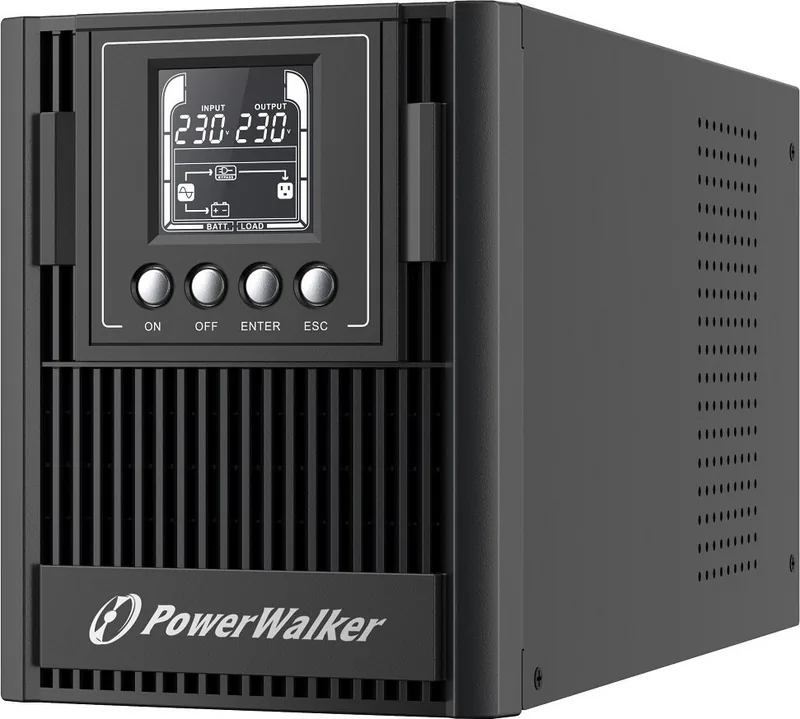
The BlueWalker PowerWalker VFI 1000 AT is an uninterruptible power supply designed to help keep critical electronic equipment protected when utility power becomes unstable or unavailable. As an online UPS, it uses double-conversion technology to deliver a consistently regulated output, making it a strong fit for workstations, network hardware, point-of-sale systems, and other sensitive business equipment.
Stable Power for Sensitive Loads
Power disturbances can take many forms, including outages, voltage drops, surges, and fluctuating mains supply. This UPS is built to isolate connected equipment from those issues and maintain dependable power quality. Its battery-backed operation provides valuable time to save work, shut down systems correctly, or continue essential operations during a power interruption.
The unit should be connected to an easily accessible grounded outlet and operated in a clean, dry, controlled indoor environment. Keep ventilation openings clear to reduce overheating risk, and ensure that connected devices remain within the UPS rated capacity. For practical headroom during changing power demand, planned loads should remain below 80% of the rated capacity.
USB and Serial Monitoring
The BlueWalker PowerWalker VFI 1000 AT offers USB and serial communication options for connection to a compatible computer or monitoring environment. Monitoring software can support status checks, scheduled battery testing, and automated shutdown planning, helping administrators maintain service availability. USB and RS-232 connections are alternatives and should not be used at the same time.
Battery management is central to reliable UPS ownership. The battery charges while the UPS is connected to mains power, whether the output is switched on or off. A minimum six-hour initial recharge is recommended to help achieve full battery capacity. Long-term performance is best supported by an ambient temperature near 25 C and regular battery-condition checks.
Installation and Care Notes
Use approved power cables and avoid connecting power strips, surge protectors, or high-demand household appliances to the UPS output. Equipment with substantial startup current must also stay within the unit's capacity. The UPS can provide output from its internal battery source, so its outlets may remain energized even when it is disconnected from building wiring.
For maintenance, keep the surrounding area dust-free and clean external surfaces only with a dry, soft cloth after disconnecting power. Battery replacement requires trained personnel, insulated tools, and batteries matching the original specifications. Used batteries must be recycled according to local requirements.
Note: In an emergency, switch the UPS off and disconnect it from mains power. If smoke is observed, disconnect power and contact qualified service support.
Search for 67,706 Manuals online


Type-in Brand or Model