

Free Pioneer DJ Manuals – Read, Download & Print
6 Manuals
Manuals

Categories

Free Pioneer DJ Manuals - Read, Download & Print
Find Helpful Manuals for Pioneer DJ Equipment
Pioneer DJ manuals give DJs, performers, venue operators, and home users a practical way to understand their equipment before a set, during installation, or while troubleshooting a problem. Whether you use a DJ controller, media player, mixer, turntable, all-in-one system, sampler, headphones, monitor speakers, or lighting equipment, the right manual can explain controls, connections, software setup, safety guidance, and maintenance requirements.
Free Pioneer DJ manuals are especially useful when an original printed booklet has been misplaced or when you need quick access to information from a phone, tablet, laptop, or desktop computer. Digital manuals make it easier to search for specific functions, compare settings, check compatible devices, and print selected pages for use in a booth, studio, classroom, or event space.
Read Pioneer DJ Manuals Online
Reading a manual online is a convenient option when you need information immediately. Many product guides include detailed diagrams of front panels, rear connections, display screens, buttons, knobs, and menu layouts. These visual references help users identify controls correctly and avoid accidental changes during a performance.
Online manuals can help with common tasks such as:
- Connecting a controller to a computer or mobile device
- Installing and configuring DJ software
- Linking media players and mixers on a network
- Preparing USB storage devices for playback
- Assigning audio channels and monitoring headphones
- Adjusting EQ, effects, beat sync, tempo, and crossfader settings
- Updating firmware and checking system requirements
- Setting up microphones, speakers, and external audio sources
- Reviewing safety, cleaning, and storage instructions
A searchable PDF or web-based guide is useful for both beginners and experienced DJs. New users can follow setup steps from the beginning, while advanced users can quickly locate technical details such as MIDI assignments, supported file formats, signal routing, and menu options.
Download Manuals for Offline Access
Downloading a Pioneer DJ manual lets you keep important instructions available even without an internet connection. This is helpful for mobile DJs, touring artists, event technicians, and anyone working at venues where Wi-Fi may be limited or unreliable. Saving a copy to a laptop, tablet, or phone provides quick access before soundcheck, during equipment setup, or when diagnosing an issue on site.
When downloading manuals, choose the guide that matches the exact model number and product version. Similar-looking units may have different inputs, software compatibility, firmware procedures, or control layouts. Checking the model name on the front panel, rear label, original packaging, or system menu can prevent confusion.
Useful documents may include:
- Operating instructions
- Quick start guides
- Setup manuals
- Installation guides
- Firmware update instructions
- Software connection guides
- Network and link setup documents
- Specifications sheets
- Safety information
- Warranty documentation
For the most accurate and current information, use official Pioneer DJ support pages or authorized product resources whenever possible. Official documents are more likely to include the latest compatibility information, current firmware notes, and correct safety instructions.
Print the Pages You Need
Printing a Pioneer DJ manual can be practical in places where electronic devices are inconvenient. A printed quick reference can be kept in a DJ bag, next to a mixer, inside a studio rack, or at a venue's technical desk. Rather than printing an entire document, many users print only the pages most relevant to their workflow.
Helpful pages to print may include connection diagrams, basic startup procedures, USB preparation instructions, error message tables, troubleshooting charts, and button reference layouts. Laminating frequently used pages can provide extra protection in busy environments where drinks, cables, and equipment cases are present.
Printing selected pages also supports training. Instructors, music schools, venues, and production teams can use diagrams and setup instructions to teach new staff or students how to operate equipment safely. Clear printed guidance can reduce setup mistakes and help users become familiar with controls before a live performance.
Manuals for Controllers, Mixers, Players, and More
Pioneer DJ has produced a wide range of products for different styles of DJing and performance. Manuals may be available for entry-level controllers, professional club systems, portable units, battle mixers, media players, all-in-one DJ systems, effects processors, and related accessories.
DJ Controllers
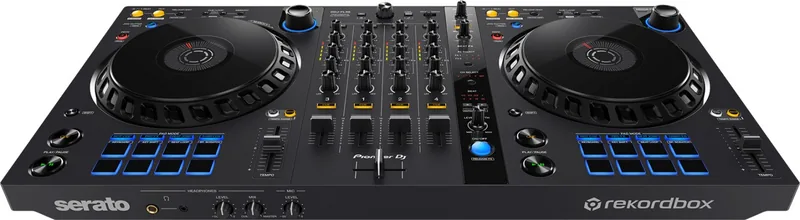
Controller manuals often focus on computer or mobile software integration. They may explain driver installation, audio configuration, deck controls, performance pads, jog wheel behavior, headphone cueing, microphone settings, and controller mapping. These guides are valuable when setting up software for the first time or resolving audio output problems.
DJ Mixers
Mixer manuals cover channel inputs, gain staging, EQ, filters, fader curves, crossfader settings, effects sends, booth output, master output, microphone controls, and recording connections. A mixer guide can help users create clean sound, avoid clipping, and route audio correctly to speakers, monitors, recorders, or streaming systems.
Media Players and Club Systems
Media player manuals explain playback modes, browsing, hot cues, loops, beat grids, waveform displays, quantize functions, USB media use, and network linking. For club setups, documentation may also describe how multiple players and mixers communicate through compatible network features.
All-in-One DJ Systems
All-in-one systems combine playback and mixing functions in one unit. Their manuals can explain standalone USB playback, library browsing, performance features, screen functions, audio outputs, and software connections. These guides are useful for DJs who want a compact setup without relying on a computer during a performance.
Use Manuals for Setup and Troubleshooting
A manual is one of the best tools for solving routine equipment issues. Before assuming that a product has failed, review the relevant setup and troubleshooting sections. Many common problems are caused by incorrect cables, wrong input selection, muted channels, improper software audio settings, unsupported media formats, or outdated firmware.
Typical troubleshooting topics include no sound, low volume, distorted output, USB devices not recognized, headphones not receiving cue audio, software not detecting a controller, network link issues, display messages, and firmware update questions. Manuals often provide step-by-step checks that can save time and reduce unnecessary repairs.
Always power equipment on and off in the recommended order, use suitable cables, and follow electrical safety instructions. If a manual recommends service by qualified personnel, contact an authorized service provider rather than opening or modifying the unit yourself.
Choose the Correct Model and Document Version
The most useful manual is the one that exactly matches your equipment. Product families can include multiple generations and regional variations, so do not rely only on a product name. Confirm the full model number before reading, downloading, or printing documentation.
Also check whether the manual applies to your firmware version and DJ software version. Features can change after updates, and older guides may not describe newer functions. Release notes, update guides, and support announcements can provide additional context when a setting or screen looks different from the instructions in an earlier document.
Keep Your Pioneer DJ Setup Ready
Having free access to Pioneer DJ manuals helps you use your equipment with greater confidence. From first-time setup to advanced performance features, official documentation provides a reliable reference for everyday operation. Read manuals online for quick answers, download them for offline use, and print essential pages for your booth, studio, classroom, or event kit.
A well-organized manual library can make setup faster, troubleshooting easier, and performances more dependable. Keep copies for each device you own, label them clearly by model, and review important connection and safety information before using equipment in a new location.
Search for 67,732 Manuals online


Type-in Brand or Model