
Pioneer DJ DM-40BT Manual
PDF manual · 96 Pages
English



Quick check
Incorrect answer, please try again.
Chat with your Pioneer DJ DM-40BT manual using AI
Get instant AI answers from your Pioneer DJ DM-40BT manual
Ask anything about the Pioneer DJ DM-40BT. Answers come from this manual, with the pages they are based on.
Ask a Question
Do you recommend DM-40BT?
Yes NoDo you recommend DM-40BT?
Yes NoFrequently Asked Questions
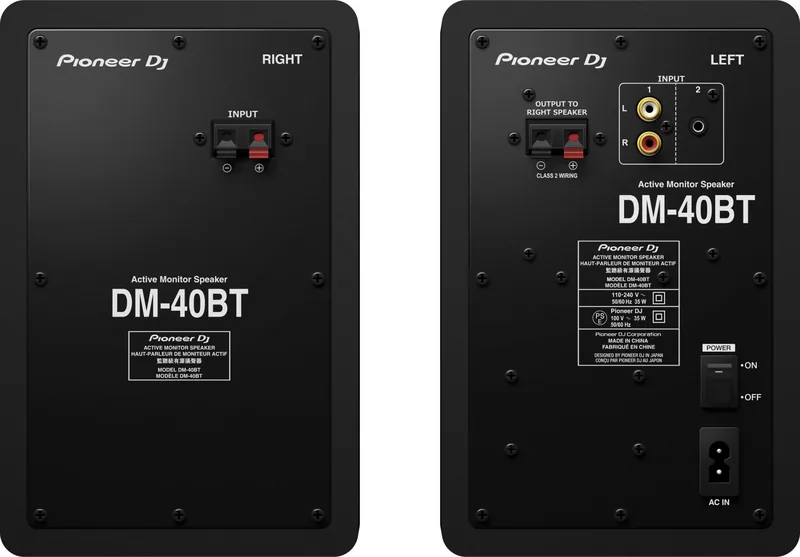
The DM-40BT offers RCA (INPUT 1) and a 3.5 mm stereo mini-jack (INPUT 2) for wired sources, plus Bluetooth 4.2 (A2DP/AVRCP) for wireless streaming. A front headphone output mutes the speakers when used.
Is this answer helpful?
Bluetooth 4.2 is supported with A2DP and AVRCP profiles. codecs include SBC, AAC and Qualcomm aptX and aptX Low Latency for improved wireless audio quality when supported by the source device.
Is this answer helpful?
Turn the POWER switch on; the Bluetooth indicator flashes and the speakers enter pairing mode for about 30 seconds. If needed, press the front pairing button for 2+ seconds to reinitiate pairing. Complete pairing from your device’s Bluetooth menu; the indicator lights when connected.
Is this answer helpful?
Interference from other 2.4 GHz devices (Wi‑Fi, microwaves, cordless phones) or obstacles like walls and metal can disrupt Bluetooth. Move the source and speakers closer, reduce obstructions, turn off nearby 2.4 GHz devices, or change speaker placement to improve reception.
Is this answer helpful?
Place speakers at ear level, toed-in about 30° each (60° total) for natural stereo imaging. Maintain at least 15 cm clearance above, behind, and on both sides for ventilation to prevent overheating and ensure reliable operation.
Is this answer helpful?
No—the DM-40BT implements an auto-standby that activates after about 30 minutes of silence and cannot be disabled. Any input signal or pressing the pairing button will wake the speakers.
Is this answer helpful?
Always use the included power cord and the supplied speaker cable. Do not connect the speakers to any amplifier other than the one built into the system. Ensure the power cord is accessible for disconnecting in emergencies and avoid routing it where it might be pinched.
Is this answer helpful?
Advantages and Disadvantages
Advantages

- Compact 2-way active monitors with surprisingly rich bass from a front bass-reflex design.
- Bluetooth 4.2 with AAC and Qualcomm aptX support for higher-quality wireless audio.
- Convex diffuser and waveguide improve high-frequency directivity and stereo imaging.
- Front-panel pairing/play-pause button and headphone output for convenience.
- Auto-standby and low standby power consumption (0.3 W) for energy efficiency.
Disadvantages

- Auto-standby is fixed and cannot be disabled, which may interrupt long quiet sessions.
- Should not be connected to external amplifiers; limited integration flexibility.
- Bluetooth performance can suffer in RF-crowded 2.4 GHz environments.
- Relatively low amplifier power compared with larger studio monitors.
- Not intended for heavy commercial use; warranty may not cover non-household use.
Product Specification
Principle
2-Way
Tweeter
1x 0.75"/19.1mm
Woofer
1x 4"/101.6mm
Frequency Range
70Hz-30kHz
Features
Bluetooth 4.2, aptX
Dimensions
5.75x8.94x8.78in (WxHxD)
Weight
10.81 lb
Product Description
Pioneer DJ DM-40BT — Compact Bluetooth Studio Monitors
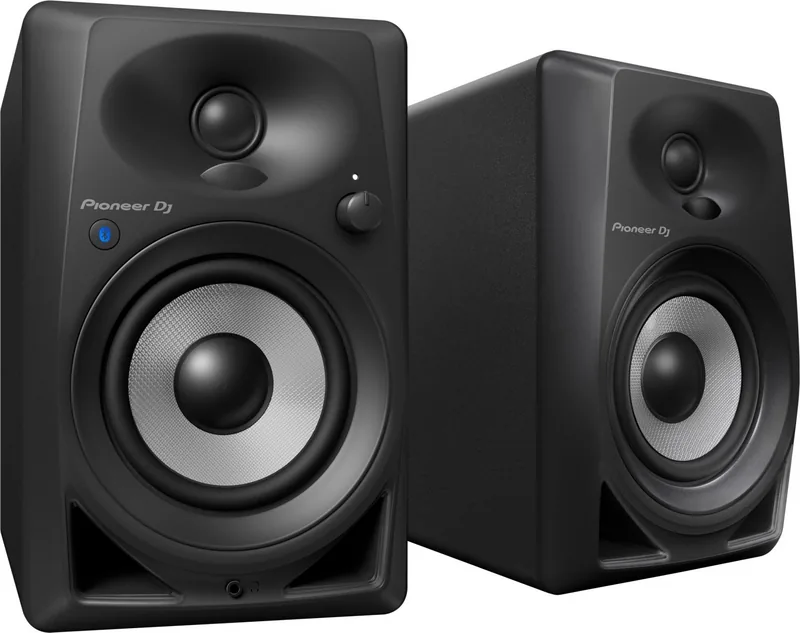
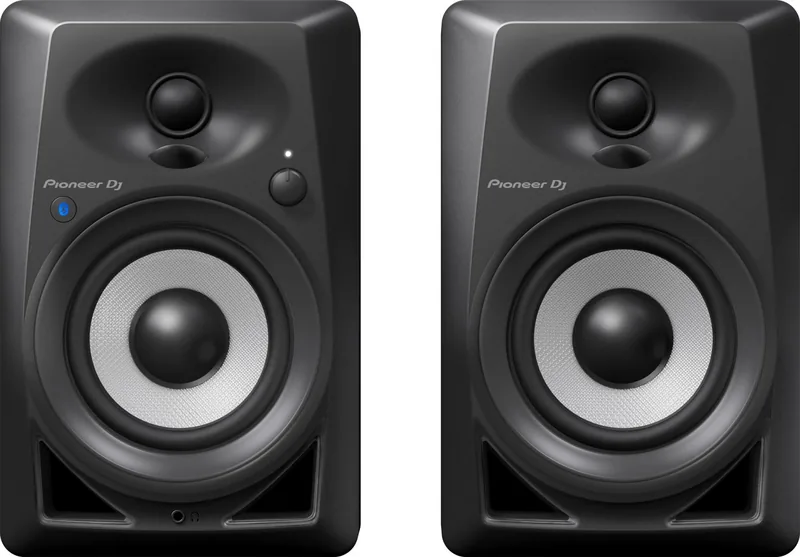
The Pioneer DJ DM-40BT are compact 2-way active monitor speakers designed for desktop use, offering clear, balanced sound with Bluetooth convenience. Featuring a 4-inch glass-fiber woofer and a 3/4-inch soft-dome tweeter, the DM-40BT deliver surprising low-end punch for their size thanks to a front bass-reflex port and proprietary Groove technology that enhances bass airflow and transient response. A convex diffuser on a redesigned waveguide improves high-frequency directivity and soundstage, making these speakers useful for nearfield monitoring, casual listening, and small workstation setups.
Connectivity is flexible: an RCA stereo input and a 3.5 mm mini-jack input let you hook up DJ controllers, audio interfaces, laptops, or mobile devices, while Bluetooth 4.2 (A2DP/AVRCP) supports SBC, AAC and Qualcomm aptX/aptX Low Latency codecs for higher-quality wireless playback. A front-panel pairing button provides one-touch pairing and can act as a basic play/pause control for compatible Bluetooth sources. Headphone output on the front mutes the speakers for private listening.
Build and convenience features are oriented to desktop users: the powered left speaker houses the amplifier (Class AB, ~21 W per channel peak) and rear-panel AC input and power switch; the right speaker connects via the supplied speaker cord. The speakers include bottom cushions to prevent slipping and recommend a 60° total toe-in for optimal stereo imaging. Auto-standby reduces power draw after roughly 30 minutes of silence while retaining quick wake on input signal or front-panel pairing press.
Safety and use guidance emphasize correct ventilation (minimum 15 cm clearance), appropriate operating temperatures (+5 °C to +35 °C), and using only the included power cord and supplied amplifier—connecting the speakers to other amplifiers can cause damage. Bluetooth range and performance can vary with environment and interference from other 2.4 GHz devices; placement and clear line-of-sight help reliability.
Overall, the DM-40BT balance desktop-friendly proportions with performance features such as aptX support, tuned bass reflex, and improved HF directivity for users who need compact monitors with modern wireless convenience.
Notes
- Designed primarily for home and desktop studio use; commercial or prolonged professional use may void warranty coverage.
- Speakers store pairing info for up to eight Bluetooth devices and attempt connection to the last paired device.
- Auto standby cannot be disabled; playback or input signal wakes the system.
- Keep at least 15 cm clearance around speakers for ventilation.
Search for 67,732 Manuals online


Type-in Brand or Model