
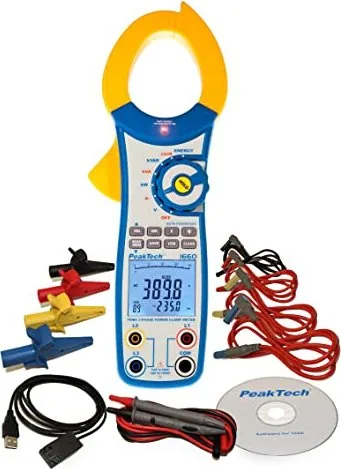
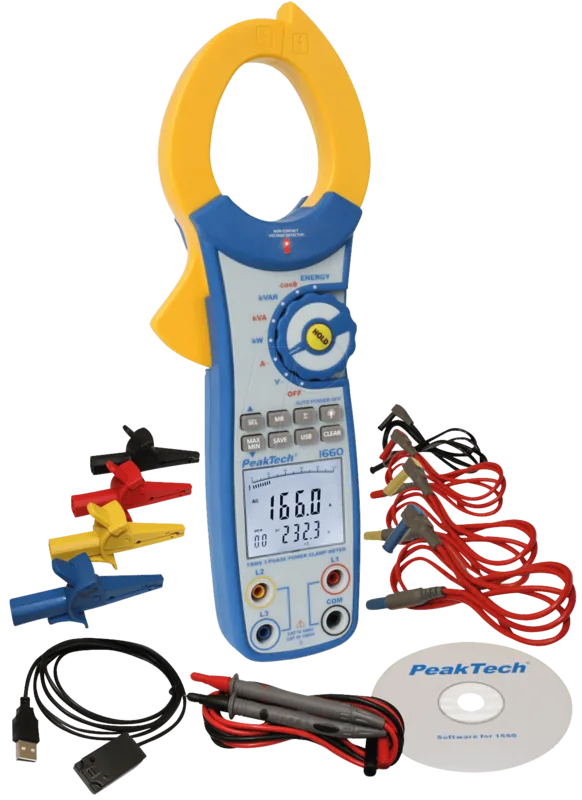
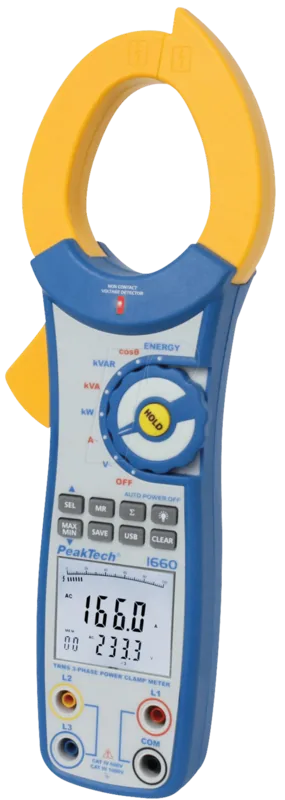
PeakTech 1660 Manual
PDF manual · 60 Pages
English



Quick check
Incorrect answer, please try again.
Chat with your PeakTech 1660 manual using AI
Get instant AI answers from your PeakTech 1660 manual
Ask anything about the PeakTech 1660. Answers come from this manual, with the pages they are based on.
1660 Maintenance Schedule
The manual recommends repeating the factory calibration after 1 year to maintain measurement accuracy.
Replace the 9V battery as soon as the battery symbol appears on the display to ensure accurate readings and prevent damage.
Check the instrument, test leads, and accessories for damage, cracks, or bare wires before making measurements.
Wipe the cabinet with a soft, dry cloth or damp cloth with mild detergent. Do not use solvents or abrasives.
If the device will not be used for a long period, remove the battery from the compartment to prevent leakage.
Free maintenance reminders
Timed to your purchase date. Always free, unsubscribe anytime.
Ask a Question
Do you recommend 1660?
Yes NoFrequently Asked Questions
The meter can measure up to 1000 amperes of AC current using the clamp jaw.
Is this answer helpful?
It is rated for Overvoltage Category III up to 1000 volts, meeting strict safety standards.
Is this answer helpful?
Connect the included USB interface cable to the meter and your computer, then use the provided P1660 software.
Is this answer helpful?
Yes, the device calculates power factor and phase angle in addition to power measurements.
Is this answer helpful?
It features a 3 5/6-digit LCD with a 42-segment bar graph and backlight.
Is this answer helpful?
It is factory calibrated, and calibration after one year is recommended for accuracy.
Is this answer helpful?
The provided text focuses on AC measurements and does not explicitly list DC current capabilities.
Is this answer helpful?
Advantages and Disadvantages
Advantages

- True RMS accuracy for non-sinusoidal waves
- Measures up to 1000 A AC current
- Includes 99 internal memory slots
- USB connectivity for PC data logging
- Three-phase power analysis supported
Disadvantages

- Designed for indoor use only
- Requires nine-volt battery replacement
- No explicit DC measurement specifications
- Bulkier than basic multimeters
- Complex setup for beginners in 3-phase
Product Specification
Measuring Range
max. 1,000 A, max. 1,000 V
Package Contents
Case, Test leads
Product Description
PeakTech 1660 Overview
The PeakTech 1660 True RMS Current Clamp Multimeter is a robust tool designed for professionals working with three-phase power systems. This versatile instrument simplifies complex electrical measurements by combining multiple functions into one handheld device. With a high-resolution display featuring both digital readouts and a bar graph, users get immediate visual feedback on their measurements. The device supports True RMS technology, ensuring accurate readings even when dealing with non-sinusoidal waveforms common in modern industrial environments. This capability is vital for diagnosing harmonics or distorted power signals without manual calculation.
Safety and Specifications
Safety is a paramount concern with this equipment. Rated for Overvoltage Category III up to 1000V, it meets strict European safety standards for reliability. The meter allows for measuring active, apparent, and reactive power, making it essential for energy analysis and efficiency audits. Users can monitor power factors and phase angles to optimize system performance. The internal memory capacity stores up to ninety-nine measurement results, allowing technicians to collect data without constant writing. Additionally, the USB connectivity enables direct data transfer to a computer for further analysis using the included software. This integration facilitates long-term tracking and reporting for facility managers.
Usage and Features
Measuring AC current up to 1000 amperes is straightforward thanks to the large jaw opening. The unit also handles voltages up to 750 volts AC. For those maintaining three-phase networks, specific buttons facilitate switching between Phase 1, 2, or 3, or calculating the total sum. A non-contact voltage detector adds an extra layer of safety before touching wires. The LCD screen includes a backlight for low-light conditions, and the auto-power-off feature conserves battery life. While it is primarily designed for indoor applications, its durability supports rigorous daily testing routines. Technicians appreciate the clarity of the interface, which minimizes reading errors during critical operations. The package includes essential accessories like test leads and a carrying case, ensuring readiness for any job site. Battery life is maintained through a standard nine-volt source, making replacements easy when needed.
Conclusion
The device also tracks energy consumption over time, measuring kilowatt-hours accurately over a twenty-four-hour period. It features clear warning indicators for battery status and overload conditions to prevent damage during use. Dimensions allow for portable handling despite the substantial weight, fitting into standard tool belts. Calibration is verified at the factory, ensuring consistent performance right out of the box. Regular maintenance involves simple cleaning and battery replacement, keeping the unit operational for years. This multimeter balances high-end functionality with user-friendly design for electrical engineers and maintenance staff alike.
Search for 67,706 Manuals online


Type-in Brand or Model