
PeakTech 1240 Manual
PDF manual · 183 Pages
English



Quick check
Incorrect answer, please try again.
Chat with your PeakTech 1240 manual using AI
Get instant AI answers from your PeakTech 1240 manual
Ask anything about the PeakTech 1240. Answers come from this manual, with the pages they are based on.
1240 Maintenance Schedule
One year is recommended for the calibration interval period to ensure measurement accuracy.
Wipe dust with a soft cloth. Clean with a damp, soft cloth and mild detergent after disconnecting power. Ensure dry before use.
Execute self-calibration if ambient temperature varies by more than 5°C or periodically to maintain optimal state.
Free maintenance reminders
Timed to your purchase date. Always free, unsubscribe anytime.
Ask a Question
Do you recommend 1240?
Yes NoFrequently Asked Questions
The PeakTech 1240 Digital Oscilloscope supports a maximum sampling rate of up to 500 MSa/s, allowing for precise capture of dynamic signals.
Is this answer helpful?
Yes, the device includes an integrated Fast Fourier Transform (FFT) function that converts time-domain signals into frequency spectra for detailed analysis.
Is this answer helpful?
The oscilloscope features two input channels, CH1 and CH2, enabling simultaneous observation and comparison of two different signals.
Is this answer helpful?
Absolutely. The device is equipped with a USB port for connecting to computers, facilitating data transfer and potential remote control options.
Is this answer helpful?
The Autoset button automatically configures the vertical scale, horizontal time base, and trigger level to display a stable waveform quickly.
Is this answer helpful?
Yes, the oscilloscope has a VGA output port that allows connection to external monitors or projectors for larger viewing areas.
Is this answer helpful?
Advantages and Disadvantages
Advantages

- High resolution 8-inch TFT display for clear visualization
- Sampling rates up to 500 MSa/s for accurate fast signal capture
- Integrated FFT function for frequency domain analysis
- Multiple trigger modes including Edge, Video, and Pulse
- USB and LAN connectivity for easy data transfer and networking
Disadvantages

- Bandwidth limitation on lower models restricts high-frequency use
- No internal battery included in standard package
- Complex menu structure may require learning curve for beginners
- VGA output requires separate monitor setup
- Probe attenuation must be manually matched to avoid errors
Product Specification
Display
Japanese
Features
2-channel, 60MHz bandwidth
Product Description
Mastering Signal Analysis with the PeakTech 1240 Digital Oscilloscope
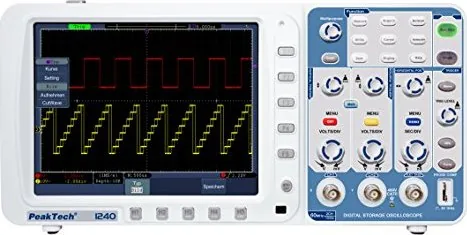
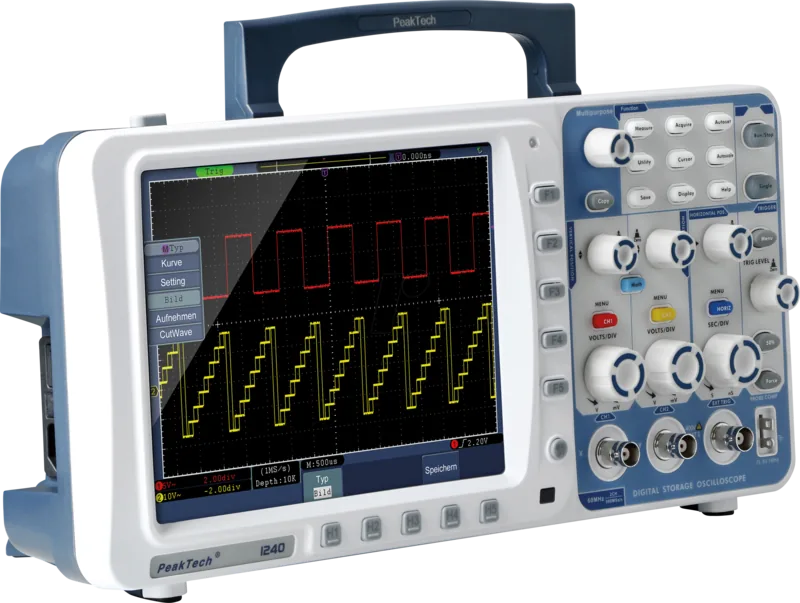
The PeakTech 1240 Digital Oscilloscope stands as a robust tool for engineers and hobbyists alike, designed to simplify complex waveform analysis. This device offers a comprehensive suite of features that make it an essential addition to any electronics workbench. With its high-resolution 8-inch TFT display, users can visualize signals with clarity and precision, ensuring that no detail is missed during critical testing phases.
At the heart of the PeakTech 1240 lies its impressive sampling rate, capable of reaching up to 500 MSa/s. This speed allows for accurate capture of fast-changing signals, making it ideal for troubleshooting modern electronic circuits. The oscilloscope supports multiple trigger modes, including Edge, Video, Slope, and Pulse, providing flexibility when dealing with various signal types. Whether you are analyzing a simple sine wave or a complex digital pulse train, the intuitive control panel ensures smooth operation.
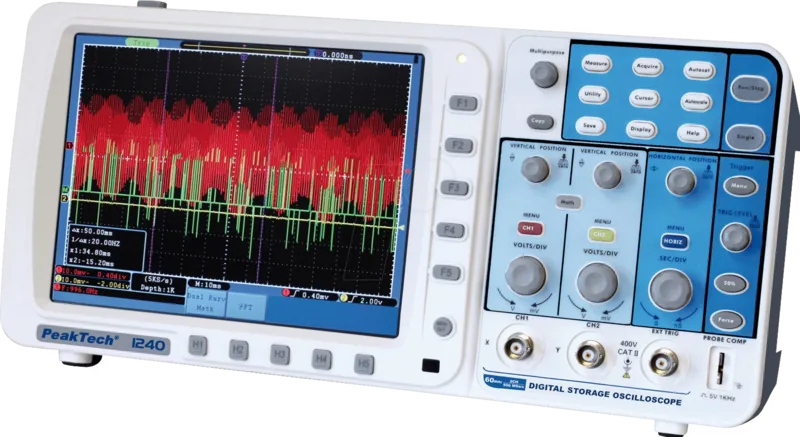
One of the standout capabilities of this unit is its built-in FFT function. By converting time-domain signals into the frequency domain, users can easily identify noise sources, harmonics, and system frequencies. The math functions further enhance its utility, allowing for real-time operations like addition, subtraction, multiplication, and division between channels. This makes it possible to perform advanced calculations directly on the screen without external software.
Connectivity is another strong point, featuring both USB and LAN interfaces for seamless data transfer and network integration. Users can save waveforms, settings, and screenshots internally or to an external USB drive for later review. The inclusion of a VGA output also permits connecting the oscilloscope to larger monitors or projectors, which is beneficial for educational demonstrations or collaborative troubleshooting sessions.
The device prioritizes safety with clear warnings regarding voltage limits and proper grounding procedures. It complies with EU regulations for electromagnetic compatibility and low voltage, ensuring reliable operation in professional environments. The user interface supports multiple languages, making it accessible to a global audience. From automatic calibration to cursor measurements, every aspect of the PeakTech 1240 is designed to streamline the measurement process while maintaining high accuracy.
Key Notes
- Always ensure probe compensation before taking measurements.
- Use AC coupling to block DC components when analyzing small AC signals.
- The band limit feature helps reduce high-frequency noise on specific models.
- Regular self-calibration is recommended after significant temperature changes.
- Safety precautions must be followed strictly to prevent equipment damage.
Search for 67,706 Manuals online


Type-in Brand or Model