Manual.ly Logo

NAD C 399 Manual

0.0 · 0 Ratings

PDF manual · 22 Pages

English

M: QW-35-FL
page

/ 22

Loading...
125520215493603a01d4c4d7d7ab066a37ef page 2
ENGLISH
2
• Read instructions - All the safety and operating instructions should be read
before the product is operated.
• Retain instructions - The safety and operating instructions should be retained
for future reference.
• Heed Warnings - All warnings on the product and in the operating instructions
should be adhered to.
• Follow Instructions - All operating and use instructions should be followed.
• Cleaning - Unplug this product from the wall outlet before cleaning. Do not use
liquid cleaners or aerosol cleaners. Use a damp cloth for cleaning.
• Attachments - Do not use attachments not recommended by the product
manufacturer as they may cause hazards.
• Water and Moisture - Do not use this product near water-for example, near a
bath tub, wash bowl, kitchen sink, or laundry tub; in a wet basement; or near a
swimming pool; and the like.
• Accessories - Do not place this product on an unstable cart, stand, tripod,
bracket, or table. The product may fall, causing serious injury to a child or adult
and serious damage to the product. Use only with a cart, stand, tripod, bracket,
or table recommended by the manufacturer, or sold with the product. Any
mounting of the product should follow the manufacturer’s instructions, and
should use a mounting accessory recommended by the manufacturer.
• Cart - A product and cart combination should be moved with care.
Quick stops, excessive force, and uneven surfaces may cause the
product and cart combination to overturn.
• Ventilation - Slots and openings in the cabinet are provided for ventilation
to ensure reliable operation of the product and to protect it from overheating.
These openings must not be blocked or covered. The openings should never be
blocked by placing the product on a bed, sofa, rug, or other similar surface. This
product should not be placed in a built-in installation such as a bookcase or rack
unless proper ventilation is provided or the manufacturer’s instructions have been
adhered to.
• Power Sources - This product should be operated only from the type of power
source indicated on the marking label and connected to a MAINS socket outlet
with a protective earthing connection. If you are not sure of the type of power
supply to your home, consult your product dealer or local power company.
• Power–Cord Protection - Power-supply cords should be routed so that they
are not likely to be walked on or pinched by items placed upon or against them,
paying particular attention to cords at plugs, convenience receptacles, and the
point where they exit from the product.
• Mains Plug - Where the mains plug or an appliance coupler is used as the
disconnect device, the disconnect device shall remain readily operable.
• Outdoor Antenna Grounding - If an outside antenna or cable system is
connected to the product, be sure the antenna or cable system is grounded so
as to provide some protection against voltage surges and built-up static charges.
Article 810 of the National Electrical Code, ANSI/NFPA 70, provides information
with regard to proper grounding of the mast and supporting structure, grounding
of the lead-in wire to an antenna discharge unit, size of grounding conductors,
location of antenna discharge unit, connection to grounding electrodes, and
requirements for the grounding electrode.
• Lightning - For added protection for this product during a lightning storm, or
when it is left unattended and unused for long periods of time, unplug it from the
wall outlet and disconnect the antenna or cable system. This will prevent damage
to the product due to lightning and power-line surges.
• Power Lines - An outside antenna system should not be located in the vicinity
of overhead power lines or other electric light or power circuits, or where it can
fall into such power lines or circuits. When installing an outside antenna system,
extreme care should be taken to keep from touching such power lines or circuits
as contact with them might be fatal.
• Overloading - Do not overload wall outlets, extension cords, or integral
convenience receptacles as this can result in a risk of re or electric shock.
• Flame Sources - No naked ame sources, such as lighted candles, should be
placed on the product.
• Object and Liquid Entry - Never push objects of any kind into this product
through openings as they may touch dangerous voltage points or short-out parts
that could result in a re or electric shock. Never spill liquid of any kind on the
product.
• Headphones - Excessive sound pressure form earphones and headphones can
cause hearing loss.
• Damage Requiring Service - Unplug this product from the wall outlet and refer
servicing to qualied service personnel under the following conditions:
– When the power-supply cord or plug is damaged.
– If liquid has been spilled, or objects have fallen into the product.
– If the product has been exposed to rain or water.
– If the product does not operate normally by following the operating
instructions. Adjust only those controls that are covered by the operating
instructions as an improper adjustment of other controls may result in
damage and will often require extensive work by a qualied technician to
restore the product to its normal operation.
– If the product has been dropped or damaged in any way.
– When the product exhibits a distinct change in performance-this indicates a
need for service.
• Replacement Parts - When replacement parts are required, be sure the service
technician has used replacement parts specied by the manufacturer or have the
same characteristics as the original part. Unauthorized substitutions may result in
re, electric shock, or other hazards.
• Battery Disposal - When disposing of used batteries, please comply with
governmental regulations or environmental public instruction’s rules that apply in
your country or area.
• Safety Check - Upon completion of any service or repairs to this product, ask the
service technician to perform safety checks to determine that the product is in
proper operating condition.
• Wall or Ceiling Mounting - The product should be mounted to a wall or ceiling
only as recommended by the manufacturer.
WARNING
THE LIGHTNING FLASH WITH ARROWHEAD SYMBOL, WITHIN AN
EQUILATERAL TRIANGLE, IS INTENDED TO ALERT THE USER TO THE
PRESENCE OF UNINSULATED “DANGEROUS VOLTAGE” WITHIN THE
PRODUCT’S ENCLOSURE THAT MAY BE OF SUFFICIENT MAGNITUDE
TO CONSTITUTE A RISK OF ELECTRIC SHOCK TO PERSONS
THE EXCLAMATION POINT WITHIN AN EQUILATERAL TRIANGLE IS
INTENDED TO ALERT THE USER TO THE PRESENCE OF IMPORTANT
OPERATING AND MAINTENANCE SERVICING INSTRUCTIONS IN THE
LITERATURE ACCOMPANYING THE APPLIANCE.
CAUTION REGARDING PLACEMENT
To maintain proper ventilation, be sure to leave a space around the unit (from the
largest outer dimensions including projections) than is equal to, or greater than
shown below.
Left and Right Panels: 10 cm
Rear Panel: 10 cm
Top Panel: 10 cm
IMPORTANT SAFETY INSTRUCTIONS

Chat with your NAD C 399 manual using AI

Get instant AI answers from your NAD C 399 manual

Ask anything about the NAD C 399. Answers come from this manual, with the pages they are based on.

C 399 Maintenance Schedule

As needed
Clean the product exterior

Unplug the product from the wall outlet before cleaning. Do not use liquid or aerosol cleaners; use a damp cloth only.

When weak
Replace remote control batteries

Replace the two AA batteries in the SR 9 remote when necessary. Ensure they are inserted with correct polarity as indicated on the base of the compartment.

Show in the manual (page 10)
M: qwen/qwen3.8-flash

Ask a Question

0/1000

Do you recommend C 399?

Yes No

Frequently Asked Questions

A

Download the BluOS Controller app on your smartphone or tablet. Open the app and select Add a Player. Follow the prompts to select your home Wi-Fi network and enter the password. You can also use a wired Ethernet connection by plugging a cable directly into the LAN port on the rear panel.

Is this answer helpful?

A

Yes, but you must install the optional MDC HDM-2 module first. Once installed, connect the HDMI ARC port on the C 399 to your TV. Ensure both devices support HDMI Control and that the TV is set to output audio in PCM format for the ARC feature to work correctly.

Is this answer helpful?

A

Restoring factory defaults will delete all configured settings, including custom source names, volume levels, and IR channel assignments. The unit will return to its original state as it left the factory. Always save your preferred settings before performing this action.

Is this answer helpful?

A

Yes, it delivers 180 watts per channel into 4 ohms and has a high damping factor exceeding 150. This power and control make it capable of handling demanding speaker loads effectively across a wide range of frequencies.

Is this answer helpful?

A

First, ensure the Bluetooth antenna is connected at the rear. Set the Bluetooth Mode to Sink in the settings menu. Then, go to your phone's Bluetooth settings, scan for the device ID starting with C399BT, and select it to pair. Note that this mode is unavailable if the BluOS module is installed.

Is this answer helpful?

M: QW-35-FL

Advantages and Disadvantages

Advantages

  • Modular Design Construction allows for future hardware upgrades via MDC slots
  • Includes Dirac Live limited bandwidth correction for superior room acoustic optimization
  • Versatile connectivity with HDMI ARC, Bluetooth, and multiple digital inputs
  • High power output of 180 watts per channel into 4 ohms for dynamic sound
  • Dedicated Moving Magnet phono stage for vinyl enthusiasts
VS

Disadvantages

  • Bluetooth functionality is disabled if the MDC2 BluOS D module is installed
  • HDMI ARC requires external devices to be set to PCM audio format only
  • No video output capability at the HDMI ARC port
  • Remote control library codes must be manually configured for some older NAD models
  • Factory reset deletes all saved configurations and custom settings
M: QW-35-FL

Product Specification

Channels

2

Power per channel

180W (8Ω), 180W (4Ω)

Audio connections

2x Digital Audio In (coaxial), 2x Digital Audio In (optical), 2x Stereo Line In (RCA), Phono In (RCA), Pre Out (RCA), 2x Sub Out (RCA), Headphones (6.35mm jack)

Other connections

HDMI

Wireless

Bluetooth, aptX, aptX HD

D/A converter

32bit/384kHz

Features

A/B speaker outputs

Color

black

Dimensions

17.13x4.72x15.35in (WxDxH)

Weight

24.69lbs

M: QW-35-FL

Product Description

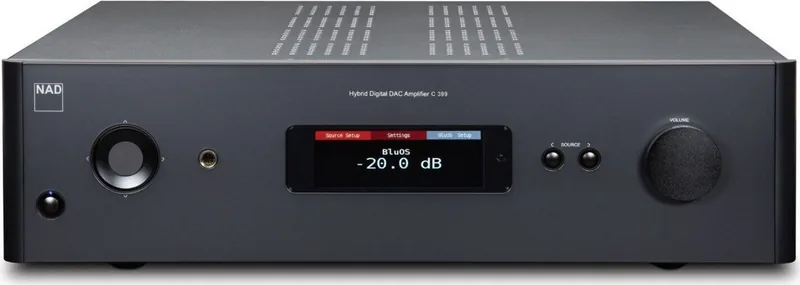
NAD C 399 Hybrid Digital DAC Amplifier Overview

The NAD C 399 is a sophisticated hybrid digital DAC amplifier designed for audiophiles who demand high fidelity and modern connectivity. This unit seamlessly blends analog power with digital processing, offering a versatile solution for home audio systems. It features a robust chassis that ensures reliable operation while maintaining excellent ventilation to prevent overheating during extended listening sessions.

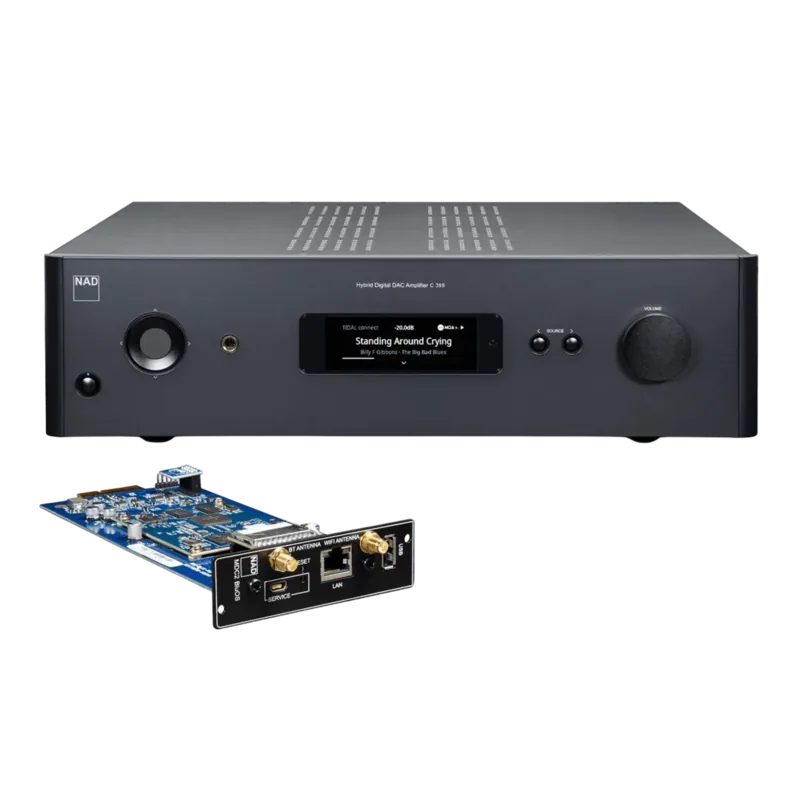
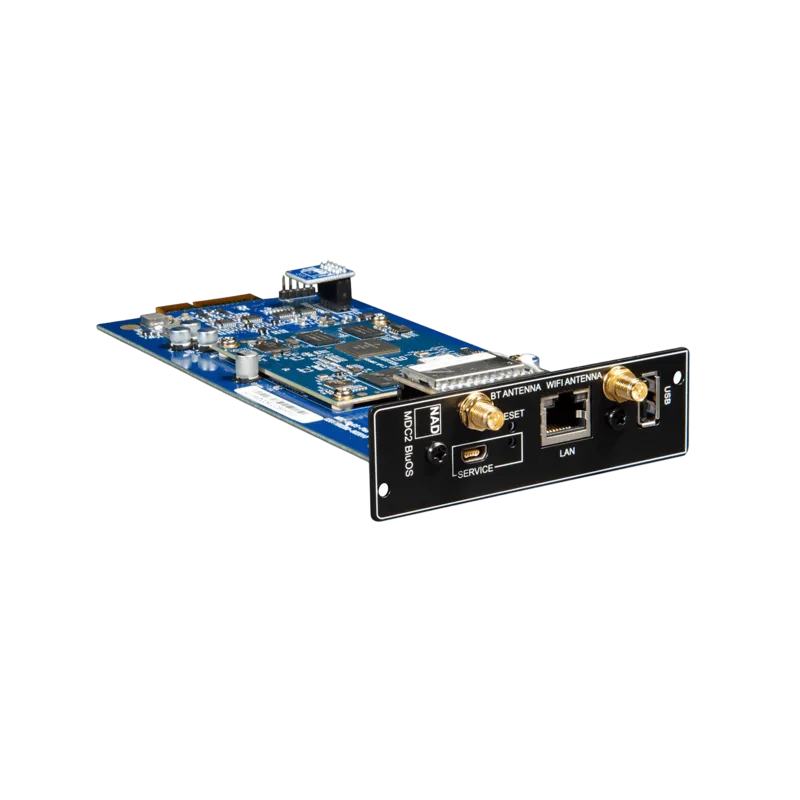
One of the standout features of the C 399 is its Modular Design Construction (MDC) slots. These allow users to upgrade the device with optional modules like the MDC HDM-2 for HDMI switching or the MDC2 BluOS D for advanced network streaming capabilities. The inclusion of Dirac Live technology further enhances sound quality by correcting room acoustics automatically. Whether you are connecting turntables via the dedicated MM phono input or streaming wirelessly, the C 399 handles various sources with precision.

Setup is straightforward, supported by the SR 9 remote control which offers intuitive navigation through menus. The front panel display provides clear visual feedback on volume levels, source selection, and system status. Users can customize settings such as tone controls, balance, and auto standby functions to suit their preferences. The amplifier also supports CEC and ARC over HDMI, allowing for simplified control when paired with compatible televisions.

Safety instructions emphasize proper placement to ensure adequate airflow around the unit. It is crucial to keep the device away from water sources and direct sunlight to maintain longevity. The package includes detachable power cords, a remote control, and Bluetooth antennas, ensuring you have everything needed to start your high-quality audio journey immediately.

Key Notes

  • Ensure at least 10 cm of space around all panels for ventilation.
  • Use only the supplied or recommended mounting accessories.
  • Update firmware regularly via the BluOS app for optimal performance.
M: QW-35-FL

© Copyright 2026 Manual.ly