

Free Lyngdorf Manuals – Read, Download & Print
10 Manuals
Manuals
12 Pages
11 Pages
20 Pages

20 Pages
12 Pages
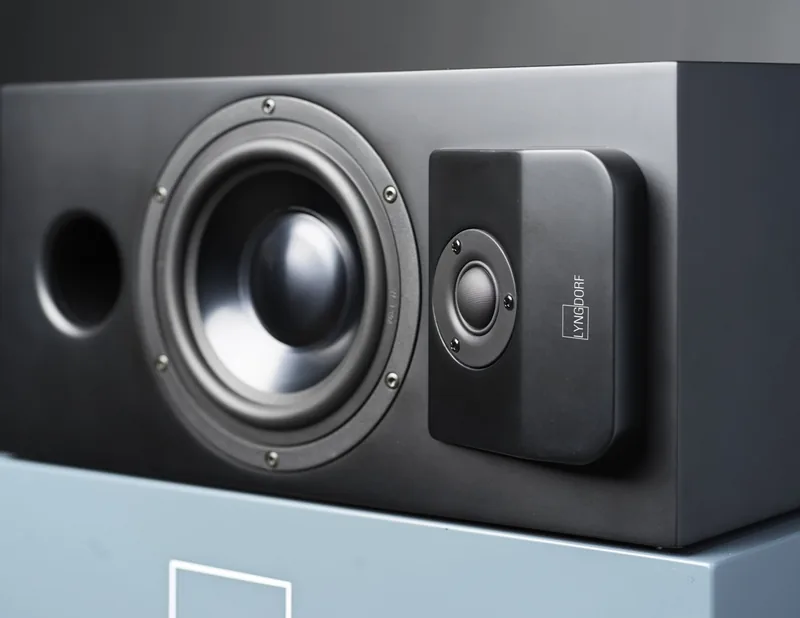
8 Pages
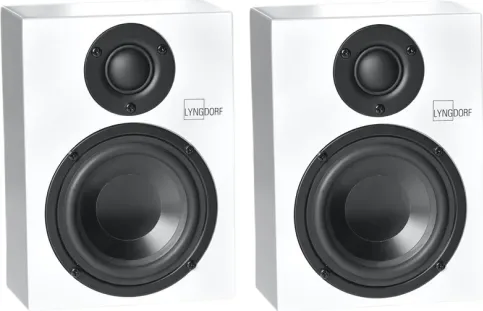
12 Pages
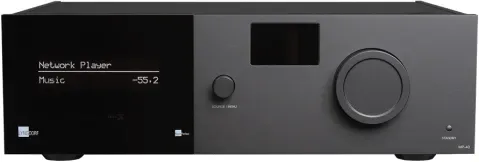
36 Pages
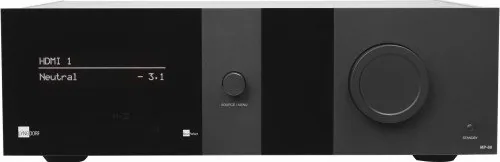
49 Pages
19 Pages
Categories

Free Lyngdorf Manuals - Read, Download & Print
Find free Lyngdorf manuals for supported audio products, including amplifiers, processors, speakers, room-correction systems, remote controls, and related accessories. This page is designed to help owners locate clear operating guidance for setup, connections, daily use, maintenance, and troubleshooting. Whether you are installing a Lyngdorf component in a dedicated listening room, upgrading a home theater, or replacing a misplaced booklet, the right manual can make every feature easier to understand.
Lyngdorf products are known for advanced digital audio engineering and room-correction technology. Because many settings affect sound quality, speaker integration, network features, and system behavior, reviewing the official documentation before making changes is recommended. Manuals often explain menu options, connection diagrams, safety notices, supported configurations, and the purpose of each control in practical detail.
Read Lyngdorf Manuals Online
Online manuals provide a convenient way to check instructions without downloading a file. Browse the available documents to review product specifications, front and rear panel descriptions, installation requirements, and operating procedures directly from your device. Reading online is useful when you need a quick answer while setting up equipment, adjusting listening modes, or checking a connection.
Many Lyngdorf manuals include step-by-step sections for first-time installation. These may cover unpacking, ventilation, power requirements, speaker placement, source connections, subwoofer setup, and initial configuration. For products with RoomPerfect or similar calibration tools, documentation can also explain microphone positioning, focus measurements, global measurements, and how calibration results influence playback.
Download Lyngdorf User Guides
Downloading a Lyngdorf user manual lets you keep product information available offline. A saved PDF can be useful in rooms without reliable internet access, during equipment installation, or when comparing settings across several components. Downloaded manuals are also easy to search by keyword, making it faster to find terms such as HDMI, trigger output, crossover, network, firmware, standby, or remote control.
Before downloading, confirm that the document matches the exact product model and version you own. Similar Lyngdorf products can have different connections, software menus, supported audio formats, and configuration options. Check the model name printed on the front panel, rear panel, packaging, or product label. If a manual lists a revision number or publication date, choose the newest applicable version when possible.
Helpful Reasons to Save a Manual
- Keep installation instructions available when moving or reconnecting equipment.
- Search settings and menu terms quickly from a computer, tablet, or phone.
- Print specific pages for an installer, technician, or household user.
- Review safety instructions and connection limits before adding new devices.
- Refer to troubleshooting guidance if sound, video, network, or remote-control issues occur.
Print a Lyngdorf Manual for Easy Reference
A printed manual can be especially practical during installation and calibration. Instead of switching between screens while handling cables or changing speaker positions, print the pages that relate to your system. Connection diagrams, menu trees, calibration checklists, and remote-control button maps are often the most useful pages to keep nearby.
For a cleaner printout, use the PDF print preview to select only the required pages. Landscape orientation may improve wide diagrams and tables, while double-sided printing can reduce paper use for longer documents. If the manual contains color-coded illustrations, color printing may make cable paths and controls easier to identify. Store printed pages in a labeled folder with purchase records, warranty information, and notes about your setup.
What You Can Find in a Lyngdorf Manual
Lyngdorf documentation usually covers more than basic operation. Depending on the product, a manual may include detailed information for building a complete stereo or surround system. It can explain how to connect televisions, media players, disc players, streaming devices, gaming consoles, turntables, external amplifiers, and subwoofers. It may also identify which inputs support particular signals and which settings should be selected for the best results.
Setup and Connection Information
Connection sections commonly describe analog, digital, HDMI, USB, network, trigger, and speaker terminals. Follow the diagrams carefully and turn equipment off before connecting or disconnecting cables. Use the recommended cable types, observe speaker polarity, and make sure ventilation openings remain unobstructed. A manual may also state impedance requirements, maximum connection limits, and compatibility notes for external equipment.
If you are connecting a Lyngdorf processor or amplifier to a television, consult both the Lyngdorf manual and the television documentation. HDMI control, audio return features, input naming, lip sync, and video pass-through settings can depend on the configuration of both devices. For networked products, the guide may describe wired and wireless setup, app control, streaming services, and software update procedures.
Room Correction and Sound Configuration
Room acoustics have a major effect on audio performance. Lyngdorf manuals can help users understand calibration features and select settings that suit the room, speakers, and listening position. Follow the measurement instructions precisely, place the microphone as directed, and reduce unnecessary noise during calibration. Accurate measurements can improve tonal balance, bass integration, clarity, and consistency across the listening area.
Documentation may also explain speaker configuration choices, crossover points, distance settings, channel levels, bass management, voicing selections, and listening modes. Avoid changing several settings at once. Make one adjustment, listen to familiar material, and record the result before continuing. This approach makes it easier to identify which setting changed the sound.
Common Configuration Topics
- Speaker and subwoofer placement recommendations.
- Room measurement procedures and microphone guidance.
- Stereo, surround, and multichannel speaker configuration.
- Input assignment and source-specific settings.
- Digital audio format and sampling options.
- Volume limits, standby behavior, and power management.
- Software updates and network configuration.
Troubleshooting with the Manual
A manual is often the best starting point when a system does not behave as expected. Troubleshooting sections may address no sound, low volume, missing channels, hum, intermittent network access, remote-control problems, HDMI handshake issues, or unexpected standby behavior. Start with the simple checks: confirm power, inspect cable connections, select the correct source, verify volume levels, and make sure mute is not active.
If a problem started after changing settings, compare your current configuration with the recommended default or installation procedure in the manual. Record custom values before resetting anything. A factory reset can solve some configuration problems, but it may erase calibration data, input assignments, network details, and personalized settings. Review the relevant instructions before using a reset option.
Safety, Care, and Product Support
Always read the safety section before installing or operating audio equipment. Keep Lyngdorf products away from moisture, use only suitable power sources, allow sufficient airflow, and avoid placing heavy objects on the unit. Do not open the enclosure unless the documentation specifically instructs you to do so. Internal service should be handled by qualified personnel.
For the most accurate information, use manuals intended for your exact model and check the manufacturer support resources for current updates, service notices, and revised documentation. Older models may have archived guides, while newer models may receive firmware updates that add functions or change menu wording. A current manual helps ensure that setup instructions match the software installed on your equipment.
Find the Right Manual Before You Begin
Select the Lyngdorf manual that matches your product, then read the installation and safety sections before connecting the system. Use the guide to plan cable routing, confirm speaker compatibility, prepare for room calibration, and understand daily controls. With the correct documentation available to read, download, or print, you can set up your Lyngdorf equipment with greater confidence and get the best performance from your listening space.
Search for 67,732 Manuals online


Type-in Brand or Model