

Free Lexar Manuals – Read, Download & Print
2 Manuals
Manuals
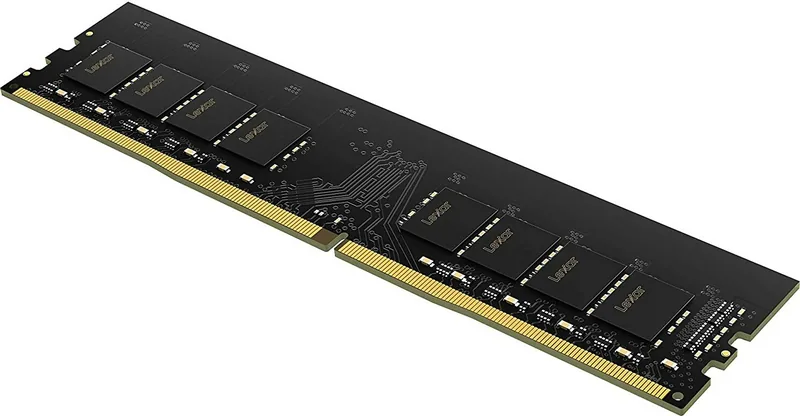
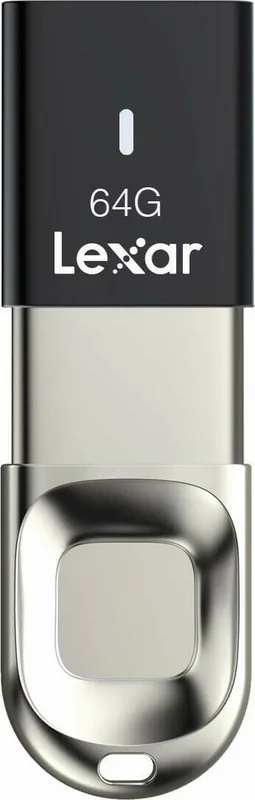
Categories

Free Lexar Manuals - Read, Download & Print
Find free Lexar manuals for memory cards, USB flash drives, card readers, portable SSDs, internal SSDs, and other storage products. A manual can help you understand product features, confirm compatibility, follow setup steps, and resolve common problems. Whether you need instructions for a new Lexar device or want to locate documentation for an older model, this page is designed to make the process simpler.
Browse Lexar Product Manuals
Lexar storage products are used for photography, video production, gaming, office work, file backup, and everyday data transfer. Each product category may have different instructions, specifications, operating limits, and connection requirements. Reviewing the correct manual helps users get the best performance from their device while reducing the risk of data loss or setup errors.
Available documentation may include quick start guides, user manuals, data sheets, installation instructions, warranty information, and safety notices. These documents can explain how to connect a device, format a drive, use bundled software, register a product, and care for storage media correctly.
Lexar Memory Card Manuals
Lexar memory cards are commonly used in cameras, drones, action cameras, smartphones, and other digital devices. Manuals and product guides may explain card speed classes, capacity options, supported recording formats, and proper handling procedures. This is especially useful when selecting a card for high-resolution photos, 4K video, burst photography, or continuous recording.
Important Memory Card Information
Memory card documentation can help answer common questions, including:
- Which card format is supported by a camera or device
- How to format a card safely before use
- What speed ratings mean for photo and video recording
- How to avoid file corruption and accidental data loss
- How to store and transport cards safely
- What to do if a card is not recognized by a device
Always use the formatting function in the camera or host device when recommended by its manufacturer. Formatting can erase all saved files, so copy important photos and videos to another location before proceeding.
Lexar USB Flash Drive Manuals
Lexar USB flash drives provide a convenient way to move documents, media files, and backups between computers and compatible devices. Product documentation may include information about USB connector types, transfer speed expectations, encryption features, compatibility, and safe removal.
Setting Up a USB Flash Drive
Most USB drives work immediately when connected to a compatible port. However, instructions may be needed when a drive does not appear in the file manager, requires formatting, or is being used with multiple operating systems. The manual may also identify whether the drive uses USB-A, USB-C, or another connector design.
Before disconnecting a flash drive, use the computer's eject or safely remove function whenever possible. This helps ensure active file transfers are complete and reduces the chance of damaged or incomplete files.
Lexar SSD Manuals
Lexar solid-state drives are available in portable and internal formats. Portable SSDs are often used for fast file transfer, mobile editing, and backup, while internal SSDs can upgrade a laptop, desktop computer, game console, or workstation. Manuals are useful for confirming physical dimensions, interface type, supported devices, capacity options, and installation requirements.
Portable SSD Guides
A portable SSD guide may cover connection methods, cable use, drive formatting, operating temperature, file system support, and backup recommendations. Some drives include hardware or software features intended to support security, data management, or performance monitoring.
When using a portable SSD for video projects or large backups, connect it directly to a compatible high-speed port when possible. Adapters, hubs, and older ports can limit transfer performance. Keep the drive protected from impact, moisture, and extreme temperatures.
Internal SSD Installation Instructions
Internal SSD manuals may provide installation information for M.2, SATA, NVMe, and PCIe storage products. Before installing an internal drive, verify that the computer or console supports the drive's form factor and interface. A drive can physically fit in a slot while still requiring a specific protocol or generation for full compatibility.
Basic installation guidance may include shutting down the system, disconnecting power, preventing static discharge, securing the drive correctly, and confirming that it is detected in the system firmware or operating system. After installation, the drive may need to be initialized, partitioned, and formatted before it can store files.
Lexar Card Reader Manuals
Card readers allow users to access files from SD, microSD, CompactFlash, and other supported media formats. Lexar card reader manuals can clarify supported card types, available ports, transfer capabilities, and compatibility requirements. They may also provide instructions for connecting readers to computers, tablets, or mobile devices.
Card Reader Troubleshooting
If a card reader is not working as expected, check the cable connection, port compatibility, card orientation, and operating system recognition. Test the card in another compatible device if available. Avoid removing a card while files are being copied, viewed, or edited. If the reader or card becomes unusually hot, disconnect it and allow it to cool before further use.
How to Find the Right Lexar Manual
To locate the correct documentation, start by identifying the exact product model. The model number is often printed on the device, its packaging, a label, or the original purchase documentation. For internal SSDs, the number may be printed directly on the drive label. For memory cards and USB drives, the product family, capacity, connector type, and speed designation can also help identify the product.
Check These Details Before Downloading
Use the following information to narrow your search:
- Product category, such as SSD, card reader, USB drive, or memory card
- Exact model or part number
- Storage capacity
- Connector or interface type
- Device generation or series name
- Operating system or host device being used
Selecting the correct manual is important because setup instructions can vary between similar models. A guide for a USB-C portable SSD may not apply to a USB-A flash drive, and an M.2 NVMe installation guide may not apply to a 2.5-inch SATA SSD.
Read, Download, or Print Manuals
Lexar manuals are often provided in digital document formats that can be viewed on a computer, tablet, or phone. Reading online is useful for quick reference, while downloading a copy makes it easier to access instructions without an internet connection. Printing may be helpful for installation projects, travel use, or keeping a physical reference with equipment.
Tips for Printing a Manual
Before printing, review the document preview and print only the pages you need. Setup diagrams, specifications, troubleshooting pages, and safety information are often the most useful sections to keep on hand. Choose landscape orientation for wide tables or diagrams, and use a larger print scale if small text is difficult to read.
Common Lexar Storage Questions
Why is my Lexar drive not showing up?
Try a different compatible port, cable, or computer. Check whether the drive appears in Disk Management, Disk Utility, or another storage management tool. A new drive may need to be initialized and formatted. If the drive contains important data, avoid formatting it until you have confirmed that the files are backed up or no longer needed.
Can I use a Lexar memory card in any device?
Not every device supports every card capacity, format, or speed class. Check the host device manual for supported media types. Cameras and other devices may have limits related to card format, capacity, or recording mode.
How should I protect stored files?
Keep more than one copy of important files. A reliable backup plan may include a second drive, a computer, network storage, or a secure cloud service. Storage devices can fail unexpectedly, and no single card or drive should be the only location for valuable photos, videos, or documents.
Use Manuals for Safer Storage Management
The right Lexar manual can provide clear information for setup, maintenance, compatibility, and troubleshooting. Read instructions before installing hardware, changing file systems, updating software, or moving important data. Keep product documentation available for future reference, especially when using storage devices for professional work, family photos, media archives, or system upgrades.
By finding the exact Lexar manual for your product, you can make informed decisions, use the correct connections and settings, and maintain your storage devices with confidence.
Search for 67,706 Manuals online


Type-in Brand or Model