
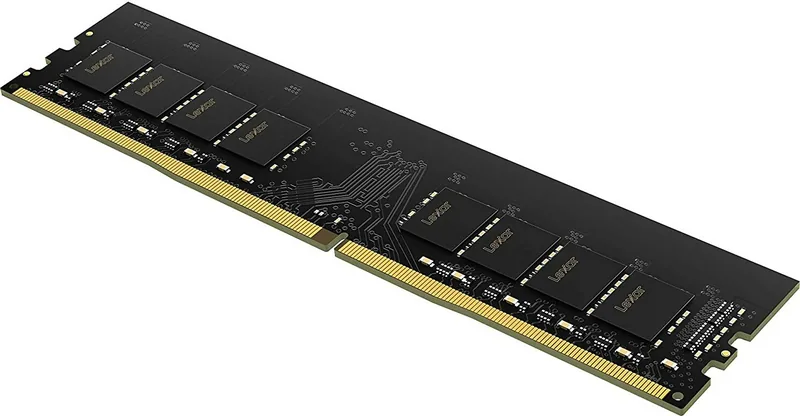
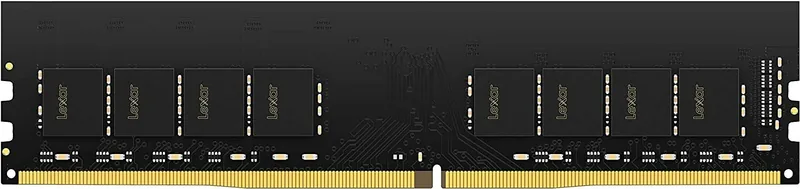
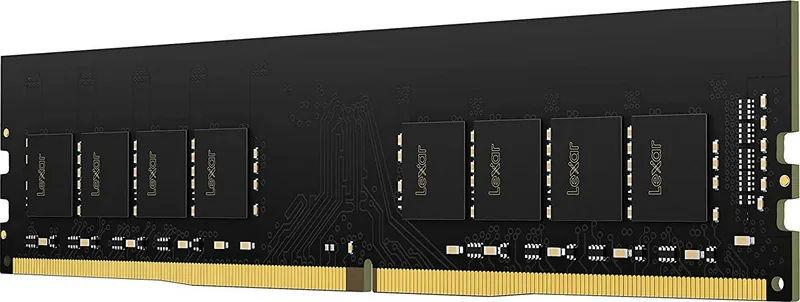
Lexar DDR4 DIMM Manual
PDF manual · 1 Pages
English


Quick check
Incorrect answer, please try again.
Chat with your Lexar DDR4 DIMM manual using AI
Get instant AI answers from your Lexar DDR4 DIMM manual
Ask anything about the Lexar DDR4 DIMM. Answers come from this manual, with the pages they are based on.
Ask a Question
Do you recommend DDR4 DIMM?
Yes NoFrequently Asked Questions
Power off and unplug the desktop, open the case per the manufacturer instructions, align the DDR4 DIMM with the keyed slot, press evenly until the retention clips engage, then close the case and reconnect power. Refer to your motherboard manual for recommended slot population.
Is this answer helpful?
Ground yourself before handling the module by using an anti-static wrist strap or touching a grounded metal surface. Handle the memory by its edges, avoid touching gold connector pins, and work on a non-conductive surface to minimize electrostatic discharge risks.
Is this answer helpful?
Yes. Lexar DIMM DDR4 is covered by a limited-lifetime warranty from the date of purchase, subject to terms and conditions available on Lexar’s support site. Warranty coverage details, exclusions, and claim procedures are published online.
Is this answer helpful?
Do not dispose of used electronic equipment with general household waste. Follow local recycling and electronic waste collection systems to ensure proper disposal and minimize environmental impact.
Is this answer helpful?
Avoid disassembling, bending, stacking, crushing, short-circuiting, exposing the module to moisture, or touching the connector pins. Physical shocks and improper handling can permanently damage the module and connected components.
Is this answer helpful?
Visit Lexar’s official support site for assistance, including installation guidance, warranty information, and contact options. The support pages offer localized resources and troubleshooting steps for common issues.
Is this answer helpful?
Yes. The guide provides specific notes for SO-DIMM in laptops and DIMM installation in desktops—power down and remove batteries for laptops; disconnect mains power and open the chassis for desktops; follow device-specific access instructions.
Is this answer helpful?
Advantages and Disadvantages
Advantages

- Reliable quality backed by Lexar limited-lifetime warranty for long-term confidence.
- Available in DIMM and SO-DIMM form factors to support desktops and laptops.
- Clear, simple installation steps reduce the risk of installation errors.
- Safety-focused guidance (grounding, avoid touching pins) protects components.
- Manufacturer support and online resources for troubleshooting and warranty info.
Disadvantages

- Not designed for physical modification; disassembly or bending voids safety and risks damage.
- Requires careful ESD protection—users without grounding tools risk harming the module.
- Improper disposal can harm environment; requires following local recycling rules.
- No explicit performance specifications in the quick guide (speed, latency, capacity).
- Installation still depends on system-specific instructions which can vary by manufacturer.
Product Specification
Type
DDR4 DIMM 288-Pin
Voltage
1.20V
Module height
1.23 in
Casing
N/A
Lighting
N/A
Special features
Standard-SPD
Warranty
(please refer to the continuing link)
Product Description
Lexar DIMM DDR4 Manual — Quick Overview
Lexar DIMM DDR4 memory combines dependable performance with user-friendly installation guidance, ideal for desktop and laptop upgrades. Built with quality components and backed by Lexar's limited-lifetime warranty, this DDR4 module targets users who want reliable system responsiveness for everyday computing, multitasking, and light content creation. The module emphasizes safe handling practices to protect sensitive components from static discharge, moisture, and physical damage.
Product Highlights
Lexar DIMM DDR4 offers a balance of stability and compatibility. The memory is available in standard DIMM and SO-DIMM form factors to support both desktops and laptops. Installation follows straightforward steps: power down and unplug your system, remove power sources or batteries, open the case per manufacturer instructions, and seat the module into the memory slot with care. Clear diagrams and concise instructions help reduce installation errors.
Safety and Handling
Safety guidance stresses grounding yourself before handling modules and avoiding contact with gold connector pins. Do not disassemble, bend, stack, crush, short-circuit, or expose the memory to moisture. These precautions help prevent damage to the module and surrounding system components, and reduce risk of electrical hazards.
Support and Warranty
Lexar provides technical support resources online and a limited-lifetime warranty from the purchase date under defined terms. Disposal instructions remind users not to mix used electronic equipment with household waste and to follow local recycling or collection systems to protect the environment.
Installation Scenarios
- Laptop (SO-DIMM): Remove battery and AC power, access the SO-DIMM slot, align and insert the module, ensuring proper seating and retention clip engagement.
- Desktop (DIMM): Disconnect mains power, open the chassis, align the module with the keyed slot, press evenly until it clicks into place. Follow system manufacturer guidance for slot population and dual-channel configurations.
Notes
- Always ground yourself and handle modules by the edges.
- Avoid touching the connector pins to preserve signal integrity.
- Keep modules dry and protected from physical shock.
- Consult the Lexar support site for warranty details and troubleshooting.
Search for 67,706 Manuals online


Type-in Brand or Model