Manual.ly Logo

Krups EA8170 Arabica Display Manual

0.0 · 0 Ratings

PDF manual · 74 Pages

English

M: QW-35-FL
page

/ 74

Loading...
7bc8af95ffe4a88f6dd7a70041aa269ac001 page 10
27
26
Note: if you turn off or unplug your machine during descaling or if there is a power failure, the cleaning program will
start from the beginning of the program once the appliance is restarted. It is not possible to postpone this process.
It is obligatory in order to rinse the water circuit. Running the descaling program is advisable. The descaling cycle is
irregular: do not put your hands under the steam jet.
Once the cycle has finished, the coffee types menu appears.
■You can access the appliance’s OTHER FUNCTIONS menu by pressing the maintenance and settings button
.
■For all settings, use the navigation button
and + or – for the values.
■To come out of the maintenance and settings menu, press the
button.
MAINTENANCE
All of the following options allow you to run the selected programs:
MAINTENANCE
Allows you to access rinsing.
Allows you to access cleaning.
Allows you to access descaling when the appliance requests it.
Allows you to prime the filter (Claris cartridge).
Return to coffee types menu.
TURNING OFF YOUR APPLIANCE
You can turn off your appliance at any time. When stopped, the machine emits a double beep and OFF is displayed
on the screen. The appliance has registered your request and will stop as soon as possible.
OTHER FUNCTIONS
Automatic rinsing of the circuits when the machine starts.
■You can choose to program the machine to be rinsed automatically each time it is turned on. To do this, press the
maintenance and settings button
(27). Using the navigation button , select the automatic rinsing programming
symbol . Press the button to choose ON which confirms this program. If you press the , button, automatic
rinsing is disabled.
■You can return to the coffee types menu by pressing the
button.
Warning : after this rinsing process, hot water will be released from the coffee jet. Ensure that the drip tray is in place
even when the machine is not being used. The cycle lasts only a few seconds and stops automatically.
Cleaning program - total duration: approximately 13 minutes
You do not have to run the cleaning program as soon as the appliance requests it, but it must be done reasonably
soon after. If cleaning is postponed, the alert message will remain illuminated until the process is carried out.
■When the symbol lights up, you can run the automatic cleaning program by pressing the maintenance and
settings button
. The symbol is selected. The function indicator is shown above the maintenance button
.
■the automatic cleaning program is divided into 2 stages: the cleaning cycle itself, followed by the rinse cycle. You
can clean the machine at any time by pressing the maintenance and settings button
then, using the navigation
button
select the cleaning symbol .
■To run this cleaning program, you will need a container which holds at least 0.6 L and which can be placed beneath
the coffee jets and the steam nozzle. The symbol flashes.
■Lift the cup grid (28).
■Insert the KRUPS cleaning tablet (29).
■Fill the water container to its maximum level of 1.7 L (2).
■Empty the coffee grounds collector and the drip tray (23-25).
■Put a 0.6 L container under the coffee and steam jets (30).
■Press START
. The symbol becomes constant. The first phase (approximately 10 minutes) begins. When this
phase has finished, empty the container and the drip dray. The symbol flashes. Put the parts back in place.
■Press START
. The symbol becomes constant, the final phase (approximately 3 minutes) begins. When this
phase has finished, empty the container and the drip tray. The cycle has finished, the coffee types menu appears.
Note: if you turn off or unplug your machine during cleaning or if there is a power failure, the cleaning program will
start from the beginning of the program once the power is restored to the appliance. It is not possible to postpone
this process. It is obligatory in order to rinse the water circuit. In this case, a new cleaning tablet may be necessary. It
is best to run the full cleaning program in order to avoid any risk of poisoning. The cleaning cycle is irregular: do not
put your hands under the coffee jets while the cycle is running.
Descaling program - duration: approximately 20 minutes
You do not have to run the descaling program as soon as the appliance requests it, but it must be done reasonably
soon after. If descaling is postponed, the alert message will remain illuminated until the process is carried out.
The amount of limescale collected depends on the hardness of your water.
Warning : if your product is fitted with our Claris - Aqua Filter System cartridge, remove the cartridge before descaling.
■When the symbol lights up, you can run the automatic descaling program by pressing the maintenance and
settings button
(27). If necessary, using the navigation button, select the symbol. The symbol flashes
and the function indicator
is located above the maintenance button .
■To run the descaling program, you will need a container which holds at least 0.6 L and a sachet of KRUPS descaler.
■Fill the water tank up to the CALC mark then pour in the contents of one sachet (31).
■Put a 0.6 L container under the coffee and steam nozzles.
■Press START to begin the first phase (approximately 8 min). The symbol becomes constant. When this phase
has finished, empty the container and the drip dray. The
and symbols flash. Remove and clean the water tank
using a sponge.
■Once clean, refill your water tank and replace all parts. The symbol disappears.
■Press START
to begin the second phase (approximately 6 min). The symbol becomes constant. When this
phase has finished, empty the container and the drip tray. The symbol flashes.
■Press START
to begin the final phase (approximately 6 min). The symbol becomes constant. When this phase
has finished, empty the container and the drip tray. Descaling is complete.

Chat with your Krups EA8170 Arabica Display manual using AI

Get instant AI answers from your Krups EA8170 Arabica Display manual

Ask anything about the Krups EA8170 Arabica Display. Answers come from this manual, with the pages they are based on.

EA8170 Arabica Display Maintenance Schedule

Remind me when maintenance is due
Every 2 months
Replace Claris Aqua Filter System cartridge

The cartridge has a date mechanism indicating replacement after a maximum of 2 months to ensure optimal taste and machine life.

Show in the manual (page 17)
When prompted by machine
Run automatic cleaning program with KRUPS tablet

Insert KRUPS cleaning tablet into the funnel. Fill water tank to max level. Place a 0.6L container under nozzles and start the cycle.

Show in the manual (page 16)
When prompted by machine
Run descaling program with KRUPS sachet

Remove filter cartridge if installed. Add one sachet of KRUPS descaler to water tank up to CALC mark. Run the full program.

Show in the manual (page 16)
After every use or when full
Empty coffee grounds collector and drip tray

Empty and clean both components when the warning symbol flashes or floats indicate they are full. Reinstall correctly to avoid errors.

Show in the manual (page 15)
After steam use
Clean steam nozzle and unclog air holes

Run a brief steam cycle over a container to flush milk residues. Remove nozzle for deep cleaning with brush and needle if clogged.

Show in the manual (page 15)
If unused for several days
Rinse hydraulic circuits

Perform a manual rinse via the maintenance menu to clear stagnant water from the coffee and steam circuits before brewing.

Show in the manual (page 14)

Free maintenance reminders

Timed to your purchase date. Always free, unsubscribe anytime.

By submitting you agree to the privacy policy. Unsubscribe with one click in any email.
M: qwen/qwen3.8-flash

Ask a Question

0/1000

Do you recommend EA8170 Arabica Display?

Yes No

Frequently Asked Questions

A

You can adjust the strength by turning the fineness knob inside the bean container. Turning left makes the grind finer for stronger coffee, while turning right makes it coarser for milder coffee.

Is this answer helpful?

A

For the best results, use very fresh, cold pasteurized or UHT milk. Avoid raw milk as it does not produce optimal foam consistency.

Is this answer helpful?

A

The machine will alert you when cleaning is needed. It is recommended to run the cleaning program monthly or whenever the indicator light flashes to maintain hygiene.

Is this answer helpful?

A

Yes, the machine has a two-cup function that automatically runs two complete preparation cycles consecutively to serve two cups simultaneously.

Is this answer helpful?

A

Ensure you pre-heat your cups with hot water. You can also increase the coffee temperature setting in the maintenance menu if the default level is too low.

Is this answer helpful?

M: QW-35-FL

Advantages and Disadvantages

Advantages

  • Compact Thermoblock system ensures rapid heating and energy efficiency
  • 15-bar pump delivers authentic crema on every shot
  • Intuitive LCD display simplifies navigation and programming
  • Metal burr grinder provides consistent freshness for all bean types
  • Automated cleaning and descaling cycles reduce manual effort
VS

Disadvantages

  • Steam wand requires manual frothing technique for optimal texture
  • Water tank capacity may require frequent refilling for heavy users
  • Optional accessories like auto-cappuccino set sold separately
  • Grind adjustment must be done while machine is running for accuracy
  • Descaling cycle requires specific KRUPS products for best results
M: QW-35-FL

Product Specification

Power

1948.25W

Color

black

Pump pressure

217.56psi

Coffee system

whole beans

Milk system

no

Grinder

adjustable conical grinder (3 settings)

Coffee amount

adjustable

Water amount

adjustable

Coffee temperature

adjustable (3 settings)

Water tank capacity

0.45gal

Bean hopper capacity

0.57lb

Display

yes

Features

double height-adjustable drink spout, auto shut-off, steam nozzle, milk frother (Cappuccinatore), hot water function, integrated water filter, automatic cleaning program, automatic descaling program

Dimensions

15x19.06x11.3in (WxDxH)

Weight

15.43lb

M: QW-35-FL

Product Description

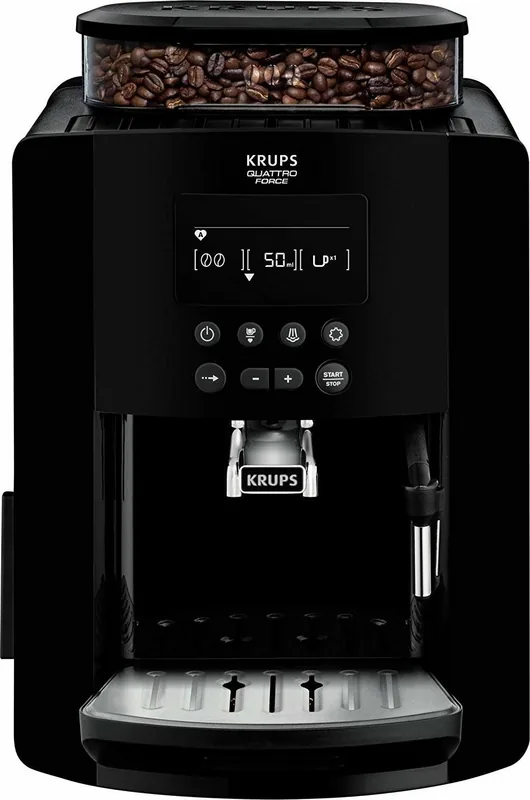
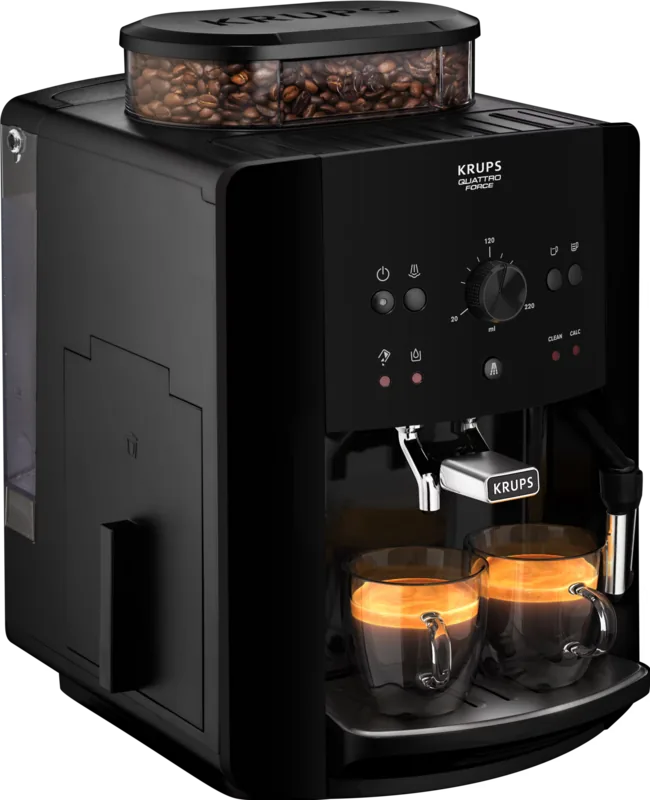
Discover the Krups EA 8170 Arabica Display Black Manual Experience

Welcome to the world of home brewing excellence with the Krups EA 8170 Arabica Display Black. This automatic espresso machine is designed for those who demand restaurant-quality coffee without leaving their kitchen. The device features a Compact Thermoblock System and a powerful 15-bar pump, ensuring that every cup of ristretto, espresso, or coffee is extracted at the perfect temperature with maximum aroma.

The user-friendly LCD display guides you through every step, from preparing your favorite drink to performing essential maintenance. You have full control over volume, intensity, and temperature, allowing you to customize each beverage to your exact preference. Whether you crave a strong espresso or a creamy cappuccino using the steam wand, this machine delivers consistent results. The metal grinder ensures fresh beans are ground just before extraction, preserving the rich oils and flavors that define a great cup of coffee.

Maintenance is straightforward thanks to automated programs for rinsing, cleaning, and descaling. The machine alerts you when it needs attention, ensuring longevity and optimal performance. With its sleek black design and ergonomic interface, the Krups EA 8170 fits seamlessly into any modern kitchen while offering professional-grade functionality.

Key Notes for Users

  • Always pre-heat your porcelain cups for the best espresso temperature and crema.
  • Use fresh, cold tap water free of chlorine for superior taste.
  • Adjust the grind fineness knob during grinding for the most accurate settings.
  • Clean the steam nozzle immediately after use to prevent milk residue buildup.
  • Utilize the optional Claris Aqua Filter cartridge to extend machine life and improve flavor.
M: QW-35-FL

© Copyright 2026 Manual.ly