
iHealth PT3 Manual
PDF manual · 20 Pages
English



Quick check
Incorrect answer, please try again.
Chat with your iHealth PT3 manual using AI
Get instant AI answers from your iHealth PT3 manual
Ask anything about the iHealth PT3. Answers come from this manual, with the pages they are based on.
PT3 Maintenance Schedule
Take out the batteries from the thermometer if the device will not be used for more than one month to prevent damage.
Gently swipe the probe surface with a cotton swab dipped in >75% medical alcohol. Let it sit for at least 15 minutes before measuring.
Use a soft, dry cloth to clean the display and external surface. If very dirty, moisten the cloth slightly with medical alcohol.
Replace old batteries with new ones when the low power symbol flashes or device fails to measure. Ensure correct polarity.
Free maintenance reminders
Timed to your purchase date. Always free, unsubscribe anytime.
Ask a Question
Do you recommend PT3?
Yes NoFrequently Asked Questions
Turn off the device. Press and hold the measurement button for 8 seconds until both symbols flash. Press the button once to select your preferred unit, then hold for 8 seconds again to confirm.
Is this answer helpful?
Yes, the iHealth PT3 is safe for babies, children, and adults. However, infants and young children should not operate the device themselves; an adult must take the measurement.
Is this answer helpful?
Ensure the forehead is clean and dry, and wait 30 minutes after eating or exercising. Check the battery level and ensure the device has acclimated to the room temperature. Repeat the measurement up to three times.
Is this answer helpful?
Batteries typically last for about 300 measurements. Replace them immediately if the low battery icon appears or if the device fails to power on correctly.
Is this answer helpful?
No, the device is not waterproof. Do not submerge it in water or use detergents. Clean the exterior with a soft cloth slightly dampened with alcohol.
Is this answer helpful?
The warranty period is one year from the date of delivery. Proof of purchase is required for any claims under the warranty terms.
Is this answer helpful?
Advantages and Disadvantages
Advantages

- Non-contact measurement ensures hygiene and prevents cross-contamination between users.
- Fast reading time provides instant results with a simple beep and vibration alert.
- Dual unit support allows easy switching between Celsius and Fahrenheit for global use.
Disadvantages

- Accuracy can be affected by environmental factors like direct sunlight or strong EM interference.
- Requires regular battery replacement as the typical lifespan is around 300 measurements.
- Not suitable for measuring temperature over scar tissue or areas with inflammation.
Product Specification
Type
Infrared Thermometer
Power Source
Battery Powered (2x AAA Battery)
Application
On Forehead
Units
°C, °F (Switchable)
Measurement Range
89.6°F to 109.2°F (Body Temperature)
Accuracy
±0.54°F
Measurement Time
1s
Display
Yes
Features
Auto Power Off
Product Description
Discover the iHealth PT3 Infrared Thermometer
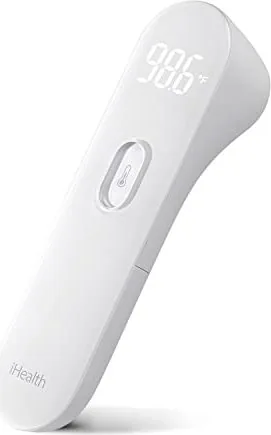
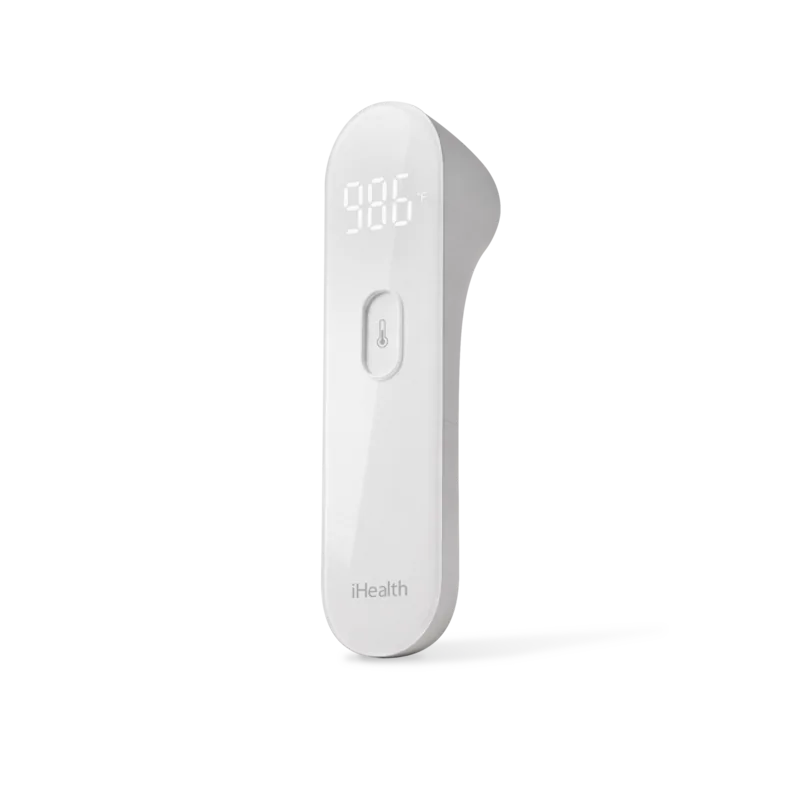
The iHealth PT3 is a cutting-edge infrared thermometer designed to provide quick, non-contact temperature readings for the entire family. This high-tech device measures body heat by detecting infrared energy emitted from the forehead, ensuring a hygienic and efficient way to monitor health conditions. Whether you are checking on a sleeping child or assessing your own well-being, this tool offers peace of mind with its user-friendly design.
Key Features and Performance
This device operates within a measurement range of 89.6°F to 109.2°F (32°C to 42.9°C), making it suitable for detecting fevers accurately. The precision is set at ±0.4°F within the critical range of 95°F to 107.6°F. It features an LED display that shows readings in both Celsius and Fahrenheit, allowing users to switch units easily by holding the measurement button. The thermometer runs on two AAA batteries and includes a low-power indicator to ensure reliability when needed.
Usage and Safety
To use the iHealth PT3, simply aim the probe at the center of the forehead from a distance of approximately 1.18 inches (3 cm). The device vibrates upon successful measurement, providing immediate feedback. For accurate results, ensure the forehead is free from sweat, cosmetics, or dirt, and avoid measuring immediately after eating, drinking, or physical activity. The product is intended for consumer use only and should not replace professional medical advice.
Maintenance and Care
Cleaning the probe gently with a cotton swab dipped in 75% alcohol helps maintain accuracy. Avoid exposing the device to direct sunlight, extreme temperatures, or moisture. Always remove batteries if the device will not be used for more than a month to prevent leakage. The iHealth PT3 is built with durable materials that meet safety standards, ensuring no toxicity or irritation during contact.
Important Notes
- Do not measure over scar tissue or open wounds.
- Allow the device to acclimate to room temperature before use if moved from a different environment.
- Keep out of reach of children to prevent accidental ingestion of batteries.
Search for 67,706 Manuals online


Type-in Brand or Model