
FSP NanoFit Manual
PDF manual · 28 Pages
English



Quick check
Incorrect answer, please try again.
Chat with your FSP NanoFit manual using AI
Get instant AI answers from your FSP NanoFit manual
Ask anything about the FSP NanoFit. Answers come from this manual, with the pages they are based on.
NanoFit Maintenance Schedule
Charge the battery for 6 hours prior to initial use for best results.
Unplug the UPS from AC power before cleaning and do not use liquid or spray detergents.
Ask a Question
Do you recommend NanoFit?
Yes NoFrequently Asked Questions
It is designed to provide short-term backup power and surge protection for computers, monitors, and other small office devices. It helps prevent sudden shutdowns and supports safer operation during power issues.
Is this answer helpful?
The recommended initial charge is about 6 hours. This helps prepare the internal battery for stable performance before you rely on it for backup power.
Is this answer helpful?
Use the battery backup outlets for critical equipment such as a computer and monitor. These outlets provide battery support, filtering, and surge protection during outages.
Is this answer helpful?
No. The text warns against connecting laser printers or scanners to battery backup sockets because they can draw too much power and overload the UPS.
Is this answer helpful?
The LED or LCD display shows power status, input and output voltage, load level, and battery capacity. It also warns about overload, low battery, and faults through icons and alarms.
Is this answer helpful?
Disconnect unnecessary or short-circuited loads and restart the unit. If the fault remains, or if the device reports high output voltage, contact service immediately.
Is this answer helpful?
Battery replacement should follow the same type and rating used by the unit, but the text emphasizes that internal service is for qualified personnel. If you are unsure, use professional support.
Is this answer helpful?
Advantages and Disadvantages
Advantages

- Three battery-backed outlets help keep a PC and monitor running during outages.
- Three surge-protected outlets provide added protection for peripherals without draining backup power.
- LCD/LED indicators and alarms make it easy to track voltage, load, and battery status.
- Compact, lightweight design and quiet operation suit desks, small offices, and home setups.
Disadvantages

- Not suitable for high-draw devices like laser printers on battery-backed sockets.
- Single-battery design limits runtime for larger loads or extended outages.
- Internal parts are not user-serviceable, so repairs and some battery issues need professional help.
- Designed for controlled indoor environments, so heat, humidity, and liquids are concerns.
Product Specification
Type
Power strip with integrated UPS
Classification
VFD (Off-Line)
Voltage
230V
Outputs
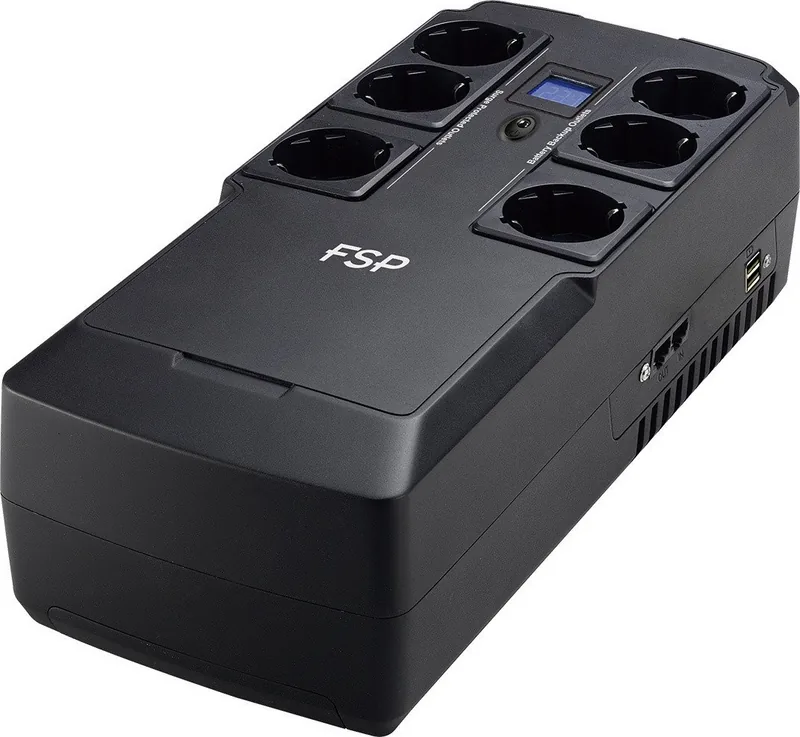
6x Schuko, 2x USB-A (5V/1A)
Charging time
8h (90%)
Weight
6.61 lb
Dimensions (WxHxD)
6.26x3.74x12.01in
Manufacturer's warranty
two years
Product Description
FSP NanoFit UPS: Compact Backup Power for Everyday Protection
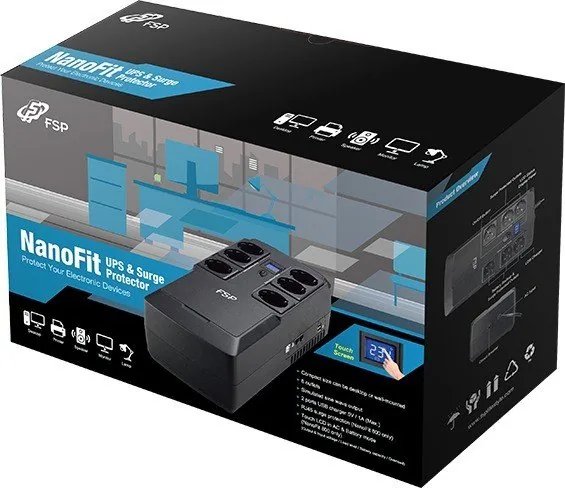
The FSP NanoFit UPS is a practical standby power solution designed to keep essential electronics running when the mains supply becomes unstable or fails. Available in 400VA, 600VA, and 800VA variants, it focuses on the needs of home offices and small workspaces where reliable backup, surge defense, and simple operation matter most. If you are looking for a compact unit that is easy to set up and easy to understand, the FSP NanoFit UPS Manual reflects exactly that philosophy: clear steps, straightforward connections, and practical safety guidance.
At its core, this UPS is meant to protect computers, monitors, and other sensitive office devices. Three battery-backed outlets provide automatic support during outages, while three surge-protected outlets are better suited for accessories such as printers, scanners, or fax machines. It also adds EMI filtering, line conditioning, and surge suppression, helping connected equipment stay safer in day-to-day use. The transfer time is typically only a few milliseconds, so the switch to battery power is quick enough to prevent most interruptions.
Monitoring is simple thanks to LED or LCD status indicators. Users can check output voltage, input voltage, load level, and battery capacity with a touch, while alerts warn of overload, low battery, or fault conditions. That makes the unit easier to manage than a basic power strip, especially when power quality is inconsistent. The simulated sine wave output and sealed lead-acid battery design further underline its role as a dependable everyday backup tool rather than a complex enterprise system.
The design is also compact and lightweight, which makes placement easier on or under a desk. A recommended initial charge of around six hours helps the battery reach a solid starting point, and the unit can recover to most of its capacity within about eight hours. For best results, it should be used indoors in a controlled environment, with vents left clear and liquids kept away from the unit.
Notes
- Best suited for PCs, monitors, and similar office equipment.
- Keep laser printers and other heavy loads off battery-backed outlets.
- Replace batteries only with the same type and rating.
- Use the status display and alarms to spot overloads early.
Quick takeaway
The FSP NanoFit UPS combines small size, useful runtime support, and essential power protection into a simple package that fits modern everyday computing needs.
Search for 67,706 Manuals online


Type-in Brand or Model