
CyberPower Smart App Online Manual
PDF manual · 50 Pages
English



Quick check
Incorrect answer, please try again.
Chat with your CyberPower Smart App Online manual using AI
Get instant AI answers from your CyberPower Smart App Online manual
Ask anything about the CyberPower Smart App Online. Answers come from this manual, with the pages they are based on.
Smart App Online Maintenance Schedule
When storing the UPS for an extended period, recharge the batteries every three months to ensure good capacity and prevent damage from leakage.
Replace batteries when the Service Battery warning appears or after the recommended 3-year maintenance period has elapsed.
Free maintenance reminders
Timed to your purchase date. Always free, unsubscribe anytime.
Ask a Question
Do you recommend Smart App Online?
Yes NoFrequently Asked Questions
The transfer time is typically 0ms, ensuring seamless protection for connected equipment without interruption.
Is this answer helpful?
Yes, you can add Extended Battery Modules to increase backup duration during power outages.
Is this answer helpful?
The LCD will display a Replace Battery icon or Service Battery warning when maintenance is due.
Is this answer helpful?
Yes, PowerPanel Business Edition software allows remote monitoring and system control.
Is this answer helpful?
Wear non-conductive gloves and remove metal jewelry to prevent electric shock risks during servicing.
Is this answer helpful?
Yes, output voltage is configurable between 200 and 240V to match local utility standards.
Is this answer helpful?
You can clear event logs via the LCD menu under the Event Logs section using the Enter button.
Is this answer helpful?
Advantages and Disadvantages
Advantages

- Double-conversion topology provides zero transfer time and pure sine wave output for sensitive equipment.
- Smart Battery Management extends overall battery life and reduces charging times to under four hours efficiently.
- Modular design supports Extended Battery Modules to increase runtime during power outages significantly.
- Flexible installation allows for both rackmount and vertical tower setups in various IT environments.
- Advanced LCD panel displays real-time data and allows extensive configuration of power parameters easily.
Disadvantages

- Unit weight is high and requires at least two people for safe handling during installation and moving.
- Battery circuits are not isolated from AC power, presenting a shock risk if handled improperly.
- Installation must be performed by qualified personnel due to high voltage and complex electrical connections.
- Ventilation must be sufficient; obstructing openings can cause overheating and automatic shutdowns during operation.
- Hardwiring requires matching branch circuit breaker ratings and strict adherence to electrical codes to prevent faults.
Product Specification
Type
Tower / Rackmount
Classification
VFI (Online)
Voltage
200V / 208V / 220V / 230V / 240V
Input
Terminal
Outputs
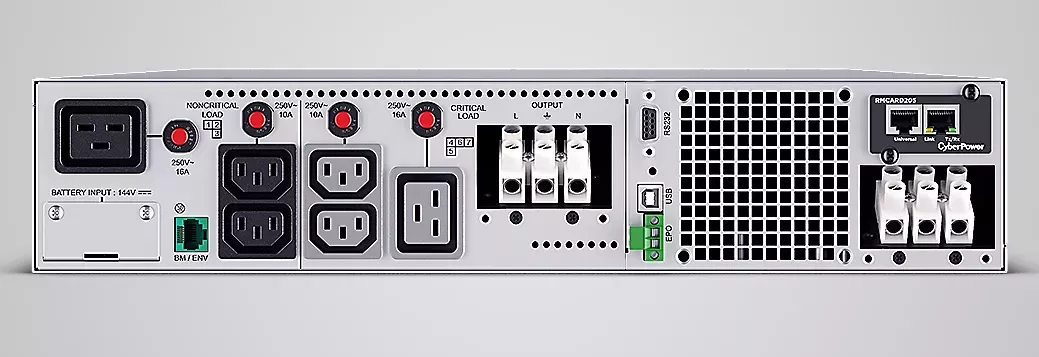
4x C13, 2x C19, 1x Terminal
Interfaces
USB, Serial
Charge Time
4 h
Weight
92.59 lbs
Dimensions (W x H x D)
17.05 x 3.41 x 28.35 in
Rack Units
2U
Features
LCD
Manufacturer Warranty
3 years
Product Description
Power Security for Mission Critical Applications
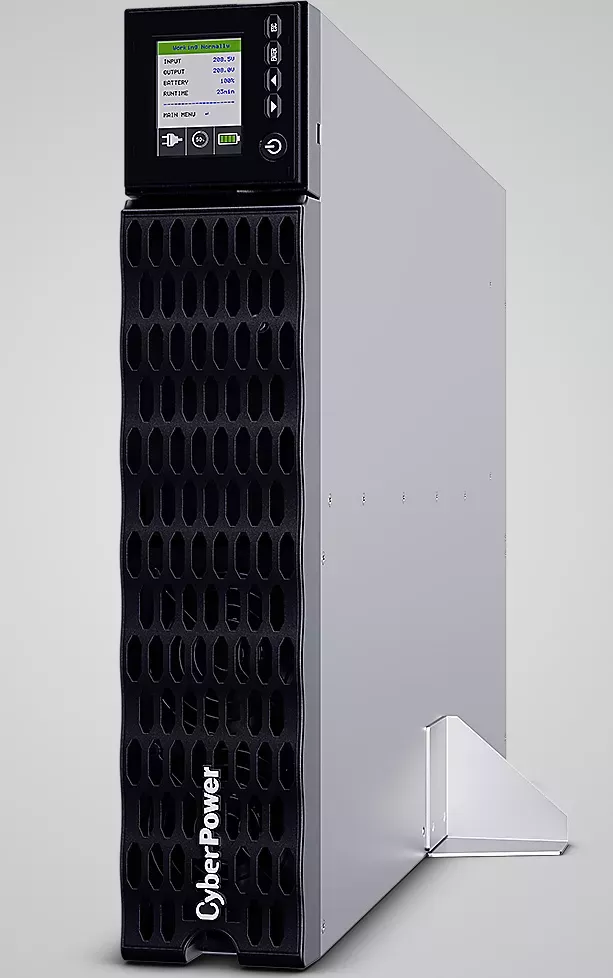
Businesses today require robust protection against electrical failures. The CyberPower Smart App Online UPS Systems provide this essential service. This CyberPower Smart App USV-System Manual is your guide to safe operation. Models OL5KERTHD and OL6KERTHD cover 5000 and 6000 VA needs. They offer double-conversion topology for pure sine wave output. Transfer time is effectively zero to protect sensitive hardware. Smart Battery Management extends life significantly. Fast Charge Technology restores 90% capacity in four hours. This ensures rapid recovery after power loss. The system delivers clean AC power.
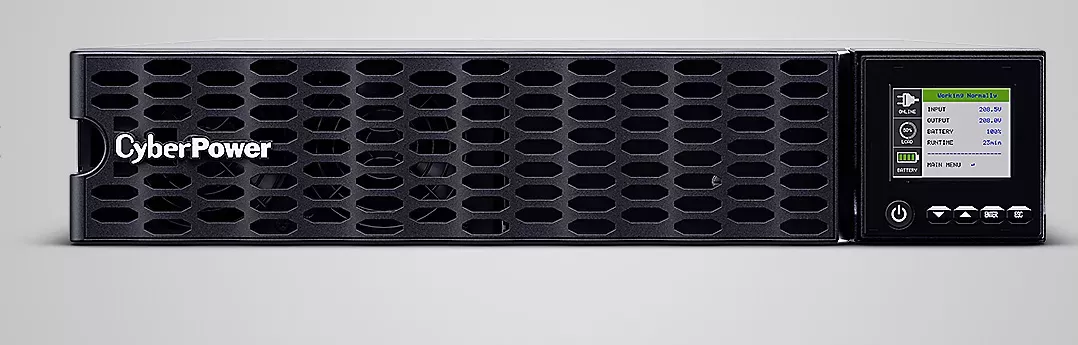
Installation involves both rack and tower options. The unit is heavy so two people must handle lifting. Ventilation must remain clear of obstructions. Heat sensors trigger shutdowns if cooling fails. The LCD screen displays twenty-eight setup items. Four buttons allow easy navigation. You can prioritize non-critical load outlets to save battery. ECO Mode saves energy during stable grid conditions. Non-critical loads shut off to conserve energy. Network connectivity via USB or Serial enables remote management. PowerPanel software allows automatic shutdowns. Emergency Power Off connectors add safety layers. Connection for additional CyberPower External Battery modules is available.
Electrical connections must follow strict guidelines. Use VDE tested cables. Grounding is mandatory before connecting input wires. The system accepts 140 to 280 volts based on load. Frequency ranges auto-sense between 40 and 70 Hz. Maintenance requires certified replacement batteries. Electrolyte is toxic so handle with care. Remove metal jewelry before servicing. Event logs track up to twelve incidents. Regular diagnostics test fan and indicator health. Dispose of old batteries according to local hazardous waste rules. High voltage exists even when unplugged.
Please note that qualified personnel must install permanently connected units. The About menu shows the model name and firmware version. Diagnostics allow manual battery and fan tests. Ensure branch circuit breakers match the unit rating. Do not use output sockets for hair dryers. Keep away from aquariums to avoid condensation short circuits. Verify grounding before powering on. These precautions prevent electric shock risks. The manual details battery replacement dates in diagnostics. Reset the maintenance timer after service.
Important Safety Reminders
Always disconnect power before wiring. Check ventilation regularly. Use only approved fuses. Do not open the case. Contact support for charger failures.
Search for 67,706 Manuals online


Type-in Brand or Model